
SlideLizard CREATOR
SlideLizard CREATOR is a centrally managed company slide library used directly in PowerPoint.
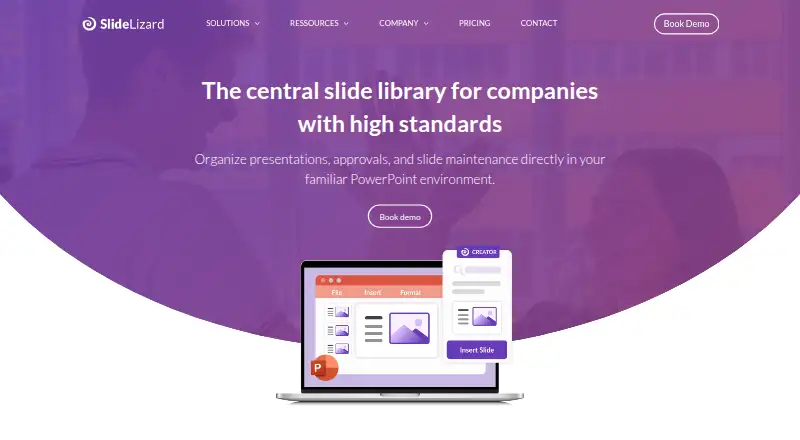
What SlideLizard CREATOR is
SlideLizard CREATOR is a centrally managed company slide library used directly in PowerPoint. Teams can store approved slides, images, videos, icons, logos, and templates, then control who may view, edit, or share them. When a library slide changes, updates can be applied across presentations. Status labels such as in progress, approved, and out of date support review workflows, while the CI Checker checks colors, fonts, logos, and other design rules. Search covers keywords, slide text, and visual elements. Automatic versioning lets users view, compare, and restore earlier versions. Companies can use SlideLizard’s cloud server or integrate the product into their own IT infrastructure. SlideLizard says data remains in Europe, with data centers in Germany and the Netherlands, and describes the service as GDPR compliant. Presenter and attendee data uses HTTPS. Pricing is on request, and the PowerPoint plugin is listed for Windows PCs.
Good
- Central library keeps presentation assets together
- Updates can apply across presentations
- Approval statuses support review workflows
- Version history allows restore and comparison
- Access rights control sharing and editing
Watch out
- No free plan
- Pricing is available only on request
- PowerPoint plugin is listed for Windows PCs
- Mac availability is not yet listed
Who it suits
CREATOR suits companies with many presentations, multiple departments, brand standards, and recurring approval processes. It is intended for teams that need centralized slide governance inside PowerPoint.
Verdict
SlideLizard CREATOR provides centralized content, brand checks, permissions, and versioning for company presentations. Its Windows-focused plugin and quote-based pricing should be considered during selection.
Plans and prices
From SlideLizard CREATOR's own pricing page, checked 8 Oct 2026.
| Plan | Price | What it gives you |
|---|---|---|
| SlideLizard CREATOR | Priced on request | Pricing not publicly stated; request a demo or quote |
The facts
Each one read from SlideLizard CREATOR's own pages, with the date it was checked.
What it does
- Access control
- Individual access rights control who can view, edit, or share presentation slides.checked 8 Oct 2026
- Asset library
- Teams can access approved images, videos, icons, logos, and templates directly in PowerPoint.checked 8 Oct 2026
- Design checks
- The CI Checker analyzes slides for deviations in corporate colors, fonts, logos, and other design rules.checked 8 Oct 2026
- Encryption
- SlideLizard says presenter and attendee data is transferred over HTTPS connections.checked 8 Oct 2026
- Hosting
- The product is offered through SlideLizard’s cloud server or can be integrated into a company’s own IT infrastructure.checked 8 Oct 2026
- Intended users
- The product is designed for companies with many presentations, multiple departments, brand standards, and recurring approval processes.checked 8 Oct 2026
- Product
- SlideLizard CREATOR is a centrally managed company slide library used directly in PowerPoint.checked 8 Oct 2026
- Search and versioning
- The slide management feature page describes keyword search, searching slide text or visual elements, and automatic versioning with the ability to view, compare, and restore previous versions.checked 8 Oct 2026
- Security
- SlideLizard says data stays in Europe, with data centers in Germany and the Netherlands, and describes the service as GDPR compliant.checked 8 Oct 2026
- Slide updates
- Changes to a slide can be automatically applied across presentations so teams have current content.checked 8 Oct 2026
- Support
- The CREATOR page directs support inquiries to [email protected].checked 8 Oct 2026
Where it runs
- Approvals
- Slides can be assigned statuses such as in progress, approved, or out of date.checked 8 Oct 2026
- Mac availability
- The download page invites users to leave an email address to be contacted when SlideLizard is available for Mac.checked 8 Oct 2026
- Platform support
- The download page says presenters install the SlideLizard PowerPoint plugin on Windows PCs and lists Windows 7–11 and PowerPoint 2016–2024 or Office 365 as supported for the plugin.checked 8 Oct 2026
The company
- Founded
- 2017checked 28 Sep 2026
- Headquarters
- Linz, Austriachecked 28 Sep 2026
Alternatives to SlideLizard CREATOR
- 1

Shufflrr
Free planiOSWebAPISelf-hosted7.8From $30 a month - 2
Salesframe
AndroidiOSWebAPI7.7From €10 a month - 3

ChatSlide
Free planWeb7.5From $99 a year - 4

Letsignit
AndroidiOSWebmacOS7.2From $2 a month - 5

HummingDeck
Free planWebAPIExtension6.9From $10 a month - 6
Showcase Workshop
AndroidiOSWebmacOS6.9From $10 a month