
Shufflrr
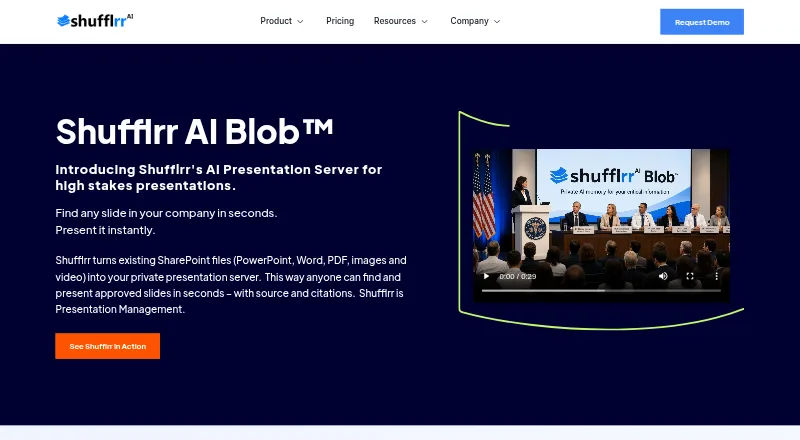
Shufflrr turns existing SharePoint files into a private presentation server where teams can find and present approved slides with sources and citations.
What Shufflrr is
Shufflrr turns existing SharePoint files into a private presentation server where teams can find and present approved slides with sources and citations. Shufflrr Cloud centralizes slides and files, with version control, automatic updates, permissions, governance, reporting, and content visibility. Its AI Blob offering assembles presentations from organizational content through conversation-driven assembly, vector retrieval, and real-time personalization. The PowerPoint add-in can insert content from SharePoint and OneDrive, as well as live data from Dynamics 365; adding slides requires Office 365 PowerPoint. Shufflrr lists integrations including ChatGPT, Dropbox, Dynamics, Salesforce, and Okta, and says its API can reproduce web-interface features. The free PowerPoint add-in supports up to four users. Download availability depends on file type, group roles, folder permissions, and sharing settings, and individual slides cannot be downloaded directly. Shufflrr says its transactions are SSL encrypted and lists SOC reports or compliance and hosting controls for regimes including HIPAA, ISO 27001, FedRAMP, and PCI DSS.
Good
- Cloud includes version control, permissions, and approvals.
- Add-in can insert SharePoint and OneDrive content.
- API can reproduce web-interface features.
- Free add-in supports up to four users.
- Cloud plan includes a 14-day free trial.
Watch out
- Adding slides requires Office 365 PowerPoint.
- Individual slides cannot be downloaded directly.
- Downloads depend on permissions and file type.
Who it suits
The add-in is presented for individuals and teams; Cloud is for teams needing content consistency and control. AI Blob is aimed at teams seeking adaptable, personalized communication at scale.
Verdict
Shufflrr organizes approved presentation content and offers both a PowerPoint add-in and a centralized Cloud service. Check the download restrictions and PowerPoint requirement, and note that Shufflrr Cloud starts at $30/user/mo.
Plans and prices
From Shufflrr's own pricing page, checked 14 Oct 2026.
| Plan | Price | What it gives you |
|---|---|---|
| PowerPoint Add-in | Free | Up to 4 users · OneDrive and SharePoint access · Dynamics 365 live data · file management in PowerPoint |
| Shufflrr Cloud | $30 a month | Unlimited users · unlimited storage · version control · approvals and permissions · advanced search · analytics/reporting · SharePoint, AEM, Bynder and Canto sync · per user/month |
| Shufflrr AI Blob | $50 a month | 10–49 users · 50 GB private vector database · 5,000 prompts/month · 100 users included · SharePoint sources · Azure SSO · tenant data isolation · per user/month |
The facts
Each one read from Shufflrr's own pages, with the date it was checked.
What it does
- AI Blob
- AI Presentation Blob uses vector retrieval and AI agents to assemble and personalize presentations dynamically from organizational content.checked 14 Oct 2026
- AI data handling
- The pricing page says AI operates on approved internal content, uses Microsoft Azure SSO and tenant storage, and isolates tenant data.checked 14 Oct 2026
- AI data scope
- The AI Blob plan description says it uses approved internal content only, with no public data, and includes Microsoft Azure SSO and Microsoft 365 tenant storage.checked 29 Sep 2026
- AI presentations
- AI Blob assembles presentations dynamically from organizational content using conversation-driven assembly, vector retrieval, and real-time personalization.checked 29 Sep 2026
- API
- Shufflrr says its API can reproduce features available through the web interface and provides documentation and Swagger endpoint details.checked 29 Sep 2026
- API operations
- ReadTheDocs documents authentication, folder and file creation, upload, download, moves, deletion, slide retrieval and reporting-related endpoints.checked 14 Oct 2026
- API scope
- Shufflrr describes its API as capable of reproducing all web-interface functionality and exposes Swagger and ReadTheDocs resources.checked 14 Oct 2026
- API SDKs
- The public developer pages describe REST and Swagger endpoints but do not identify an official client SDK.checked 14 Oct 2026
- API technology
- The documented API is REST-based, uses JSON request and response bodies, and supports GET, POST, PUT and DELETE methods.checked 14 Oct 2026
- Authentication
- Supported authentication options include Shufflrr authentication, Salesforce, SAML single sign-on and OpenID.checked 14 Oct 2026
- Brand control
- Brand Central governs approved corporate fonts, colors and templates through administrative controls.checked 14 Oct 2026
- Cloud governance
- Shufflrr Cloud provides a central slide library with version control, automatic updates, permissions, reporting and native PowerPoint integration.checked 14 Oct 2026
- Data protection
- Shufflrr says customer data, usage, and habits remain the customer's property and that full site backups are made twice daily.checked 29 Sep 2026
- Download limits
- Download availability depends on file type, group roles, folder permissions, and sharing settings, and individual slides cannot be downloaded directly.checked 29 Sep 2026
- Dynamic presentations
- Users can jump between slides and presentations without delay and return to the original slide with one click.checked 14 Oct 2026
- File types
- The service accepts images, videos, PDFs, Word documents, Excel files and other formats in addition to PowerPoint.checked 14 Oct 2026
- Hosting controls
- The security page says the hosting environment is compliant with listed standards and regimes including HIPAA, ISO 27001, FedRAMP, and PCI DSS.checked 29 Sep 2026
- Integrations
- Officially listed integrations include SharePoint, OneDrive, Office 365, Microsoft Dynamics, Salesforce, Dropbox, Canto, Adobe Express, Viva, Splunk, Okta and ChatGPT.checked 14 Oct 2026
- Limit: connectivity
- G2 reviewers report that simultaneous editing and real-time updates depend on an internet connection.checked 14 Oct 2026
The company
- Company history
- Shufflrr says it launched in 2014 and was co-founded by James Ontra and AlexAnndra Ontra.checked 29 Sep 2026
- Company size
- LinkedIn lists Shufflrr as privately held with 11–50 employees.checked 14 Oct 2026
- Founded
- 2014checked 28 Sep 2026
- Headquarters
- LinkedIn gives Shufflrr headquarters as Tampa, Florida, at 802 E Whiting St.checked 14 Oct 2026
Where it runs
- iPad app
- Apple lists a free Shufflrr presentation-management app for iPad that combines PowerPoint, Word, Excel, PDF, video and image content and requires iPadOS 8.0 or later.checked 14 Oct 2026
The full review of Shufflrr
Shufflrr combines a PowerPoint add-in with a managed library for approved presentation material. It is best suited to teams that need control over shared slides and files, rather than a general-purpose presentation creation tool. Its central library and governance tools are useful, but the add-in’s Office 365 requirement and download restrictions deserve attention.
Overview
Shufflrr brings presentation files together so teams can find and present approved content. Shufflrr Cloud adds version control, automatic updates, permissions, governance, reporting, and visibility controls. That makes it a stronger fit for organizations managing consistency across shared materials than for individuals looking primarily to build new decks from scratch.
The product has three distinct entry points: a free PowerPoint add-in, the Cloud service for managed presentation content, and AI Blob for dynamically assembled presentations. That range lets teams start with existing Microsoft content and move toward broader management or AI-assisted assembly, though the paid services are priced per user.
Key features
Content management and PowerPoint
Cloud centralizes slides and files, with version history, approvals, permissions, search, reporting, and content visibility. These controls help teams keep shared material current and govern its use. The add-in works inside PowerPoint and can insert content from SharePoint and OneDrive, along with live data from Dynamics 365. Adding slides requires Office 365 PowerPoint, so organizations using another edition should not assume the add-in will fit their workflow.
Download access depends on file type, group roles, folder permissions, and sharing settings, and individual slides cannot be downloaded directly. That is a meaningful control for teams protecting approved content, but a drawback for users who need to extract and reuse single slides outside the managed flow.
AI assembly and integrations
AI Blob assembles presentations from organizational content using conversation-driven assembly, vector retrieval, and real-time personalization. Its stated scope is approved internal content only, with no public data; it also includes Microsoft Azure SSO and Microsoft 365 tenant storage. The 50 GB private vector database and 5,000 monthly prompts establish concrete capacity limits, so teams should weigh expected usage before selecting it.
The API is described as able to reproduce features available through the web interface, with documentation and Swagger endpoint details. The integration list includes ChatGPT, Dropbox, Dynamics, SharePoint, OneDrive, Salesforce, Canto, Adobe Express, Viva, Splunk, and Okta. This breadth is relevant for teams connecting presentation workflows to existing systems, while the API offers a route for custom integration work.
Pricing
The PowerPoint Add-in plan is free at no cost and supports up to 4 users, with OneDrive and SharePoint access plus Dynamics 365 live data. It is the sensible starting point for a small group that needs source content inside PowerPoint, but it does not include the Cloud plan’s centralized management package.
Shufflrr Cloud is billed $30 /user/month and includes unlimited users, unlimited storage, advanced search, version control, approvals, permissions, a presentation builder, and a support desk. A 14-day free trial gives teams a short evaluation window. This is the core choice for organizations that need managed content and governance; the per-user rate means costs rise with the team.
Shufflrr AI Blob is billed $50 /user/month. The plan shows a 10–49 user tier and a 50+ users option, and includes a 50 GB private vector database, 5,000 prompts/month, 100 users included, customer support, a help desk, and a 14-day free trial. It suits teams seeking personalized, dynamically assembled presentations, but the stated database and prompt quotas may constrain heavier use. The displayed user tiers and included-seat figure make it important to confirm the intended seat arrangement before committing.
Platforms
Shufflrr supports API, web, and Windows. The PowerPoint add-in specifically requires Office 365 PowerPoint to add slides, so platform support alone does not remove that compatibility condition.
Who it's for
The free add-in suits individuals or small teams working with SharePoint, OneDrive, and Dynamics 365 content. Cloud is the better fit for teams that need consistency, permissions, approvals, and oversight across presentation materials. AI Blob is aimed at teams that need adaptable, personalized communication at scale and can work within its prompt and database limits.
Shufflrr also emphasizes security and data handling: it says it has SOC 1, SOC 2, SOC 3, and SOC for Cybersecurity reports or compliance, uses SSL-encrypted transactions, and makes full site backups twice daily. Its hosting environment is described as compliant with standards and regimes including HIPAA, ISO 27001, FedRAMP, and PCI DSS. The company says customer data, usage, and habits remain the customer’s property. These are relevant assurances for organizations evaluating controlled content services.
Pros and cons
- Pros: Cloud combines version control, approvals, permissions, and unlimited storage, giving teams practical controls for maintaining consistent shared content.
- Pros: The free add-in serves up to 4 users and connects PowerPoint with SharePoint, OneDrive, and Dynamics 365 live data.
- Pros: AI Blob confines assembly to approved internal content and includes Microsoft Azure SSO and Microsoft 365 tenant storage.
- Cons: Adding slides requires Office 365 PowerPoint, limiting the add-in’s usefulness for teams on other editions.
- Cons: Individual slides cannot be downloaded directly, and other downloads are governed by file type, roles, folder permissions, and sharing settings.
- Cons: AI Blob carries explicit limits of 50 GB and 5,000 prompts per month, while Cloud and AI Blob charge per user.
Alternatives
For a broader category comparison, see Presentation Management Software.
- ChatSlide is a freemium web alternative with a free plan offering 100 credits and PDF export, and a Plus plan billed monthly at $8.25 a month with 500 credits/month. Choose it when a credit-based web option is a better fit than Shufflrr’s managed content library.
- HummingDeck has a free-forever tier capped at 5 documents, 5 links, 1 deal room, 3 documents per room, and 100 MB storage. It is worth considering when those room and document limits suit the work.
- DeckForge offers a self-hosted web plan at no cost with no license fee or seat limits. Choose it when self-hosting and unrestricted seats matter more than Shufflrr’s managed service.
- Decky offers a free plan to create a first presentation using supplied materials and brand system, with editable output. It is an option when that free presentation workflow is the priority.
- Letsignit offers a Slides plan at $2 a month with centralized PowerPoint management, brand-compliant themes and presentations, an add-in, and customer success and support. Consider it when those listed capabilities are the closer match.
- Showcase Workshop has an Enterprise plan at $10 a month, billed $10 per user/month, for 101+ users and unlimited presentations. It may suit teams comparing an enterprise tier at that stated scale.
- TeamSlide offers Slide Management at $29 a month on an annual subscription, with a 3-user minimum, centralized slide library, secure search, version control, and template management. Choose it when an annual, minimum-three-seat arrangement fits better.
- SlideHub has an SMB & Growth plan at $400 a month, invoiced annually, with 20 seats included and additional seats at $20 per seat / month. It is an alternative for teams evaluating that seat-based annual structure.
Verdict
Shufflrr is a strong choice for teams that need an approved, centrally governed source for presentation content, especially when SharePoint, OneDrive, and PowerPoint are already part of their workflow. The free add-in offers a low-commitment start, while Cloud supplies the controls that make the product most compelling for teams. Look elsewhere if Office 365 PowerPoint is unavailable, if direct single-slide downloads are essential, or if per-user pricing and AI Blob’s quotas do not suit the scale of use.
Getting started
- Open the Shufflrr website
- Choose the free PowerPoint Add-in, Shufflrr Cloud, or AI Blob plan
- For the add-in, use Office 365 PowerPoint
- Connect SharePoint or OneDrive and, where needed, Dynamics 365
- Use the web interface or API documentation to manage content
Limits worth knowing
The free PowerPoint Add-in supports up to four users. Shufflrr Cloud and AI Blob include 14-day trials; AI Blob lists a 50 GB private vector database, 5,000 prompts per month, and 100 users included.
Questions
Is Shufflrr free?
A free PowerPoint Add-in plan is available for up to four users.
Which platforms does Shufflrr support?
The listed platforms are API, web, and Windows. The PowerPoint add-in requires Office 365 PowerPoint for adding slides.
Does Shufflrr offer a trial?
Shufflrr Cloud and AI Blob each include a 14-day free trial.
What integrations are available?
Listed integrations include ChatGPT, Dropbox, Dynamics, SharePoint, OneDrive, Salesforce, Canto, Adobe Express, Viva, Splunk, and Okta.
Can slides be downloaded?
Download availability depends on file type, group roles, folder permissions, and sharing settings. Individual slides cannot be downloaded directly.
Does Shufflrr provide an API?
Yes. Shufflrr says its API can reproduce web-interface features and provides documentation with Swagger endpoint details.
Alternatives to Shufflrr
- 1
Salesframe
AndroidiOSWebAPI7.7From €10 a month - 2

ChatSlide
Free planWeb7.5From $99 a year - 3

Letsignit
AndroidiOSWebmacOS7.2From $2 a month - 4

HummingDeck
Free planWebAPIExtension6.9From $10 a month - 5
Showcase Workshop
AndroidiOSWebmacOS6.9From $10 a month - 6
SlideVault
Free planAPILinuxmacOSWindows6.8From $95.90 a year