
SignPath
SignPath provides code-signing and software-integrity controls for builds and releases.
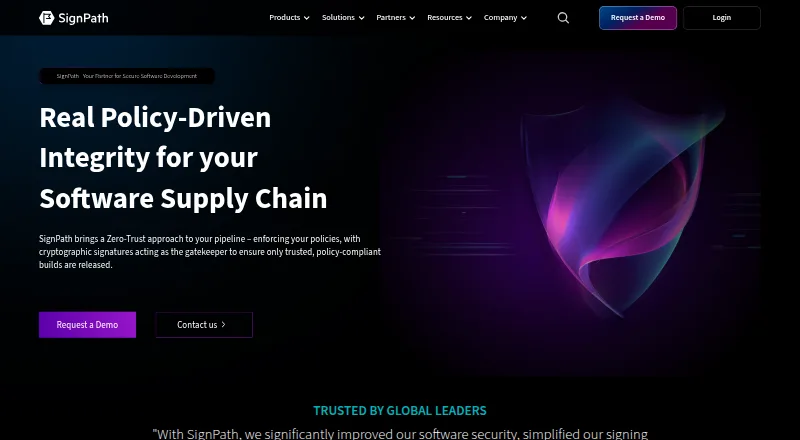
What SignPath is
SignPath provides code-signing and software-integrity controls for builds and releases. Its format-aware signing covers executables, packages, installers, containers, scripts, manifests, software bills of materials, and configuration files. Before a release is trusted, it can verify details such as the source repository, branch, build system, approvals, and CI/CD context. SignPath can create signed, machine-readable attestations, including SLSA provenance, validation summaries, and signed SBOMs. Integrations include plugins and REST APIs for GitHub Actions, GitLab, Jenkins, Azure DevOps, and TeamCity. SignPath says private keys are held in FIPS-compliant hardware security modules and are never exposed or shared. Role-based controls govern who can sign particular artifacts and with which certificate. Logs record signing requests and can be exported, with optional WORM-style archiving. Deployment options are SaaS, self-hosted, or hybrid. The free Open Source Code Signing subscription is limited to eligible, actively maintained and released projects using an OSI-approved open source license without proprietary components.
Good
- Signs a broad range of software artifact formats.
- Can verify source, build, approvals, and CI/CD context.
- Integrates with GitHub Actions, GitLab, Jenkins, Azure DevOps, and TeamCity.
- Offers SaaS, self-hosted, or hybrid deployment.
Watch out
- Free plan is limited to eligible open source projects.
- Eligibility excludes projects with proprietary components.
Who it suits
SignPath suits development teams that need controls around signing and verifying software releases. Its free option is for qualifying open source projects; deployment choices also include self-hosted and hybrid.
Verdict
SignPath focuses on controlling artifact signing and release trust, with integrations and deployment options for different pipelines. Check the open-source eligibility conditions if considering its free subscription.
Plans and prices
From SignPath's own pricing page, checked 15 Oct 2026.
| Plan | Price | What it gives you |
|---|---|---|
| Open Source Code Signing | Free | OSI-approved license · no proprietary code or malware · actively maintained, released and documented project · manual approval for every release |
| Code Governance | Priced on request | Pricing not published · quote required |
| Software Integrity Platform | Priced on request | Pricing not published · quote required |
The facts
Each one read from SignPath's own pages, with the date it was checked.
What it does
- Access controls
- Role-based access controls define who can sign which artifacts, when, and with which certificate.checked 29 Sep 2026
- Attestation
- SignPath can generate signed, machine-readable attestations including SLSA provenance, validation summaries, and signed SBOMs.checked 29 Sep 2026
- Audience
- The company says it serves customers worldwide, from small development teams to large enterprises.checked 29 Sep 2026
- Auditability
- The service keeps audit trails covering signing operations, approvals, artifact information and policy history.checked 15 Oct 2026
- Audit and compliance
- The platform logs signing requests with the user, file, certificate, policy, and result, and offers exportable reports and optional WORM-style log archiving.checked 29 Sep 2026
- CI/CD integrations
- Documented trusted build connectors support Jenkins, GitHub, GitLab, Azure DevOps, TeamCity and AppVeyor.checked 15 Oct 2026
- Container signing
- Container images can be signed through Notation, Cosign, GPG or the REST API, with OCI layout and registry workflows documented.checked 15 Oct 2026
- Crypto providers
- Crypto providers expose PKCS#11 on Windows/Linux, Windows KSP and macOS CryptoTokenKit so standard signing tools can use SignPath keys.checked 15 Oct 2026
- Deployment
- SignPath describes its deployment options as SaaS, self-hosted, or hybrid.checked 29 Sep 2026
- Deployment models
- SignPath is offered as managed SaaS, self-hosted software or a hybrid deployment.checked 15 Oct 2026
- Documentation scope
- The documentation covers certificates, users, projects, artifact configuration, containers, build integrations, provenance, pipeline policies, attestations, PowerShell and crypto providers.checked 15 Oct 2026
- Downloads
- Official downloads include Linux and Windows x64 packages, a Windows MSI provider, a Notation plugin and a macOS DMG.checked 15 Oct 2026
- Foundation key custody
- For qualifying open-source projects, the Foundation generates and stores the certificate private key in an HSM and provides the service without charge.checked 15 Oct 2026
- Funding
- Nordic9 reported a €5 million Series A led by TIN Capital on December 10, 2024.checked 15 Oct 2026
- Integrations
- The company lists plugins and REST API integrations for GitHub Actions, GitLab, Jenkins, Azure DevOps, and TeamCity.checked 29 Sep 2026
- Key protection
- Private keys remain in SignPath-managed or customer-managed HSMs; the architecture page states FIPS 140-2 Level 3 compliance.checked 15 Oct 2026
- Key security
- SignPath says private keys are stored in FIPS-compliant HSMs and are never exposed or shared.checked 29 Sep 2026
- Limit: API use
- SignPath terms allow suspension of API access for abuse or excessive request frequency.checked 15 Oct 2026
The company
- Company history
- LinkedIn states that SignPath was founded in 2017 by RUBICON IT and is headquartered in Vienna.checked 15 Oct 2026
- Company legal name
- The provider is SignPath GmbH, registered in Vienna, Austria.checked 15 Oct 2026
- Company size
- LinkedIn lists SignPath GmbH as a privately held company with 51–200 employees.checked 15 Oct 2026
- Founded
- 2017checked 23 Sep 2026
- Headquarters
- Vienna, Austriachecked 23 Sep 2026
Money
- Limit: billing
- Paid subscriptions are billed in advance and are stated to be non-refundable.checked 15 Oct 2026
The full review of SignPath
Overview
SignPath is a code-signing platform that ties release trust to build context, artifact type, and approval rules. It suits teams with CI/CD pipelines and controlled releases, as well as eligible open-source projects seeking free signing.
Its distinguishing strength is the combination of format-aware signing and policy checks, rather than signing artifacts as an isolated final step. Teams that need only a basic signing utility may find that broader control layer unnecessary.
Key features
Signing across formats
SignPath supports Windows PE files, PowerShell, MSI, CAB, catalog files, APPX, MSIX, NuGet, Java archives, containers, Linux packages, macOS code, and custom artifacts. Its semantic signing also covers scripts, manifests, SBOMs, and configuration files. A provided certificate, cloud signing, trusted timestamping, and CI/CD signing make it a broad fit for teams shipping across platforms; that breadth matters less for projects with a single, simple signing need.
Build policy and access
Before a release is trusted, SignPath can verify its source repository, branch, build system, approvals, and CI/CD context. Role-based controls determine who can sign which artifacts, when, and with which certificate. This lets teams align signing authority with release policy, but is more control than a lightweight workflow may require.
Attestations and audit trail
SignPath can produce signed, machine-readable attestations, including SLSA provenance, validation summaries, and signed SBOMs. Signing requests are logged with the user, file, certificate, policy, and result; exportable reports and optional WORM-style log archiving help teams retain records. Private keys are stored in FIPS-compliant HSMs and are never exposed or shared, according to SignPath.
Integrations and deployment
Plugins and REST API integrations are listed for GitHub Actions, GitLab, Jenkins, Azure DevOps, and TeamCity. SaaS, self-hosted, and hybrid deployment options give teams a choice in how they operate the service. The range of options is useful across different pipeline and deployment needs, though buyers should choose based on their own operational requirements.
Pricing
The Open Source Code Signing plan costs free. It includes a certificate, cloud signing, HSM key protection, trusted timestamping, CI/CD signing, and approval workflows, with support for the listed artifact targets. It is specifically for open-source projects, not a general free tier: SignPath Foundation subscriptions require an actively maintained, released project under an OSI-approved license, without proprietary components. Projects outside those conditions should not assume they qualify.
SignPath's pricing model is free, and the stated plan is free; no paid plan is included in the available choices. The free offer's eligibility restriction is the central limitation for teams evaluating cost.
Platforms
SignPath supports API, Linux, macOS, self-hosted, web, and Windows. Its deployment options are SaaS, self-hosted, or hybrid.
Who it's for
SignPath is a strong match for organizations that want signing decisions governed by build provenance, approvals, and artifact-specific permissions, especially teams already using one of its listed CI/CD integrations. Eligible open-source maintainers can benefit from the free subscription. It is less compelling for teams that only need a basic signer or for proprietary projects expecting to use the free plan.
Pros and cons
- Pros: Broad artifact coverage, including custom artifacts, supports varied release outputs.
- Pros: Build-context verification and role-based signing rules connect release trust to how software was produced and approved.
- Pros: HSM-protected keys, signed attestations, and detailed signing logs support security and traceability requirements.
- Cons: The free plan is limited to qualifying open-source projects, excluding proprietary use.
- Cons: Teams seeking only basic signing may not need its policy, attestation, and audit capabilities.
Alternatives
For a broader shortlist, see Code Signing Software.
- Cosign is a free option for open-source software with no hosted service or usage limits stated; consider it when a simpler free signing choice fits better.
- SignServer has a free Community plan for basic code, document, and container signing and timestamping, with source-code or container deployment; choose it when those core capabilities suit the need.
- AWS Signer has a no-additional-charge option for use with specified AWS services and third-party container services; it may suit workflows centered on those services.
- Sigstore is free to use for all developers and software providers; consider it when that broad free availability is the priority.
- DigiCert Software Trust Manager is an alternative with custom pricing.
- SignPath Foundation offers a free subscription for eligible open-source projects with maintenance, release, and license conditions; compare its eligibility requirements with SignPath's.
- Red Hat Trusted Artifact Signer is another option with custom pricing.
- Bamboo Deploy has a Premium plan at $15 a month, billed $45 every 3 months, for up to 50 apps and 1GB cloud hosting; consider it if those deployment limits and terms match the need.
Verdict
Choose SignPath if your team needs artifact signing governed by build context, approvals, and auditable release records, or if your open-source project qualifies for its free plan. Look elsewhere if you need a basic signer without that policy layer or if your proprietary project requires a free subscription.
Getting started
- Open the SignPath website.
- Choose the free Open Source Code Signing plan when eligibility conditions are met.
- Select SaaS, self-hosted, or hybrid deployment.
- Connect GitHub Actions, GitLab, Jenkins, Azure DevOps, or TeamCity through a plugin or REST API.
- Set role-based signing permissions, approval workflows, and policies.
- Configure signing and attestations for the supported artifact types.],
- limits
Limits worth knowing
The free Open Source Code Signing plan is restricted to actively maintained, released projects using an OSI-approved open-source license and containing no proprietary components.
Questions
Is SignPath free?
Yes. The Open Source Code Signing plan costs nothing, subject to eligibility conditions.
Which platforms can SignPath use?
Listed platforms include API, Linux, macOS, self-hosted, web, and Windows.
Which CI/CD tools integrate with SignPath?
Plugins and REST API integrations are listed for GitHub Actions, GitLab, Jenkins, Azure DevOps, and TeamCity.
How are signing keys protected?
SignPath says private keys are stored in FIPS-compliant hardware security modules and are never exposed or shared.
Can SignPath be self-hosted?
Yes. Deployment choices are SaaS, self-hosted, or hybrid.
What does SignPath sign?
Supported targets include Windows PE, PowerShell, MSI, CAB, catalog, APPX, MSIX, NuGet, Java archives, containers, Linux packages, macOS code, and custom artifacts.
Alternatives to SignPath
- 1

Sigstore
Free planOpen sourceWebAPILinuxmacOS7.6Free plan - 2

AWS Signer
Free planWebAPILinuxmacOS7.1Free plan - 3
Cosign
Free planLinuxmacOSSelf-hostedWindows6.6Free plan - 4
OpenPubkey
Free planAPILinuxmacOSSelf-hosted6.6Free plan - 5

SignServer
Free planWebAPILinuxmacOS6.5Free plan - 6
Aujas Automated Code Signing Platform
WebLinuxmacOSSelf-hosted6.3