Cosign
Cosign is a free tool for signing and verifying OCI container images and other software artifacts.
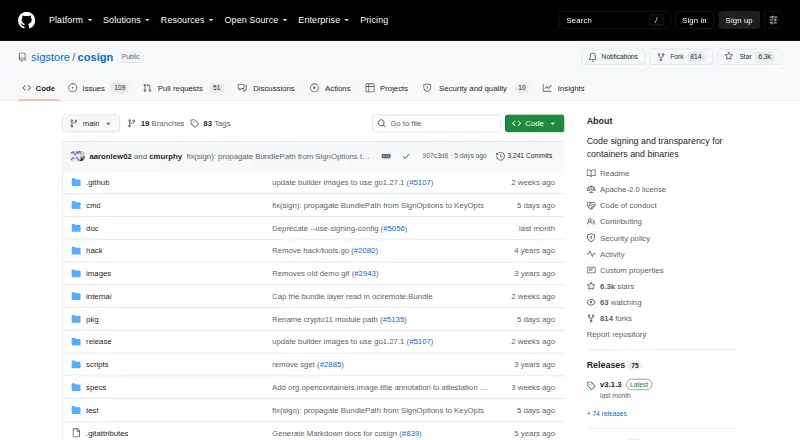
What Cosign is
Cosign is a free tool for signing and verifying OCI container images and other software artifacts. It can store container signatures alongside images in an OCI registry and publish generic artifacts through OCI. Its supported targets include blobs, binaries, scripts, configuration files, SBOMs, WASM modules, Tekton bundles, eBPF modules, and in-toto attestations, whose payloads use DSSE signatures. The default keyless method uses temporary keys kept in memory, short-lived certificates from Sigstore’s Fulcio service, and entries in the Rekor transparency log. Other options include hardware and KMS signing, encrypted keypairs generated by Cosign, and user-provided PKI. The tool supports CI/CD signing, with installation guidance for GitHub Actions and GitLab CI/CD. Offline verification is possible when the image and signature materials are available locally and a trusted root is supplied. Cosign is described as a legacy signing system that remains in use for signing, while Sigstore-go is recommended for verification integrations. Its CLI-oriented design has no API stability guarantees, and the documentation does not recommend it for application integration.
Good
- Supports keyless signing through Sigstore services
- Works with hardware and KMS signing
- Supports GitHub Actions and GitLab CI/CD
- Can verify signatures offline with local materials
Watch out
- Not recommended for application integration
- Verification integrations are directed to Sigstore-go
- Public transparency logs may reveal signer identity
Who it suits
Cosign suits open-source package managers and teams that need to sign or verify artifacts in registry and CI/CD workflows. It is less suited to developers seeking a stable API for direct application integration.
Verdict
Cosign offers several signing paths and supports a broad set of software artifacts. Its legacy status and CLI-focused design matter for teams planning new integrations.
Plans and prices
From Cosign's own pricing page, checked 3 Oct 2026.
| Plan | Price | What it gives you |
|---|---|---|
| Cosign | Free | No hosted service or usage limits stated · Free; open-source software |
The facts
Each one read from Cosign's own pages, with the date it was checked.
What it does
- Artifact storage
- Container signatures can be stored alongside images in an OCI registry, and Cosign also provides utilities for publishing generic artifacts through OCI.checked 3 Oct 2026
- Artifact types
- Cosign includes utilities for publishing generic artifacts through OCI and supports in-toto attestations.checked 2 Oct 2026
- Attestations
- Cosign supports in-toto attestations, with payloads signed using DSSE.checked 3 Oct 2026
- CI integrations
- The installation documentation describes use in GitHub Actions and GitLab CI/CD pipelines.checked 3 Oct 2026
- Development status
- Cosign is described as a legacy system that should still be used for signing, while Sigstore-go is recommended for verification integrations.checked 2 Oct 2026
- Integration limitation
- Cosign functions were designed for its CLI rather than as an API; the documentation says there are no API stability guarantees and does not recommend Cosign for application integration.checked 2 Oct 2026
- Intended users
- The Sigstore integration guidance identifies open-source package managers as primary stakeholders for artifact signing and verification workflows.checked 2 Oct 2026
- Keyless signing
- Its default keyless signing uses the Sigstore public-good Fulcio certificate authority and Rekor transparency log.checked 3 Oct 2026
- Key options
- Cosign supports hardware and KMS signing, generated encrypted key pairs, and bring-your-own PKI.checked 3 Oct 2026
- Notable limit
- Cosign generates ECDSA-P256 keys and uses SHA256 hashes for ephemeral keyless and managed-key signing.checked 3 Oct 2026
- Offline verification
- Cosign can verify locally available images offline when the signature bundle and trusted root are available.checked 3 Oct 2026
- Public log privacy
- The quick start warns that signing may place identity information such as an account email in public transparency logs, where it cannot later be removed.checked 3 Oct 2026
- Purpose
- Cosign signs and verifies OCI containers and other software artifacts.checked 3 Oct 2026
- Registry integrations
- The project lists tested registries including AWS ECR, Google Artifact Registry, Docker Hub, Azure Container Registry, GitLab Container Registry, GitHub Container Registry, Harbor, and others.checked 3 Oct 2026
- Registry storage
- It can sign, verify, and store container signatures in an OCI registry.checked 2 Oct 2026
- Security model
- For keyless signing, Cosign uses ephemeral keys held in memory, short-lived Fulcio certificates, and Rekor transparency log entries.checked 3 Oct 2026
- Security reporting
- Sigstore asks vulnerability reporters to email [email protected] and says the Security Response Committee will acknowledge reports within 24 hours.checked 3 Oct 2026
- Security verification
- The installation guide recommends verifying downloaded Cosign binaries; releases are signed with keyless signing and an artifact key.checked 2 Oct 2026
- Signing limitation
- Cosign generates only ECDSA-P256 keys and uses SHA256 hashes for ephemeral keyless and managed-key signing.checked 2 Oct 2026
- Support
- The project directs users with issues to open a GitHub issue or ask in its Slack channel.checked 3 Oct 2026
Where it runs
- Platforms and installation
- The project links Linux and macOS release binaries and documents installation through Go, Homebrew, Arch, Alpine, Nix, GitHub Actions, GitLab, and container images.checked 3 Oct 2026
The full review of Cosign
Overview
Cosign is an open-source tool for signing and verifying OCI containers and other software artifacts. It is best suited to teams that can work through a CLI, especially open-source package managers building artifact-signing workflows. Its broad signing options are useful, but its legacy status and lack of API stability make it a poor fit for new application integrations.
Key features
Cosign’s default keyless signing uses Sigstore’s public-good Fulcio certificate authority and Rekor transparency log. It creates ephemeral keys held in memory, obtains short-lived certificates, and records signatures in the log. That avoids managing a persistent signing key for this path, but signing can publish identity information such as an account email in a public log, where it cannot later be removed.
Teams that need control over key custody can use hardware or KMS signing, Cosign-generated encrypted keypairs, or bring their own PKI. Cosign generates ECDSA-P256 keys and uses SHA256 hashes for ephemeral keyless and managed-key signing, so those limits matter when a workflow requires other algorithms or hashes.
Container signatures can be stored alongside images in an OCI registry. Cosign also provides utilities for publishing generic artifacts through OCI and supports in-toto attestations whose payloads are signed with DSSE. Supported targets include container images, blobs, binaries, scripts, configuration files, SBOMs, WASM modules, Tekton bundles, eBPF modules, and in-toto attestations. This breadth makes it relevant beyond container release pipelines, though teams should expect to operate it as a CLI tool rather than depend on it as a stable application API.
Tested registry integrations include AWS ECR, Google Artifact Registry, Docker Hub, Azure Container Registry, GitLab Container Registry, and GitHub Container Registry. Installation guidance covers GitHub Actions and GitLab CI/CD pipelines. Offline verification is possible when the image and signature materials are local and a trusted root is supplied. The installation guide also recommends verifying downloaded Cosign binaries; releases are signed with keyless signing and an artifact key.
Pricing
Cosign is free open-source software: the Cosign plan is free, billed Free. There is no free trial, and no hosted service or usage limits are stated. That makes it a practical option for teams willing to run and integrate the tool themselves, rather than buyers seeking a hosted signing service.
Platforms
Cosign supports Linux, macOS, Windows, and self-hosted use. The project links Linux and macOS release binaries and documents installation through Go, Homebrew, Arch, Alpine, Nix, GitHub Actions, GitLab, and container images. The range gives teams several routes to add it to development and CI environments, while the documented release binaries are for Linux and macOS.
Who it's for
Cosign is a strong fit for open-source package managers and release teams that need to sign and verify artifacts across OCI registries, CI pipelines, or offline environments. Its multiple key-management paths suit teams with different custody requirements. It is less suitable for developers who need a supported API for embedding signing or verification in an application: Cosign’s functions were designed for its CLI, the project makes no API stability guarantees, and it recommends Sigstore-go for verification integrations.
Pros and cons
- Pros: Keyless, hardware, KMS, encrypted-keypair, and bring-your-own-PKI options let teams choose a signing approach suited to their key-management needs.
- Pros: OCI registry storage, generic artifact publishing, and in-toto attestations cover container and broader software-supply-chain workflows.
- Pros: Offline verification is available when signature materials and a trusted root are available locally.
- Cons: Public transparency logging can expose signer identity information that cannot later be removed.
- Cons: CLI-focused design and the absence of API stability guarantees make Cosign a weak choice for new application integrations.
- Cons: Signing is constrained to ECDSA-P256 keys and SHA256 hashes for ephemeral keyless and managed-key signing.
- Cons: The project describes Cosign as a legacy system: it remains intended for signing, while Sigstore-go is recommended for verification integrations.
Alternatives
Compare code signing software if you want to weigh tools across the category. Sigstore is the direct alternative to consider for a broader Sigstore choice; its free plan is available to all developers and software providers.
Choose SignPath if an eligible open-source project wants a free code-signing option; its open-source plan has eligibility conditions. SignPath Foundation is another free option for eligible, actively maintained open-source projects released under an OSI-approved license, with manual release requirements.
SignServer may suit teams looking for community signing and timestamping with source-code or container deployment; its community plan covers basic code, document, and container signing. Consider Bamboo Deploy if its freemium offering fits: Premium costs $15 a month, billed $45 every 3 months, and includes up to 50 apps and 1GB cloud hosting.
DigiCert Software Trust Manager is a paid alternative with custom pricing. Red Hat Trusted Artifact Signer is another paid option with custom pricing. SSL.com Certificate Lifecycle Management is a freemium alternative without a free plan.
Verdict
Choose Cosign if your team needs free, flexible signing and verification for containers and other artifacts and is comfortable operating a CLI-centered tool. Its registry support, key options, attestations, and offline verification give it meaningful breadth. Look elsewhere if you need a stable API for a new application integration, or if the public-log identity exposure and signing algorithm limits do not suit your security requirements.
Getting started
- Open the Cosign project website on GitHub.
- Choose an installation route for your platform, such as a Linux or macOS release binary, Go, Homebrew, or a container image.
- Use the installation guidance for GitHub Actions or GitLab CI/CD if signing in a pipeline.
- Verify downloaded Cosign binaries as the installation guide recommends.
Limits worth knowing
Cosign is a free open-source tool. It generates ECDSA-P256 keys and uses SHA256 hashes for ephemeral keyless and managed-key signing; its documentation does not recommend it for application integration.
Questions
How much does Cosign cost?
Cosign is free, open-source software. The plan is listed as free.
Which platforms can I use it on?
Cosign supports Linux, macOS, Windows, and self-hosted setups.
Is Cosign open source?
Yes. It is described as open-source software.
What can Cosign sign?
Supported targets include OCI container images, blobs, binaries, scripts, configuration files, SBOMs, WASM modules, Tekton bundles, eBPF modules, and in-toto attestations.
Does Cosign provide a stable API?
No API stability guarantees are provided, and the documentation does not recommend Cosign for application integration.
How does keyless signing work?
It uses ephemeral keys held in memory, short-lived Fulcio certificates, and entries in the Rekor transparency log.
Alternatives to Cosign
- 1

Sigstore
Free planOpen sourceWebAPILinuxmacOS7.6Free plan - 2

SignPath
Free planWebAPILinuxmacOS7.2Free plan - 3

AWS Signer
Free planWebAPILinuxmacOS7.1Free plan - 4
OpenPubkey
Free planAPILinuxmacOSSelf-hosted6.6Free plan - 5

SignServer
Free planWebAPILinuxmacOS6.5Free plan - 6
Aujas Automated Code Signing Platform
WebLinuxmacOSSelf-hosted6.3