Shared Calendar for Microsoft Teams
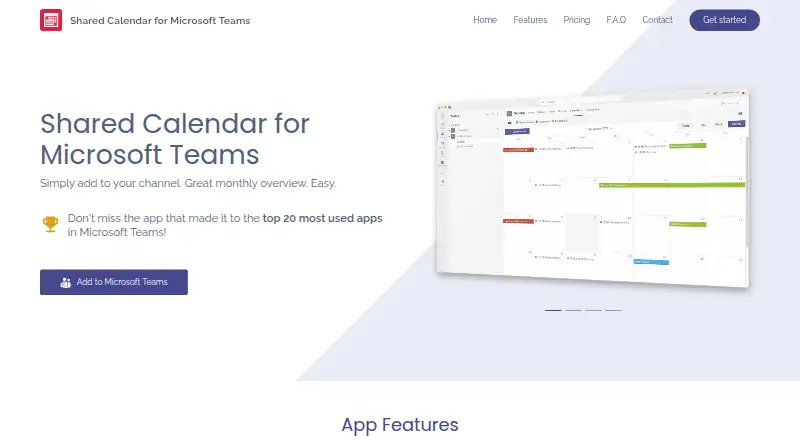
The facts below are what the maker publishes about Shared Calendar for Microsoft Teams, checked and dated. Our editors have not written about it yet.
Plans and prices
From Shared Calendar for Microsoft Teams's own pricing page, checked 12 Oct 2026.
| Plan | Price | What it gives you |
|---|---|---|
| FREE | Free | Create/edit calendars with up to 15 entries · View larger calendars read-only · Unlimited calendars · No time restriction |
| Organization License | — | Unlimited calendars · Unlimited events · Unlimited users in your tenant · Best option for more than 20 users who create or edit calendars · Yearly billing |
The facts
Each one read from Shared Calendar for Microsoft Teams's own pages, with the date it was checked.
What it does
- Calendar sync
- The site says there is no bulk import, API, or synchronization with other calendar apps.checked 12 Oct 2026
- Calendar views
- It offers monthly, weekly, daily, agenda, and timeline views.checked 12 Oct 2026
- Data processing
- Cherryware says it provides a GDPR Article 28 Data Processing Agreement and that Microsoft is its only sub-processor where customer data is stored.checked 12 Oct 2026
- Embedding
- The same mirrored calendar can be embedded in multiple Teams channels, SharePoint, Confluence, and wikis, including across organizations.checked 12 Oct 2026
- External sharing
- Users can share a calendar link that does not require a separate login to view.checked 12 Oct 2026
- Holidays and export
- The app supports public holidays for more than 100 countries and regions and lets users export calendars to PDF for printing.checked 12 Oct 2026
- License scope
- A licensed user can create and edit an unlimited number of calendars across Teams and channels.checked 12 Oct 2026
- Licensing limit
- A license is needed to create or edit calendars with more than 15 events; unlicensed users can view larger calendars read-only.checked 12 Oct 2026
- Organization access
- Adding the app to a Teams channel gives every member of that team access, though an IT admin may need to approve the app in some organizations.checked 12 Oct 2026
- Purpose
- The app provides shared calendars for Microsoft Teams channels, including project calendars, PTO, vacations, event planning, operations planning, deployment schedules, and resource scheduling.checked 12 Oct 2026
- Security
- Each Teams calendar is encrypted with an individual key that remains under the customer's control within their tenant, and the maker says the architecture prevents AI training and analytics on calendar data.checked 12 Oct 2026
- Shared calendars
- Yeschecked 22 Sep 2026
- Sub-calendars
- Users can create color-coded sub-calendars and filter events by sub-calendar.checked 12 Oct 2026
- Support
- The maker lists English and German support and working hours of Monday through Friday, 9:00–18:00 CET.checked 12 Oct 2026
Money
- Free plan
- Yeschecked 22 Sep 2026
The company
- Headquarters
- Utting am Ammersee, Germanychecked 28 Sep 2026
Alternatives to Shared Calendar for Microsoft Teams
- 1

Lark
Free planAndroidiOSWebAPI9.2From $6 a month - 2
EGroupware
Free planOpen sourceAndroidiOSWebAPI9.2From €21.90 a month - 3
Teamup
Free planAndroidiOSWebAPI9.0From $12 a month - 4
Twake Calendar
Open sourceAndroidiOSWebAPI9.0From €4 a month - 5
TimeFinder
Free planAndroidiOSWebmacOS8.9$119.99 one-time - 6

7shifts
Free planAndroidiOSWebAPI8.9From $39.99 a month