Shaky Video Stabilizer
Shaky Video Stabilizer turns shaky clips into motion-stabilized video intended to look as though it was filmed with a gimbal.
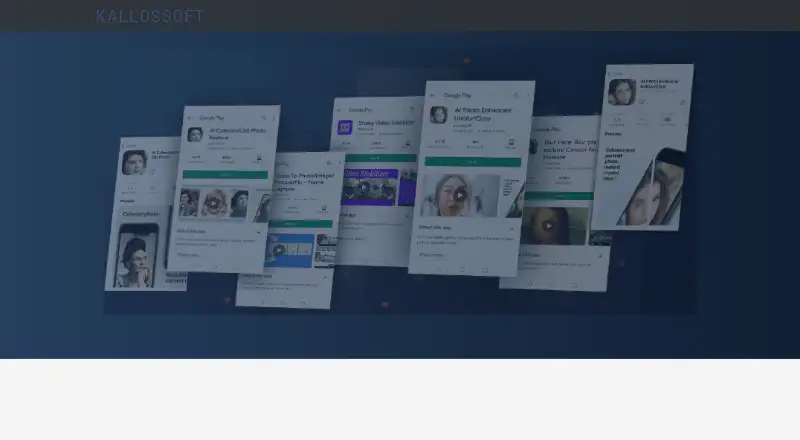
What Shaky Video Stabilizer is
Shaky Video Stabilizer turns shaky clips into motion-stabilized video intended to look as though it was filmed with a gimbal. Choose a video from the gallery or another video app, start stabilization, compare the before and after clips, then share the saved result. The maker says stabilized videos have no watermarks. Processing can take place on the device, which works offline, or in the cloud, which requires an internet connection. Cloud-processed videos are downloaded to the device and periodically removed from the maker’s servers every hour; uploaded videos can also be deleted in the app’s History. The app listing says stabilization can run in the background and retain original quality, with minor distortions depending on settings. It is available for Android and iOS and supports English, Spanish, Portuguese, French, Russian, and Indonesian. The free plan costs nothing, contains ads, and includes in-app purchases; the pricing note lists a 3-day trial. The privacy policy names Google Play Services, AdMob, Firebase Analytics, and Firebase Crashlytics as third-party services. The maker says it cannot guarantee absolute security of personal information.
Good
- On-device processing works offline.
- Stabilized videos have no watermarks.
- Results can be shared from the phone.
- Supports Android and iOS.
Watch out
- Cloud processing requires internet access.
- Free plan contains ads and in-app purchases.
- Stabilization may introduce minor distortions.
- Maker cannot guarantee absolute security.
Who it suits
It suits Android and iOS users who want to stabilize clips on-device or through cloud processing and then compare or share the result. Those who need offline processing can use the on-device mode.
Verdict
Shaky Video Stabilizer offers both offline on-device processing and an online cloud option, with comparison and sharing in its workflow. Consider its ad-supported free plan, possible distortions, and stated security limitation before choosing it.
Plans and prices
From Shaky Video Stabilizer's own pricing page, checked 9 Oct 2026.
| Plan | Price | What it gives you |
|---|---|---|
| Free, ad-supported | Free | App is provided at no cost · contains ads and in-app purchases |
The facts
Each one read from Shaky Video Stabilizer's own pages, with the date it was checked.
What it does
- Age and availability
- Google Play lists the app as suitable for Everyone and shows 1M+ downloads.checked 9 Oct 2026
- Background processing
- The app listing says stabilization can run using a background process.checked 9 Oct 2026
- Language support
- The app listing names English, Spanish, Portuguese, French, Russian, and Indonesian as supported languages.checked 9 Oct 2026
- Notable limitation
- Cloud processing cannot work offline, while on-device processing does not require internet access.checked 9 Oct 2026
- Processing modes
- The app offers on-device processing that works offline and cloud processing that requires an internet connection.checked 9 Oct 2026
- Purpose
- The app converts shaky video into smooth, motion-stabilized video intended to look like it was filmed with a gimbal.checked 9 Oct 2026
- Quality and distortions
- The app listing says it keeps original quality with minor distortions for stabilization, depending on settings.checked 9 Oct 2026
- Security
- The maker says it strives to use commercially acceptable means to protect personal information but cannot guarantee absolute security.checked 9 Oct 2026
- Support
- The maker invites feature requests and format reports by email at [email protected].checked 9 Oct 2026
- Third-party services
- The privacy policy lists Google Play Services, AdMob, Firebase Analytics, and Firebase Crashlytics as third-party services used by the app.checked 9 Oct 2026
- Video handling
- After cloud processing, videos are downloaded to the device and periodically removed from the maker’s servers every hour; users can also delete uploaded videos in the app’s History.checked 9 Oct 2026
- Watermarks and sharing
- The maker says stabilized videos have no watermarks and can be shared directly from the phone.checked 9 Oct 2026
- Workflow
- Users select a clip from their gallery or another video app, start stabilization, then can compare before and after clips and share the saved result.checked 9 Oct 2026
The company
- Headquarters
- Satu Mare, Romaniachecked 28 Sep 2026
Alternatives to Shaky Video Stabilizer
- 1
TensorPix
Free planAndroidiOSWebAPI8.3From $5.50 a month - 2
Cutout.Pro
Free planAndroidiOSWebAPI8.2From $5 a month - 3

CyberLink PowerDirector
Free planAndroidiOSmacOSWindows8.2From $59.99 a year - 4
Wondershare Filmora
Free planAndroidiOSWebmacOS7.9From $49.99 a year - 5

Adobe Premiere
AndroidiOSmacOSWindows7.8From $19.99 a month - 6

Gyroflow
Free planOpen sourceAndroidiOSLinuxmacOS7.8Free plan