
ScreenScribe
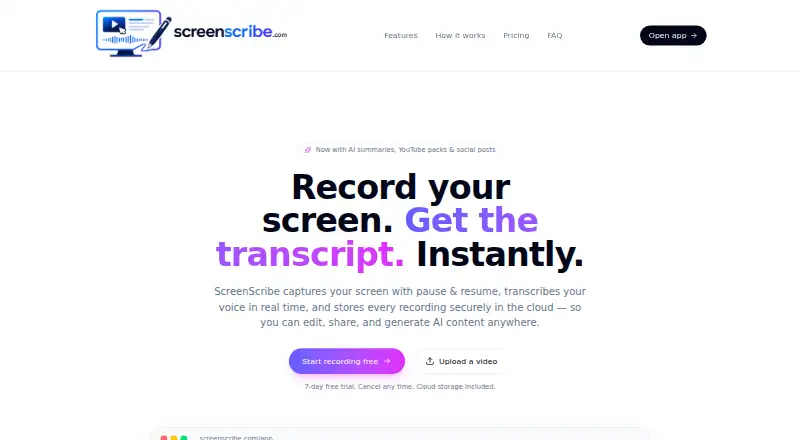
The facts below are what the maker publishes about ScreenScribe, checked and dated. Our editors have not written about it yet.
Plans and prices
From ScreenScribe's own pricing page, checked 10 Oct 2026.
| Plan | Price | What it gives you |
|---|---|---|
| Starter | $9.95 a month | Up to 10 videos / month · AI transcripts & summaries · YouTube pack + social posts · Blur editor · Cloud storage · 7 days free, then $9.95/mo |
| Pro | $19.95 a month | Up to 25 videos / month · Everything in Starter · Priority AI processing · Advanced blur + auto-detect · per month |
| Unlimited | $99.95 a month | Unlimited videos · Everything in Pro · Highest priority processing · Early access to new features · per month |
The facts
Each one read from ScreenScribe's own pages, with the date it was checked.
What it does
- AI content
- The AI content pack can generate summaries, YouTube titles and tags, social posts, blog drafts, and thumbnail ideas.checked 10 Oct 2026
- Blur editing
- Users can mask part of a frame for a specific time range before exporting.checked 10 Oct 2026
- Capture
- It can record a browser tab, window, or entire desktop in HD, with pause and resume.checked 10 Oct 2026
- Downloads
- Users can download recordings as .webm video and transcripts as .txt files.checked 10 Oct 2026
- Intended users
- The site says ScreenScribe is built for teachers, engineers, support teams, and creators.checked 10 Oct 2026
- Storage and account
- Recordings are saved to the cloud and tied to an account, and a free account is required to store recordings, transcripts, and AI-generated content.checked 10 Oct 2026
- System audio
- Users can record system audio by enabling the browser prompt’s “Share audio” option when sharing a tab or screen.checked 10 Oct 2026
- Transcription
- Spoken words appear in real time and are saved with the video.checked 10 Oct 2026
- Video uploads
- Users can upload MP4, MOV, or WebM videos to get the AI content pack.checked 10 Oct 2026
- What it does
- ScreenScribe records a screen, transcribes speech in real time, and stores recordings in the cloud for editing, sharing, and AI content generation.checked 10 Oct 2026
Where it runs
- Browser support
- ScreenScribe runs in modern browsers such as Chrome and Edge without requiring installation; Chrome, Edge, and Safari support live transcription, while Firefox transcription may be limited.checked 10 Oct 2026
Alternatives to ScreenScribe
- 1

Cap
Free planOpen sourceWebAPIExtensionLinux8.3From $29 a year - 2

Claap
Free planAndroidiOSWebAPI8.2From €32 a month - 3
ScreenApp AI Meeting Notes
Free planAndroidiOSWebAPI8.2From $19 a month - 4

Kommodo
Free planAndroidiOSWebAPI8.1From $9 a month - 5

Loom
Free planAndroidiOSWebmacOS8.1From $18 a month - 6
Visla AI Video Agent
Free planAndroidiOSWebAPI8.1Free plan