Screens
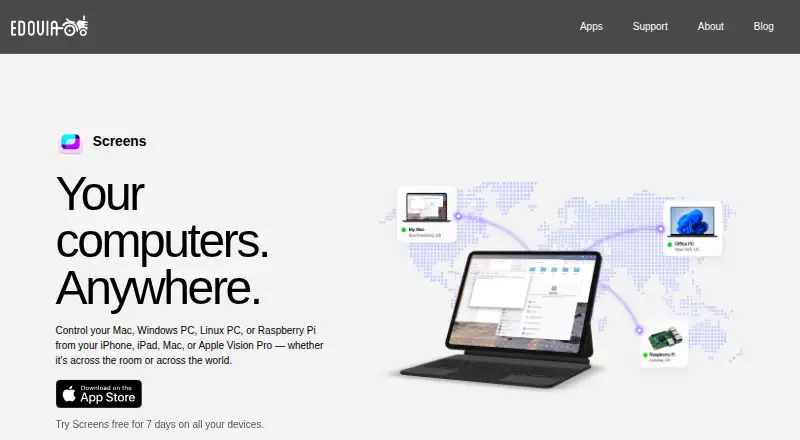
The facts below are what the maker publishes about Screens, checked and dated. Our editors have not written about it yet.
Plans and prices
From Screens's own pricing page, checked 11 Oct 2026.
| Plan | Price | What it gives you |
|---|---|---|
| Monthly Subscription | $3.99 a month | iPhone · iPad · Mac · Vision Pro · $3.99/month |
| Annual Subscription | $29.99 a year | iPhone · iPad · Mac · Vision Pro · $29.99/year |
| Lifetime | $199.99, paid once | iPhone · iPad · Mac · Vision Pro · $199.99 one-time purchase |
The facts
Each one read from Screens's own pages, with the date it was checked.
What it does
- Access mode
- bothchecked 20 Sep 2026
- Clipboard
- Clipboard sharing supports text, rich text, images, and URLs with a remote Mac, and plain text with Windows, Linux, and Raspberry Pi.checked 11 Oct 2026
- Connection options
- It connects over local networks or the Internet, and Screens Connect can simplify remote access setup.checked 11 Oct 2026
- File transfer
- Yeschecked 20 Sep 2026
- File transfers
- Files can be transferred in either direction between a remote Mac and a device running Screens.checked 11 Oct 2026
- Input
- Touch Mode, Trackpad Mode, gestures, mouse, trackpad, and hardware keyboard input are supported.checked 11 Oct 2026
- Limitations
- Screens does not receive computer audio and does not support connecting from a PC to Apple devices.checked 11 Oct 2026
- Private networking
- Screens supports Tailscale and Meshnet as private-network options for reaching computers.checked 11 Oct 2026
- Purpose
- Screens remotely controls Mac, Windows PC, Linux PC, and Raspberry Pi computers from iPhone, iPad, Mac, or Apple Vision Pro.checked 11 Oct 2026
- Remote assistance
- Screens Assist generates a shareable link, and the Mac owner approves or denies connection requests without sharing login credentials.checked 11 Oct 2026
- Remote protocol
- A VNC server is required on remote Windows PCs, Linux PCs, and Raspberry Pi computers.checked 11 Oct 2026
- Requirements
- Screens requires iOS and iPadOS 17.6, macOS 14.6, or visionOS 26.0 or later.checked 11 Oct 2026
- Security
- Screens supports encrypted SSH tunnels for connections to remote computers and allows custom SSH keys.checked 11 Oct 2026
- Support
- Edovia directs app users to its support section and provides Screens support by email at [email protected].checked 11 Oct 2026
Where it runs
- Apple integrations
- Screens integrates with Siri, Shortcuts, Spotlight, widgets, iCloud, Face ID, and Touch ID.checked 11 Oct 2026
- Mobile apps
- Yeschecked 20 Sep 2026
- Supported platforms
- iOS,iPadOS,macOS,visionOS; connects to Windows,Linux,and Raspberry Pichecked 20 Sep 2026
The company
- Founded
- 2003checked 28 Sep 2026
- Headquarters
- Montreal, Canadachecked 28 Sep 2026
Money
- Free plan
- Nochecked 20 Sep 2026
Alternatives to Screens
- 1

DWService
Free planOpen sourceAndroidiOSWebAPI9.2From $40 a year - 2

ManageEngine Remote Access Plus
Free planAndroidiOSWebAPI9.0From $75 a year - 3

Zoho Assist
Free planAndroidiOSWebLinux8.9From $10 a month - 4

HopToDesk
Free planAndroidiOSLinuxmacOS8.8From $159 a year - 5

ThinLinc
Free planAndroidiOSWebLinux8.7From $103 a year - 6

TeamViewer Remote
Free planAndroidiOSWebLinux8.5Free plan