Salesforce Business Card Scanner
Salesforce Business Card Scanner is an Android app that converts business-card details into Salesforce contact records.
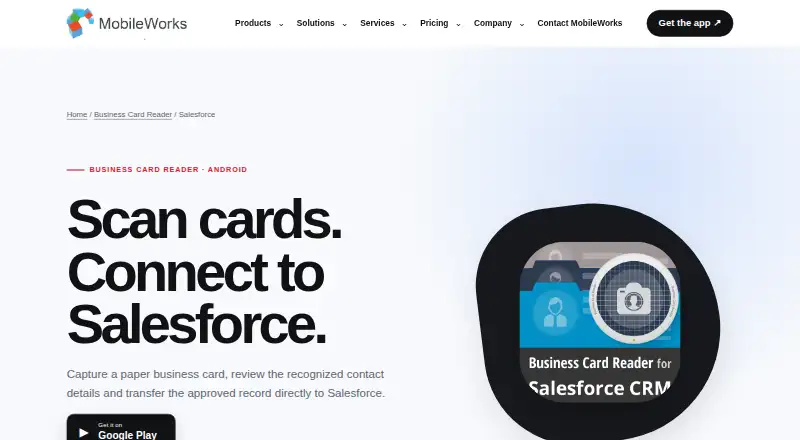
What Salesforce Business Card Scanner is
Salesforce Business Card Scanner is an Android app that converts business-card details into Salesforce contact records. It recognizes information from photographed cards or images already saved on the device, then lets users review and correct the fields before approving a transfer. Text or voice notes can be added to support follow-up, and recognition is listed for 25 languages, including multilingual cards. The free version provides 10 test recognitions; further recognitions must be purchased. Personal plans are one-time purchases with no expiry: $14.99 for 110 recognitions, $27.99 for 300, $59.99 for 750, or $99.99 for 1,500, each for one user. Listed plans include 24/7 support. The maker says card images are sent to an OCR server and deleted after recognition, with recognized data returned encrypted; it also says it does not store transferred card photos or user personal data. The edition is for Android, with current device and operating-system requirements directed to Google Play.
Good
- Reviews and correction before Salesforce transfer
- Processes saved card images
- Recognition supports 25 languages
- Text and voice follow-up notes
Watch out
- Free version limited to 10 recognitions
- Further recognitions must be purchased
- Android edition only
Who it suits
It suits Android users who collect contacts at meetings, exhibitions, or in field work and want to send approved card details to Salesforce. The purchase options serve both individual users and corporate teams, with different recognition allowances.
Verdict
This app offers a review step between card recognition and Salesforce contact creation, plus notes for follow-up. Check the recognition allowance and plan structure against expected card volume before choosing an option.
Plans and prices
From Salesforce Business Card Scanner's own pricing page, checked 7 Oct 2026.
| Plan | Price | What it gives you |
|---|---|---|
| Free version | Free | 10 test recognitions; purchase recognitions afterward |
| Personal Starter | $14.99, paid once | 110 card recognitions · 1 user · 24/7 support · No expiry |
| Personal Basic | $27.99, paid once | 300 card recognitions · 1 user · 24/7 support · No expiry |
| Personal Advanced | $59.99, paid once | 750 card recognitions · 1 user · 24/7 support · No expiry |
| Personal Professional | $99.99, paid once | 1,500 card recognitions · 1 user · 24/7 support · No expiry |
| Corporate Starter | $199 a year | 3,750 card recognitions · Unlimited users · 24/7 support · 1 year |
| Corporate Basic | $499 a year | 15,000 card recognitions · Unlimited users · 24/7 support · 1 year |
| Corporate Advanced | $2,999 a year | 150,000 card recognitions · Unlimited users · 24/7 support · 1 year |
| Corporate Professional | $9,999 a year | 1,500,000 card recognitions · Unlimited users · 24/7 support · 1 year |
The facts
Each one read from Salesforce Business Card Scanner's own pages, with the date it was checked.
The company
- Company history
- MobileWorks says it was founded in Ukraine and has developed business-focused mobile products since 2014.checked 7 Oct 2026
- Founded
- 2014checked 28 Sep 2026
- Headquarters
- Ternopil, Ukrainechecked 28 Sep 2026
What it does
- Compatibility
- The product page identifies this edition as Android and directs users to Google Play for current device and operating-system requirements.checked 7 Oct 2026
- Data handling
- The maker says MobileWorks does not store transferred card photos or Business Card Reader user personal data.checked 7 Oct 2026
- Image import
- The app can process a business-card image already saved on the device.checked 7 Oct 2026
- Integration
- This edition sends approved contact data to Salesforce and is not presented as a direct Microsoft Excel integration.checked 7 Oct 2026
- Notes
- Users can add text or voice notes to support follow-up.checked 7 Oct 2026
- Purpose
- The Android app recognizes contact details from photographed or saved business-card images and transfers the approved record to Salesforce.checked 7 Oct 2026
- Recognition languages
- The Google Play listing says it supports recognition in 25 languages and multilingual card recognition.checked 7 Oct 2026
- Recognition limit
- The Google Play listing describes a free version for 10 business-card recognitions, after which recognitions must be purchased.checked 7 Oct 2026
- Security
- The maker says card photos are sent to an OCR server for recognition, then deleted from that server, and recognized data returns encrypted.checked 7 Oct 2026
- Support
- The product pricing page lists 24/7 support for its personal and corporate plans.checked 7 Oct 2026
- Supported users
- The maker describes the app for professionals collecting contact details at meetings, exhibitions and field work.checked 7 Oct 2026
- Workflow
- Users can review and correct recognized fields before creating the Salesforce contact record.checked 7 Oct 2026
Alternatives to Salesforce Business Card Scanner
- 1

ContactsPlus
Free planAndroidiOSWebAPI8.1From $9.99 a month - 2
BizConnect
Free planAndroidiOSWeb7.5From $79.99 a year - 3

snapADDY BusinessCards
Free planAndroidiOSWebAPI7.4From €36 a year - 4
Kauntech
Free planAndroidiOSWeb7.3From $12.99 a year - 5
NexaLink
Free planAndroidiOSWeb7.3From $1.99 a month - 6

BusinessCardScanner.app
Free planAndroidiOSWeb7.2From $9 a month