
ContactsPlus
ContactsPlus is a contact manager and personal CRM that syncs, enriches, and backs up contacts across accounts.
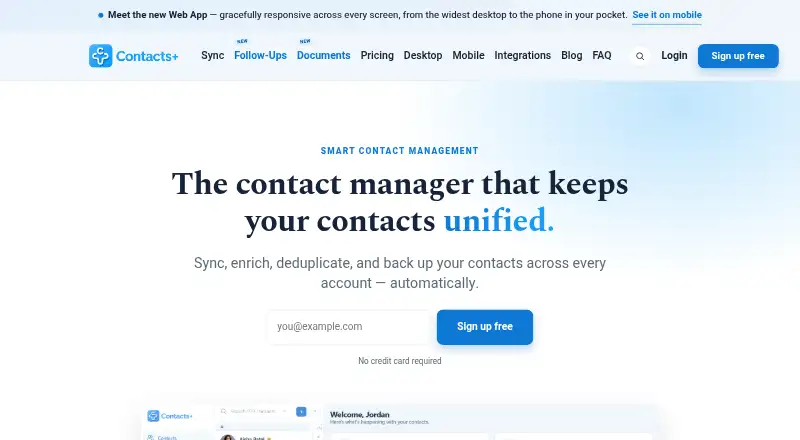
What ContactsPlus is
ContactsPlus is a contact manager and personal CRM that syncs, enriches, and backs up contacts across accounts. Two-way sync is available with Google, iCloud, and Microsoft/Outlook. The service can add details such as job titles, companies, photos, and social profiles using publicly available data, and its scanner transcribes business cards and other contact-detail images into saved contacts. Premium adds duplicate detection and merging, plus six months of activity history with one-click undo. The Teams plan includes a shared address book, roles, shared notes, and up to 50 team members. ContactsPlus offers web, iOS, and Android apps, as well as Contacts, Business Card Scanner, and Caller ID APIs for developers. Its free plan allows one synced account, up to 1,000 contacts, and daily sync. Premium is listed at $13.99 per month, with annual billing options of $119.88 billed yearly or $9.99/mo billed annually. Teams is listed at $17.99 per month, with annual billing options of $155.88/user billed yearly or $12.99/user/mo billed annually.
Good
- Two-way sync with Google, iCloud, and Microsoft/Outlook.
- Enriches contacts with publicly available details.
- Scans business cards into saved contacts.
- Available on web, iOS, and Android.
- Teams supports a shared address book.
Watch out
- Free plan is limited to one synced account.
- Free plan is limited to 1,000 contacts.
- Free plan syncs daily.
Who it suits
ContactsPlus suits professionals, teams, and small businesses that want contacts synced across accounts. The Teams plan is intended for shared address books and supports up to 50 team members.
Verdict
ContactsPlus combines cross-account contact sync with enrichment, scanning, and team features. The free plan has account and contact limits; paid plans add capacity and tools.
Plans and prices
From ContactsPlus's own pricing page, checked 15 Oct 2026.
| Plan | Price | What it gives you |
|---|---|---|
| Free | Free | 1 synced Apple/Google/Microsoft account · 1,000 contacts · daily sync · web, iOS and Android apps · free forever |
| Premium | $9.99 a month | 5 synced accounts · 25,000 contacts · real-time sync · enrichment · email-signature extraction · $119.88 billed yearly |
| Teams | $12.99 a month | 10 synced accounts · unlimited contacts · shared address book · roles and shared notes · up to 50 members · $155.88 per user billed yearly |
The facts
Each one read from ContactsPlus's own pages, with the date it was checked.
What it does
- Activity history
- An activity feed records additions, edits, merges, tags, notes and enrichment events and provides one-click undo.checked 15 Oct 2026
- AI assistant integration
- MCP connections let ChatGPT, Claude and Grok search contacts and suggest changes, while ContactsPlus requires user approval and blocks deletion or export by the assistant.checked 15 Oct 2026
- API coverage
- The API reference documents account access, contact search, paging, creation, updates, deletion, photo upload, ownership changes, tags, teams and webhook management.checked 15 Oct 2026
- API security requirement
- API clients must support TLS with Server Name Indication, and applications obtain OAuth credentials by registering at the ContactsPlus app-management page.checked 15 Oct 2026
- Authentication limitation
- The help center states that ContactsPlus does not provide its own two-step verification, although Google sign-in can inherit Google 2FA.checked 15 Oct 2026
- Business card scanning
- Its scanner uses AI to transcribe business cards and other images with contact details into saved contacts.checked 30 Sep 2026
- Business-card scanning
- Images such as business cards, email signatures, badges and handwritten notes can be transcribed into editable contact fields.checked 15 Oct 2026
- Chrome extension status
- ContactsPlus discontinued support for its Gmail Chrome extension in March 2025 because Google changes prevented it from meeting new requirements.checked 15 Oct 2026
- Contact enrichment
- The service compares records with public web information and proposes photos, job titles, companies, locations and social profiles.checked 15 Oct 2026
- Data retention
- The security page says personal and contact data is generally retained for up to five years after last update or use, subject to legal requirements.checked 15 Oct 2026
- Developer APIs
- The company lists a Contacts API, Business Card Scanner API, and Caller ID API for developers.checked 30 Sep 2026
- Duplicate handling
- ContactsPlus detects exact and near-duplicate records and can merge them after side-by-side review or through high-confidence automatic merging.checked 15 Oct 2026
- Duplicates and history
- Premium includes duplicate detection and merging, plus six months of activity history with one-click undo.checked 30 Sep 2026
- Follow-up reminders
- Users can set dated follow-up reminders on contacts with calendar synchronization.checked 15 Oct 2026
- Independent review limits
- MobileAppDaily reports long synchronization times, lag and in-app purchases it considers difficult to justify, giving the app 3.7 stars overall.checked 15 Oct 2026
- Independent review praise
- MobileAppDaily praises cross-source syncing, duplicate merging, cloud backup, social-profile enrichment and cross-platform contact transfer.checked 15 Oct 2026
- Integrations
- ContactsPlus connects with Zapier and LinkedIn, and its integrations page lists ChatGPT, Claude, and Grok support; Salesforce, HubSpot, and other services are described there as roadmap requests.checked 30 Sep 2026
Where it runs
- Apps
- ContactsPlus is available as a responsive web app and native iOS and Android apps.checked 30 Sep 2026
- Limit: Apple reviews
- App Store reviewers report poor response to feature requests, dissatisfaction with the move from one-time purchase to subscriptions, and cases of duplicates, overwritten fields, missing photos or corrupted contact data.checked 15 Oct 2026
The company
- Company legal identity
- The terms identify the provider as Contacts Plus LLC, a Delaware limited liability company with offices in Saint Louis, Missouri.checked 15 Oct 2026
- Company location and users
- The company describes itself as based in Saint Louis and says more than 100,000 people have used ContactsPlus.checked 15 Oct 2026
- Headquarters
- Saint Louis, Missouri, USAchecked 23 Sep 2026
- Licence and ownership
- Terms grant users non-transferable site and app licences while Contacts Plus LLC retains intellectual-property rights in the service, integrations, APIs and software, indicating proprietary rather than open-source licensing.checked 15 Oct 2026
Money
- Free plan limits
- The Free plan includes one synced account, a limit of 1,000 contacts, and daily sync.checked 30 Sep 2026
The full review of ContactsPlus
ContactsPlus is a contact manager and personal CRM that syncs, enriches, and backs up contacts across accounts. It suits professionals and small teams who need to keep multiple address books in step or turn business cards into saved contacts. Its appeal is breadth: cross-account sync and team tools sit alongside scanning, but the free plan is tightly capped.
Overview
Two-way sync with Google, iCloud, and Microsoft/Outlook helps keep contact records aligned across services, while CSV, Excel, vCard, and LinkedIn imports offer several ways to bring contacts in. ContactsPlus can also enrich records with publicly available job, company, photo, and social-profile details. That combination makes it more than a card-scanning utility, though enrichment depends on what public data is available.
Key features
- Sync and backup: Two-way syncing across major account providers is useful for people managing contacts in more than one ecosystem. The free plan syncs once daily, so it is a weaker fit when changes need to propagate more often.
- Scanning and enrichment: AI transcription turns business cards and other images containing contact details into saved contacts. Enrichment can add professional and social details; Premium allows 100 card scans per month.
- Duplicates and history: Premium adds duplicate detection and merging, plus six months of activity history with one-click undo. Those tools matter most to users consolidating or actively maintaining a large address book.
- Team sharing: Teams offers a shared address book, roles, shared notes, and capacity for up to 50 team members. It is the plan aimed at shared contact workflows rather than a solo user’s personal list.
- Integrations and APIs: ContactsPlus connects with Zapier and LinkedIn; its integrations page also lists ChatGPT, Claude, and Grok support. Developers can use its Contacts, Business Card Scanner, and Caller ID APIs. Salesforce and HubSpot are described as roadmap requests, not current integrations.
- Security and privacy: ContactsPlus states that it encrypts data with AES-256 at rest and TLS in transit, uses role-based access controls, and hosts on AWS. It says its data practices follow GDPR and CCPA, and users can request deletion or export. General inquiries go to [email protected]; it says GDPR requests receive a response within one month and CCPA requests within 45 days.
Pricing
The Free plan costs nothing, billed free forever with no credit card. It includes one synced account, 1,000 contacts, daily sync, and web, iOS, and Android apps. That is a useful low-commitment way to manage a modest address book, but the account and contact ceilings leave little room for a growing or multi-account collection.
Premium costs $13.99 a month, billed $119.88 yearly ($9.99/mo billed annually). It raises capacity to five synced accounts and 25,000 contacts, and includes 100 business card scans per month, duplicate handling, and activity history. It fits individuals who need more room, scanning, or cleanup tools; the annual billing is the stated lower monthly rate.
Teams costs $17.99 a month, billed $155.88/user yearly ($12.99/user/mo billed annually). It includes ten synced accounts, unlimited contacts, a shared address book, and up to 50 team members, alongside shared notes and roles. Choose it for team-wide contact management; solo users are paying for collaboration capacity they may not need. A free trial is offered, though its length and terms are not given. The free plan remains the only option described as requiring no card.
Platforms
ContactsPlus has a responsive web app and native iOS and Android apps; its platform range also includes an API and extension. The Free plan explicitly includes web, iOS, and Android access. Developer APIs extend its reach for software integrations, while the mobile apps make it practical to manage contacts away from a desktop.
Who it's for
ContactsPlus is a strong match for professionals and small businesses that want synchronized personal or company contacts, card capture, and enrichment in one service. Teams gains a clearer case when colleagues need a shared address book and role-based organization. It is less compelling for someone who only scans occasional cards, or who needs Salesforce or HubSpot connectivity now.
Pros and cons
- Pro: Two-way sync covers Google, iCloud, and Microsoft/Outlook, reducing the need to maintain separate records by hand.
- Pro: Scanning, enrichment, duplicate cleanup, and undo history cover several stages of contact maintenance rather than capture alone.
- Pro: Teams supports up to 50 members with a shared address book, roles, and notes.
- Con: Free users get only one synced account, 1,000 contacts, and daily sync, which constrains both scale and freshness.
- Con: Premium’s 100 monthly scans and 25,000-contact ceiling still impose limits on heavy individual use.
- Con: Salesforce and HubSpot are roadmap requests, so users relying on those connections should not choose ContactsPlus for them.
Alternatives
If scanning is the main need, rather than broad contact management, compare these options:
- CardAction is a mobile scanning alternative with a free plan offering three scans per day and no free trial.
- snapADDY BusinessCards suits individual users who want up to 20 free card scans per day and a personal digital business card; a free trial is also offered.
- BusinessCardScanner.app offers up to 25 free scans per month, AI contact extraction, CSV export, duplicate detection, and saving to a phone.
- NexaLink is a lower-cost scanning option, with a free plan limited to one scan and a Pro plan at $1.99 a month.
- Bizarc is a free alternative across desktop and mobile platforms, with unlimited contacts and campaigns alongside AI messaging limits.
- Business Card Scan App is a paid option for web, iOS, and Android.
- ScanBizCards offers a free lifetime tier with limited address-book adds and two one-time human transcriptions.
- CamCard is a freemium alternative for web, iOS, and Android.
For broader category comparisons, see Business Card Scanner Software and Contact Management Software.
Verdict
Choose ContactsPlus if you need one place to sync and maintain contacts across accounts, with scanning and a path to team sharing as your needs grow. The combination of sync, enrichment, and cleanup is its strongest reason to choose it. Look elsewhere if the free caps are too restrictive, if you need more than 100 scans a month on Premium, or if Salesforce or HubSpot integration is essential.
Alternatives to ContactsPlus
- 1
BizConnect
Free planAndroidiOSWeb7.5From $79.99 a year - 2

snapADDY BusinessCards
Free planAndroidiOSWebAPI7.4From €36 a year - 3
Kauntech
Free planAndroidiOSWeb7.3From $12.99 a year - 4
NexaLink
Free planAndroidiOSWeb7.3From $1.99 a month - 5

BusinessCardScanner.app
Free planAndroidiOSWeb7.2From $9 a month - 6

Covve
AndroidiOSWeb7.1From $119 a year