Room Arranger
Room Arranger is paid software for designing rooms, apartments, houses, floor plans, and gardens by placing and editing furniture and other objects.
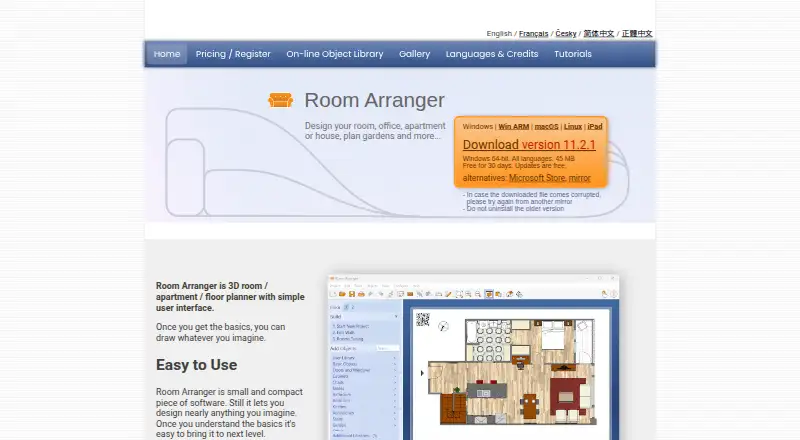
What Room Arranger is
Room Arranger is paid software for designing rooms, apartments, houses, floor plans, and gardens by placing and editing furniture and other objects. Projects can contain multiple floors and be viewed in 3D through walk-through or fly-around modes. On supported iPhone Pro and iPad Pro devices with LiDAR, room scanning can build a project with walls, doors, windows, and recognized furnishings or equipment. The standard library includes nearly 300 adjustable objects; custom objects and imported 3D models are also supported. Room Arranger 11 and later imports GLB, glTF, OBJ, PLY, STL, X3D, X3DV, and X3DZ files. Users can trace walls over a floor-plan image, measure areas, copy measurements to Excel, print at scales such as 1:50 or 1:100, and publish a web page containing plan and 3D scene.
Good
- 3D walk-through and fly-around views
- Supports multiple floors in one project
- Nearly 300 editable library objects
- Imports many 3D model formats
- 30-day trial available
Watch out
- No free plan
- Desktop license is paid upfront
- iPad saving requires an in-app purchase
- LiDAR scanning requires supported Pro devices
Who it suits
It suits people planning interiors, buildings, gardens, or multiple-floor layouts. It is also useful when LiDAR scanning, measured plans, scaled printing, or imported 3D models matter.
Verdict
Room Arranger combines measured planning, editable objects, multi-floor projects, and 3D viewing. Its paid desktop model and iPad purchase requirement are important considerations.
Plans and prices
From Room Arranger's own pricing page, checked 7 Oct 2026.
| Plan | Price | What it gives you |
|---|---|---|
| Desktop multi-license (50+ licenses) | $9.95, paid once | Windows, macOS, Linux · Reduced per-license price for multiple licenses registered to the same name · Per license; one-time purchase |
| Desktop multi-license (15–49 licenses) | $13.95, paid once | Windows, macOS, Linux · Reduced per-license price for multiple licenses registered to the same name · Per license; one-time purchase |
| Desktop multi-license (5–14 licenses) | $16.95, paid once | Windows, macOS, Linux · Reduced per-license price for multiple licenses registered to the same name · Per license; one-time purchase |
| Desktop multi-license (2–4 licenses) | $18.95, paid once | Windows, macOS, Linux · Reduced per-license price for multiple licenses registered to the same name · Per license; one-time purchase |
| Desktop license (1 license) | $24.95, paid once | Windows, macOS, Linux · License for one computer running the software at a time · Includes future releases · One-time license; no subscription |
| iPad/iPhone app | — | Free to install · Saving and auto-saving projects require an in-app purchase · Desktop registration does not apply · In-app purchase; price not stated on the page |
The facts
Each one read from Room Arranger's own pages, with the date it was checked.
What it does
- 3D and floors
- It provides 3D viewing with walk-through and fly-around modes and supports multiple floors in one project.checked 7 Oct 2026
- 3D model formats
- The maker lists GLB, glTF, OBJ, PLY, STL, X3D, X3DV, and X3DZ as supported import formats for Room Arranger 11 and later.checked 7 Oct 2026
- Integrations
- The maker says iPad projects can be synced with a PC through Dropbox or other cloud storage services.checked 7 Oct 2026
- License limit
- Desktop multi-licenses are for a single legal entity, and the number of licenses should match the computers running the software at the same time.checked 7 Oct 2026
- Object library
- The standard object library contains nearly 300 objects, whose dimensions users can modify; users can also create custom objects and import 3D models.checked 7 Oct 2026
- Print and export
- The software supports scaled printing, including 1:50 and 1:100 scales, and can produce a web page with a floor plan and 3D scene.checked 7 Oct 2026
- Privacy
- The maker says the website and software do not collect user data; registration details are processed by FastSpring and shared with the maker for license recovery and major-release email notices.checked 7 Oct 2026
- Purpose
- Room Arranger is a room, apartment, floor-plan, house, and garden design program for placing and editing furniture and other objects.checked 7 Oct 2026
- Room scanning
- On supported iPhone Pro and iPad Pro devices with LiDAR, it can scan rooms and create a project with walls, doors, windows, and recognized furnishings or equipment.checked 7 Oct 2026
- Security
- The registration page says license ordering is available online over a secure internet connection.checked 7 Oct 2026
- Support
- Registered desktop users receive technical support by email at no charge; the home page asks users to write in English.checked 7 Oct 2026
- System requirements
- The maker lists iPad, macOS 13 or later, and Windows 10 or 11 and Linux PCs as supported environments.checked 7 Oct 2026
Money
- Plans and measurements
- Users can trace walls over an imported floor-plan image, measure room and wall areas, and copy measurements to Excel.checked 7 Oct 2026
Alternatives to Room Arranger
- 1
Sweet Home 3D
Free planOpen sourceAndroidiOSWebAPI8.6From $49.99 a year - 2

Planner 5D
Free planAndroidiOSWebAPI8.4From $4.99 a month - 3

Coohom
Free planAndroidiOSWebAPI8.3From $299 a year - 4

RoomSketcher
Free planAndroidiOSWebAPI8.3From $12 a month - 5

Homestyler
Free planAndroidiOSWebAPI8.2From $6.80 a month - 6
iScape
Free planAndroidiOSWebmacOS8.2Free plan