
RNI Films
RNI Films is an analogue-film photo app that simulates the look and colours of real film emulsions.
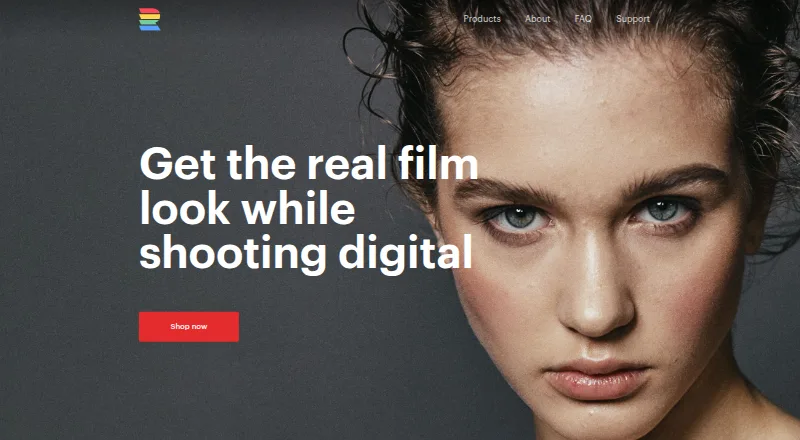
What RNI Films is
RNI Films is an analogue-film photo app that simulates the look and colours of real film emulsions. Filters are grouped by film type, and an instant before-and-after preview helps you compare an edit with the original. Its Film Grain tool applies grain that the maker describes as genuine film grain rather than digital noise; the maker also characterises its rendering and output as desktop-quality. The workflow is designed to use few taps, and photos can be shared to social networks from the app. The maker says an Android version is not viable at present. It points Android users instead to Lightroom presets that can be synced with Lightroom Mobile through an Adobe Creative Cloud subscription. A free plan is listed, alongside paid presets and styles for Lightroom/ACR and Capture One. Listed paid plans include options at $82 a month and higher. The maker lists RNI Films for Android, iOS, macOS, and Windows, but notes the Android limitation and describes the Lightroom preset route as its alternative for Android users.
Good
- Filters are grouped by film type.
- Instant before-and-after preview is included.
- Photos can be shared to social networks from the app.
- Presets and styles cover Lightroom/ACR and Capture One.
Watch out
- The maker says an Android app is not viable at present.
- Android alternative requires Lightroom Mobile and an Adobe Creative Cloud subscription.
- Listed paid plans include prices of $82 a month and above.
Who it suits
RNI Films suits photographers looking for film-emulation looks and film-type filter categories. Its presets and styles also serve users of Lightroom/ACR or Capture One.
Verdict
RNI Films focuses on film-emulation looks, with a quick comparison preview and sharing from the app. Android users are directed to a Lightroom preset workflow instead of an RNI Android app.
Plans and prices
From RNI Films's own pricing page, checked 20 Sep 2026.
| Plan | Price | What it gives you |
|---|---|---|
| All Films 5 Demo — Lightroom/ACR | — | Profile-based real film presets · Demo pack |
| All Films 5 Lite — Lightroom/ACR | $96 a month | 40+ presets |
| All Films 5 Pro — Lightroom/ACR | $192 a month | Profile-based film emulation · Non-destructive editing · Lightroom Mobile sync |
| RNI Aerochrome — Lightroom/ACR | $96 a month | Profile-based infrared film simulation |
| All Films 4 Demo — Lightroom/ACR | — | Adjustment-based film presets · Demo pack |
| All Films 4 Lite — Lightroom/ACR | $82 a month | Adjustment-based film presets · Camera profiles |
| All Films 4 Pro — Lightroom/ACR | $164 a month | More than 50 film stocks |
| All Films 5 Demo — Capture One | — | Profile-based film styles · Demo pack |
| All Films 5 Lite — Capture One | $96 a month | Profile-based film styles · Lite pack |
| All Films 5 Pro — Capture One | $192 a month | Profile-based film styles · Multiple process variations |
| All Films 4 Demo — Capture One | — | Adjustment-based film styles · Demo pack |
| All Films 4 Lite — Capture One | $82 a month | Adjustment-based film styles · Lite pack |
The facts
Each one read from RNI Films's own pages, with the date it was checked.
Where it runs
- Android alternative
- The maker says Android users can experience RNI film simulation by syncing its Lightroom presets to Lightroom Mobile with an Adobe Creative Cloud subscription.checked 29 Sep 2026
- Platform
- The maker provides an App Store download link and says RNI Films for Android is not viable for it at present.checked 29 Sep 2026
The company
- Company age
- The maker describes RNI as a small London-based company but the opened official pages do not state a founding year.checked 29 Sep 2026
- Maker
- Really Nice Images LTD describes itself as a London-based art and technology company creating tools for creative expression.checked 29 Sep 2026
What it does
- Editing workflow
- The app is designed for a minimal-tap workflow and includes an instant before-and-after preview.checked 29 Sep 2026
- Film grain
- Its Film Grain tool applies what the maker describes as genuine film grain rather than digital noise.checked 29 Sep 2026
- Filter organization
- Real-film filters are grouped into categories by film type.checked 29 Sep 2026
- Image rendering
- The app offers desktop-quality image rendering and output, according to the maker.checked 29 Sep 2026
- Pricing model
- The app is free to download with free filters included, and additional filters can be purchased.checked 29 Sep 2026
- Privacy
- The maker says it aims to collect as little personal information as possible and may collect contact details, cookies, usage data, and diagnostic data to provide and improve its service.checked 29 Sep 2026
- Purpose
- RNI Films is an analogue film photo app for mobile photographers that simulates the look and colours of real film emulsions.checked 29 Sep 2026
- Security
- The privacy policy says the maker uses commercially acceptable means to protect personal data but cannot guarantee absolute security.checked 29 Sep 2026
- Sharing
- Users can share photos to social networks straight from the app.checked 29 Sep 2026
- Support
- The maker lists [email protected] for enquiries.checked 29 Sep 2026
Money
- Free plan
- Yeschecked 20 Sep 2026
The full review of RNI Films
RNI Films is a film-emulation photo app for photographers who want analogue colour and texture without building an edit from scratch. It suits mobile-first users who value film looks over a broad editing toolkit. Its focused workflow is appealing, but Android users need a separate Lightroom-preset route rather than the app itself.
Overview
RNI Films centres photo editing on filters that simulate real film emulsions, organised by film type. A quick before-and-after preview helps judge a look against the original, and photos can be shared to social networks from the app. That narrow focus keeps the choice of edit straightforward; it is less suited to someone seeking an all-purpose editor.
The maker describes its Film Grain tool as applying genuine film grain rather than digital noise, and characterises its rendering and output as desktop quality. These qualities speak to the app’s film-oriented aim, but they do not make it a substitute for a fuller desktop editing workflow.
Key features
- Film-emulation filters: Filters grouped by film type make it easier to choose a particular film character rather than browse an undifferentiated effects list.
- Film Grain: The dedicated grain tool is intended to add film-like texture, not merely digital noise.
- Instant comparison: A before-and-after preview makes it practical to check whether an edit improves the image before sharing it.
- Direct sharing: Social-network sharing from the app shortens the path from edit to post.
Pricing
RNI’s pricing spans both the app-oriented film workflow and Lightroom/ACR and Capture One preset products. The pricing model is freemium, with a free plan; the paid preset plans shown range from $82 a month to $192 a month. That is a substantial ongoing commitment for presets, so the free option is the sensible starting point for readers who want to judge the approach before paying.
- Free plan: A free plan is available.
- All Films 4 Lite — Lightroom/ACR: $82 a month for adjustment-based film presets and camera profiles. It is the lower-priced Lightroom/ACR option, but does not promise the more than 50 film stocks included with All Films 4 Pro.
- All Films 4 Pro — Lightroom/ACR: $164 a month and more than 50 film stocks, for users who need the wider film-stock range.
- All Films 5 Lite — Lightroom/ACR: $96 a month for 40+ presets; the lower price than Pro comes with a smaller stated scope.
- All Films 5 Pro — Lightroom/ACR: $192 a month for profile-based film emulation, non-destructive editing and Lightroom Mobile sync. This best fits Lightroom users who need those workflow capabilities.
- RNI Aerochrome — Lightroom/ACR: $96 a month for profile-based infrared film simulation, a focused choice rather than a broad collection.
- All Films 4 Lite — Capture One: $82 a month for adjustment-based film styles in a lite pack.
- All Films 4 Demo — Lightroom/ACR and Capture One; All Films 5 Demo — Lightroom/ACR and Capture One: Demo packs are offered, with prices not published.
- All Films 5 Lite — Capture One: $96 a month for profile-based film styles in a lite pack.
- All Films 5 Pro — Capture One: $192 a month for profile-based film styles with multiple process variations.
The listed paid preset plans are monthly prices; no seat limits, quotas, trial length or renewal terms are stated. The headline paid-from figure of 82 one-time conflicts with the named plans’ monthly prices, so it should not be treated as the price or term for those plans.
Platforms
The platform list includes Android, iOS, macOS and Windows, and the software-support scope includes Adobe Lightroom, Adobe Photoshop ACR and Capture One. However, the maker says an RNI Films Android app is not viable for it at present and provides an App Store download link. Android users can instead sync RNI Lightroom presets to Lightroom Mobile using an Adobe Creative Cloud subscription; this is a different workflow and depends on that subscription.
Who it's for
RNI Films is a good fit for photographers who want film-style colour, an explicit grain tool and a quick comparison before sharing. Its preset products also suit Lightroom/ACR or Capture One users who want film emulation in those applications. It is a weaker fit for Android users expecting the native app, or for anyone looking for a wide-ranging editor rather than a film-look workflow.
Pros and cons
- Pro: Film filters are organised by film type, giving the app a clear route to its central creative choice.
- Pro: Instant before-and-after comparison and in-app social sharing support a compact edit-to-post workflow.
- Pro: Preset options cover Lightroom/ACR and Capture One, including profile-based and adjustment-based approaches.
- Con: The maker says it does not currently consider an Android app viable, leaving Android users with a Lightroom Mobile preset workflow instead.
- Con: Named paid preset plans run from $82 a month, a significant recurring cost for readers who only want occasional film effects.
- Con: The core emphasis is film emulation, not a broad set of editing capabilities.
Alternatives
Signature Edits is worth considering for Lightroom preset collections sold as one-time purchases, including a $59, paid once Clean & Classic collection and a $79, paid once AI Engine toolkit.
Greater Than Gatsby offers a $249, paid once Complete Presets Bundle with 641 Lightroom presets, making it the more relevant comparison for someone who wants a much larger Lightroom collection.
Mextures is an iOS, macOS and Windows option with an X-Film Overlay Pack at $10 a month and a yearly membership at $89 a year; choose it when overlays are the priority rather than RNI’s film-emulation workflow.
VSCO has a free Starter tier with 15 presets and paid tiers, and supports web, iOS and Android. It is a relevant alternative for readers who want a preset-based option that includes Android.
PresetLove is another freemium preset option, with web, Windows, macOS, iOS and Android support.
The Luxe Lens is a paid alternative without a free plan; its First Years Baby & Newborn Lightroom Presets are $14, paid once.
Lumina Lightroom Presets offers a freemium option across Windows, macOS, iOS and Android.
123Presets sells Lightroom preset packs at $15, paid once, making it a simpler one-time-purchase comparison for buyers who prefer individual packs.
For broader browsing, see Photo Preset Libraries and Photo Editing Software.
Verdict
Choose RNI Films if film-emulation looks, grain and a fast preview-and-share workflow are the point of your photo editing. Its focused design is its main strength, while Android’s lack of a native app and the recurring cost of named preset plans are the strongest reasons to look elsewhere.
Alternatives to RNI Films
- 1
DVLOP
Free planAndroidiOSWebmacOS8.0$39 one-time - 2

VSCO
Free planAndroidiOSWeb7.4From $29.99 a year - 3
Mextures
Free planiOSmacOSWindows7.2From $89 a year - 4
Lightroom Presets by peva3
Free planOpen sourcemacOSWindows7.0Free plan - 5
The Luxe Lens
AndroidiOSWebmacOS6.9$14 one-time - 6
Mastin Labs
AndroidiOSmacOSWindows6.7$15 one-time