
Revocalize AI
Revocalize AI creates AI voices and trains custom voice models.
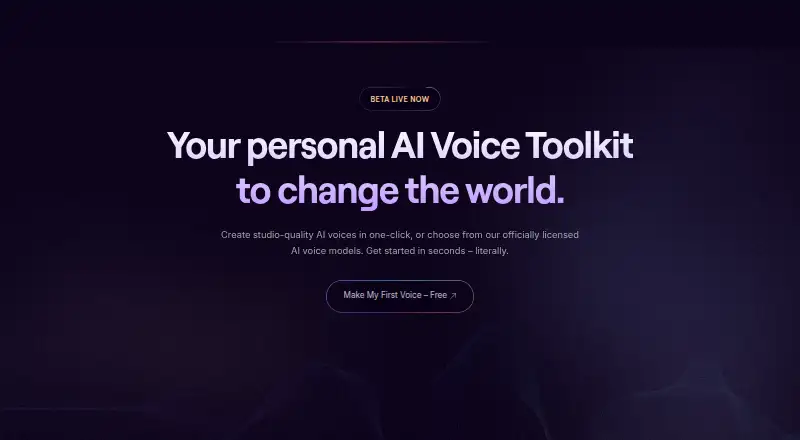
What Revocalize AI is
Revocalize AI creates AI voices and trains custom voice models. Its voice conversion captures a voice’s harmonics and transforms an input voice into another. Listed controls and effects include beautification, emotion, language versatility, real-time auto-pitch, vocal variations, and pitch, volume, and speed adjustments. Music creators can use the VST plugin for voice transformation, beautification, and harmonizing; named compatible hosts include Logic Pro, Ableton, and FL Studio. The beta API documentation describes voice-to-voice conversion, text-to-singing, and speech, with access starting through an account and API key. The site identifies sound engineers and producers, labels and publishers, artists and creators, and music enthusiasts and fans as use cases. Its free plan includes 5 conversion minutes per month and one Starter AI voice. Starter costs $9 a month and includes 120 minutes and two Ultimate AI voices; Creator costs $39 a month and includes 300 minutes and five Ultimate AI voices. The VST plugin is listed for a 49.00 USD one-time payment. Export formats include MP3 and WAV.
Good
- Transforms input voices using voice conversion
- Includes pitch, volume, and speed controls
- VST plugin supports Logic Pro, Ableton, and FL Studio
- Exports MP3 and WAV
Watch out
- Free plan includes 5 conversion minutes per month
- Starter includes 120 conversion minutes per month
- Creator includes 300 conversion minutes per month
Who it suits
It suits artists, creators, sound engineers, and producers seeking AI voice conversion or a VST workflow. The API may also suit users building voice-to-voice, text-to-singing, or speech functions.
Verdict
Revocalize AI offers voice conversion, custom voice models, a VST plugin, and a beta API. Compare the monthly conversion allowances with your planned use; the plugin is a separate one-time purchase.
Plans and prices
From Revocalize AI's own pricing page, checked 15 Oct 2026.
| Plan | Price | What it gives you |
|---|---|---|
| Free | Free | 5 conversion minutes/month · 1 Starter AI voice · MP3 · no commercial licence · API access & integrations |
| Starter | $9 a month | 120 conversion minutes/month · 2 Ultimate AI voices · 24-bit WAV · AI voice effects · commercial licence · API access & integrations · $9 / month |
| Creator | $39 a month | 300 conversion minutes/month · 5 Ultimate AI voices · 24-bit WAV · upload and record voices · commercial licence · API access & integrations · $39 / month |
| Enterprise | Priced on request | Professional AI voices · bulk audio conversions · dedicated sound engineer · beta access · API access and integrations · 32-bit WAV · priority training queue · Contact us |
| Revocalizer VST Plugin | $49, paid once | VST plugin for Logic Pro, Ableton, FL Studio, and more · Voice transformation · Voice beautification · Voice harmonizing · Record or import vocals · One-time payment |
| Revocalize VST Plugin | $49, paid once | Logic Pro, Ableton, FL Studio and more · voice transformation · beautification · harmonizing · record or import vocals · free 100 conversion minutes · One-time payment |
The facts
Each one read from Revocalize AI's own pages, with the date it was checked.
What it does
- API
- The beta API documentation describes voice-to-voice conversion, text-to-singing, and speech, and says users start by creating an account and obtaining an API key.checked 2 Oct 2026
- API documentation depth
- The beta docs cover authentication, audio conversion, task-status checks, model listing and creation, and training endpoints.checked 15 Oct 2026
- Auto-pitch
- Real-time auto-pitch is provided for correcting pitch while performing.checked 15 Oct 2026
- Co-Producer limits
- Co-Producer currently supports only Logic Pro; GarageBand, Ableton and FL Studio are not supported by that app.checked 15 Oct 2026
- Co-Producer privacy
- The maker says Co-Producer keeps audio, MIDI and project files on the computer and sends only command text to its AI service.checked 15 Oct 2026
- Data retention
- The privacy policy says personal information is generally retained for at least seven years to meet business-record requirements.checked 15 Oct 2026
- Data security
- The privacy policy says the site uses SSL certificates and encryption, while also stating it cannot guarantee data security over the internet.checked 2 Oct 2026
- DAW compatibility
- The VST page names Logic Pro, Ableton, FL Studio, and other DAWs as compatible hosts.checked 2 Oct 2026
- DAW plugin
- The VST plugin supports voice transformation, beautification and harmonizing inside compatible music software.checked 15 Oct 2026
- Developer API
- The API supports voice conversion, custom model creation and model training for application integration.checked 15 Oct 2026
- Funding
- Crunchbase lists one seed funding round but does not disclose the amount publicly on the profile.checked 15 Oct 2026
- Integrations
- The pricing page lists API access and integrations for Free, Starter, Creator, and Enterprise plans without naming specific integrations.checked 2 Oct 2026
- Language support
- Revocalize says models preserve a speaker's accent, tone and pronunciation across languages.checked 15 Oct 2026
- Legal name
- Crunchbase identifies the legal entity as Revocalize, Inc.checked 15 Oct 2026
- Licence
- Revocalize's terms say its software and materials are owned by Revocalize Inc. or licensors and protected by copyright, with no open-source licence stated.checked 15 Oct 2026
- Limit: source quality
- An independent review reported that background noise or muffled recordings can reduce custom voice-training consistency.checked 15 Oct 2026
- Limit: Trustpilot complaints
- Trustpilot reviewers repeatedly alleged failed features, unresponsive support and difficulty cancelling subscriptions or receiving refunds.checked 15 Oct 2026
- Logic integration
- The newer Logic Pro plugin can process selected audio regions and automatically place results on new tracks.checked 15 Oct 2026
- Logic system requirement
- Revocalize Co-Producer requires macOS 13 or later and Apple Logic Pro.checked 15 Oct 2026
The company
- Company founding
- LinkedIn lists the company as founded in 2023.checked 15 Oct 2026
- Company headquarters
- LinkedIn lists Los Angeles, California as headquarters.checked 15 Oct 2026
- Company size
- LinkedIn lists Revocalize AI as a privately held musicians company with 11–50 employees.checked 15 Oct 2026
Money
- Limit: free allowance
- An independent review said the five-minute monthly free allowance is mainly suitable for testing rather than complete songs.checked 15 Oct 2026
- Limit: free output
- The free tier outputs MP3 only, while paid plans provide 24-bit WAV, limiting free use for continued mixing or mastering.checked 15 Oct 2026
The full review of Revocalize AI
Revocalize AI is a voice-conversion and custom-model service for music creators who want to reshape vocals or work with AI voices. Its monthly minutes and voice allowances make the right plan depend on how much audio you convert.
Overview
Revocalize AI turns an input voice into another by capturing and transforming its harmonics. Voice beautification, emotion, language versatility, vocal variations, real-time auto-pitch, and pitch, volume, and speed controls give users several ways to shape the result. That breadth suits vocal production better than a narrowly focused conversion tool, though the monthly conversion allowance is an important constraint for frequent work.
Users can train custom voice models, and the service supports vocal input with MP3 and WAV exports. A separate VST plugin adds transformation, beautification, and harmonizing, with recording or importing vocals. Its API is in beta and covers voice-to-voice conversion, text-to-singing, and speech; access starts with an account and API key.
Key features
Voice creation and shaping
The combination of voice transformation, beautification, emotion, and pitch, volume, and speed controls offers useful scope for artists and producers refining a vocal. Real-time auto-pitch and vocal variations add options for performance shaping. The service also lets users train custom voice models, but model counts vary by subscription tier.
Plugin and API
The VST plugin works with Logic Pro, Ableton, FL Studio, and other DAWs, placing its transformation, beautification, and harmonizing tools in a music-production workflow. It costs separately from the monthly service plans, so it is a more direct fit for someone who wants a DAW plugin than someone seeking only a subscription.
The beta API describes conversion, text-to-singing, and speech. That makes it relevant to developers exploring these capabilities, but it is explicitly a beta offering rather than a finished, generally described integration package.
Pricing
The free plan costs nothing, billed monthly, and includes 5 conversion minutes per month and 1 Starter AI voice. It is a small allowance for evaluating the service, not a practical tier for sustained conversion work.
Starter costs $9 a month, billed monthly, for 120 conversion minutes and 2 Ultimate AI voices. It is the entry paid tier for an individual with modest recurring needs; the trade-off is a lower monthly quota and fewer voices than Creator. Creator costs $39 a month, billed monthly, and raises those allowances to 300 conversion minutes and 5 Ultimate AI voices, better suited to heavier use or more voice options.
Enterprise has custom pricing and includes professional AI voices, bulk audio conversions, a dedicated sound engineer, early access to beta features, API access and integrations, and 32-bit WAV quality. Its higher-touch and bulk features make it the relevant tier for larger or professional workflows.
The Revocalizer VST Plugin is $49, paid once, a one-time payment, and includes recording or importing vocals alongside transformation, beautification, and harmonizing for Logic Pro, Ableton, FL Studio, and more. A separately named Revocalize VST Plugin is also $49, paid once and includes 100 conversion minutes free. The plugin purchase is distinct from monthly conversion subscriptions.
A free trial is offered. Commercial use is for paid plans. Paid plans list API access and integrations, though specific integrations are not named. The privacy policy says payment processors such as Stripe handle payments, so Revocalize does not directly retain card or banking details; it also says the service uses SSL and encryption while warning that internet data security cannot be guaranteed. Users remain responsible for uploaded or generated content and may not use the service to infringe others' rights.
Platforms
Revocalize AI lists Android, iOS, Linux, macOS, Windows, web, API, extension, and self-hosted platforms. The VST plugin specifically names Logic Pro, Ableton, FL Studio, and other DAWs as compatible hosts.
Who it's for
Sound engineers and producers can use the shaping tools and DAW plugin in vocal workflows; artists and creators can work with transformed voices and custom models. Labels and publishers are also a stated audience, and the service says users can monetize their voice by allowing labels and publishers to pay for its use. Music enthusiasts and fans are another intended group, though the limited free quota is best treated as an introduction rather than an ongoing production allowance.
Pros and cons
Pros
- Multiple vocal controls, including real-time auto-pitch and pitch, volume, and speed adjustment, support more than basic voice conversion.
- Custom voice models and multiple Ultimate AI voices on paid tiers suit creators who need alternatives to a single voice.
- The separately purchased VST plugin supports recording or importing vocals and works with named mainstream DAWs.
- MP3 and WAV exports cover two common audio formats.
Cons
- The free plan's 5 monthly conversion minutes and single Starter AI voice sharply limit ongoing use.
- The paid subscriptions cap conversion minutes at 120 or 300 per month, so high-volume users may need Enterprise.
- The VST plugin is a separate one-time purchase rather than part of the monthly subscriptions.
- The API is in beta, which may make it a less suitable basis for a production-dependent integration.
Alternatives
- AI Singing Voice Generators is a category to compare when choosing among tools for AI singing voices.
- AI Song Cover Generators is a category to compare for AI song-cover workflows.
- Musicful is another freemium option with a free plan and Android, API, iOS, and web platforms.
- SoulX-Singer is a free, self-hosted and web option for researchers and developers; its code and model weights are under Apache 2.0.
- ACE Studio is a paid macOS and Windows option with a free plan; its Artist plan is $16.58 a month, billed yearly, with rent-to-own for 2 years and access forever.
- Audimee is a web-based paid option with a free plan.
- LyricToMelody AI is a freemium web option with a free plan.
- Kits AI is a freemium option with a free plan and API, web, and Windows platforms.
- NEUTRINO is free for general music and audio production; system integration or use of generated audio inside an application requires separate permission.
- VoiSona Song is a freemium option with a free plan on Windows, macOS, and iOS.
Verdict
Revocalize AI is a strong fit for vocal creators who want several shaping controls, custom models, and an optional DAW plugin in one offering. Choose it if its monthly conversion allowance matches your workload; look elsewhere if you need more than 300 monthly minutes without moving to custom-priced Enterprise, or if you need a production-ready API rather than a beta.
Getting started
- Visit https://www.revocalize.ai/.
- Choose the Free plan or a paid plan.
- Create an account and obtain an API key for API use.
- For VST use, select the $49, paid once plugin and use it with a compatible host such as Logic Pro, Ableton, or FL Studio.
Limits worth knowing
The Free plan provides 5 conversion minutes per month and one Starter AI voice. Starter provides 120 monthly minutes and two Ultimate AI voices; Creator provides 300 minutes and five Ultimate AI voices.
Questions
Is there a free plan?
Yes. Free costs nothing and includes 5 conversion minutes per month and one Starter AI voice.
Which platforms are supported?
Platforms listed include Android, API, extension, iOS, Linux, macOS, self-hosted, web, and Windows.
What does the VST plugin cost?
The Revocalizer VST Plugin is listed at $49, paid once. It offers voice transformation, beautification, and harmonizing.
Can I use generated voices commercially?
Commercial use is listed for paid plans.
How does API access work?
The beta API documentation describes voice-to-voice conversion, text-to-singing, and speech. Users start by creating an account and obtaining an API key.
Alternatives to Revocalize AI
- 1

BeMusic AI Cover
Free planAndroidiOSWebLinux8.2From $12 a month - 2
Media.io AI Song Cover Generator
Free planAndroidiOSWebAPI8.0From $59.90 a year - 3
Kits AI
Free planWebAPIWindows7.7From $10 a month - 4

Applio
Free planOpen sourceWebAPILinuxmacOS7.6Free plan - 5

Audjust AI Song Cover Generator
Free planWebAPI7.3From $10 a month - 6
Solmi AI Cover Generator
Free planAndroidiOSWeb7.3From $35 a month