Resilio Sync
Resilio Sync is a personal file synchronization and sharing tool that uses peer-to-peer technology.
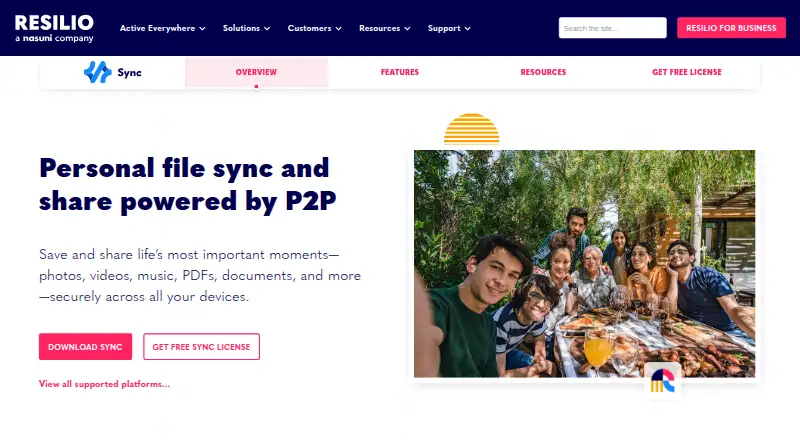
What Resilio Sync is
Resilio Sync is a personal file synchronization and sharing tool that uses peer-to-peer technology. It can send files to multiple recipients without exposing an entire folder or creating a lasting sync connection. Advanced Folders let users set ownership and read or write access, and revoke permissions. Selective Sync uses searchable placeholders so users can retrieve chosen files instead of downloading everything. Users can also limit bandwidth used by Sync activity.
Resilio describes the service as cloudless: files stay on users’ devices, and relays, when used, carry encrypted files without storing them. Resilio says it uses AES-128 encryption in transit and X.509 certificates for mutual authentication. The Sync 3.0 download is for personal, non-commercial use and requires a license to activate; commercial users are directed to Sync v2 or business solutions. A free plan is listed as free, with no expiration date. It supports Windows, macOS, Linux, iOS, Android, and NAS.
Good
- Send files without sharing a whole folder.
- Selective Sync downloads only chosen files.
- Users can set bandwidth limits.
- Free plan has no expiration date.
Watch out
- Sync 3.0 is for non-commercial use.
- Activation requires a license.
- Free trial is not available.
Who it suits
It suits people who want to synchronize or share files across supported desktop, mobile, and NAS platforms, while retaining control over folder access and downloads. Its Sync 3.0 download is limited to personal, non-commercial use.
Verdict
Resilio Sync offers peer-to-peer file sharing and synchronization with selective downloads, folder permissions, and bandwidth controls. Check the personal-use restriction and license activation requirement before choosing Sync 3.0.
Plans and prices
From Resilio Sync's own pricing page, checked 3 Oct 2026.
| Plan | Price | What it gives you |
|---|---|---|
| Sync 3.0 (personal, non-commercial) | Free | Non-commercial use · requires a license to activate · no expiration date |
The facts
Each one read from Resilio Sync's own pages, with the date it was checked.
What it does
- Acquisition
- Resilio says it has been acquired by Nasuni and that its products and customer support continue without immediate changes.checked 3 Oct 2026
- Bandwidth
- Users can set bandwidth usage limits for Sync activity.checked 3 Oct 2026
- Commercial-use limit
- The Sync 3.0 download is for personal, non-commercial use; the licensing guide directs commercial users to Sync v2 or Resilio business solutions.checked 3 Oct 2026
- Data handling
- Resilio describes Sync as cloudless, with files stored on users’ devices; if a relay is used, files pass through it encrypted and are not stored there.checked 3 Oct 2026
- File sending
- It can send files to multiple recipients without sharing an entire folder or creating a permanent sync connection.checked 3 Oct 2026
- Folder controls
- Advanced Folders let users assign ownership, revoke access, and change read and write permissions.checked 3 Oct 2026
- Mobile and NAS
- The download page has separate sections for mobile and NAS downloads and warns that NAS packages are for personal, non-commercial use.checked 3 Oct 2026
- Purpose
- Resilio Sync is a personal file synchronization and sharing product powered by peer-to-peer technology.checked 3 Oct 2026
- Security
- Resilio says Sync uses AES-128 encryption in transit and X.509 certificates for mutual authentication.checked 3 Oct 2026
- Selective Sync
- Selective Sync creates searchable placeholder files so users can download only the files they need.checked 3 Oct 2026
- Support
- The Sync page links to a Help Center, tutorials and demos, and user forums.checked 3 Oct 2026
The company
- Company
- Resilio says it was founded in 2016 by technical leaders from BitTorrent and is based in the San Francisco Bay Area.checked 3 Oct 2026
Where it runs
- Platform support
- The download page lists Windows 64-bit 7 or later, OS X 10.13 or later, Linux x64, Linux x64 with glibc 2.3, and Linux ARM64 desktop downloads.checked 3 Oct 2026
The full review of Resilio Sync
Resilio Sync is a cloudless, peer-to-peer synchronisation and file-sharing application for people who want files to remain on their own devices. It is best suited to personal users managing several computers, phones or NAS systems, particularly when sharing permissions and selective downloads matter more than a conventional cloud drive.
Overview
Sync’s main advantage is direct control over how files are distributed. You can send files to several recipients without exposing an entire folder or establishing a permanent synchronisation relationship. That is a practical fit for occasional hand-offs as well as continuing device-to-device folders.
Advanced Folders add ownership controls, revocable access, and separate read and write permissions. Those options make Sync more suitable for changing family or personal projects than a basic transfer utility. Resilio describes the design as cloudless: files remain on participating devices. When a relay is needed, the data travels through it encrypted and is not stored there. Resilio cites AES-128 encryption in transit and X.509 certificates for mutual authentication.
The important qualification is licensing. Sync 3.0 is restricted to personal, non-commercial use, so it is not the appropriate edition for a company, paid service, or other business workflow.
Key features
- Selective Sync: Searchable placeholder files let you see what is available and download only required items. This helps devices with limited local storage avoid carrying every file in a synchronised folder.
- Flexible sending: Files can go to multiple recipients without granting access to a whole folder or leaving a lasting sync connection. It is useful for controlled, one-off distribution.
- Advanced Folders: Ownership assignment, read and write changes, and access revocation provide meaningful control when several people or devices share content.
- Bandwidth limits: You can cap Sync activity, making it easier to keep synchronisation from consuming an entire connection.
- Remote and web controls: The Sync 3.0 plan includes a web interface and remote control, alongside DHT support for peer-to-peer discovery.
- Device-local storage: Keeping files on users’ devices can appeal to readers who do not want a hosted copy, although the participating devices must be available for transfers.
Pricing
| Plan | Price | Terms |
|---|---|---|
| Sync 3.0 (personal, non-commercial) | free | Non-commercial use; requires a license to activate; no expiration date |
There is no free trial because the personal plan is free, and no paid seat or storage quota is stated. The no-expiration term suits long-running personal archives, but activation still requires a license. Commercial users are directed to Sync v2 or Resilio business solutions instead, so organisations should not treat the free Sync 3.0 download as a business plan.
Platforms
Sync 3.0 supports Windows, macOS, Linux, iOS, Android and NAS devices. Desktop downloads cover Windows 64-bit 7 or later, OS X 10.13 or later, Linux x64, Linux x64 with glibc 2.3, and Linux ARM64. Separate mobile and NAS downloads are provided; NAS packages carry the same personal, non-commercial restriction.
Who it's for
Choose Sync if you want peer-to-peer transfers across your own computers, phones and NAS, need folder-level permissions, or prefer selective local downloads over keeping a complete copy everywhere. It is particularly compelling for personal media, documents and device backups where cloudless storage is a priority.
Look elsewhere if the software will be used commercially, if you need a hosted cloud repository rather than device-to-device availability, or if you require a business licence with terms beyond the personal restriction.
Pros and cons
Pros
- Granular sharing: Ownership, read/write permissions and revocation are more useful than an all-or-nothing folder share.
- Storage efficiency: Selective Sync downloads only chosen files while retaining searchable placeholders.
- Network control: Bandwidth limits help keep transfers from overwhelming a connection.
- Broad device coverage: Windows, macOS, Linux, mobile and NAS support enables mixed-device setups.
- Device-local model: Files stay on users’ devices, with encrypted relay transit rather than relay storage.
Cons
- Personal use only: Sync 3.0 cannot be used commercially, which removes it from consideration for business deployments.
- Activation required: Even the free plan needs a licence to activate.
- Device dependence: A cloudless design means transfers rely on participating devices and their availability.
- NAS restriction: NAS packages are also limited to personal, non-commercial use.
Alternatives
Feem is the better pick for a simpler freemium transfer option spanning Android, iOS, Linux, macOS, web and Windows; its free plan allows unlimited file transfers, while Feem Pro iOS costs $4.99 a year and renews manually.
TorrServer suits readers seeking a self-hosted torrent streaming server under the GPL-3.0 licence, with Android, iOS, Linux, macOS, web and Windows coverage.
BiglyBT is a free software choice for torrent-focused use on Android, Linux, macOS, web and Windows.
BitComet is free for private personal, non-commercial use across Android, Linux, macOS, self-hosted, web and Windows.
aMule is a GPL-2.0 option with no telemetry or advertisements, supporting Linux, macOS, self-hosted and web deployments.
qBittorrent is free, open source and ad-free, with Linux, macOS, self-hosted and web support.
Transmission includes all features in its free plan, with no ads or tracking, across Linux, macOS, self-hosted, web and Windows.
WebTorrent is a non-profit, open-source MIT-licensed option; its free desktop edition is non-commercial.
For broader discovery, browse the Peer-to-Peer File Sharing Software category.
Verdict
Resilio Sync is a strong choice for personal users who need selective downloads, adjustable folder permissions and direct device-to-device sharing across a broad platform mix. Its clearest reason to look elsewhere is the personal, non-commercial licence and required activation, which make a business-oriented or hosted alternative a better fit for professional use.
Alternatives to Resilio Sync
- 1

Feem
Free planAndroidiOSWebAPI8.0From $4.99 a year - 2

BiglyBT
Free planOpen sourceAndroidWebAPILinux7.7Free plan - 3

BitComet
Free planAndroidWebAPIExtension7.5Free plan - 4

aMule
Free planOpen sourceWebAPILinuxmacOS7.4Free plan - 5
Avidemux
Free planOpen sourceWebLinuxmacOSWindows7.3Free plan - 6
µTorrent Web
Free planWebmacOSWindows6.9From $6.95 a year