
qBittorrent
qBittorrent is a free, open-source torrent client that the project presents as an alternative to µTorrent.
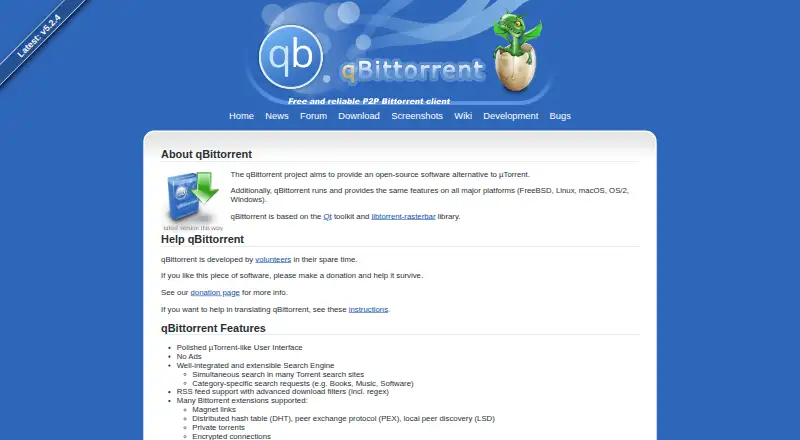
What qBittorrent is
qBittorrent is a free, open-source torrent client that the project presents as an alternative to µTorrent. It supports magnet links, private torrents, DHT, peer exchange, local peer discovery, and encrypted connections. Its search engine can query multiple torrent sites and make category-specific searches; RSS feeds can apply advanced filters, including regular expressions. For transfer management, users can select content, queue and prioritize torrents, download sequentially, and schedule bandwidth use. A web interface enables remote control and is described as nearly identical to the regular GUI. The feature list also includes IPv6 and UPnP/NAT-PMP port forwarding support. The project lists Windows, Linux, macOS, FreeBSD, and OS/2 support. Official Docker images are available, and project documentation covers WebUI-only use without an X server. The download page says source tarballs and binaries have been signed since version 3.3.4 and provides a current signing key and fingerprint. The project says volunteers develop qBittorrent in their spare time and invites donations.
Good
- Supports magnet links, DHT, and encrypted connections
- Searches multiple torrent sites with category requests
- RSS supports advanced download filters
- Web interface enables remote control
- Available for Windows, Linux, macOS, FreeBSD, and OS/2
Watch out
- Project development is by volunteers in their spare time
- The project invites donations to support development
Who it suits
It suits users looking for a free torrent client with search, RSS filtering, transfer controls, and remote access. Docker images and WebUI-only operation may also suit Linux or server use.
Verdict
qBittorrent provides a broad set of torrent search and management features without a paid plan. Consider its volunteer-maintained project model when deciding whether it fits your needs.
Plans and prices
From qBittorrent's own pricing page, checked 30 Sep 2026.
| Plan | Price | What it gives you |
|---|---|---|
| qBittorrent | Free | Open-source software; no ads |
The facts
Each one read from qBittorrent's own pages, with the date it was checked.
What it does
- Integrations
- The project says qBittorrent is based on the Qt toolkit and libtorrent-rasterbar library.checked 30 Sep 2026
- Maintainers
- The project says qBittorrent is developed by volunteers in their spare time and invites donations to support it.checked 30 Sep 2026
- Networking
- The feature list states IPv6 compliance and UPnP/NAT-PMP port forwarding support.checked 30 Sep 2026
- Purpose
- The project describes qBittorrent as an open-source alternative to µTorrent.checked 30 Sep 2026
- Remote control
- A web user interface provides remote control and is described as nearly identical to the regular GUI.checked 30 Sep 2026
- RSS
- It supports RSS feeds with advanced download filters, including regular expressions.checked 30 Sep 2026
- Search
- Its search engine can search multiple torrent sites at once and make category-specific requests.checked 30 Sep 2026
- Security
- The download page says that source tarballs and binaries have been signed since version 3.3.4 and provides a current signing key and fingerprint.checked 30 Sep 2026
- Support
- The official forums provide platform-specific sections for Windows, Linux, macOS, Docker, and general questions.checked 30 Sep 2026
- Torrent client
- It supports magnet links, DHT, peer exchange, local peer discovery, private torrents, and encrypted connections.checked 30 Sep 2026
- Torrent management
- Features include sequential downloading, torrent queueing and prioritization, content selection, and a bandwidth scheduler.checked 30 Sep 2026
Where it runs
- Linux and server use
- The download page offers official Docker images, and the project wiki documents running qBittorrent without an X server using WebUI only.checked 30 Sep 2026
- Platforms
- The project lists Windows, Linux, macOS, FreeBSD, and OS/2; its download page says macOS support is limited because it lacks active macOS developers and contributors.checked 30 Sep 2026
The full review of qBittorrent
Overview
qBittorrent is a free torrent client for people who want detailed control over downloads, with desktop and remote-management options. Its breadth makes it a strong fit for users who value search, filtering, and scheduling; it is less compelling for anyone who wants a project backed by a commercial support team.
The client handles magnet links, private torrents, and encrypted connections, with peer discovery through DHT, peer exchange, and local discovery. It is built on Qt and libtorrent-rasterbar, and its volunteer developers work on it in their spare time.
Key features
Search and RSS
Search can query multiple torrent sites at once and accept category-specific requests, reducing the need to switch between sites. RSS filters can use regular expressions, giving users a way to automate feed-based downloads, though that flexibility depends on configuring rules.
Download and network control
Selective content downloads, sequential downloading, queueing, and prioritization let users decide what to fetch and in what order. A bandwidth scheduler helps manage usage over time. IPv6 compliance and UPnP/NAT-PMP port forwarding support provide additional networking options, and VPN binding is supported.
Remote and headless operation
The WebUI enables remote control and is described as nearly identical to the regular interface, so remote use is not limited to a minimal control panel. Official Docker images and documented WebUI-only operation without an X server make qBittorrent a practical option for Linux and server setups without a graphical session.
Project integrity and support
The project says its source tarballs and binaries have been signed since version 3.3.4, and provides a current signing key and fingerprint. Platform-specific forum sections cover Windows, Linux, macOS, Docker, and general questions. This gives users places to seek help, but the volunteer, spare-time model is not the same as dedicated commercial support.
Pricing
qBittorrent: free. The free plan is open-source software with no ads, and includes the client’s features without a paid tier or trial. That makes it straightforward for individuals who want a no-cost client; the trade-off is reliance on volunteer development and community forums rather than a commercial support model.
Platforms
qBittorrent supports Windows, Linux, macOS, FreeBSD, and OS/2. Its broader platform reach includes API, self-hosted, and web use, with official Docker images supporting containerized deployment.
Who it's for
Choose qBittorrent if you want a free client with built-in multi-site search, advanced RSS filtering, detailed torrent controls, or a WebUI for remote and headless use. It is also a good match for users who value open-source software and are comfortable relying on a volunteer project and community forums. Look elsewhere if you require dedicated commercial support.
Pros and cons
- Pro: Search across multiple torrent sites and category-specific queries keep discovery in the client.
- Pro: RSS regular-expression filters, selective downloads, queueing, and bandwidth scheduling give users fine-grained control.
- Pro: A near-GUI WebUI, Docker images, and documented headless use suit remote and server deployments.
- Pro: The free plan has no ads and includes the software without a paid tier.
- Con: Development is maintained by volunteers in their spare time, so it is not a commercial support arrangement.
Alternatives
BiglyBT is another free option for readers comparing torrent clients; its free software plan is free and it supports Android alongside desktop and web platforms.
Transmission may suit readers who prefer a free plan that explicitly includes all features, no ads, and no tracking; it supports Linux, macOS, self-hosted, web, and Windows.
BitComet is a free alternative for private, personal, non-commercial use, with Android support among its platforms.
Deluge is another free BitTorrent client whose project publishes its source repository on GitHub.
Tixati is a free BitTorrent client with optional donations and supports Android, Linux, and Windows.
WebTorrent may appeal to readers seeking a non-profit, open-source option under the MIT License; it supports web and desktop platforms.
Vuze offers a free plan with ads and offers, or a $3.99 a month Plus plan that removes ads and provides unlimited DVD burns and Play Sooner.
FrostWire is another free alternative for users comparing open-source projects.
Browse more options in Peer-to-Peer File Sharing Software.
Verdict
qBittorrent is an excellent choice for users who want a capable, no-cost torrent client with search, precise download management, and remote or headless operation. Its main reason to choose it is the range of control available without a paid plan; its main reason to look elsewhere is the volunteer-maintained model if you need dedicated commercial support.
Alternatives to qBittorrent
- 1

Feem
Free planAndroidiOSWebAPI8.0From $4.99 a year - 2

BiglyBT
Free planOpen sourceAndroidWebAPILinux7.7Free plan - 3

BitComet
Free planAndroidWebAPIExtension7.5Free plan - 4

aMule
Free planOpen sourceWebAPILinuxmacOS7.4Free plan - 5
Avidemux
Free planOpen sourceWebLinuxmacOSWindows7.3Free plan - 6
µTorrent Web
Free planWebmacOSWindows6.9From $6.95 a year