
Renderforest Whiteboard Animation
Renderforest Whiteboard Animation is a browser-based tool for making whiteboard and doodle videos, available on the web, Android, and iOS.
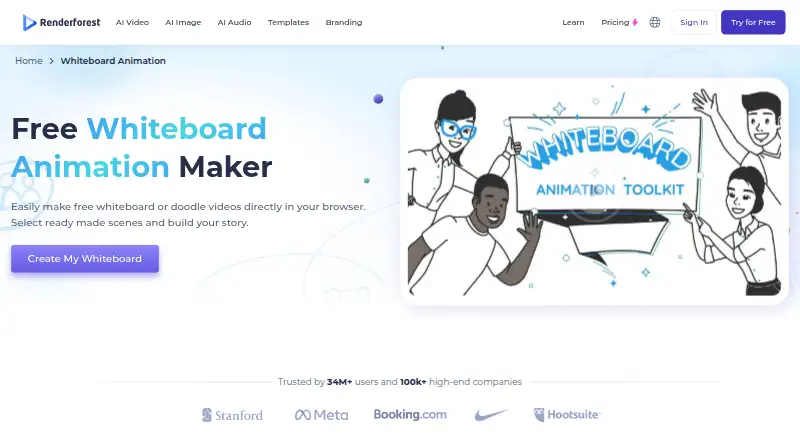
What Renderforest Whiteboard Animation is
Renderforest Whiteboard Animation is a browser-based tool for making whiteboard and doodle videos, available on the web, Android, and iOS. Its whiteboard page advertises more than 1,000 scenes and pre-built templates, with options to adjust colors, scene types, and transitions. Users can add their own artwork or voiceover, and the maker lists a music library and text-to-speech narration with multiple languages and accents. Finished animations can be downloaded or shared on social platforms; Renderforest also says its YouTube API supports direct publishing to YouTube. The tool is presented for education, product explainers, training, storytelling, marketing, and customer support. Free video creation is available, but free exports include a watermark. Paid plans, billed annually and paid upfront, are Lite at $8 a month, Pro at $19 a month, and Business at $39 a month. The listed plan capabilities include varying export options, cloud storage, stock media, and team management.
Good
- Advertises more than 1,000 scenes and templates
- Allows artwork and voiceover uploads
- Offers text-to-speech narration in multiple languages and accents
- Animations can be downloaded or shared socially
- Supports 4K template exports on Business
Watch out
- Free exports include a watermark
- No free trial is listed
- Annual plans are paid upfront
Who it suits
This tool suits educators, marketers, and teams making explainer, training, or storytelling videos. It may also work for creators who want to add their own artwork or voiceover to templated scenes.
Verdict
Renderforest combines customizable whiteboard scenes with audio options and download or sharing routes. The free option includes a watermark, while paid plans add different export, storage, and media allowances.
Plans and prices
From Renderforest Whiteboard Animation's own pricing page, checked 30 Sep 2026.
| Plan | Price | What it gives you |
|---|---|---|
| Free | Free | Free access to tools and basic features; whiteboard videos available free; video exports with watermark |
| Lite | $8 a month | 400 AI credits/month · 5 HD720 template exports · 10 GB cloud storage · limited catalog of 1M+ stock footage, music, and photos · $8 / month when yearly billing is selected; annual plans are paid upfront |
| Pro | $19 a month | 1600 AI credits/month · unlimited HD720 AI video creations with Renderforest Fast · unlimited Full HD1080 template exports · 50 GB cloud storage · $19 / month when yearly billing is selected; annual plans are paid upfront |
| Business | $39 a month | 3000 AI credits/month · UHD 4K template exports · 5M+ stock footage, music, and photos · team management · $39 / month when yearly billing is selected; annual plans are paid upfront |
The facts
Each one read from Renderforest Whiteboard Animation's own pages, with the date it was checked.
What it does
- Audio
- The maker page lists an extensive music library and text-to-speech narration with multiple languages and accents.checked 30 Sep 2026
- Export and sharing
- Completed animations can be downloaded to a device or shared on social platforms with one click.checked 30 Sep 2026
- Integration
- Renderforest says it uses the YouTube API to let users publish videos directly to YouTube.checked 30 Sep 2026
- Privacy and retention
- The privacy policy says user projects and uploaded media may be permanently deleted after 60 days without account activity if the user has made no purchase.checked 30 Sep 2026
- Product
- Renderforest describes its whiteboard animation maker as a browser-based tool for making whiteboard or doodle videos.checked 30 Sep 2026
- Scenes and templates
- The whiteboard page advertises over 1,000 scenes and pre-built templates, with customizable colors, scene types, and transitions.checked 30 Sep 2026
- Security
- Renderforest says user information is stored in secure databases with industry-standard access controls, while noting it cannot guarantee absolute security.checked 30 Sep 2026
- Stock media integration
- Renderforest says its Storyblocks API lets users integrate stock videos into projects.checked 30 Sep 2026
- Support
- The pricing page directs users with questions to the Renderforest support team.checked 30 Sep 2026
- Uploads
- Users can upload their own artwork or voiceover to customize scenes.checked 30 Sep 2026
- Use cases
- The maker lists education, product explainers, training, storytelling, marketing, and customer support as uses for whiteboard videos.checked 30 Sep 2026
- Watermark limits
- The pricing page lists five exports per month without watermarks or ads for the Lite plan; the whiteboard page says free video creation is available and pricing describes free videos with watermark.checked 30 Sep 2026
The company
- Company
- Renderforest’s About page says its founder and team started building the company in Yerevan, Armenia, and lists 2013 as the year its idea began.checked 30 Sep 2026
- Founded
- 2013checked 28 Sep 2026
- Headquarters
- Jrvezh, Armeniachecked 28 Sep 2026
The full review of Renderforest Whiteboard Animation
Renderforest Whiteboard Animation is a browser-based maker for whiteboard and doodle videos. It suits educators, marketers, and teams building explainers or training material from prepared scenes. Its breadth of templates and audio options is appealing, but free exports carry a watermark and paid annual plans require upfront payment.
Overview
The editor combines prepared scenes with controls for colors, scene types, and transitions, and allows users to add their own artwork or voiceover. That gives creators room to tailor a video without building every element from scratch. A music library and text-to-speech narration in multiple languages and accents add useful audio choices; completed videos can be downloaded or shared on social platforms.
Renderforest supports direct YouTube publishing through the YouTube API and stock-video integration through Storyblocks. The company began building its product in Yerevan in 2013. It says it stores user information in secure databases with industry-standard access controls, while acknowledging it cannot guarantee absolute security. Projects and uploaded media may be permanently deleted after 60 days without account activity if the user has made no purchase, a retention policy worth considering before using the service for ongoing work.
Key features
- Scenes and templates: More than 1,000 advertised scenes and pre-built templates provide a substantial starting library. Adjustable colors, scene types, and transitions help adapt those assets to different explainers, lessons, or stories.
- Artwork and voice: Uploading original artwork or voiceover makes the result less dependent on stock scenes. Text-to-speech and music provide alternatives when recording or sourcing audio is not practical.
- Exports and integrations: Downloading and social sharing cover common distribution needs, while direct YouTube publishing avoids an extra upload step. Storyblocks integration brings stock video into projects.
- Commercial work: Commercial use is supported, and 4K template export is available on the Business plan. That makes the service relevant to professional output, though the higher resolution is not included in the lower tiers.
Pricing
The free plan costs nothing and provides access to tools and basic features, including whiteboard videos. Exports have a watermark, so it is best for learning the workflow or making drafts rather than delivering polished client-facing work.
Lite costs $8 a month when yearly billing is selected; annual plans are paid upfront. It includes 400 AI credits per month, five HD720 template exports, 10 GB of cloud storage, and a limited catalog of more than one million stock footage, music, and photo assets. The five-export cap and HD720 ceiling make this a modest step up from free, suited to occasional projects rather than regular high-resolution delivery.
Pro costs $19 a month when yearly billing is selected, also paid upfront for an annual plan. It raises the allowance to 1,600 AI credits per month, adds unlimited HD720 AI video creations with Renderforest Fast and unlimited Full HD1080 template exports, and includes 50 GB of storage. This is the more practical tier for frequent video production, though template exports remain Full HD rather than 4K.
Business costs $39 a month when yearly billing is selected, with annual payment upfront. It provides 3,000 AI credits monthly, UHD 4K template exports, more than five million stock footage, music, and photo assets, and team management. It fits teams that need shared workflows, a larger media catalog, or 4K output; otherwise its expanded allowances may be more than an individual creator needs. No free trial is offered.
Platforms
The product is available on Android, iOS, and the web. Its whiteboard maker is browser-based, making the web version the central route for creating projects.
Who it's for
Renderforest is a good fit for teachers, marketers, and support or training teams that want to produce whiteboard explainers using prepared scenes, customizable visuals, and built-in audio options. The library and upload support balance convenience with some creative control. It is less compelling for users who need watermark-free exports without a paid plan, regular 4K delivery below Business, or assurance that inactive, unpaid-account media will remain stored indefinitely.
Pros and cons
- Pro: Over 1,000 scenes and templates, with adjustable colors, scene types, and transitions, offer plenty of starting material for varied video projects.
- Pro: Artwork and voiceover uploads, multilingual text-to-speech, and a music library give creators several ways to shape the visual and audio identity of a video.
- Pro: Download, social sharing, YouTube publishing, and Storyblocks integration support both distribution and media sourcing within the workflow.
- Con: Free video exports carry a watermark, limiting the free plan's usefulness for finished public or commercial deliverables.
- Con: The paid prices shown depend on yearly billing, and annual plans are paid upfront, which raises the commitment compared with paying month to month.
- Con: Lite allows only five HD720 template exports per month, while 4K template export requires Business.
- Con: Projects and uploaded media may be permanently deleted after 60 days of inactivity on accounts with no purchase, so the service is a poor sole archive for such users.
Alternatives
Whiteboard Animation Software is a useful place to compare more options in the category.
Animaker is worth considering for users who want a freemium animation tool with a free trial; its free plan includes basic animation tools and limited premium assets, but watermarks exports.
Explideo may suit users who prioritize unlimited browser exports and can work within a five-minute video limit, 150 MB storage, and one watermarked server export per month on its free plan.
AutoScribble is an option for Android and web users seeking a credit-based free start, including script writing and downloads or sharing, with enough welcome credits for one one-minute video or two 30-second videos.
Mango Animate Whiteboard Animation Maker may appeal to Windows users who want a free-forever desktop option, accepting 576P output and limits of 10 or more dynamic characters and two backgrounds per project.
mySimpleshow is another freemium web option, with three monthly video renderings, two AI avatars, three illustration styles, and video-link sharing on its free plan.
Animator offers a free web plan with unlimited videos and up to 720p export, though those exports carry an Animator watermark.
Benime is a freemium option for Android and web.
DistilBook is a paid web alternative for users willing to work with a credit-based workflow rather than a free plan.
Verdict
Choose Renderforest if you need a flexible library of whiteboard scenes, several ways to add narration and media, and straightforward routes to publish or share finished videos. Its strongest case is the combination of prepared content and customization; its clearest drawbacks are watermarked free exports, upfront annual billing for the quoted paid rates, and 4K export reserved for Business. Look elsewhere if those constraints outweigh the convenience of its scene and audio toolkit.
Alternatives to Renderforest Whiteboard Animation
- 1

mySimpleshow
Free planAndroidiOSWebAPI8.1From $5.99 a month - 2
Animaker
Free planAndroidiOSWebAPI7.8From $15 a month - 3

Whiteboard Video Maker
Free planiOSWebmacOS7.8From $9.99 a month - 4

Explideo
Free planWebmacOSWindows7.7From $19 a month - 5

AutoScribble
Free planAndroidWeb7.6From $25 a month - 6
Golpo AI
Free planWebAPI7.4From $39.99 a month