
Explideo
Explideo is a browser-based whiteboard video maker that turns narration or a scene-by-scene plan into hand-drawn explainers and exports them as MP4 videos.
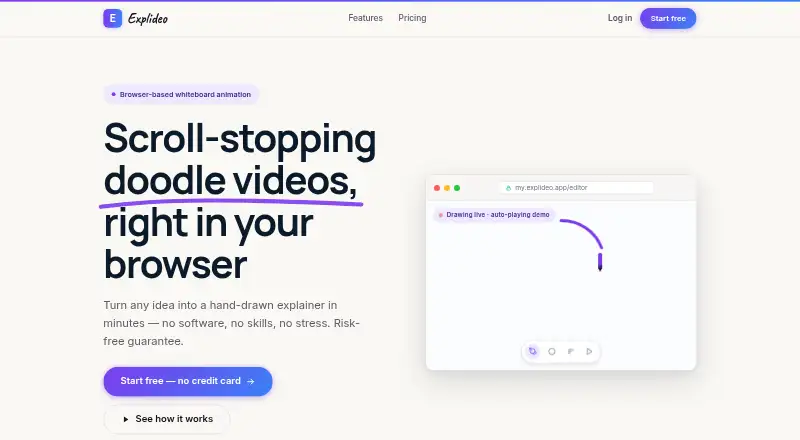
What Explideo is
Explideo is a browser-based whiteboard video maker that turns narration or a scene-by-scene plan into hand-drawn explainers and exports them as MP4 videos. Its auto-doodle tool transcribes uploaded audio or video, selects drawn assets, and matches them to the narration. Users can also create doodles from photos or generate draw-ready images from prompts. The editor supports starting with audio, a template, or a blank canvas, and includes pan-and-zoom cameras plus entrance, emphasis, and exit animations. Videos can be rendered in the cloud or exported in the browser; browser exports are unlimited on every plan. A built-in library provides hand-drawn images, icons, and music, and videos can be published to YouTube, social channels, or an LMS. Explideo runs in Chrome, Edge, Safari, or Firefox on Mac, Windows, or Chromebook. The Free plan costs nothing, billed forever, and limits server exports to one per month with a watermark. Starter costs $19 a month, billed month-to-month.
Good
- Auto-doodle matches drawings to uploaded narration.
- Can start from audio, a template, or a blank canvas.
- Unlimited browser exports on every plan.
- Includes hand-drawn images, icons, and music.
- Paid plans are month-to-month and can be canceled.
Watch out
- Free server exports are limited to one monthly.
- Free server exports include a watermark.
- Free videos are limited to five minutes.
- Privacy policy text is identified as a placeholder.
Who it suits
Explideo may suit marketers, educators, YouTubers, and course creators who want to make narrated whiteboard videos. It offers both browser exports and cloud-rendered exports, with plan limits on video length, storage, and server exports.
Verdict
Explideo combines narration-driven drawing tools with several ways to build and export videos. Check the limits on server exports, video length, and storage for the plan you need; the privacy policy text is still being prepared.
Plans and prices
From Explideo's own pricing page, checked 14 Oct 2026.
| Plan | Price | What it gives you |
|---|---|---|
| Free | Free | Unlimited browser exports · 1 server export/month with watermark · 5-minute videos · 150 MB storage · forever |
| Starter | $19 a month | Unlimited browser exports · 5 server exports/month · no watermark · 10-minute videos · 1.5 GB storage · premium image library and AI · month-to-month |
| Creator | $29 a month | Unlimited browser exports · 15 server exports/month · no watermark · 20-minute videos · 6 GB storage · more AI generations · month-to-month |
| Pro | $49 a month | Unlimited browser exports · 50 server exports/month · no watermark · 30-minute videos · 30 GB storage · highest AI limits · month-to-month |
The facts
Each one read from Explideo's own pages, with the date it was checked.
What it does
- AI image generation
- Prompt-based AI generation creates draw-ready visuals.checked 14 Oct 2026
- AI tools
- The product can turn photos into doodles and generate draw-ready images from prompts.checked 2 Oct 2026
- Animation
- A whiteboard hand draws elements with natural timing and the editor includes entrance, emphasis, and exit animations.checked 14 Oct 2026
- Asset library
- The built-in library contains hand-drawn images, icons, and music.checked 14 Oct 2026
- Audio
- Users can add narration and royalty-free music and synchronize drawings to audio.checked 14 Oct 2026
- Auto-doodle
- Auto-doodle transcribes uploaded audio or video, selects hand-drawn assets, and synchronizes drawings to narration.checked 14 Oct 2026
- Built-in library
- Explideo includes hand-drawn images, icons, and music.checked 2 Oct 2026
- Cancellation
- Subscriptions are month-to-month and can be canceled in two clicks from the dashboard.checked 14 Oct 2026
- Cloud projects
- Projects are stored in the cloud and can be accessed from different machines.checked 14 Oct 2026
- Commercial rights
- The maker says users own what they create and may use it commercially.checked 14 Oct 2026
- Commercial use
- Explideo says users own what they make and may use it anywhere, including commercially.checked 2 Oct 2026
- Editing
- Users can start from audio, a template, or a blank canvas and use pan-and-zoom cameras.checked 2 Oct 2026
- Export
- Explideo cloud-renders MP4 videos, and browser exports render on the user's machine with unlimited exports on every plan.checked 2 Oct 2026
- Hardware requirement
- The maker says there is no GPU requirement.checked 14 Oct 2026
- Independent business activity
- The registry describes the Austrian Explideo e.U. business as explainer videos, illustrations, and graphic design.checked 14 Oct 2026
- Independent directory services
- Herold categorizes that Austrian business under film production and lists animation films, image films, advertising films, scriptwriting, film conception, and voiceover.checked 14 Oct 2026
- Independent directory size
- Herold lists the similarly named Austrian Explideo e.U. as having 2–5 employees; the listing does not establish that it operates explideo.app.checked 14 Oct 2026
Money
- Annual billing
- Annual billing is described as planned but not yet launched; current plans are monthly.checked 14 Oct 2026
- Free access
- The Free plan requires no credit card and has no stated time limit.checked 14 Oct 2026
Where it runs
- Browser editor
- The product runs in a browser without a software installation.checked 14 Oct 2026
- Browser export
- Browser exports render on the user's machine and are unlimited on every plan.checked 14 Oct 2026
- Browser support
- The FAQ says Explideo runs in Chrome, Edge, Safari, or Firefox on Mac, Windows, or Chromebook.checked 2 Oct 2026
The company
- Independent company record
- An Austrian registry lists an Explideo e.U. as a registered sole proprietorship in Wiener Neustadt, entered on 6 March 2020; the registry does not link it to explideo.app.checked 14 Oct 2026
- Independent company update
- The registry records a seat and address change filed in August 2026.checked 14 Oct 2026
The full review of Explideo
Explideo is a browser-based whiteboard video maker for turning narration or scene plans into hand-drawn MP4 explainers. It is best suited to marketers, educators, YouTubers, and course creators who want drawing-led videos. The unlimited browser exports are a useful draw, but paid plans chiefly add clean server renders, longer video limits, and more storage.
Overview
You can start with uploaded audio, a template, or a blank canvas, then build a video around narration or individual scenes. Auto-doodle transcribes uploaded audio or video, selects hand-drawn assets, and syncs them to the narration. Photo-to-doodle conversion and prompt-based image generation offer other ways to create visuals. This is a focused workflow for explainers whose illustrations should track a script, but it is not a voiceover-production tool: voiceover tools are not included.
The editor offers pan-and-zoom cameras, entrance, emphasis, and exit animations, alongside a library of hand-drawn images, icons, and music. A hand draws elements with natural timing, giving the format its characteristic reveal. Videos can be rendered as MP4s in the cloud or in the browser on your machine. Browser exports are unlimited on every plan, which makes the monthly server-render quota less restrictive for people comfortable rendering locally.
Key features
Auto-doodle is the most distinctive time-saver: it handles transcription, asset selection, and synchronization rather than leaving every drawing cue to be placed by hand. That convenience comes with less direct control over initial asset choices than a scene-by-scene workflow, while the editor's animation controls and camera moves provide ways to shape the finished sequence. Templates help users who want a starting structure; a blank canvas suits those who prefer to build from scratch.
Explideo says videos can be published to YouTube, social channels, or an LMS, and that users own their creations and may use them commercially. It runs in Chrome, Edge, Safari, or Firefox on Mac, Windows, or Chromebook. The contact page welcomes account questions and feedback and says the team will reply as soon as it can. The privacy policy page remains a placeholder while final text is being prepared, so readers who need to assess data handling should wait for a completed policy.
Pricing
The free plan costs nothing, billed Forever. It includes unlimited browser exports, but only one server export per month, with a watermark, a five-minute video cap, and 150 MB of storage. It is suitable for short experiments or occasional local renders, not regular watermark-free cloud delivery.
Starter costs $19 a month, billed Month-to-month. It raises the allowance to five server exports per month without a watermark, allows videos up to 10 minutes, and provides 1.5 GB of storage. This is the entry point for someone who needs a handful of polished cloud renders monthly; unlimited browser exports remain included.
Creator costs $29 a month, billed Month-to-month, and includes 15 clean server exports per month, 20-minute videos, and 6 GB of storage. It is the more practical tier for recurring publishing that would strain Starter's five-render quota. Pro costs $49 a month, billed Month-to-month, and expands those limits to 50 server exports, 30-minute videos, and 30 GB of storage, for frequent cloud-rendering or larger projects.
Paid plans are month-to-month, can be canceled in two clicks, and include a 30-day money-back guarantee. The free plan's chief trade-off is its watermarked server output and tight duration and storage caps; across all tiers, browser rendering is the route around server quotas.
Platforms
Explideo is listed for macOS, Windows, and the web, with browser support also described for Chromebook. The browser-first approach means supported desktop and Chromebook users can work without a native editing app.
Who it's for
Explideo fits educators and course creators making narrated lessons, as well as marketers and YouTubers producing illustrated explainers. It is strongest when hand-drawn visuals, narration sync, and MP4 output matter more than voice recording or a broader video-editing toolkit. Users who need frequent clean cloud renders should choose a paid tier sized to their monthly volume; occasional creators can use the free plan if its watermark and five-minute ceiling are acceptable.
Pros and cons
- Pro: Unlimited browser exports on every plan let creators render locally without using their monthly server allowance.
- Pro: Auto-doodle can transcribe narration, choose drawings, and sync them, reducing manual setup for narration-led explainers.
- Pro: Commercial use is permitted, and paid plans have month-to-month billing, two-click cancellation, and a 30-day money-back guarantee.
- Con: Free server exports are limited to one monthly and carry a watermark, with videos capped at five minutes and storage at 150 MB.
- Con: Even paid plans cap server exports, duration, and storage; users producing longer or more numerous videos need to move up tiers or render in the browser.
- Con: No voiceover tools are included, and the privacy policy is still a placeholder.
Alternatives
For a wider comparison, browse Whiteboard Animation Software or Explainer Video Software.
- Animaker is worth considering if Android or iOS access matters; its free plan has basic animation tools, limited premium assets, and watermarked exports.
- Renderforest Whiteboard Animation offers a free route to whiteboard videos with watermarked exports, and lists Android and iOS alongside web.
- AutoScribble may suit users who want a credit-based option: its free plan gives 100 welcome credits for one one-minute video or two 30-second videos.
- Mango Animate Whiteboard Animation Maker is a Windows-only alternative with a free plan that includes 576P video quality, 10+ dynamic characters, and two backgrounds per project.
- mySimpleshow may appeal to users seeking a free web option with three video renderings per month and three illustration styles.
- Animator offers a free web plan with unlimited videos, exports up to 720p, and an Animator watermark.
- DistilBook is a paid web alternative with a free signup allowance of 10 credits for the first slide, but its free plan does not include MP4 downloads.
- Golpo AI has a free plan limited to one video of up to one minute.
Verdict
Choose Explideo for narration-led, hand-drawn explainers when automatic drawing sync and unlimited local browser exports are more valuable than built-in voiceover tools. Its free tier is useful for short, watermarked trials, while the paid plans make sense when clean server renders, longer videos, or more storage are necessary. Look elsewhere if the unfinished privacy policy or lack of voiceover tools is a deal-breaker.
Getting started
- Open https://explideo.app/ in Chrome, Edge, Safari, or Firefox
- Choose the Free, Starter, Creator, or Pro plan
- Start with audio, a template, or a blank canvas
- Add narration, assets, animations, and camera movement
- Render in the cloud or export the MP4 in your browser
- Publish the finished video to YouTube, social channels, or an LMS
Limits worth knowing
The Free plan provides one server export per month with a watermark, five-minute videos, and 150 MB of storage. Starter, Creator, and Pro raise server-export quotas to 5, 15, and 50 monthly, with video limits of 10, 20, and 30 minutes respectively.
Questions
Is there a free plan?
Yes. Free costs nothing, billed Forever, and includes unlimited browser exports.
How much do paid plans cost?
Starter costs $19 a month, Creator $29 a month, and Pro $49 a month. Each is billed month-to-month.
Which platforms and browsers work?
Explideo runs in Chrome, Edge, Safari, or Firefox on Mac, Windows, or Chromebook.
Can videos be used commercially?
Yes. Explideo says users own what they make and may use it anywhere, including commercially.
Are exports unlimited?
Browser exports are unlimited on every plan. Server-export quantities depend on the selected plan.
Alternatives to Explideo
- 1

mySimpleshow
Free planAndroidiOSWebAPI8.1From $5.99 a month - 2
Animaker
Free planAndroidiOSWebAPI7.8From $15 a month - 3

Whiteboard Video Maker
Free planiOSWebmacOS7.8From $9.99 a month - 4

AutoScribble
Free planAndroidWeb7.6From $25 a month - 5
Golpo AI
Free planWebAPI7.4From $39.99 a month - 6

Renderforest Whiteboard Animation
Free planAndroidiOSWeb7.3From $8 a month