RemotePC
RemotePC is a remote-access service for consumers, businesses, and IT professionals who need to reach and control computers from another device.
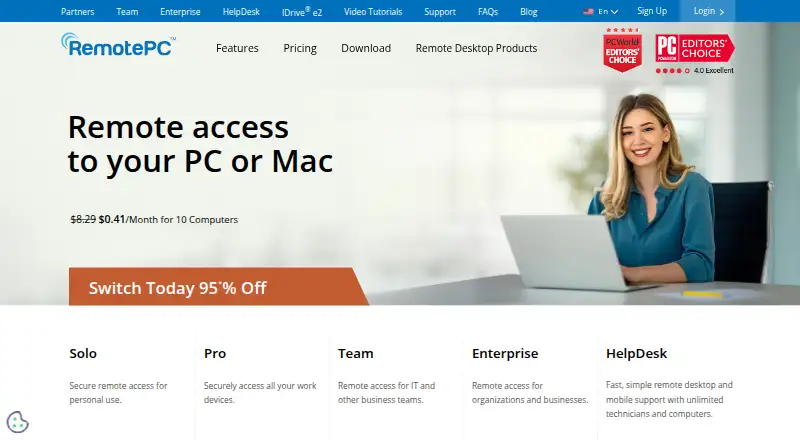
What RemotePC is
RemotePC is a remote-access service for consumers, businesses, and IT professionals who need to reach and control computers from another device. It supports Windows, Mac, Linux, iOS, and Android, with browser access through Viewer Lite; its listed platforms also include web and API. Users can access files and applications, transfer files, print remotely, view multiple monitors, and manage remote computers. Access can be always-on or attended, with options such as remote reboot, chat, and session recording. RemotePC states that it uses TLS v1.2/AES-256 encryption and a Personal Key stored on the user’s computer as an additional access password. Enterprise features include remote deployment, user and computer grouping, permissions, activity logs, single sign-on, and enterprise APIs. The paid service has no free plan, but it offers a 7-day trial. The listed pricing note is From $2.46/mo. Its Linux remote desktop client does not connect to Windows Home editions, including Windows 10 Home and Windows 11 Home.
Good
- Supports Windows, Mac, Linux, iOS, and Android
- Offers browser access through Viewer Lite
- Includes file transfer and session recording
- Enterprise tools include permissions and activity logs
Watch out
- No free plan
- Linux client cannot connect to Windows Home editions
- Extra computers above a plan incur a $20 yearly charge each
Who it suits
RemotePC suits people who need to access or administer computers remotely, from individual users to businesses and IT professionals. Its Enterprise and HelpDesk capabilities are relevant to organizations managing users, devices, or support sessions.
Verdict
RemotePC combines remote access and control with file transfer, session recording, and enterprise administration options. Check platform compatibility and computer limits before choosing a plan.
Plans and prices
From RemotePC's own pricing page, checked 4 Oct 2026.
| Plan | Price | What it gives you |
|---|---|---|
| Solo | — | 1 user · 1 computer · Monthly; the page labels this option “Pay every month” |
| Pro | — | 1 user · 10 computers · The page also offers yearly billing and a 2-year option; displayed price text is ambiguous |
| Team | — | Unlimited users · 50 computers · Monthly, yearly, and 2-year options are listed; displayed price text is ambiguous |
| Enterprise | — | Unlimited users · 100 computers · Monthly, yearly, and 2-year options are listed; displayed price text is ambiguous |
The facts
Each one read from RemotePC's own pages, with the date it was checked.
What it does
- Access mode
- bothchecked 20 Sep 2026
- Deployment integrations
- Enterprise mass deployment supports Windows tools including Group Policy Objects, Microsoft Intune, Desktop Central, and NinjaOne, and Mac tools including Apple Remote Desktop, Microsoft Intune, and Jamf Pro.checked 4 Oct 2026
- Enterprise administration
- Enterprise features include remote deployment, user and computer grouping, access permissions, activity logs, single sign-on, and enterprise APIs.checked 4 Oct 2026
- File transfer
- Yeschecked 20 Sep 2026
- HelpDesk audience
- HelpDesk is presented as an on-demand remote support solution for businesses and MSPs, with unlimited technicians and computers stated on the homepage.checked 4 Oct 2026
- HelpDesk integrations
- HelpDesk integrates with Zendesk, Freshdesk, Freshservice, and JIRA to launch remote support sessions from their ticketing platforms.checked 4 Oct 2026
- Pricing limits
- The pricing page states that additional computer use above a subscribed plan incurs an overage charge of $20 per computer per year.checked 4 Oct 2026
- Product
- RemotePC is a remote-access solution for consumers, businesses, and IT professionals to access and control computers remotely.checked 4 Oct 2026
- Remote control
- Features include always-on and attended access, remote reboot, remote printing, file transfer, session recording, chat, and multi-monitor viewing.checked 4 Oct 2026
- Remote work
- Users can access files and applications, transfer files, print remotely, use multiple monitors, and manage remote computers.checked 4 Oct 2026
- Security
- RemotePC states it uses TLS v1.2/AES-256 encryption and a Personal Key stored on the user’s computer as an additional access password.checked 4 Oct 2026
- Session recording
- Yeschecked 20 Sep 2026
- Support
- The feature page advertises 24/7 live support, and the pricing page lists 24/7 email and chat support and phone support among plan features.checked 4 Oct 2026
- Supported systems
- The download page lists apps for Windows, Mac, Linux, iOS, and Android, plus browser access through Viewer Lite.checked 4 Oct 2026
Money
- Free plan
- Nochecked 20 Sep 2026
Where it runs
- Linux limits
- The remote desktop client does not connect to Windows Home editions including Windows 10 Home and Windows 11 Home.checked 4 Oct 2026
- Managed devices
- 1checked 20 Sep 2026
- Mobile apps
- Yeschecked 20 Sep 2026
- Supported platforms
- Windows,Mac,Linux,iOS,Androidchecked 20 Sep 2026
Alternatives to RemotePC
- 1

DWService
Free planOpen sourceAndroidiOSWebAPI9.2From $40 a year - 2

ManageEngine Remote Access Plus
Free planAndroidiOSWebAPI9.0From $75 a year - 3

Zoho Assist
Free planAndroidiOSWebLinux8.9From $10 a month - 4

HopToDesk
Free planAndroidiOSLinuxmacOS8.8From $159 a year - 5

ThinLinc
Free planAndroidiOSWebLinux8.7From $103 a year - 6
TeamViewer Remote
Free planAndroidiOSWebLinux8.5Free plan