
Remodel AI
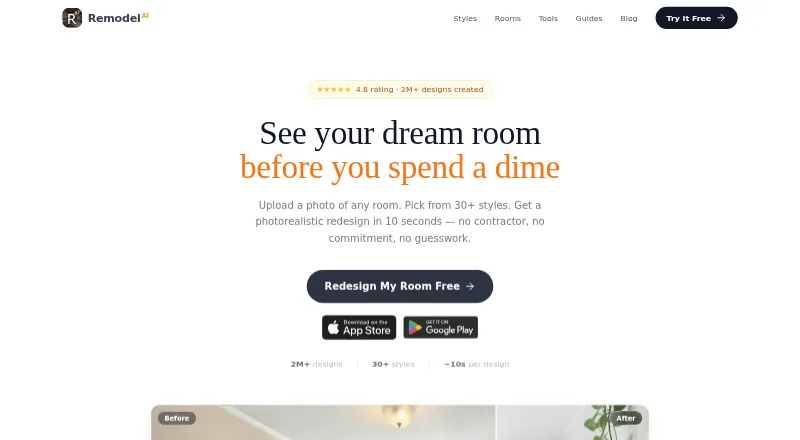
Remodel AI turns a room photo into a photorealistic redesign in about 10 seconds, and is available on Android, iOS, and the web.
What Remodel AI is
Remodel AI turns a room photo into a photorealistic redesign in about 10 seconds, and is available on Android, iOS, and the web. Its tools cover interior and exterior design, virtual staging, floor replacement, wall paint, landscape design, object removal, and furniture swaps. Beyond room photos, it can transform sketches, SketchUp screenshots, and rough CAD wireframes into renders. Supported image formats are JPG, PNG, WebP, and AVIF; iPhone HEIC is not supported directly. The Free plan costs nothing and includes three designs, all 30+ interior styles, all eight AI tools, standard-quality renders, before-and-after comparison, and sharing. Pro costs $29 a month, billed $349/year, and includes 1,000 designs per month, HD downloads, and no watermark. The web version can be tried without installing an app, creating an account, or providing a credit card. The company names homeowners, interior designers, real estate agents, and DIY enthusiasts as users. It says uploaded photos are used only for requested redesigns, not model training or sharing with others.
Good
- Free plan includes all 30+ interior styles
- Free plan includes all eight AI tools
- Accepts sketches and rough CAD wireframes
- Web use needs no account or credit card
Watch out
- iPhone HEIC is not supported directly
- General refunds are unavailable
Who it suits
Remodel AI suits homeowners, interior designers, real estate agents, and DIY enthusiasts looking to visualize room or exterior changes. Its photo, sketch, and wireframe inputs accommodate several starting points for a redesign.
Verdict
Remodel AI combines room redesigns with tools for surfaces, staging, landscaping, and object changes. The free plan includes three designs, while Pro adds HD downloads and a monthly allowance of 1,000 designs.
Plans and prices
From Remodel AI's own pricing page, checked 29 Sep 2026.
| Plan | Price | What it gives you |
|---|---|---|
| Free | Free | 3 free designs · All 30+ interior styles · All 8 AI tools · Standard quality renders · Before/after comparison · Share designs |
| Pro | $29 a month | 1,000 designs / month · Flux model · HD downloads · No watermark · Up to 4 rooms in parallel · Virtual staging · Exterior & garden design · Floor & wall paint · Object removal · Billed $349/year |
| Premium | $49 a month | 5,000 designs / month · Hyper Realism AI model · High quality renders · Up to 8 rooms in parallel · Priority processing · Billed $599/year |
| Ultra | $99 a month | 25,000 designs / month · Hyper Realism · Ultra quality renders · Up to 16 rooms in parallel · Commercial license · API access · Team sharing · Billed $1199/year |
The facts
Each one read from Remodel AI's own pages, with the date it was checked.
What it does
- Design tools
- The product lists interior redesign, exterior design, virtual staging, floor replacement, wall paint, landscape design, object removal, and furniture swap.checked 29 Sep 2026
- File formats
- The site says JPG, PNG, WebP, and AVIF are supported, while iPhone HEIC is not supported directly.checked 29 Sep 2026
- Integrations
- The pricing page lists API access and team sharing as Ultra plan features.checked 29 Sep 2026
- Payments
- The download page says payments are processed by Stripe and Remodel AI does not see or store card details.checked 29 Sep 2026
- Photo and sketch inputs
- The download page says users can upload room photos and also transform sketches, SketchUp screenshots, or rough CAD wireframes into renders.checked 29 Sep 2026
- Photo use
- The download page says uploaded photos are used only to generate requested redesigns, are not used to train models, and are not shared with anyone.checked 29 Sep 2026
- Privacy
- The privacy policy says submitted input photos and prompts are deleted from processing systems within 24 hours and generated outputs within 30 days.checked 29 Sep 2026
- Product
- Remodel AI turns a photo of a room into a photorealistic redesign in about 10 seconds.checked 29 Sep 2026
- Refund limit
- The download page says general refunds are unavailable, but users can email support about repeated bad outputs or a failed charge.checked 29 Sep 2026
- Security
- The privacy policy says the service uses encryption in transit and at rest, access controls, secure authentication, regular security reviews, and least-privilege access.checked 29 Sep 2026
- Styles
- The pricing page says all 30+ interior styles and all 8 AI tools are included in the Free plan.checked 29 Sep 2026
- Support
- The about page says users can contact the company through the app’s Contact Us feature in Settings.checked 29 Sep 2026
- Web use
- The homepage says users can try room design without installing an app, creating an account, or providing a credit card.checked 29 Sep 2026
- Who it serves
- The about page names homeowners, interior designers, real estate agents, and DIY enthusiasts as users.checked 29 Sep 2026
The company
- Founded
- 2024checked 28 Sep 2026
Where it runs
- Platforms
- The about page says Remodel AI is available on iOS, Android, and as a web download.checked 29 Sep 2026
The full review of Remodel AI
Overview
Remodel AI is a room-visualisation app for homeowners, interior designers, real estate agents and DIY enthusiasts. It is best for people who want to compare design directions from photos or early sketches; the generous range of tools is appealing, but the three-design free allowance is only a short introduction.
Its scope stretches beyond room makeovers to staging, exterior and garden design, and targeted changes such as replacing floors or removing objects. That breadth makes it useful for exploring options, rather than a focused choice for users who only need a floor-planning workflow.
Key features
Redesigns and targeted edits
Remodel AI can create interior and exterior redesigns, virtually stage properties, replace floors, change wall paint, alter landscaping, remove objects and swap furniture. Text prompts and photo uploads let users direct a design, and the service can turn sketches, SketchUp screenshots and rough CAD wireframes into renders. This makes it suitable both for refreshing an existing room and for giving an early concept a more visual form.
The Free plan includes all 30+ interior styles and all eight AI tools, so users can explore the full stated toolkit without first choosing a paid tier. Its three-design cap and standard-quality renders, however, make it better for sampling than for iterating across several rooms.
File support, access and privacy
JPG, PNG, WebP and AVIF uploads are supported, but iPhone HEIC images are not accepted directly. Web users can try the design tool without installing an app, creating an account or entering a credit card; Android and iOS apps are also available.
Uploaded photos are used to produce requested redesigns, not to train models or to be shared, and input photos and prompts are deleted from processing systems within 24 hours. Generated outputs are deleted within 30 days. The service says it uses encryption in transit and at rest, access controls, secure authentication, regular security reviews and least-privilege access. Payments go through Stripe, which means Remodel AI does not see or store card details.
Pricing
Remodel AI is freemium, with paid plans starting at $29 a month. The annual billing terms shown alongside the monthly prices are $349/year for Pro, $599/year for Premium and $1199/year for Ultra.
- Free — free: Three designs, all 30+ interior styles, all eight AI tools, standard-quality renders, before-and-after comparison and design sharing. It is a useful no-card preview, but the three-design limit is too small for sustained project work.
- Pro — $29 a month: 1,000 designs per month, Flux model, HD downloads without a watermark, up to four rooms in parallel, virtual staging, exterior and garden design, floor and wall paint, and object removal. This is the practical step up for regular users who need a much larger quota and cleaner, higher-resolution exports.
- Premium — $49 a month: 5,000 designs per month, Hyper Realism AI model, high-quality renders, up to eight rooms in parallel and priority processing. It suits heavier workloads where faster processing and higher-quality renders matter more than Pro’s lower price.
- Ultra — $99 a month: 25,000 designs per month, Hyper Realism, Ultra-quality renders, up to 16 rooms in parallel, a commercial licence, API access and team sharing. Its quota and collaboration provisions target teams or commercial workflows; they are difficult to justify for occasional personal redesigns.
Paid plans substantially expand the design allowance and rendering options, but the annual billing figures are important to weigh against the monthly prices. The Free plan is the only way to try the tool without a subscription commitment; no paid-plan trial terms are given. General refunds are unavailable, although users can email support about repeated poor outputs or a failed charge.
Platforms
Remodel AI is available on Android, iOS and the web. Its browser option is especially convenient for a quick trial, while supported image formats may require iPhone users to convert HEIC photos before uploading.
Who it's for
Homeowners and DIY enthusiasts can use it to compare finishes, furniture changes and broader redesign ideas before making decisions. Designers and real estate agents may find the sketch rendering, staging and parallel-room capacity more relevant, with Ultra adding a commercial licence, API access and team sharing. Anyone who needs a precise plan for construction rather than a visual concept should look elsewhere.
Pros and cons
- Pro: The free tier includes every listed AI tool and interior style, so a small trial can cover more than one kind of redesign.
- Pro: Sketch, SketchUp screenshot and rough CAD wireframe inputs make the tool useful even before a finished room photo is available.
- Pro: Higher tiers offer large monthly quotas and increasing parallel-room capacity, which can accommodate heavier design workloads.
- Con: Three free designs provide little room for repeated revisions or multi-room projects.
- Con: HEIC photos are not supported directly, adding a conversion step for many iPhone images.
- Con: General refunds are unavailable, so users should be comfortable with the paid plan terms before subscribing.
Alternatives
AI Interior Design Generators is a broader starting point for comparing tools in this category. Choose Planner 5D instead if converting a floor plan into a 3D project and using a large premium furniture catalogue are priorities. Its Premium plan is $59.99 a year, and it has a free plan and free trial.
REimagineHome may suit users who want five free designs without a credit card before deciding whether to use its credit-based Advanced plan. DecorAI is another freemium option: its free tier allows three designs daily, but adds a short video ad per design and a small watermark.
HomeDesignsAI offers free generations with three new credits every 24 hours, making it worth considering for a slower, recurring free allowance. Homestyler is a stronger alternative for users interested in 3D models and materials, with unlimited 1K rendering on its free Basic plan.
Hausey offers a free plan for one room and four styles, with low-resolution, watermarked previews. RoomGPT has a free allowance of three daily designs as a guest or four with a free account, with ads and a watermark.
Spacely AI is another freemium option for readers comparing AI room-design tools.
Verdict
Remodel AI is a good fit for homeowners and property professionals who want one tool for room redesigns, staging and exterior ideas, with sketches and photos both supported. Its breadth and paid-plan quotas are the main reasons to choose it; the three-design free cap, unsupported HEIC uploads and lack of general refunds are reasons to look elsewhere if you need a generous free workflow or want more certainty before paying.
Getting started
- Open the Remodel AI website or install its Android or iOS app
- Upload a JPG, PNG, WebP, or AVIF room photo
- Alternatively provide a sketch, SketchUp screenshot, or rough CAD wireframe
- Choose a redesign tool or interior style
- Use the Free plan or select a paid plan
- Contact support through Contact Us in the app’s Settings when needed
Limits worth knowing
The Free plan provides three designs with standard-quality renders. Pro allows 1,000 designs per month, while Premium and Ultra raise that allowance to 5,000 and 25,000 respectively.
Questions
Is there a free plan?
Yes. Free costs nothing and includes three designs, all 30+ interior styles, all eight AI tools, standard-quality renders, before-and-after comparison, and sharing.
What does Pro cost?
Pro costs $29 a month, billed $349/year.
Which platforms are supported?
Remodel AI is available on Android, iOS, and the web.
Can I use it without creating an account?
The website can be tried without installing an app, creating an account, or providing a credit card.
Does it support HEIC photos?
JPG, PNG, WebP, and AVIF are supported. iPhone HEIC is not supported directly.
Does it offer API access?
API access and team sharing are listed as Ultra plan features.
Alternatives to Remodel AI
- 1

Planner 5D
Free planAndroidiOSWebAPI8.4From $4.99 a month - 2

Homestyler
Free planAndroidiOSWebAPI8.2From $6.80 a month - 3

DecorAI
Free planAndroidiOSWeb7.9From $39.99 a year - 4

HomeDesignsAI
Free planAndroidiOSWebAPI7.9From $137 a year - 5
Stagently
AndroidiOSWebAPI7.6From $29 a month - 6
Interior AI
AndroidiOSWeb7.2From $349 a year