Reading Trainer
Reading Trainer is a reading practice service aimed at improving speed, comprehension, and retention through exercises and a curriculum that adapts to progre…
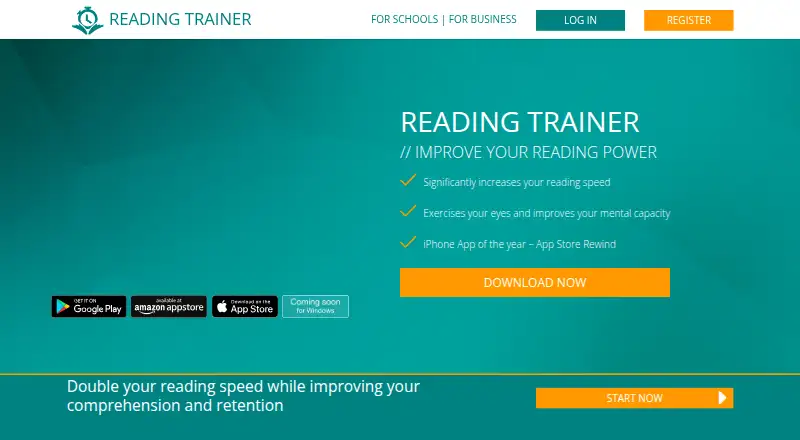
What Reading Trainer is
Reading Trainer is a reading practice service aimed at improving speed, comprehension, and retention through exercises and a curriculum that adapts to progress and results. Its library includes 20 exercises, 15 of which can also be practiced separately from the training plan. PowerReader lets users work with their own content, while statistics on the app and website show exercise results, reading power, strengths, and weaknesses. The service supports 10 training languages, adjustable exercise text size, and offline use for up to two weeks; progress cannot synchronize while offline. Free access includes the first curriculum unit and a couple of exercises. Premium adds the full personalized curriculum, unlimited units, interactive exercises, and cloud synchronization. Reading Trainer is available on Android, iOS, web, and Windows. Businesses and schools can request a demo, and the business offering describes customized curricula, exercises, and progress monitoring. The service is intended for consumers aged 16 or older, with an exception for minors aged 14 or older who have written consent from their legal representatives.
Good
- Curriculum adapts to progress and results.
- Includes 20 different exercises.
- PowerReader supports practice with users' own content.
- Supports 10 training languages.
- Available on Android, iOS, web, and Windows.
Watch out
- Free access covers only the first unit and a couple of exercises.
- Progress cannot sync while offline.
- Offline use is limited to up to two weeks.
Who it suits
It may suit frequent readers, students, executives, personal assistants, and sales or purchasing professionals who want structured reading practice. Schools and businesses can also explore its demo offering.
Verdict
Reading Trainer offers guided practice, standalone exercises, and progress statistics, with broader curriculum access through Premium. Its offline option has a two-week limit and does not sync progress until connected.
Plans and prices
From Reading Trainer's own pricing page, checked 4 Oct 2026.
| Plan | Price | What it gives you |
|---|---|---|
| Free | Free | First curriculum unit and a couple of exercises |
The facts
Each one read from Reading Trainer's own pages, with the date it was checked.
What it does
- Adaptive curriculum
- The curriculum adapts to a user's progress and results.checked 4 Oct 2026
- Audience
- The product page names frequent readers, executives, personal assistants, high school and college students, and purchasing and sales professionals as potential users.checked 4 Oct 2026
- Business and education
- The business page describes the product for teams and students and offers demo requests for business and education use.checked 3 Oct 2026
- Business and schools
- The business page offers schools and businesses a demo and describes customized curricula, exercises, and progress monitoring.checked 4 Oct 2026
- Eligibility
- The terms say the service is intended for consumers aged 16 or older, with a stated exception for some minors aged 14 or older who have written consent from legal representatives.checked 4 Oct 2026
- Exercise library
- The FAQ says the product has 20 different exercises, 15 of which can also be used individually outside the training plan.checked 3 Oct 2026
- Exercises
- The FAQ says the product has 20 different exercises, 15 of which can also be practiced individually outside the training plan.checked 4 Oct 2026
- Integrations
- The website and app support registration or login using email, Facebook, Amazon, and Google.checked 4 Oct 2026
- Languages
- The FAQ says users can switch training language in the app and that Reading Trainer supports 10 languages.checked 4 Oct 2026
- Offline use
- The app can be used offline for up to two weeks, but progress cannot sync while offline.checked 4 Oct 2026
- PowerReader
- The PowerReader lets users practice with their own content.checked 4 Oct 2026
- Premium
- Premium membership includes full access to a personalized adaptive curriculum, unlimited units, interactive exercises, and cloud synchronization of progress.checked 3 Oct 2026
- Privacy
- The maker says it does not sell personal data.checked 4 Oct 2026
- Progress tracking
- Users can view statistics about exercises, reading power, strengths, and weaknesses on the app and website.checked 4 Oct 2026
- Provider
- The imprint names HeKu IT GmbH – IT Solutions & Services as the provider and lists its address in Garching, Germany.checked 3 Oct 2026
- Purpose
- Reading Trainer is designed to improve reading speed, comprehension, and retention through an adaptive curriculum and exercises.checked 4 Oct 2026
- Reading tools
- Features listed include individual statistics, PowerReader for users’ own content, adjustable exercise font size, multiple training languages, and offline mode.checked 3 Oct 2026
- Security and hosting
- The privacy policy says the site uses SSL/TLS encryption and hosts service content with Amazon Web Services.checked 4 Oct 2026
- Security limitation
- The privacy policy says internet data transmission can have security vulnerabilities and complete protection from third-party access is not possible.checked 3 Oct 2026
- Service terms
- The terms describe Reading Trainer as a software-as-a-service offering with free limited functionality and paid Premium services.checked 3 Oct 2026
- Support
- Users can contact the support team by email or submit a request through the support page.checked 4 Oct 2026
Money
- Free access
- The first curriculum unit and a couple of exercises are free; registration is available on the website or in the app.checked 3 Oct 2026
The company
- Headquarters
- Garching, Germanychecked 28 Sep 2026
The full review of Reading Trainer
Overview
Reading Trainer is a reading-practice app that combines a guided curriculum with standalone exercises and tools for working on users’ own material. It is best suited to readers who want a structured way to build speed, comprehension and retention, rather than a bare speed-reading display.
Its adaptive training and progress statistics give practice a clear purpose, but the free allowance is only a starting point. Anyone intending to work through the broader curriculum will need Premium.
Key features
The curriculum adapts to a user’s progress and results, so training can respond to performance instead of relying on a fixed sequence. The library has 20 exercises, 15 of which can also be practiced individually outside the plan. That makes it possible to focus on particular exercises without following the curriculum every time; the other five remain part of guided training.
Statistics cover exercise performance, reading power, strengths and weaknesses, and are accessible on the app and website. They can help users see what to work on, though the app is a practice tool rather than simply a reader. PowerReader supports practice with users’ own content, and adjustable font size and 10 training languages make sessions more flexible. Comprehension exercises keep the goal broader than speed alone.
Offline use is limited to up to two weeks, and progress cannot sync until the device reconnects. That is workable for a temporary connection gap, but not a good fit for someone who needs current progress shared across devices while offline. Premium includes cloud synchronization.
Pricing
The Free plan costs nothing and includes the first curriculum unit and a couple of exercises. It is enough to sample the approach, but its narrow allowance makes it unsuitable for sustained practice across the full curriculum.
Premium includes full access to a personalized adaptive curriculum, unlimited units, interactive exercises and cloud synchronization of progress. The service also offers business and education demos, with customized curricula, exercises and progress monitoring described for schools and businesses. Business use can integrate with an existing HR ecosystem and monitor employee progress. Business and education offerings have custom pricing.
Platforms
Reading Trainer is available on web, Android, iOS and Windows. Its FAQ says users can switch training language in the app, with 10 languages supported. The service is intended for consumers aged 16 or older, with an exception for minors aged at least 14 who have written consent from legal representatives.
Who it's for
Frequent readers, executives, personal assistants, high school and college students, and purchasing and sales professionals are among the audiences the product targets. It is a sensible option for anyone who wants a guided routine, comprehension practice and progress tracking together. Readers who only want to process their own text quickly may find the curriculum less relevant.
Pros and cons
- Pros: Adaptive training and 20 exercises offer more structure and variety than a single speed drill.
- Pros: Statistics on reading power and strengths and weaknesses help users direct future practice.
- Pros: PowerReader, adjustable font size and 10 training languages support different reading materials and preferences.
- Cons: The free plan covers only the first unit and a couple of exercises, so continued curriculum use requires Premium.
- Cons: Offline sessions can last up to two weeks, but progress will not sync until connectivity returns.
Alternatives
For more choices, browse Speed Reading Apps. Choose Ledor if you want a free app with all features included, no ads and no account requirement, including Linux support. LightSpeedRead suits readers who want a free website reader, speed test, calculator and guides, with a Chrome extension that reads up to 600 wpm; its Pro plan is $2.99 a month.
Outread is an alternative for iOS, macOS and extension users: its free tier has basic features, while Outread+ Monthly costs $4.99 a month for all features. Superead offers limited features for free across Android, iOS and web, with a Premium plan focused on e-books and articles. Dogear is a free, no-account, no-subscription option for iOS and macOS.
Flash-Read is worth considering for web readers who want stories: guests get three free stories, while Starter costs $4.49 a month for unlimited stories and .txt uploads. LumaRead offers a web-based free tier with 1,500 words per day and one library book; its Monthly plan costs $3.99 a month for unlimited reading and 10 books. Spreeder is another option across Android, extension, iOS, macOS, web and Windows.
Verdict
Reading Trainer is a strong fit for readers who want guided, adaptive practice with comprehension work and progress measures in one place. Its main advantage is the combination of curriculum and standalone exercises; its main drawback is that the free plan is too limited for a lasting routine, and offline progress waits to sync until reconnecting. Choose it if you value structured development, and look elsewhere if you chiefly want a lightweight reader or unrestricted free access.
Getting started
- Open the Reading Trainer website or use the app on Android, iOS, or Windows.
- Register on the website or in the app to access the free first curriculum unit and a couple of exercises.
- Select a training language from the 10 supported languages.
- Use Premium for the full personalized curriculum, unlimited units, interactive exercises, and cloud progress synchronization.
- Schools and businesses can request a demo for their use.
Limits worth knowing
Free access covers the first curriculum unit and a couple of exercises. Offline use lasts up to two weeks, and progress cannot sync while offline.
Questions
Is Reading Trainer free?
Yes. Free access includes the first curriculum unit and a couple of exercises. Premium membership provides full access to the personalized adaptive curriculum, unlimited units, interactive exercises, and cloud progress synchronization.
Which platforms does Reading Trainer support?
It is available on Android, iOS, web, and Windows.
How many exercises and languages does it offer?
The product has 20 exercises, 15 of which can be used individually outside the training plan. It supports 10 training languages.
Can I practice with my own reading material?
Yes. PowerReader lets users practice with their own content.
Can Reading Trainer be used offline?
Yes. The app can be used offline for up to two weeks, but progress cannot sync while offline.
Is there a business or school offering?
Schools and businesses can request a demo. The offering describes customized curricula and exercises, progress monitoring, and integration with an existing HR ecosystem.
Alternatives to Reading Trainer
- 1
Superead
Free planAndroidiOSWebmacOS8.0From $59.99 a year - 2
Ledor
Free planOpen sourceAndroidiOSWebLinux7.7Free plan - 3

LightSpeedRead
Free planiOSWebExtension7.5From $19 a year - 4

FastReadi
Free planiOS7.3From $3.33 a month - 5
SpeedyRead
Free planiOS7.2From $1.99 a month - 6

Outread
Free planiOSExtensionmacOS6.9From $29.99 a year