RayPack Studio
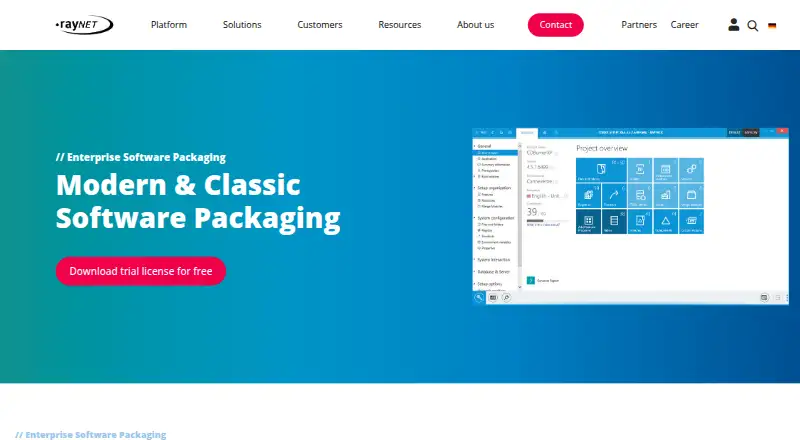
The facts below are what the maker publishes about RayPack Studio, checked and dated. Our editors have not written about it yet.
Plans and prices
From RayPack Studio's own pricing page, checked 9 Oct 2026.
| Plan | Price | What it gives you |
|---|---|---|
| RayPack Studio trial | Free | 21 days · no credit card or payment method required · no restrictions in functionality and scope |
The facts
Each one read from RayPack Studio's own pages, with the date it was checked.
What it does
- Deployment integrations
- The edition overview lists deployment to RayManageSofti and RayManageSoft UEM in every edition, and Microsoft Endpoint Configuration Manager (SCCM) deployment in Enterprise and Complete.checked 9 Oct 2026
- Evaluation
- RayPack Studio can automatically collect installation routines and create labeled screenshots for individual installation steps or configuration decisions.checked 9 Oct 2026
- Formats
- The product page lists MSI, MSIX/APPX, App-V 4.6 and 5.x, ThinApp, SWV, and MST as supported package formats.checked 9 Oct 2026
- Intended users
- The product page says RayPack Studio offers support for beginners as well as access for professionals, with components for companies managing EALM tasks.checked 9 Oct 2026
- On-premises
- RayPack Studio is described as a purely on-premises solution that runs on the customer’s infrastructure without relying on the cloud.checked 9 Oct 2026
- Packaging features
- The edition overview lists snapshot-based repackaging, classic Windows Installer formats, MSIX packaging, package signing, and PowerShell automation across all listed editions.checked 9 Oct 2026
- Product
- RayPack Studio is an integrated software packaging and deployment suite bundling RayPack, PackBench, RayQC, RayQC Advanced, RayEval, and PackLayering into one installer.checked 9 Oct 2026
- Purpose
- The suite covers application and package conflict and compatibility checks, evaluation, packaging, virtualization, quality control, and workflow management.checked 9 Oct 2026
- Quality assurance
- The product page describes quality assurance throughout lifecycle phases from planning and production through rollout and commissioning.checked 9 Oct 2026
- Readiness checks
- RayPack Studio performs automatic collision and compatibility checks to assess package suitability for specific environments, application sharing, and virtual operation.checked 9 Oct 2026
- Security
- The product page cites HTTPS communication, audit-proof logging, role-based access control, and BSI-compliant authentication for security-critical organizations.checked 9 Oct 2026
- Support and training
- Raynet offers dedicated on-site and remote training for technical teams and end users, and links to product documentation and a support panel.checked 9 Oct 2026
- Workflow integrations
- The product page says RayFlow can connect to external systems through REST API, SOAP, DLL, PowerShell, or scripts, and lists Jira, HP ALM, SMAX, and SCCM integrations.checked 9 Oct 2026
The company
- Founded
- 1999checked 28 Sep 2026
- Headquarters
- Paderborn, Germanychecked 28 Sep 2026
Money
- Trial
- The RayPack Studio trial lasts 21 days and requires no credit card or payment method; the trial page says it has no restrictions in functionality and scope.checked 9 Oct 2026
Alternatives to RayPack Studio
- 1
Avidemux
Free planOpen sourceWebLinuxmacOSWindows7.3Free plan - 2

Tauri Bundler
Free planAndroidiOSLinuxmacOS7.2Free plan - 3

Advanced Installer
Free planWindows6.6From $399 a year - 4

WiX Toolset
Free planAPIExtensionWindows6.6From $6,500 a year - 5
CyberInstaller Suite
Free planWindows6.5€39.90 one-time - 6
makeself
Free planLinuxmacOSSelf-hostedWindows6.5Free plan