makeself
Makeself is a shell script for creating self-extracting compressed TAR archives from directories.
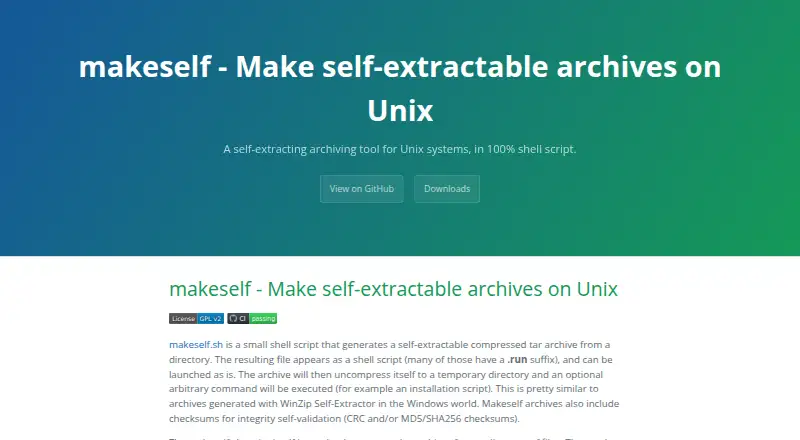
What makeself is
Makeself is a shell script for creating self-extracting compressed TAR archives from directories. An archive contains a compressed TAR payload and a script stub; when run, it extracts files to a temporary directory, can run an optional command such as an installation script, and removes temporary files when finished. Archive options can list contents, check integrity, choose an extraction target, request confirmation or skip the embedded command. Integrity checks can use CRC or MD5, with optional SHA256 support. Compression choices include gzip, bzip2, bzip3, xz, lz4 and zstd, among other compressors; methods beyond the available default require the corresponding compressor for extraction. Archive creation also offers GPG and OpenSSL encryption, which archive users need those tools installed to use. Makeself aims to avoid Bash-specific features and run on Unix-compatible systems with a compatible Bourne shell. The project lists Linux, macOS, Solaris, HP-UX, AIX, FreeBSD, OpenBSD, NetBSD and other tested platforms, with Windows use through Cygwin or WSL. It is covered by the GNU General Public License version 2 and above; generated archives need not use that license.
Good
- Archives can run an optional embedded command.
- Supports multiple compression methods.
- CRC, MD5 and optional SHA256 checks are available.
- Archives can prompt or skip embedded execution.
Watch out
- Non-default compression needs its compressor installed.
- Encryption requires GPG or OpenSSL on archive users' systems.
- Older archives before version 2.1.2 may have extraction problems on some GNU/Linux distributions.
Who it suits
Makeself suits command-line users who need to package directories as self-extracting archives and can rely on compatible shell and compression tools.
Verdict
Makeself provides configurable self-extracting archives with integrity checks and optional embedded commands. Users should account for shell compatibility and any extra tools required for their chosen compression or encryption.
Plans and prices
From makeself's own pricing page, checked 9 Oct 2026.
| Plan | Price | What it gives you |
|---|---|---|
| Makeself | Free | GPL version 2 and above · self-extracting archives for Unix-compatible systems |
The facts
Each one read from makeself's own pages, with the date it was checked.
What it does
- Archive behavior
- An archive can extract to a temporary directory and run an optional command, such as an installation script.checked 9 Oct 2026
- Archive controls
- Generated archives support options to list or check contents, choose an extraction target, request confirmation, or skip execution of the embedded script.checked 8 Oct 2026
- Archive format
- Generated archives contain a compressed TAR archive with a shell script stub that extracts files, runs the embedded command, and removes temporary files when done.checked 9 Oct 2026
- Compression
- The documented options include gzip, bzip2, bzip3, pbzip2, xz, lzo, lz4, zstd, pigz, and uncompressed TAR.checked 9 Oct 2026
- Download
- The maker links to the official GitHub distribution and identifies version 2.7.1 as the latest official release on the page.checked 9 Oct 2026
- Encryption
- The tool has options to encrypt archives with GPG or OpenSSL AES-256-CBC.checked 9 Oct 2026
- Extraction
- Running an archive extracts it to a temporary directory and can execute an optional command, such as an installation script.checked 8 Oct 2026
- Extraction controls
- Generated archives support options to list files, check integrity, choose an extraction target, prompt for confirmation, or skip running the embedded command.checked 9 Oct 2026
- Integration
- The maker says Makeself is supported by a Maven plugin and directs users to that plugin project for usage and bug reports.checked 9 Oct 2026
- Integrity
- Archives include checksums for integrity validation, with CRC, MD5, and optional SHA256 support.checked 8 Oct 2026
- Integrity checks
- Archives can include CRC, MD5, or SHA256 checksums for integrity validation.checked 9 Oct 2026
- License
- Makeself is covered by the GNU General Public License version 2 and above; the maker says generated archives do not have to use that license.checked 9 Oct 2026
- Notable limitation
- The page notes that archives made before version 2.1.2 may have extraction problems on some GNU/Linux distributions because of obsolete head and tail syntax.checked 8 Oct 2026
- Portability
- The maker says Makeself avoids Bash-specific features and is intended to run with compatible Bourne shells on Unix systems, when required compression programs are available.checked 9 Oct 2026
- Purpose
- Makeself is a shell script that creates self-extracting compressed TAR archives from directories.checked 9 Oct 2026
- Requirement
- Compression methods other than the available default require their corresponding compressor to be installed for archive extraction.checked 9 Oct 2026
- Support
- The maintainer welcomes patches and bug reports through the GitHub project page and lists an email address for suggestions.checked 9 Oct 2026
Where it runs
- Platforms
- The site lists Linux, macOS, several Unix variants, and Windows through Cygwin or WSL as tested platforms.checked 8 Oct 2026
- Tested platforms
- The maker lists Linux, macOS, Solaris, HP-UX, SCO OpenUnix and OpenServer, AIX, IRIX, FreeBSD, OpenBSD, NetBSD, UnicOS/Cray, and Windows through Cygwin or WSL as tested platforms.checked 9 Oct 2026
The full review of makeself
Overview
Makeself is a command-line packaging tool for turning a directory into a compressed TAR archive that extracts itself from a shell script. It suits developers and administrators distributing software on Unix-compatible systems, especially when they want an optional install command to run after extraction. Its focused format is useful for portable delivery, but it is not a general-purpose app bundler.
Key features
Each archive combines a compressed TAR payload with a shell stub. When run, it extracts into a temporary directory, can launch an embedded command such as an installer, and removes temporary files afterward. That makes Makeself a practical fit for straightforward command-line distribution; it does not replace a platform-specific application packaging workflow.
Archive controls add useful safeguards: recipients can list files or check integrity, choose an extraction target, request confirmation, or skip the embedded command. CRC and MD5 checksums are supported, with SHA256 available as an option. These checks help recipients validate an archive, while GPG and OpenSSL encryption provide an additional option when those tools are installed on the user's system.
Compression choices include gzip, bzip2, bzip3, xz, lz4, and zstd, among others. That breadth lets packagers choose a suitable compressor, but recipients need the matching program for non-default methods. Encryption similarly depends on installed GPG or OpenSSL tools, so a self-extracting file is not entirely self-contained in every configuration.
Makeself is designed to avoid Bash-specific features and run with a compatible Bourne shell on Unix-compatible systems. The maker identifies Linux, macOS, Solaris, HP-UX, SCO OpenUnix and OpenServer, AIX, IRIX, FreeBSD, OpenBSD, NetBSD, UnicOS/Cray, and Windows through Cygwin or WSL among tested platforms. This is broad shell-oriented reach, not native Windows installer support. Archives created before version 2.1.2 may also fail to extract on some GNU/Linux distributions because of obsolete head and tail syntax.
The project is licensed under GNU GPL version 2 or later, but generated archives do not have to use that license. A Maven plugin supports integration with Maven projects; its project handles usage and bug reports. The maintainer also invites patches and bug reports through GitHub and accepts suggestions by email.
Pricing
Makeself is free: the Makeself plan costs nothing and is covered by GPL version 2 and above. It provides command-line packaging for self-extracting shell archives, compressed TAR, .run, and .sh outputs on Unix-compatible systems. There is no free trial because the software is already free, and no paid tier is described. This fits users who can work with shell-based packaging; those seeking a graphical installer workflow should consider other tools.
Platforms
Makeself targets Linux and macOS, and supports Windows through Cygwin or WSL. Its tested-platform list also includes Solaris, HP-UX, AIX, FreeBSD, and OpenBSD, among other Unix systems. The key requirement is a compatible Bourne shell, plus the chosen compression or encryption tools where applicable.
Who it's for
Choose Makeself when you need to distribute a directory as a command-line archive that can unpack itself and optionally run a setup command. It is particularly well suited to software maintainers and administrators working across Unix-like environments. It is a weaker fit when recipients need a native Windows installer, or when you cannot rely on their systems having the shell and auxiliary tools your archive requires.
Pros and cons
- Pros: Free, command-line packaging produces a single self-extracting archive that can unpack files and run an optional command.
- Pros: Listing, integrity checks, extraction-target selection, confirmation prompts, and the option to skip execution give recipients meaningful control.
- Pros: Several compressors and checksum options support different packaging and validation needs.
- Cons: A compatible Bourne shell is required, and non-default compression or encryption may require extra tools on the recipient's system.
- Cons: Windows support relies on Cygwin or WSL rather than a native installer format.
- Cons: Older archives made before version 2.1.2 can encounter extraction problems on some GNU/Linux distributions.
Alternatives
For a directory of shell-extractable archives, Makeself is more directly suited than application bundlers. Pick Tauri Bundler instead when you need OS-specific bundles around Rust executables, including Android or iOS targets; its public API stability is not strictly SemVer. Electron Forge, nFPM, electron-builder, electron-packager, InstallAware, IzPack, and NSIS are other packaging options to compare.
Browse the Software Packaging Tools category for more options.
Verdict
Makeself is a strong choice for developers and administrators who want a free, compact shell-based delivery format with configurable extraction and optional command execution. Its main reason to choose another tool is a need for native, platform-specific installers or dependable extraction without shell and auxiliary-tool requirements.
Getting started
- Visit https://makeself.io/.
- Get the distribution from the official GitHub project page.
- Use the shell script to create a self-extracting archive from a directory.
- Install the needed compressor on archive users' systems when using a method beyond the available default.
- Install GPG or OpenSSL for archive users if using the corresponding encryption option.
Limits worth knowing
The free plan is listed as free. Compression methods beyond the available default require the corresponding compressor for extraction, and encryption options require GPG or OpenSSL installed by archive users. Archives made before version 2.1.2 may have extraction problems on some GNU/Linux distributions.
Questions
How much does makeself cost?
The listed Makeself plan is free.
Is makeself open source?
Makeself is covered by the GNU General Public License version 2 and above. Generated archives do not have to use that license.
Which platforms are supported?
The maker lists Linux, macOS, Solaris, HP-UX, SCO OpenUnix and OpenServer, AIX, IRIX, FreeBSD, OpenBSD, NetBSD, UnicOS/Cray, and Windows through Cygwin or WSL as tested platforms.
What does makeself create?
It creates self-extracting compressed TAR archives, including formats such as .run and .sh.
Does makeself offer a free trial?
No free trial is listed; the pricing model is free and the free plan is available.
Does makeself integrate with Maven?
A Maven plugin supports Makeself. The project page directs users to that plugin's project for usage and bug reports.
Alternatives to makeself
- 1
Avidemux
Free planOpen sourceWebLinuxmacOSWindows7.3Free plan - 2

Tauri Bundler
Free planAndroidiOSLinuxmacOS7.2Free plan - 3

Advanced Installer
Free planWindows6.6From $399 a year - 4

WiX Toolset
Free planAPIExtensionWindows6.6From $6,500 a year - 5
CyberInstaller Suite
Free planWindows6.5€39.90 one-time - 6
Master Packager Suite
Free planWindows6.5From $1,199 a year