
Radix
Radix is a free macOS application for examining storage usage in files and folders.
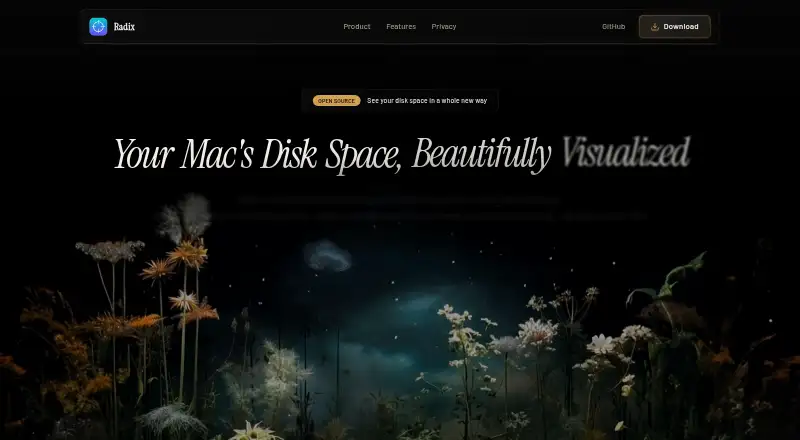
What Radix is
Radix is a free macOS application for examining storage usage in files and folders. It scans local and external drives, showing results in sunburst and treemap views, with live progress for scans covering millions of files. Users can compare scans to see what grew, shrank, appeared, or disappeared. Files and folders can be reviewed in a Discard Pile before moving to the Trash. Search, custom scan exclusions, Quick Look, Open, Reveal in Finder, Copy Path, and Move to Trash actions are included. Completed scans can be exported and reopened as read-only snapshots. The maker says scans and saved results remain local, and no account is required. Some folders may need Full Disk Access; Radix identifies skipped files and guides users to System Settings. The app does not show application sizes. It requires macOS 14 or later, is free forever, and is available under the MIT License.
Good
- Sunburst and treemap storage views
- Scans external drives
- Compares changes between scans
- Keeps scan results local
- Exports read-only scan snapshots
Watch out
- Requires macOS 14 or later
- Does not show application sizes
- Some folders require Full Disk Access
- Files may be skipped due to permissions
Who it suits
Radix suits Mac users who want visual file-and-folder storage analysis, including external-drive scans. It is useful for comparing scans, reviewing cleanup candidates, and exporting reports.
Verdict
Radix focuses on visual storage review and cautious cleanup on modern Macs. Its local processing, scan comparisons, and free license are balanced by the application-size omission and permission requirements.
Plans and prices
From Radix's own pricing page, checked 11 Oct 2026.
| Plan | Price | What it gives you |
|---|---|---|
| Radix | Free | Requires macOS 14 or later · macOS app · Free forever |
The facts
Each one read from Radix's own pages, with the date it was checked.
What it does
- Additional features
- The repository lists search, custom scan exclusions, Quick Look, Open, Reveal in Finder, Copy Path, and Move to Trash actions.checked 11 Oct 2026
- Cleanup review
- Users can review files and folders in a Discard Pile before moving them to the Trash.checked 11 Oct 2026
- Dependencies
- The repository says RadixCore has no external Swift package dependencies and the app target uses Sparkle for updates.checked 11 Oct 2026
- Exportable reports
- Yeschecked 23 Sep 2026
- External drive scans
- Yeschecked 23 Sep 2026
- License
- The repository identifies Radix as available under the MIT License.checked 11 Oct 2026
- Permissions
- Some folders may require Full Disk Access, and Radix detects skipped files due to permissions and guides users to System Settings.checked 11 Oct 2026
- Privacy
- The maker says scans and saved results stay local on the Mac, and no account is required.checked 11 Oct 2026
- Purpose
- Radix scans files and visualizes Mac storage so users can explore disk usage and review items to clean up.checked 11 Oct 2026
- Saved scans
- Completed scans can be exported and reopened as read-only snapshots.checked 11 Oct 2026
- Scan comparison
- Users can compare scans to see what grew, shrank, appeared, or disappeared.checked 11 Oct 2026
- Scanning
- Radix scans millions of files, shows live progress, and can make follow-up scans faster.checked 11 Oct 2026
- Scan scope
- files_folderschecked 23 Sep 2026
- Treemap view
- Yeschecked 23 Sep 2026
- Updates
- The repository says automatic updates are powered by Sparkle.checked 11 Oct 2026
- Visualizations
- It offers sunburst and treemap views of disk usage.checked 11 Oct 2026
Where it runs
- Application sizes
- Nochecked 23 Sep 2026
- Desktop platforms
- macoschecked 23 Sep 2026
Money
- Free plan
- Yeschecked 23 Sep 2026
Alternatives to Radix
- 1

WizTree
Free planmacOSWindows8.0Free plan - 2
LumaDisk
Free planmacOSWindows7.9$6.89 one-time - 3

Disk Usage Analyzer
Free planOpen sourceLinuxmacOS7.7Free plan - 4

FolderSizes
Free planWindows7.7$30 one-time - 5
SizeTrend
Free planWindows7.7$69.99 one-time - 6
dust
Free planOpen sourceLinuxmacOSWindows7.6Free plan