
QuikFlow
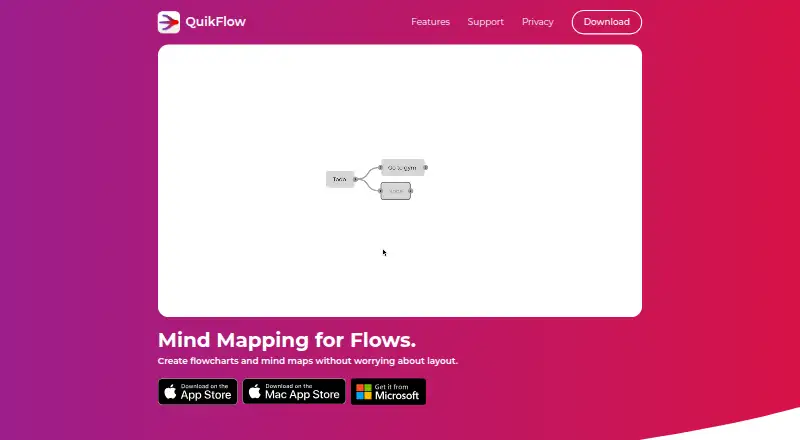
QuikFlow is a mind-mapping and flowchart app for Windows, macOS, and iOS that creates layouts automatically as you build.
What QuikFlow is
QuikFlow is a mind-mapping and flowchart app for Windows, macOS, and iOS that creates layouts automatically as you build. Flows can converge or loop back, while the mind-map style editor supports drag-and-drop reorganization. The free version lets users view and edit QuikFlow files, use horizontal layouts, and work with unlimited nodes and connectors. It exports PNG and PDF files. Pro adds vertical layout directions, node and connector styling, built-in and custom templates, rich node content, interactive tasks, off-canvas notes, multiple inputs and outputs per node, and printing. Pro also adds OPML, Markdown, Mermaid, and JSON text exports. The free version can open and edit files created with Pro, although Pro-only features become locked after cancellation. Pricing lists a free plan, a 7-day trial, Pro at $1.99 per month or $12.99 per year, and a Lifetime plan at $29.99 per month.
Good
- Automatic layouts adapt as flows are edited
- Free plan includes unlimited nodes and connectors
- Exports PNG and PDF without Pro
- Pro supports vertical layouts and styling
- Runs on Windows, macOS, and iOS
Watch out
- Advanced features require a paid Pro plan
- Pro-only features lock after cancellation
- Lifetime plan is listed at $29.99 per month
- Windows has no volume licensing
Who it suits
QuikFlow suits people creating flowcharts or mind maps on Windows, macOS, or iOS who want automatic layouts. The free plan fits basic editing and image or PDF export, while Pro is for advanced styling, templates, content, and text exports.
Verdict
QuikFlow provides automatic flow arrangement with a substantial free editing and export set. Pro expands layout, styling, templates, content, and text-export options for users who need more control.
Plans and prices
From QuikFlow's own pricing page, checked 15 Oct 2026.
| Plan | Price | What it gives you |
|---|---|---|
| Free | Free | view and edit QuikFlow files · flow editing · automatic and interactive layouts · horizontal directions · unlimited nodes and connectors · PNG/PDF export |
| QuikFlow Pro Monthly | $1.99 a month | vertical layouts · styling · templates · rich node content · tasks · notes · multiple inputs/outputs · printing · text exports · $1.99 per month |
| QuikFlow Pro Annual | $12.99 a year | Vertical layout directions · Node and connector styling · Built-in and custom templates · Rich node content · Interactive tasks · Off-canvas notes · billed annually |
| QuikFlow Pro | $1.99 a month | Adds text exports, vertical layouts, styling, templates, rich node content, interactive tasks, off-canvas notes, multiple inputs and outputs per node, and printing · $1.99 per month |
| QuikFlow Pro | $12.99 a year | Adds text exports, vertical layouts, styling, templates, rich node content, interactive tasks, off-canvas notes, multiple inputs and outputs per node, and printing · $12.99 per year |
| QuikFlow Pro Yearly | $12.99 a year | vertical layouts · styling · templates · rich node content · tasks · notes · multiple inputs/outputs · printing · text exports · $12.99 per year |
| QuikFlow Pro Lifetime | $29.99, paid once | vertical layouts · styling · templates · rich node content · tasks · notes · multiple inputs/outputs · printing · text exports · $29.99 lifetime access |
The facts
Each one read from QuikFlow's own pages, with the date it was checked.
Where it runs
- Apple languages
- The Apple listing lists English, German, Hungarian, and Simplified Chinese.checked 15 Oct 2026
- Apple system requirements
- The Apple listing requires iOS 18 or later, iPadOS 18 or later, macOS 12 or later, or visionOS 2 or later.checked 15 Oct 2026
- Platform roadmap
- The support FAQ says Android, Linux, iOS, and iPadOS support depends on future demand; Apple listings now show iOS and iPadOS availability.checked 15 Oct 2026
What it does
- Automatic layout
- The app rearranges layouts as users change relationships and supports drag-and-drop repositioning.checked 15 Oct 2026
- Availability
- The maker offers downloads through the Microsoft Store and Apple App Store and describes QuikFlow Pro as available on Windows and Apple platforms.checked 11 Oct 2026
- Business licensing
- The maker says lifetime Pro can be purchased through Apple Business Manager or Apple School Manager, and that Windows currently has no volume licensing.checked 11 Oct 2026
- Data location
- The app privacy notice says data is generally stored on the company’s servers in Germany, subject to stated transfers.checked 15 Oct 2026
- Export
- The app supports PNG and PDF export, while Pro adds OPML, Markdown, Mermaid, and JSON text exports.checked 11 Oct 2026
- Export formats
- The product exports or copies PNG and PDF and Pro adds OPML, Markdown, Mermaid, and JSON text formats.checked 15 Oct 2026
- File access after cancellation
- The free version can open and edit files created with Pro, with Pro-only features locked after subscription cancellation.checked 11 Oct 2026
- File compatibility
- Files created with Pro remain viewable and editable in the free editor after cancellation, with Pro-only controls locked.checked 15 Oct 2026
- Flow editing
- Flows can converge or loop back while using a mind map style of editing.checked 11 Oct 2026
- Graph structures
- Flows may converge, loop back, and contain pasted or deleted subflows without manual relayout.checked 15 Oct 2026
- Limit: feature breadth
- A reviewer said QuikFlow is limited compared with Miro and used Miro for planning instead.checked 15 Oct 2026
- Limit: node labels
- A reviewer requested labels with relative node anchors and said presentation-ready graphs sometimes had to be recreated elsewhere.checked 15 Oct 2026
- Praise: automatic layout
- A reviewer called automatic adaptation to edits the product’s standout feature and found it faster for ideation than Miro.checked 15 Oct 2026
- Praise: offline use
- A reviewer described QuikFlow as an offline alternative for sketching flows in place of Whimsical, Miro, and MindNode.checked 15 Oct 2026
- Praise: responsiveness
- A reviewer said the developer answered a support question the same day.checked 15 Oct 2026
The company
- Company founding
- LinkedIn states that coneno was founded in 2016 as a spin-off of the German Research Center for Artificial Intelligence.checked 15 Oct 2026
- Company ownership status
- Crunchbase lists coneno as a private, for-profit company headquartered in Kaiserslautern, Germany.checked 15 Oct 2026
- Company size
- LinkedIn lists coneno GmbH as having 2–10 employees.checked 15 Oct 2026
- Headquarters
- Kaiserslautern, Germanychecked 28 Sep 2026
- Legal maker
- The legal notice identifies coneno GmbH, represented by Marco Hirsch, registered in Kaiserslautern under HRB 32111.checked 15 Oct 2026
Money
- Free plan
- Yeschecked 20 Sep 2026
Alternatives to QuikFlow
- 1
Mind Elixir App
Free planOpen sourceAndroidiOSWebAPI8.5From $19 a year - 2

EdrawMind
Free planAndroidiOSWebLinux8.1Free plan - 3
GoMind
Free planAndroidiOSWebAPI8.1From $19.90 a year - 4

Xmind
Free planAndroidiOSWebLinux8.0From $4.92 a month - 5

Mindomo
Free planAndroidiOSWebLinux7.9From €6 a month - 6

Coggle
Free planiOSWebAPIExtension7.8From $5 a month