Quickmock
Quickmock is a free, open-source tool for making low-fidelity wireframes.
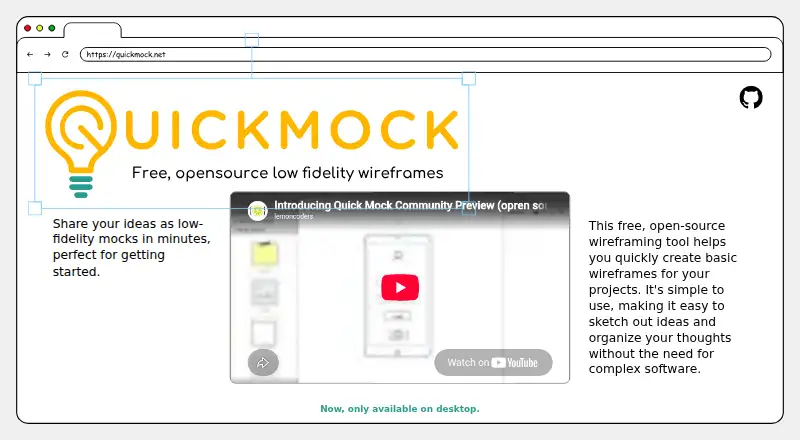
What Quickmock is
Quickmock is a free, open-source tool for making low-fidelity wireframes. Its editor provides pages, device frames, UI components, shapes, text components, and other low-wireframe elements for sketching interface ideas. Editing controls cover creating and opening files, saving and exporting, undoing and redoing, copying, pasting and deleting, zooming, and settings. The project README describes a VS Code extension with a custom editor for .qm files and an MCP server configuration for AI tools. Organizations can create custom low-fidelity component libraries, with quotes available by email. Quickmock is identified as open source under an MIT license, and users can report bugs or request features through GitHub Issues. The homepage says the product is now only available on desktop, although the listed plan describes a web platform and the broader platform list also names Android, iOS, Linux, macOS, Windows, API, extensions, and self-hosted use. The Free plan costs nothing.
Good
- Free and open source under an MIT license
- Editor includes pages, device frames, shapes, and UI components
- Includes save, export, undo, and redo commands
- VS Code extension supports .qm files
Watch out
- Homepage says it is now only available on desktop
- Custom component library quotes require email inquiry
Who it suits
Quickmock suits people who want to sketch and share low-fidelity interface concepts. Its component library option may also suit organizations creating their own wireframing elements.
Verdict
Quickmock centers on low-fidelity wireframing, with core editing commands and interface elements in one editor. Note the homepage’s desktop-only availability statement alongside the separately listed web platform.
Plans and prices
From Quickmock's own pricing page, checked 4 Oct 2026.
| Plan | Price | What it gives you |
|---|---|---|
| Free | Free | Free, open-source wireframing tool; only available on desktop |
The facts
Each one read from Quickmock's own pages, with the date it was checked.
What it does
- Availability
- The homepage says Quickmock is now only available on desktop.checked 4 Oct 2026
- Custom components
- The project README says custom low-fidelity component libraries can be created for organizations, with quotes available by email.checked 4 Oct 2026
- Editing
- The editor lists new, open, save, export, undo, redo, copy, paste, delete, zoom, and settings commands.checked 4 Oct 2026
- Editor
- The editor includes pages, device frames, UI components, shapes, text components, and low-wireframe elements.checked 4 Oct 2026
- Feedback
- The project README invites users to report bugs and request features through GitHub Issues.checked 4 Oct 2026
- Open source
- The project README identifies Quick Mock as free and open source and links to an MIT license.checked 4 Oct 2026
- Purpose
- Quickmock is a free, open-source tool for creating low-fidelity wireframes.checked 4 Oct 2026
- Technologies
- The project README lists React, React Konva, TypeScript, HTML, CSS, SVG, Vite, and Vitest as technologies used.checked 4 Oct 2026
- Use
- The maker describes it as a way to share ideas as low-fidelity mocks in minutes.checked 4 Oct 2026
- VS Code
- The project README says its VS Code extension adds a custom editor for .qm files and configures an MCP server for AI tools.checked 4 Oct 2026
The full review of Quickmock
Quickmock is a free, open-source wireframing tool for people shaping early interface ideas with a focused set of low-fidelity elements. Its editing commands and VS Code extension give it a clear role for desktop-centered sketching, though its desktop-only availability rules out some workflows.
Overview
Quickmock centers on low-fidelity wireframes rather than a broad interface-design process. Pages, device frames, UI components, shapes, text, and wireframe elements provide the pieces for laying out rough concepts. That focus suits early-stage work; teams needing a wider design workflow should look elsewhere.
Key features
The editor includes the core cycle of creating, opening, saving, and exporting work, plus undo, redo, copy, paste, delete, zoom, and settings. These commands support quick iteration on mockups without suggesting a more elaborate prototyping workflow.
The VS Code extension adds a custom editor for .qm files and configures an MCP server for AI tools. Developers who already work in VS Code may value keeping wireframing close to that environment. Organizations can request custom low-fidelity component libraries by email, with quotes available; that is a tailored service rather than a self-serve feature.
Quick Mock is open source under an MIT license, and the project welcomes bug reports and feature requests through GitHub Issues. Its technology stack includes React, React Konva, TypeScript, HTML, CSS, SVG, Vite, and Vitest, which may be relevant to teams assessing the project technically.
Pricing
Quickmock’s Free plan costs nothing and includes the free, open-source wireframing tool. There are no paid tiers described for individual users, making it a straightforward choice for people who need the core desktop tool without a subscription. The trade-off is the desktop-only availability and a deliberately low-fidelity scope. Organizations seeking custom component libraries can request a quote by email.
Platforms
Quickmock’s plan specifies desktop-only availability, while the platform is web. The homepage’s desktop-only statement makes it important to confirm that this fits your intended setup before choosing it; it is a poor fit for anyone who needs to rely on a mobile-first workflow.
Who it's for
Quickmock is best for individuals and teams sketching rough interface ideas who want a free, open-source editor, especially developers who prefer a VS Code-centered workflow. It is less suitable for users seeking detailed, high-fidelity design work or broad collaboration and platform flexibility.
Pros and cons
- Pro: The editor combines pages, device frames, components, shapes, text, and wireframe elements for low-fidelity layout work.
- Pro: A free plan and MIT-licensed open source make the tool accessible without a paid subscription.
- Pro: The VS Code extension supports .qm files and configures an MCP server for AI tools.
- Con: Desktop-only availability narrows its fit for users expecting to work across device types.
- Con: Its low-fidelity focus is not a substitute for a broader design workflow.
Alternatives
For a free desktop app, Pencil Project is another option. Choose Justinmind instead if a free plan with one project, unlimited screens and viewers, and interactive input forms better matches your needs. Fluid UI offers a free lifetime account and a free trial, making it an alternative for readers considering a freemium product. Mockplus may suit teams that want a free basic plan with 10 users and 10 active projects. Frame0 is worth comparing for desktop users who want a no-time-limit free plan with built-in shapes and icons. MockFlow has a free basic plan with one editor and five reviewers. Mokkup.ai provides a free plan with one editable project and three screens per project. Visily offers a free Starter plan with 300 AI credits per month and limited boards and elements. Browse more options in Wireframing Software.
Verdict
Choose Quickmock if you want a free, open-source way to build low-fidelity wireframes and value its VS Code integration. Its focused editor is the main reason to choose it; desktop-only availability and a narrow wireframing scope are the reasons to look elsewhere.
Alternatives to Quickmock
- 1

Justinmind
Free planAndroidiOSWebAPI8.3From $19 a month - 2

Mockplus
Free planAndroidiOSWebExtension8.3From $2.98 a month - 3

Fluid UI
Free planAndroidiOSWebLinux7.7From $8.25 a month - 4

Moqups
Free planWebAPIExtension7.6From $11 a month - 5

Visily
Free planWebExtension7.3From $14 a month - 6

Mokkup.ai
Free planWeb7.1From $8 a month