QuantileCull
QuantileCull is paid Windows software for local AI photo culling, aimed at professional wedding, event, and conference photographers.
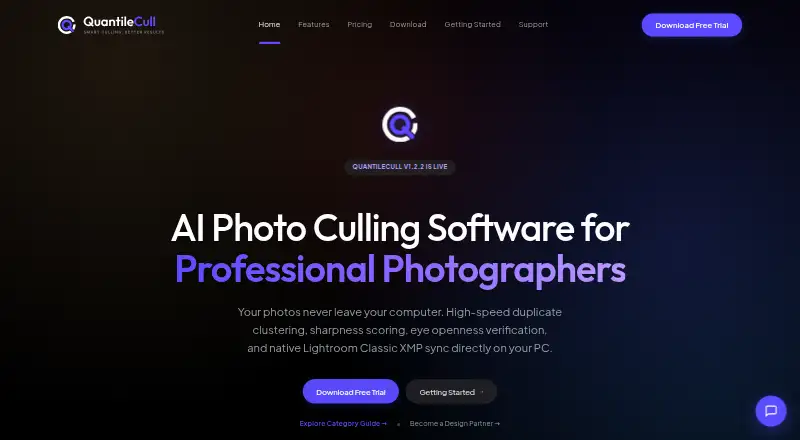
What QuantileCull is
QuantileCull is paid Windows software for local AI photo culling, aimed at professional wedding, event, and conference photographers. Six listed checks assess open eyes, facial sharpness, burst duplicates, motion blur, subject presence, and composition quality. Processing runs locally and works offline without cloud uploads. The software previews RAW files and supports batch culling actions. For Lightroom Classic, it writes ratings, flags, and color labels as XMP sidecars without changing original RAW assets. The Professional plan also lists Capture One workflow integration. The privacy description says RAW, JPEG, and TIFF files, metadata, selection decisions, and sidecars stay on the user’s machine. License validation and version checks are transmitted, while client data, photo analytics, and AI-training telemetry are not. Windows 10/11 64-bit is supported; macOS is described as coming soon. A 14-day local trial is free, and Professional costs $59.00 USD once for a Version 1.x lifetime license.
Good
- Six local AI culling checks
- Works offline without cloud photo uploads
- RAW preview and batch culling
- Exports Lightroom XMP metadata
- Original RAW files remain unchanged
Watch out
- Windows only; macOS is coming soon
- Professional license covers Version 1.x
- Paid after the trial
- License and version checks transmit data
Who it suits
QuantileCull suits Windows photographers handling large wedding, event, or conference shoots who want offline AI-assisted selection. It is also useful for Lightroom or Capture One workflows.
Verdict
QuantileCull focuses on offline, local photo selection with Lightroom-compatible metadata output. Its Windows requirement and Version 1.x license scope are important considerations.
Plans and prices
From QuantileCull's own pricing page, checked 7 Oct 2026.
| Plan | Price | What it gives you |
|---|---|---|
| Starter Trial | Free | 14-day local trial · unlimited images per project · Lightroom XMP export · community support |
| Professional | $59, paid once | US$59 Standard Price: US$79 · unlimited photos and projects · free Version 1.x updates · commercial use · Lightroom and Capture One integration · One-time purchase • Lifetime License for Version 1.x |
| Enterprise | Priced on request | Custom pricing · multi-seat licensing · dedicated SLA support · custom local AI profiles |
The facts
Each one read from QuantileCull's own pages, with the date it was checked.
What it does
- AI checks
- Its six listed local AI checks cover open eyes, facial sharpness, burst duplicates, motion blur, subject presence, and composition quality.checked 7 Oct 2026
- Capture One
- The Professional plan lists Lightroom and Capture One workflow integration.checked 7 Oct 2026
- Enterprise support
- The Enterprise plan includes dedicated SLA support channels, priority onboarding and technical training, and custom workflow integrations.checked 7 Oct 2026
- License limit
- Professional licenses cover the Version 1 lifecycle, including minor patch security updates.checked 7 Oct 2026
- Lightroom workflow
- QuantileCull writes ratings, flags, and color labels as standard XMP sidecars for import into Lightroom Classic.checked 7 Oct 2026
- Network traffic
- The privacy page says license-key validation and software-version checks are transmitted, while client data, photo analytics, and AI-training telemetry are not.checked 7 Oct 2026
- Non-destructive
- The Lightroom workflow description says QuantileCull writes metadata without altering original RAW assets.checked 7 Oct 2026
- Offline operation
- The product page says image processing runs locally and works completely offline without cloud uploads.checked 7 Oct 2026
- Privacy data
- The privacy page says RAW, JPEG, and TIFF files, photo metadata, selection decisions, and XMP sidecars stay on the user's machine.checked 7 Oct 2026
- Purpose
- QuantileCull is local AI photo-culling software aimed at professional wedding, event, and conference photographers.checked 7 Oct 2026
- Security claims
- The privacy page claims local processing, zero model training on user images, and commercial NDA and GDPR compliance.checked 7 Oct 2026
- Support contact
- The support page lists [email protected] and states a guaranteed engineering review within 12 hours.checked 7 Oct 2026
The company
- Maker location
- The site footer says QuantileCull is built in Bangalore.checked 7 Oct 2026
Where it runs
- Windows support
- The site lists Windows 10/11 (64-bit) as supported, while macOS support is described as coming soon.checked 7 Oct 2026
Alternatives to QuantileCull
- 1

Selekt
Free planWebmacOSWindows7.7From A$16 a month - 2
Zno
Free planAndroidiOSWebmacOS7.6Free plan - 3

AccioPix Photo Culling
Free planWebAPImacOSWindows7.5₹0.20 one-time - 4

Facet
Free planOpen sourceWebAPILinuxmacOS7.5Free plan - 5
Memory Ease
AndroidiOSWebmacOS7.0From $7.50 a month - 6

Cull AI Studio
macOSWindows6.9From $159 a year