Puran Defrag
Puran Defrag is a free Windows utility that defragments files and optimizes hard disk drives.
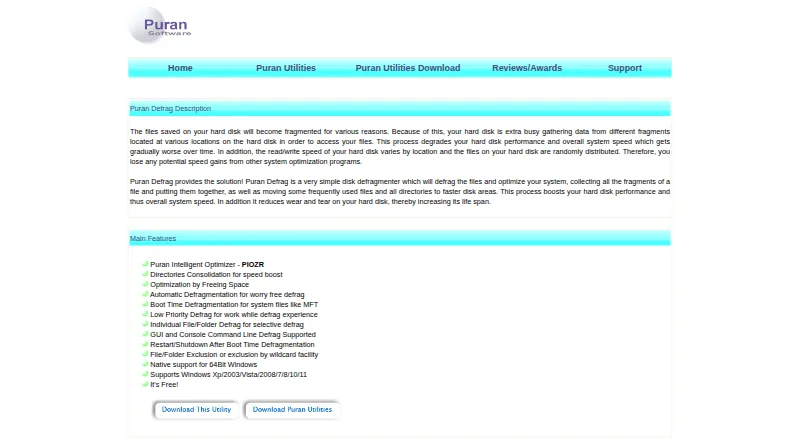
What Puran Defrag is
Puran Defrag is a free Windows utility that defragments files and optimizes hard disk drives. Its Puran Intelligent Optimizer places frequently used files in faster disk areas, while a directory option consolidates directories into contiguous areas; that option works only on NTFS partitions. Defragmentation can be scheduled for startup, at intervals, or at chosen times on selected days. Boot Time Defragmentation can work on system files such as the MFT, Registry, and Pagefile, or on an entire drive. Low Priority Defrag uses resources when other processes are idle, and users can choose individual files or folders to defragment or exclude, including with wildcard exclusions. The utility offers both a graphical interface and console command line operation. It can restart or shut down after boot-time work. The product page lists native 64-bit support and compatibility with Windows XP/2003/Vista/2008/7/8/10/11, including 64-bit versions. The listed release is version 7.7.2, dated 07 December 2023.
Good
- Free Windows utility
- Automatic defragmentation can be scheduled
- Boot-time work can target system files or a drive
- Supports selected-file defragmentation and exclusions
- Provides graphical and console interfaces
Watch out
- Directory consolidation works only with NTFS partitions
- The listed version is dated 07 December 2023
- Listed for Windows only
Who it suits
It suits Windows users who want scheduled or boot-time defragmentation for hard disk drives. Users needing directory consolidation should have an NTFS partition.
Verdict
Puran Defrag offers scheduled, selective, and boot-time defragmentation at no cost. Check the NTFS restriction if directory consolidation is important to your setup.
Plans and prices
From Puran Defrag's own pricing page, checked 29 Sep 2026.
| Plan | Price | What it gives you |
|---|---|---|
| Puran Defrag | Free | Windows XP/2003/Vista/2008/7/8/10/11 · Directories Consolidation works only with NTFS partitions |
The facts
Each one read from Puran Defrag's own pages, with the date it was checked.
What it does
- 64-bit support
- The product states native support for 64-bit Windows.checked 29 Sep 2026
- Automatic schedules
- Automatic defragmentation can be scheduled at startup, after intervals, or at specified times on chosen days.checked 29 Sep 2026
- Boot time defrag
- Boot Time Defragmentation can defragment system files such as MFT, Registry, and Pagefile, as well as the entire drive.checked 29 Sep 2026
- Directory optimization
- It can consolidate directories into contiguous, faster disk areas; this feature works only with NTFS partitions.checked 29 Sep 2026
- Interfaces
- Puran Defrag supports both a graphical user interface and console command line defragmentation.checked 29 Sep 2026
- Last listed update
- The page lists version 7.7.2, dated 07 December 2023, with minor fixes and Windows 10/11 support.checked 29 Sep 2026
- Low priority
- Low Priority Defrag uses resources when other processes are not using them, allowing work to continue during defragmentation.checked 29 Sep 2026
- Other options
- It can restart or shut down the computer after Boot Time Defragmentation.checked 29 Sep 2026
- PIOZR
- Puran Intelligent Optimizer places frequently used files in faster areas of the disk.checked 29 Sep 2026
- Provider
- The product page identifies the provider as Puran Software.checked 29 Sep 2026
- Purpose
- Puran Defrag defragments files and optimizes hard disk drives to improve disk and system performance.checked 29 Sep 2026
- Selective defrag
- The product supports individual file or folder defragmentation and file or folder exclusions, including wildcard exclusions.checked 29 Sep 2026
Where it runs
- Supported Windows versions
- The listed compatible versions are Windows XP/2003/Vista/2008/7/8/10/11, including 64-bit versions.checked 29 Sep 2026
The full review of Puran Defrag
Overview
Puran Defrag is a free Windows utility for defragmenting files and optimizing hard disk drives. It suits users who want scheduled maintenance, selective control, and boot-time handling without a subscription. Its broad Windows compatibility and command-line option are useful, but directory consolidation is restricted to NTFS partitions.
Key features
Puran Intelligent Optimizer (PIOZR) places frequently used files in faster areas of the disk, giving regular workloads priority during optimization. Directory optimization can consolidate directories into contiguous, faster disk areas, which is helpful for supported volumes but unavailable on non-NTFS partitions.
Scheduling is unusually flexible for a free defragmenter: jobs can run at startup, after set intervals, or at specified times on selected days. That makes it suitable for unattended upkeep on a home PC or an older hard-drive-based system. Boot Time Defragmentation can process system files including the MFT, Registry, and Pagefile, or the whole drive. Optional restart or shutdown afterward fits maintenance windows, although it requires you to plan around the interruption.
Selective defragmentation handles individual files or folders rather than forcing a whole-drive job. Exclusions cover files and folders and support wildcard rules, so administrators can keep particular data out of an operation. Low Priority Defrag yields resources when other processes are active, allowing work to continue with less competition for the machine's resources; it may be preferable to an aggressive job during working hours.
The graphical interface serves routine desktop use, while console command-line defragmentation supports scripted or command-driven workflows. Native 64-bit support is stated, and the listed compatible releases run from Windows XP/2003 through Windows 11, including 64-bit versions. Version 7.7.2 is listed with minor fixes and Windows 10/11 support, dated 07 December 2023.
Pricing
Puran Defrag — free. The free Windows plan includes scheduled, automatic, selective, low-priority, and boot-time defragmentation, plus the graphical and console interfaces. There are no paid tiers or trial conversion terms to weigh. Its main functional qualification is that directory consolidation works only with NTFS partitions, so users who need that specific optimization should confirm their drive format first.
Platforms
Puran Defrag is for Windows XP, 2003, Vista, 2008, 7, 8, 10, and 11, with 64-bit versions supported. It is designed for HDDs rather than a cross-platform storage-maintenance role.
Who it's for
Choose it for a Windows user maintaining hard disk drives who wants free scheduled jobs, granular file or folder selection, and boot-time treatment of locked system files. It is also a sensible fit for command-line users who want console control alongside a GUI.
Look elsewhere if you need a Linux utility, a macOS-focused tool, or directory consolidation on a non-NTFS partition. Its HDD focus also makes it a poor match for a platform-independent storage strategy.
Pros and cons
Pros
- Broad scheduling: startup, interval, and day-and-time triggers support unattended maintenance.
- Boot-time coverage: MFT, Registry, Pagefile, or the entire drive can be handled before normal Windows activity.
- Fine-grained control: individual files, folders, exclusions, and wildcard rules avoid unnecessary whole-drive work.
- Two operating modes: a GUI and console commands accommodate both desktop and scripted workflows.
- No-cost access: every listed capability is provided on the free plan.
Cons
- NTFS limitation: directory consolidation is unavailable on other partition formats.
- Windows and HDD scope: it does not serve Linux or macOS users and is not presented as a general cross-platform storage tool.
- Older-version coverage: compatibility reaches legacy Windows releases, but the last listed update is version 7.7.2 from December 2023.
Alternatives
For a wider comparison of disk tools, see Disk Defragmentation Software.
Disk SpeedUp is the closer alternative when you want another free Windows defragmenter with 32-bit and 64-bit support through Windows 11 and no trial period.
Choose Btrfsmaintenance instead for Linux systems using btrfs; it provides GPL-2.0 filesystem-maintenance scripts rather than a Windows HDD utility.
Defragger is an option for Linux users seeking an open-source, alpha-stage tool for ext4 and other supported environments.
IObit Uninstaller is for removing Windows applications and cleaning leftovers, not defragmenting drives.
Microsoft Quick Assist is for remote support through Windows, macOS, or the web rather than disk optimization.
Auslogics Driver Updater targets driver updates; its free plan handles one update at a time, while Pro is a one-year subscription for three PCs.
Windows Backup is the better choice when protecting files is the priority, using OneDrive and 5 GB included with a free Microsoft account.
Autoruns suits users managing startup entries, with free use and no installation or device-use limit stated.
Verdict
Puran Defrag is a strong fit for Windows HDD owners who want free, scheduled and selective maintenance with boot-time system-file support. Choose it for its control and command-line flexibility; look elsewhere for Linux or macOS coverage, non-NTFS directory consolidation, or a tool centered on backups, drivers, or startup management.
Alternatives to Puran Defrag
- 1
Avidemux
Free planOpen sourceWebLinuxmacOSWindows7.3Free plan - 2
Btrfsmaintenance
Free planOpen sourceLinuxSelf-hosted6.9Free plan - 3

Disk SpeedUp
Free planWindows6.6Free plan - 4

Autoruns
Free planWindows6.3Free plan - 5
DymaxIO
Windows6.2From $69 a year - 6
Windows File Recovery
Free planWindows6.2Free plan