
Private Photo Vault
Private Photo Vault is an iPhone and Android app for keeping photos and videos in a locked, encrypted vault.
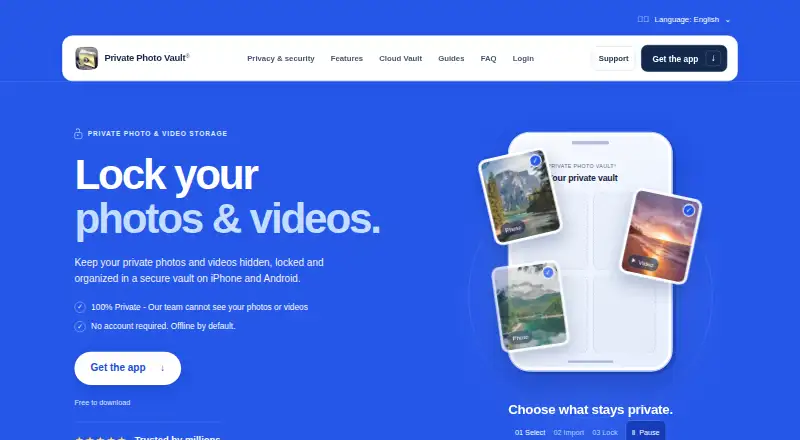
What Private Photo Vault is
Private Photo Vault is an iPhone and Android app for keeping photos and videos in a locked, encrypted vault. The on-device vault works offline without an account, and access can use a PIN, password, or pattern different from the phone’s unlock code. Albums and sub-albums help organize files, and individual albums can be password-protected. Other features include a private camera, photo and video editors, a built-in browser, duplicate detection, and WiFi file transfer through a computer browser. An optional Premium Cloud Vault backs up and syncs files between iPhone and Android, but requires an account and internet access. It encrypts files on the device before upload and uses Argon2id for password hashing. The maker says it cannot decrypt or view cloud content; the Cloud Vault password cannot be recovered by the maker, app passcode, or recovery email. Importing files does not remove copies elsewhere, and only fully uploaded files are backed up. The free Basic plan offers the on-device vault; current Premium prices are shown in the app.
Good
- On-device vault works offline without an account.
- Vault access can differ from the phone unlock code.
- Albums and sub-albums can be password-protected.
- Optional cloud backup syncs between iPhone and Android.
- Includes a private camera and duplicate detection.
Watch out
- Cloud Vault needs an account and internet connection.
- The maker cannot recover the Cloud Vault password.
- Imported files may remain in other locations.
- Phone-only files may be lost without a usable backup.
Who it suits
The app suits iPhone and Android users who want an offline, on-device vault with a separate access code. Users considering cloud backup should be comfortable with its password-recovery limits and with managing copies outside the vault.
Verdict
Private Photo Vault offers an offline vault and an optional cloud backup, with different requirements and recovery limits. Check outside copies and upload status separately, and review Premium pricing in the app.
Plans and prices
From Private Photo Vault's own pricing page, checked 30 Sep 2026.
| Plan | Price | What it gives you |
|---|---|---|
| Basic | Free | On-device photo and video vault · Cloud Backup is deleted when switching to Basic |
The facts
Each one read from Private Photo Vault's own pages, with the date it was checked.
What it does
- Additional features
- Features include a private camera, photo and video editors, a built-in web browser, duplicate detection, and WiFi file transfer through a computer browser.checked 30 Sep 2026
- Backup limit
- Only files that have finished uploading are backed up, and files stored only on the phone may be lost if the app is deleted without a usable backup.checked 30 Sep 2026
- Cloud backup
- Optional Premium Cloud Vault backs up and syncs vault files between iPhone and Android, and requires an account and internet connection.checked 30 Sep 2026
- Cloud encryption
- Cloud Vault adds AES-256 encryption on the device before upload and uses Argon2id for password hashing.checked 30 Sep 2026
- Offline use
- The on-device vault works without an account or internet connection and is offline by default.checked 30 Sep 2026
- Organization
- The app supports albums and sub-albums, including password protection for individual albums.checked 30 Sep 2026
- Outside copies
- Importing files does not remove copies left in Photos, other apps, shared albums, or separate backups; users must manage those copies separately.checked 30 Sep 2026
- Password recovery limit
- The Cloud Vault password cannot be recovered by the maker, the app passcode, or its recovery email.checked 30 Sep 2026
- Pricing details
- The tutorials page says current Premium plans and prices appear in the app.checked 30 Sep 2026
- Privacy
- The maker says its team cannot decrypt or view Cloud Vault content because the Cloud Vault password is never uploaded to its servers.checked 30 Sep 2026
- Purpose
- Private Photo Vault locks and stores private photos and videos in an encrypted vault on iPhone and Android.checked 30 Sep 2026
- Security assurance
- The maker describes its security page as product documentation, not an independent security audit.checked 30 Sep 2026
- Support
- The maker offers FAQ and tutorial resources plus a support request form and support email.checked 30 Sep 2026
Where it runs
- App access
- Users can choose a vault PIN, password, or pattern that differs from their phone’s unlock code.checked 30 Sep 2026
The company
- Founded
- 2011checked 28 Sep 2026
- Headquarters
- Las Vegas, Nevada, United Stateschecked 28 Sep 2026
The full review of Private Photo Vault
Overview
Private Photo Vault is an iPhone and Android app for locking photos and videos in an encrypted vault. It suits people who want private storage that works offline, with optional cloud sync for those willing to manage a separate password. Its local-first approach is useful, but importing a file does not remove other copies, and only fully uploaded files are backed up.
Key features
The vault works on the device without an account or internet connection. A separate PIN, password, or pattern keeps access distinct from the phone’s unlock code, while albums and sub-albums help organize files and can be password-protected individually. A decoy vault and intruder alerts add privacy controls; the private camera, editors, duplicate detection, built-in browser, and WiFi transfer through a computer browser broaden the toolkit.
Premium Cloud Vault adds backup and sync between iPhone and Android, but it changes the account and recovery tradeoffs. Files are encrypted on the device with AES-256 before upload, and Argon2id is used for password hashing. The maker says it cannot decrypt or view Cloud Vault content because the password is not uploaded. That also means the maker cannot recover the Cloud Vault password—not through the app passcode or recovery email.
The local vault’s offline operation is a strength for users who do not want an account. It is not a substitute for a verified backup: files that have not finished uploading are not backed up, and deleting the app without a usable backup can mean losing files. Importing also leaves copies in Photos, other apps, shared albums, and separate backups, which must be handled separately. The maker describes its security page as product documentation, not an independent security audit.
Pricing
Basic costs nothing and provides an on-device photo and video vault. It fits users who want local storage and accept managing their own copies and backups. Switching to Basic deletes Cloud Backup, so it is a poor fit for anyone relying on that cloud copy.
Premium Cloud Vault is optional, but its current plans and prices appear in the app. Review the plan and renewal terms there before subscribing; the free Basic option avoids a paid commitment but gives up cloud backup and sync. The maker offers FAQ and tutorial resources, a support request form, and support email for assistance.
Platforms
Private Photo Vault is available on Android and iOS. Cloud Vault can sync files between iPhone and Android, while the on-device vault works offline.
Who it's for
Choose it if you want an offline-capable vault with album-level protection and the option to add encrypted cross-platform cloud backup. It is less suitable if you need the provider to restore a forgotten cloud password, expect importing to remove originals, or want assurance from an independent security audit.
Pros and cons
- Pro: The on-device vault works without an account or internet, making the free plan usable without cloud setup.
- Pro: Separate vault credentials, protected albums, a decoy vault, and intruder alerts offer several layers of access control.
- Pro: Optional Cloud Vault encrypts files on-device before upload and supports sync between iPhone and Android.
- Con: Cloud Vault’s password has no recovery route, including through the app passcode or recovery email.
- Con: Imports leave other copies in place, and incomplete uploads are not backed up; users must manage both risks themselves.
- Con: Moving to Basic deletes Cloud Backup, which makes downgrading consequential for cloud-dependent users.
Alternatives
Browse Photo Vault Apps for more options. Pick Keepsafe Photo Vault if a free plan with 200 cloud items or a stated monthly Premium price of $9.99 a month better fits your needs. Weave Vault is another Android and iOS freemium option, with up to three vaults and 50 files per vault on its free plan.
GalleryVault may suit readers seeking a stated 100GB cloud-storage plan at CN¥9.90 a month. Choose Quantum Media Vault if you need an option spanning desktop platforms as well as iOS and Android. PhotoGuard is an Android-only alternative with a free download and premium features.
Obscura Photo Vault is iOS-only, with a free limit of 50 photos in one vault and a stated Pro plan for unlimited photos and videos. Secret Album: Photo Vault is another free iPhone and iPad option for encrypted photo and video storage. Choose Vaulty if you want an Android-only vault with free automatic Google Drive backup.
Verdict
Private Photo Vault is a strong fit for people who want private, offline photo and video storage on iPhone or Android, with optional encrypted cloud sync. Its main advantage is the choice between local use and cross-platform backup; its main drawback is that forgotten cloud credentials and incomplete uploads can leave files unrecoverable. Keep separate copies under control, confirm uploads, and compare Premium terms in the app before relying on it as your backup.
Alternatives to Private Photo Vault
- 1
Hide it Pro
Free planAndroidiOSExtensionmacOS7.9From $9.99 a month - 2

Weave Vault
Free planAndroidiOSmacOS7.8From $9.99 a year - 3

Keepsafe Photo Vault
Free planAndroidiOS7.6From $23.99 a year - 4

NullVault
Free planAndroidiOS7.6From $19.99 a year - 5
Obscura Photo Vault
Free planiOS7.3From $29.99 a year - 6

LockMyPix
Free planAndroidiOS6.8$29.99 one-time