
NullVault
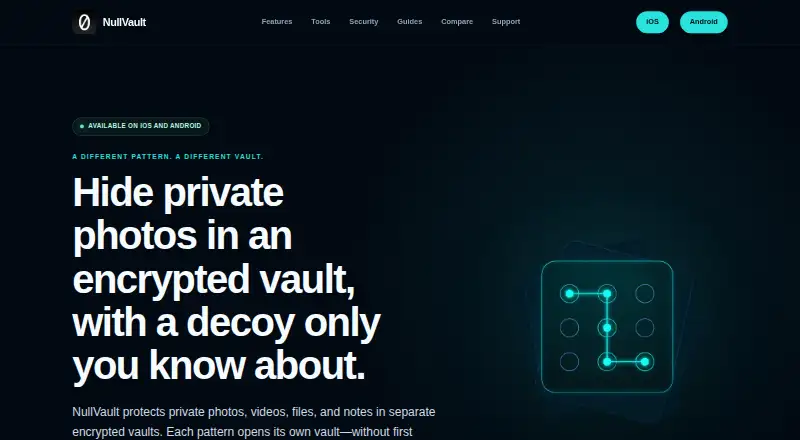
NullVault stores private photos, videos, files, and notes in separate encrypted vaults, each opened with its own pattern.
What NullVault is
NullVault stores private photos, videos, files, and notes in separate encrypted vaults, each opened with its own pattern. Entering a pattern opens that vault without showing a master list or the number of vaults. Users can organize items into collections, search and sort within a vault, and capture or import content. Selected items can be exported, but exported copies are outside NullVault’s protection. Local vaults work offline without a NullVault account or server. The maker describes Android encryption using AES-256-GCM, Argon2id, and Android Keystore material; its iOS description lists AES-256-GCM, Argon2id, Apple CryptoKit, and libsodium. iOS supports encrypted iCloud backup and controlled read-only sharing through CloudKit, while Android supports portable encrypted backups. The free iOS plan allows up to five vaults and 20 items total, with one collection per vault. Compatibility is listed for iPhone with iOS 26 or later and Android phones with Android 10 or later. The maker cautions that a compromised device may expose patterns, keys, screens, or plaintext, and that hidden vaults do not make encrypted data impossible to detect.
Good
- Local vaults work offline without an account.
- Separate patterns open separate vaults.
- Organizes items with collections, search, and sorting.
- iOS supports encrypted iCloud backup.
- Android supports portable encrypted backups.
Watch out
- Free iOS plan is limited to 20 items.
- Free plan allows one collection per vault.
- Requires iOS 26 or Android 10.
- Compromised devices may expose patterns or plaintext.
Who it suits
NullVault suits people who want separate, pattern-opened storage for private files and notes, including offline local vault use. It is intended for users with compatible iOS or Android devices.
Verdict
NullVault combines separate encrypted vaults with offline use and platform-specific backup options. The free iOS plan has item and vault limits, and its maker warns that a compromised device can undermine privacy.
Plans and prices
From NullVault's own pricing page, checked 15 Oct 2026.
| Plan | Price | What it gives you |
|---|---|---|
| NullVault Free | Free | up to 5 local vaults · up to 20 total items · one collection per vault · encrypted backup · customization · free download |
| NullVault Free for iOS | Free | Up to 5 local vaults · Up to 20 total items · One collection per vault · Encrypted backup included · No controlled read-only sharing, duress vault configuration, or alternate app icons |
| Vaultie Pro Monthly | $2.99 a month | unlimited vaults, items and collections subject to storage · read-only sharing · duress vault · alternate icons · monthly subscription; auto-renews |
| Vaultie Pro Annual | $19.99 a year | unlimited vaults, items and collections subject to storage · read-only sharing · duress vault · alternate icons · annual subscription; auto-renews |
| Vaultie Pro Lifetime | $39.99, paid once | unlimited vaults, items and collections subject to storage · read-only sharing · duress vault · alternate icons · one-time purchase |
| NullVault Pro for iOS | — | Unlimited vaults, items, and collections subject to available storage · Encrypted backup included · Controlled read-only sharing · Duress vault configuration · Alternate app icons · One-time lifetime purchase; entitlement is defined by the store |
| NullVault Pro for iOS | — | Unlimited vaults, items, and collections subject to available storage · Encrypted backup included · Controlled read-only sharing · Duress vault configuration · Alternate app icons · Annual subscription; renews automatically unless canceled |
| NullVault Pro for iOS | — | Unlimited vaults, items, and collections subject to available storage · Encrypted backup included · Controlled read-only sharing · Duress vault configuration · Alternate app icons · Monthly subscription; renews automatically unless canceled |
The facts
Each one read from NullVault's own pages, with the date it was checked.
What it does
- Account and offline use
- Local vaults work offline without a NullVault account or NullVault server.checked 7 Oct 2026
- API and SDKs
- The public documentation describes iOS and Android applications and does not identify a public API, SDK or developer integration surface.checked 15 Oct 2026
- Automatic locking
- The active vault locks when the app leaves the foreground, the screen turns off or a configured timeout is reached.checked 15 Oct 2026
- Backup
- Android backups are encrypted exported files with a separate phrase; iOS backups use encrypted iCloud data.checked 15 Oct 2026
- Backups and sharing
- iOS supports encrypted iCloud backup and controlled read-only sharing through CloudKit; Android supports portable encrypted backups.checked 7 Oct 2026
- Capture and export
- Users can capture or import content and deliberately export selected items, with exported copies outside NullVault’s protection.checked 7 Oct 2026
- Decoy vaults
- A believable decoy vault can be opened with its own pattern while other vaults remain undisclosed in normal use.checked 15 Oct 2026
- Documentation
- The official site provides a feature directory, security architecture, security limitations, platform guides and recovery guidance.checked 15 Oct 2026
- Duress and panic
- Duress mode invalidates access to other local vaults, and Android panic wipe removes the Keystore key needed for future local access.checked 15 Oct 2026
- Encryption
- The apps use AES-256-GCM authenticated encryption for vault content and metadata.checked 15 Oct 2026
- External review
- The maker says its scoped design and implementation reviews do not amount to a blanket approval of the final applications and that the site is not an independent audit or certification.checked 7 Oct 2026
- Google Play availability
- The Android listing shows 100+ downloads, an Everyone content rating and no displayed user rating in the opened listing.checked 15 Oct 2026
- Google Play data safety
- Google Play reports no data shared with third parties and no data collected, based on the developer declaration.checked 15 Oct 2026
- Hidden vaults
- The app opens a pattern-addressed vault without displaying a master list or count of vaults.checked 7 Oct 2026
- Key derivation
- Patterns are processed with memory-hard Argon2id key derivation.checked 15 Oct 2026
- Licence
- The App Store listing describes NullVault as using open-source libsodium but does not state that the NullVault application itself is open source.checked 15 Oct 2026
Where it runs
- Android key protection
- Android uses device-protected Android Keystore material alongside encrypted private app storage.checked 15 Oct 2026
- iOS cryptography
- The iOS implementation uses Apple CryptoKit and the open-source libsodium library.checked 15 Oct 2026
The company
- Company founded
- A Czech business registry records Think Aloud Design s.r.o. as established on 9 May 2022.checked 15 Oct 2026
- Company headquarters
- The developer address is Kodaňská 1441/46, 101 00 Praha, Czechia.checked 15 Oct 2026
- Company legal name
- The Android store identifies the developer as Think Aloud Design s.r.o.checked 15 Oct 2026
- Company size
- The registry page leaves the employee count unspecified.checked 15 Oct 2026
- Headquarters
- Prague, Czechiachecked 28 Sep 2026
- Maker
- The about page describes NullVault as built and maintained by a small independent development group called the NullVault Team.checked 7 Oct 2026
The full review of NullVault
NullVault is a mobile app for keeping photos, videos, files, and notes in separate encrypted vaults. It is best suited to people who want offline storage with a distinct pattern for each vault. Its strongest case is local use without an account; the free iOS plan’s 20-item ceiling and the limits of device-level security narrow its appeal.
Overview
Each vault opens with its own pattern, and opening one does not show a master list or the number of other vaults. That offers a less revealing in-app view, not guaranteed concealment: NullVault says encrypted data can still be detected. Vaults work offline without a NullVault account or server, making the app a fit for people who want basic storage to remain on-device.
Content can be captured or imported, then organized with collections or albums, search, and sorting within a vault. Export is deliberate, but exported copies are outside NullVault’s protection. If you need files to remain protected after moving or sharing them, this app does not extend its safeguards beyond the vault.
Key features
NullVault says its Android app uses AES-256-GCM, Argon2id, and Android Keystore material; its iOS app uses AES-256-GCM, Argon2id, Apple CryptoKit, and libsodium. These implementation choices do not eliminate risks from a compromised device, which may expose patterns, keys, screens, or plaintext. The maker says its scoped design and implementation reviews are not blanket approval of the finished apps, and its site is not an independent audit or certification.
Backup and sharing depend on platform. iOS supports encrypted iCloud backup and controlled read-only sharing through CloudKit. Android supports portable encrypted backups. The included encrypted backup is useful on either platform, but only iOS has the stated controlled-sharing option.
Support is by email at [email protected]. The support team cannot bypass encryption, recover a forgotten phrase, or open a local vault, so users must keep access credentials safe.
Pricing
NullVault is freemium. NullVault Free for iOS costs free and allows up to five local vaults and 20 total items, with one collection per vault and encrypted backup included. It is a reasonable starting point for a small library, but the item cap can become restrictive quickly. Free users do not get controlled read-only sharing, duress vault configuration, or alternate app icons.
NullVault Pro for iOS has custom pricing and is a monthly subscription that renews automatically unless canceled. It removes the free plan’s vault, item, and collection caps, subject to available storage, and includes encrypted backup, controlled read-only sharing, duress vault configuration, and alternate app icons. Pro is the better fit for a larger library or users who need those extra controls; automatic renewal is worth factoring into the decision.
Platforms
NullVault is available for Android and iOS. The maker lists support for iPhone running iOS 26 or later and Android phones running Android 10 or later. The detailed free and Pro plans above are for iOS.
Who it's for
Choose NullVault if you want separate, pattern-opened local vaults, offline access, and platform-specific encrypted backup options. It is less suitable if you need protection that follows exported files, broad assurance from an independent audit, or recovery help for a forgotten phrase. Anyone relying on hidden vaults should also understand that the design does not make encrypted data impossible to detect.
Pros and cons
- Pro: Local vaults work offline without an account or NullVault server, so everyday use does not depend on the maker’s service.
- Pro: Separate patterns and no in-app master list or vault count offer a more discreet way to navigate multiple vaults.
- Pro: Encrypted backup is included on iOS, while Android supports portable encrypted backups.
- Con: The free iOS plan stops at 20 total items and one collection per vault, limiting larger libraries.
- Con: Exported copies leave NullVault’s protection, and a compromised device may expose sensitive material.
- Con: Support cannot recover forgotten phrases or open local vaults, placing the burden of access recovery on the user.
Alternatives
Photo Vault Apps is a useful directory for comparing more options in the category.
- Hide it Pro is worth considering if you want a free app that also supports macOS and Windows; its official site lists no paid plans.
- Keepsafe Photo Vault may suit users who prefer a 200-cloud-item free tier or want to try its free trial; Basic is ad-supported, and Premium Monthly is $9.99 a month with automatic renewal.
- PhotoGuard is an Android-only alternative with a free download; Google Play lists ads and in-app purchases, while premium unlocks features and removes ads.
- Quantum Media Vault is another freemium option for users seeking support across Android, iOS, Linux, macOS, web, and Windows.
- Valv is a free Android option for users on Android 9 or newer.
- Weave Vault offers a free plan with up to three vaults and 50 files per vault, and a seven-day free trial for new subscribers to its auto-renewable Pro annual plan.
- Blackbox may fit users who accept ads and PIN-only unlocking in its free tier; its $12.99 a month Premium plan adds unlimited vaults and advanced unlock methods.
- LockMyPix is an option for users who want to try a free trial or prefer a one-time purchase: its free plan has ads and some features require Premium, while Premium costs $29.99, paid once and removes ads.
Verdict
NullVault is a solid match for people who want offline, account-free vaults with separate pattern access and encrypted backup. Its platform-specific backup options and organization tools make it more useful than a bare hiding place, but the free iOS cap is small, exported files leave its protection, and device compromise can defeat privacy. Choose it for contained local storage; look elsewhere if you need broader recovery, protection beyond the vault, or independent security certification.
Getting started
- Visit the NullVault website
- Install the app on an iPhone running iOS 26 or later or an Android phone running Android 10 or later
- Create a vault and assign its pattern
- Capture content in the app or import files
- Organize items into collections, albums, or searches
- Enable encrypted iCloud backup on iOS or portable encrypted backups on Android
Limits worth knowing
NullVault Free for iOS allows up to five local vaults, 20 total items, and one collection per vault. It excludes controlled read-only sharing, duress-vault configuration, and alternate app icons. Pro removes those listed limits subject to available storage.
Questions
Which platforms are supported?
NullVault supports Android and iOS. Compatibility is listed for Android 10 or later and iOS 26 or later.
Does it require an account?
Local vaults work offline without a NullVault account or NullVault server.
Can I back up vaults?
iOS supports encrypted iCloud backup, and Android supports portable encrypted backups.
Can I share content?
Controlled read-only sharing through CloudKit is available on the iOS Pro plan.
What happens to exported files?
Selected exports are copied outside NullVault’s protection.
Alternatives to NullVault
- 1
Hide it Pro
Free planAndroidiOSExtensionmacOS7.9From $9.99 a month - 2

Weave Vault
Free planAndroidiOSmacOS7.8From $9.99 a year - 3

Keepsafe Photo Vault
Free planAndroidiOS7.6From $23.99 a year - 4
Obscura Photo Vault
Free planiOS7.3From $29.99 a year - 5
LockMyPix
Free planAndroidiOS6.8$29.99 one-time - 6
Blackbox
Free planAndroidiOS6.7From $49.99 a year