
PRISM Live Studio
PRISM Live Studio is a broadcasting and media creation tool for live streams, video recording, and photos with effects, stickers, images, and music.
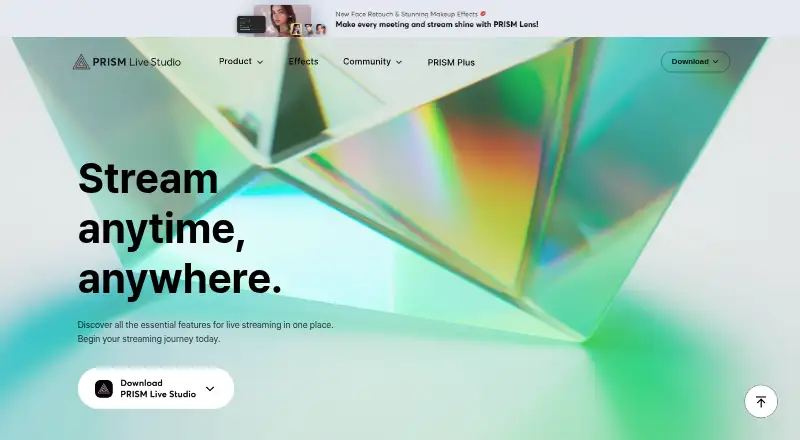
What PRISM Live Studio is
PRISM Live Studio is a broadcasting and media creation tool for live streams, video recording, and photos with effects, stickers, images, and music. Desktop apps for macOS and Windows offer customizable scenes, media and game sources, drawing, widgets, and in-app chat, with a listed maximum resolution of 4K. Desktop users on the free plan can stream to one channel; PRISM Plus raises that limit to six. On mobile, listed tools include screencasting, voice-responsive VTuber avatars, viewer chat, camera effects, animated text, and overlays. The mobile product page lists up to six simultaneous streams at 1080p and 60 fps. Supported destinations include YouTube, Facebook, CHZZK, NAVER Shopping Live, BAND, NAVER TV, SOOP, Twitch, and custom RTMP URLs. PRISM Lens adds virtual backgrounds and face retouch effects and can work as a virtual camera in Zoom and other programs. The free PRISM Basic plan includes dual output to two channels and 30 minutes of 3D VTuber face tracking, with ads, watermarks, and outros displayed. PRISM Plus costs $9.99 a month.
Good
- Desktop maximum resolution is 4K.
- Mobile lists up to six streams at 1080p, 60 fps.
- Destinations include YouTube, Twitch, and custom RTMP URLs.
- PRISM Lens can serve as a virtual camera.
Watch out
- Free desktop use is limited to one channel.
- PRISM Plus costs $9.99 a month.
- Smartphone screen recording is not supported on Android or iOS.
Who it suits
It suits creators who want streaming and recording tools across desktop and mobile, including mobile effects and VTuber features. Desktop multistreaming beyond one channel requires PRISM Plus.
Verdict
PRISM Live Studio combines desktop production tools with mobile creator features and a broad set of listed destinations. Check the desktop channel limit and the mobile screen-recording restriction against your workflow.
Plans and prices
From PRISM Live Studio's own pricing page, checked 2 Oct 2026.
| Plan | Price | What it gives you |
|---|---|---|
| PRISM Basic | Free | 1 streaming channel · dual output to 2 channels · 30 minutes of 3D VTuber face tracking · ads, watermarks, and outros displayed |
| PRISM Plus | $79.99 a year | Up to 6 streaming channels · unlimited 3D VTuber face tracking · premium effects and templates · removes ads, watermarks, and outros · $79.99 / Yearly; page also shows $119.88 / Yearly |
The facts
Each one read from PRISM Live Studio's own pages, with the date it was checked.
Where it runs
- Browser-based studio
- Nochecked 20 Sep 2026
What it does
- Desktop multistreaming
- The desktop app supports simultaneous streaming to up to six channels with PRISM Plus, while free users are limited to one channel.checked 2 Oct 2026
- Desktop resolution
- The desktop product page lists a maximum resolution of 4K.checked 2 Oct 2026
- Desktop tools
- Desktop features include customizable scenes, media and game sources, free PRISM widgets, drawing mode, and in-app live chat.checked 2 Oct 2026
- Destinations
- The FAQ lists YouTube, Facebook, CHZZK, NAVER Shopping Live, BAND, NAVER TV, SOOP, Twitch, and custom RTMP URLs as supported streaming destinations.checked 2 Oct 2026
- External camera and virtual camera
- PRISM Lens provides virtual backgrounds and face retouch effects and can be used as a virtual camera in Zoom and other video conferencing or streaming programs.checked 2 Oct 2026
- Mobile creator tools
- Mobile features include screencasting, voice-responsive VTuber avatars, viewer chat, camera effects, animated text, and overlays.checked 2 Oct 2026
- Mobile multistreaming
- The mobile product page lists a maximum of six simultaneous streams and 1080p at 60 fps.checked 2 Oct 2026
- Notable mobile limit
- The FAQ says smartphone screen recording is not supported on Android or iOS.checked 2 Oct 2026
- Paid from
- 9.99checked 20 Sep 2026
- Privacy processing
- The privacy policy says facial and physical features and voice may be temporarily processed during streaming, but are not stored in the company’s system.checked 2 Oct 2026
- Purpose
- PRISM Live Studio lets creators broadcast live, record videos, and take photos with effects and media such as stickers, images, and music.checked 2 Oct 2026
- Security measures
- The privacy policy lists encryption in storage and transmission, access controls and logs, malware protections, and physical security measures.checked 2 Oct 2026
- Support
- The maker directs users to its Help section and lists [email protected] for inquiries.checked 2 Oct 2026
- Third-party API
- PRISM Live Studio uses YouTube API Services, and connecting other platform accounts is subject to those platforms’ privacy policies.checked 2 Oct 2026
The company
- Founded
- 1999checked 23 Sep 2026
- Headquarters
- NAVER 1784, 95 Jeongjail-ro, Bundang-gu, Seongnam-si, Gyeonggi Province, South Koreachecked 23 Sep 2026
Money
- Free plan
- Yeschecked 20 Sep 2026
The full review of PRISM Live Studio
PRISM Live Studio is a streaming and media-creation app for desktop and mobile. It suits creators who want scene-based desktop production alongside mobile camera tools and a broad choice of streaming destinations. Its strongest case is that range; its clearest caveat is the gap between mobile screencasting features and actual phone screen recording.
Overview
Broadcasts, video recording and photo capture share a home here, with stickers, images, music and effects for shaping content. PRISM is an installed app, not a browser studio, and uses an encoder-based streaming mode. Scheduling is supported, and destinations include YouTube, Facebook, CHZZK, NAVER Shopping Live, BAND, NAVER TV, SOOP, Twitch and custom RTMP URLs.
The product spans desktop scene production, mobile creation and PRISM Lens, which offers virtual backgrounds and face retouching as a virtual camera for Zoom and other conferencing or streaming programs. That breadth makes it relevant to Live Streaming Software, Game Streaming Software and Virtual Camera Software.
Key features
Desktop production
Customizable scenes can combine media and game sources, with free PRISM widgets, drawing mode and in-app live chat. The desktop product page lists support for up to 4K resolution, which gives creators room to target high-resolution output. The trade-off is that channel capacity depends on the plan: free use is limited to one channel, while PRISM Plus raises the ceiling to six.
Mobile creation
Mobile tools include voice-responsive VTuber avatars, viewer chat, camera effects, animated text and overlays. The mobile product page lists up to six simultaneous streams at 1080p and 60 fps. Despite screencasting being among the mobile tools, smartphone screen recording is not supported on either Android or iOS; creators whose format depends on recording a phone display should choose another workflow.
Privacy and support
Facial and physical features and voice may be processed temporarily during streaming, but are not stored in the company’s system. The privacy policy also describes encryption in storage and transit, access controls and logs, malware protections and physical safeguards. PRISM uses YouTube API Services, and accounts connected to other platforms are also subject to those services’ privacy policies. Help is available through the maker’s Help section, with inquiries directed to [email protected].
Pricing
PRISM is freemium, with a free plan and a paid subscription. PRISM Basic costs nothing and includes one streaming channel, dual output to two channels, and 30 minutes of 3D VTuber face tracking. Ads, watermarks and outros are displayed. That makes Basic a practical way to start or run a modest setup, but the promotional elements and single-channel cap are meaningful constraints for polished or wider distribution.
PRISM Plus costs $9.99 a month on a monthly subscription and supports up to six channels. It is the relevant upgrade for creators who need desktop multistreaming beyond the free channel limit. The price is monthly; the stated plan terms do not establish an annual commitment or other quota beyond channel count.
Platforms
PRISM Live Studio is available for Android, iOS, macOS and Windows. There is no browser-based studio, so desktop production requires installing the app. The combination of desktop and mobile versions suits creators moving between a computer setup and on-the-go content, but does not remove the mobile screen-recording limitation.
Who it's for
Choose PRISM if you want desktop scenes and game sources, mobile camera effects and overlays, or access to a range of named streaming destinations from one product. It is also a fit for creators who want PRISM Lens as a virtual camera for video calls or other streaming software. Look elsewhere if smartphone screen recording is central to your content, if you need browser-based production, or if a single free channel cannot cover your distribution needs.
Pros and cons
- Pros: Desktop scenes combine media and game sources, with widgets, drawing and chat included.
- Pros: The six-channel ceilings on Plus desktop streaming and mobile streaming provide room to distribute across several destinations.
- Pros: Mobile avatars, effects, animated text and overlays extend the product beyond desktop broadcast production.
- Cons: Basic is limited to one streaming channel and displays ads, watermarks and outros.
- Cons: Smartphone screen recording is unavailable on both supported mobile platforms, despite mobile screencasting tools.
- Cons: The installed-app model excludes creators who specifically need a browser studio.
Alternatives
Restream is worth considering for readers who want a web-capable option with a free plan that supports two channels at once, though its free plan carries Restream branding and recording limits. OBS Studio is the alternative for desktop users who want a free tool with no watermarks or usage limitations and can work without mobile apps.
OneStream Live, Streamster, DualStream Relay and Meld Studio are other alternatives to compare. Lightstream is a web-based option, while mimoLive is another alternative with a free plan.
For readers considering adjacent categories, there are also Live TV streaming services.
Verdict
PRISM Live Studio is a strong fit for creators who want desktop scene tools, mobile effects and multistreaming options across a varied destination list. Its most compelling reason to choose it is the breadth of production tools across platforms; its clearest reason to look elsewhere is the absence of smartphone screen recording, compounded by a one-channel free desktop limit.
Alternatives to PRISM Live Studio
- 1

Restream
Free planAndroidiOSWebAPI9.1From $19 a month - 2
mimoLive
Free planiOSWebAPImacOS8.7From $70 a month - 3

Amazon Interactive Video Service
Free planAndroidiOSWebAPI8.7Free plan - 4

BoxCast
AndroidiOSWebAPI8.6From $8.25 a month - 5
OneStream Live
Free planAndroidiOSWebExtension8.5From $15 a month - 6

StreamYard On-Air
Free planiOSWebExtension8.5From $35.99 a month