PoseCap
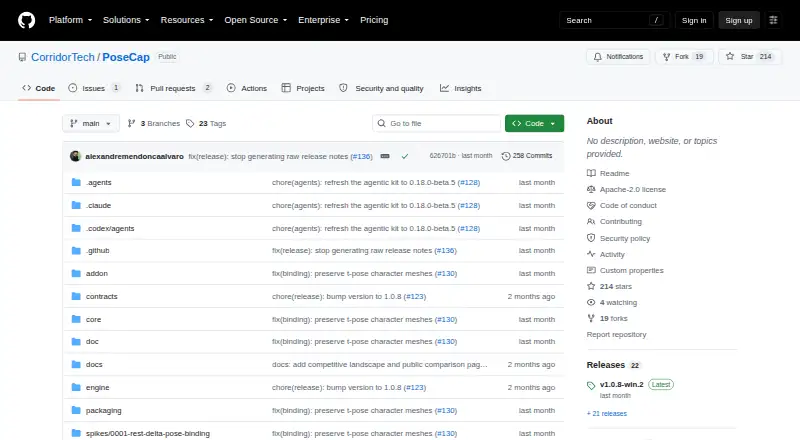
PoseCap streams markerless full-body poses from a webcam to a character in Blender in real time.
What PoseCap is
PoseCap streams markerless full-body poses from a webcam to a character in Blender in real time. This free, open-source Blender extension can also process video files. It sends poses from a separate engine process to Blender over a local connection. MediaPipe Lite is the CPU-first capture option and does not require a GPU or provider account; PEAR provides higher-fidelity capture and requires an NVIDIA GPU with driver R570 or newer. The extension supports live streaming, recording motion as Blender timeline keyframes, single-pose capture, and SMPL-X model management. Its getting-started guide describes bringing in a Mixamo or Unreal character and converting it in one click. Blender 4.2 LTS or newer is required. The project lists Windows 10/11 as its current target and provides a native Linux installation path; macOS is not currently planned. SMPL, SMPL-X, and FLAME models are not distributed with PoseCap: research use requires separate registration and acceptance of model terms, while commercial production requires a Meshcapade commercial license. The README notes that poses are pelvis-locked because monocular depth estimation cannot recover reliable world position, so general world translation is not available yet.
Good
- MediaPipe Lite supports CPU-first capture without a GPU.
- Can record motion as Blender timeline keyframes.
- Captures from webcam or video files.
- Free and open source.
- Provides a native Linux installation path.
Watch out
- Blender 4.2 LTS or newer is required.
- macOS is not currently planned.
- PEAR requires an NVIDIA GPU and driver R570 or newer.
- SMPL-family model licenses are separate.
Who it suits
PoseCap suits Blender animators seeking body animation from a webcam or video without mocap suits, markers, or external mocap software. Users choosing PEAR need an NVIDIA GPU and driver R570 or newer.
Verdict
PoseCap offers a free route for bringing webcam or video-based pose capture into Blender, with both CPU-first and NVIDIA-based backends. Account for its Blender requirement, separate model licensing, and pelvis-locked motion before choosing it.
Plans and prices
From PoseCap's own pricing page, checked 21 Sep 2026.
| Plan | Price | What it gives you |
|---|---|---|
| Free and open source | Free | Blender extension · MediaPipe Lite and PEAR capture backends · Webcam and video-file capture |
| PoseCap | Free | Free and open source · SMPL-family model licenses are separate |
The facts
Each one read from PoseCap's own pages, with the date it was checked.
What it does
- Body-model licensing
- SMPL, SMPL-X, and FLAME models are not distributed with PoseCap; their research-use licenses require users to register and accept terms themselves, and commercial production requires a Meshcapade commercial license.checked 4 Oct 2026
- Capture backends
- MediaPipe Lite provides CPU-first capture without a GPU or provider account, while PEAR is the higher-fidelity NVIDIA/CUDA backend.checked 4 Oct 2026
- Character setup
- The getting-started guide says users can bring in a Mixamo or Unreal character and convert it in one click.checked 4 Oct 2026
- Features
- The Blender extension supports live streaming, recording motion to keyframes, single-pose capture, and SMPL-X model management.checked 4 Oct 2026
- Inputs and output
- PoseCap can capture from a webcam or process a video, and can record motion as Blender timeline keyframes.checked 4 Oct 2026
- Integrations
- PoseCap runs as a Blender extension and streams poses from a separate engine process to Blender over a local connection.checked 4 Oct 2026
- Intended users
- The project describes Blender animators seeking body animation without mocap suits, markers, or external mocap software as its target users.checked 4 Oct 2026
- Notable limitation
- The README says poses are pelvis-locked because monocular depth estimation cannot recover trustworthy world position; world translation is not generally available yet.checked 4 Oct 2026
- Requirements
- The getting-started guide requires Blender 4.2 LTS or newer and lists Windows 10 or 11; PEAR requires an NVIDIA GPU and driver R570 or newer.checked 4 Oct 2026
- Security and download verification
- The Windows installer is unsigned; the release instructs users to download it from GitHub, compare its published SHA-256 file, and offers a GitHub CLI attestation verification command.checked 4 Oct 2026
- Support
- The support guide directs users to run PoseCap Doctor, create and review a Support Bundle, and file a bug report with build, Windows, Blender, GPU, reproduction, and diagnostic details.checked 4 Oct 2026
- What it does
- PoseCap streams markerless full-body poses from a webcam to a character in Blender in real time.checked 4 Oct 2026
Where it runs
- Platform support
- The latest release describes a native Linux installation path; the README lists Windows 10/11 as the current target and says macOS is not currently planned.checked 4 Oct 2026
Alternatives to PoseCap
- 1
XR Animator
Free planOpen sourceAndroidWebLinuxmacOS8.5Free plan - 2
Move AI
Free planiOSWebAPILinux8.2From $18 a month - 3

Rokoko Create
Free planAndroidiOSWebAPI8.2From $12 a month - 4

Rokoko Studio
Free planAndroidiOSWebAPI8.2Free plan - 5

Animaze
Free planAndroidiOSAPImacOS8.1From $19.99 a year - 6

Plask Motion
Free planWebAPIExtensionmacOS7.8From $18 a month