PNGOUT
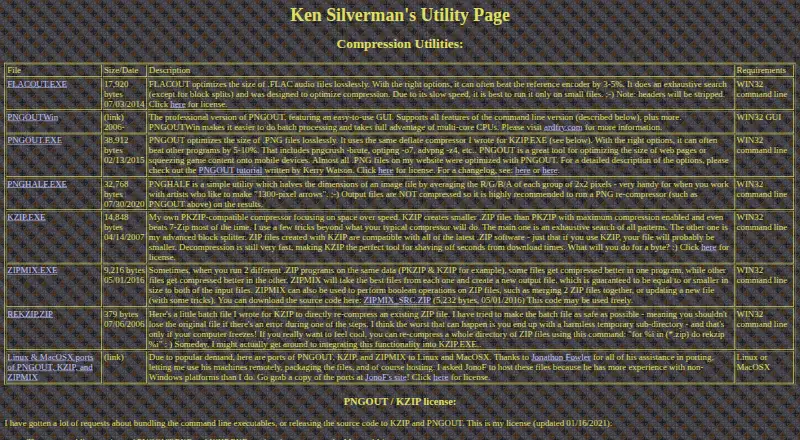
The facts below are what the maker publishes about PNGOUT, checked and dated. Our editors have not written about it yet.
Plans and prices
From PNGOUT's own pricing page, checked 24 Sep 2026.
| Plan | Price | What it gives you |
|---|---|---|
| PNGOUT command-line | — | Lossless PNG optimization · Command-line utility · Free for use |
| Command-line PNGOUT | Free | Free command-line use; commercial bundling requires contacting the maker’s business partner |
| PNGOUTWin Personal Edition | $14.95, paid once | Single-user license for non-corporate, non-government, non-business use · $14.95 for a limited time; page also lists $19.95 |
| PNGOUTWin Corporate Edition | $29.95, paid once | Single-user license for corporate, government, or business use · $29.95 for a limited time; page also lists $50.00 |
The facts
Each one read from PNGOUT's own pages, with the date it was checked.
What it does
- Batch processing
- Nochecked 24 Sep 2026
- Command line
- The command-line tool runs from Windows Run or a command prompt, and users must choose compression options themselves because it does not automate trials.checked 11 Oct 2026
- Compression
- The maker says PNGOUT can often beat other programs by 5–10% with the right options.checked 11 Oct 2026
- Compression method
- PNGOUT uses the maker’s deflate compressor, also used in KZIP.checked 11 Oct 2026
- Compression modes
- losslesschecked 24 Sep 2026
- Input formats
- The tutorial lists PNG, GIF, uncompressed BMP, JPG, TGA, and 8- or 24-bit PCX as supported inputs.checked 11 Oct 2026
- Integrations
- The maker lists PNGGauntlet as a .NET-based Windows wrapper for PNGOUT; the tutorial also documents a Windows clipboard input option.checked 11 Oct 2026
- License
- The command-line versions and Mac and Linux ports are free to use; bundling the executable in a commercial product requires contacting the maker’s business partner.checked 11 Oct 2026
- Limits
- The command-line version does not support 16-bit PNG color depths or batch processing, and outputs interlaced images as non-interlaced.checked 11 Oct 2026
- Metadata controls
- Yeschecked 24 Sep 2026
- PNGOUTWin
- The maker describes PNGOUTWin as a Windows GUI version with batch processing and multi-core support.checked 11 Oct 2026
- PNGOUTWin conversion
- PNGOUTWin can convert and compress images to PNG from TIFF, GIF, BMP, and other formats, or optimize existing PNG files.checked 11 Oct 2026
- Purpose
- PNGOUT losslessly optimizes PNG files created by other programs.checked 11 Oct 2026
- Refund terms
- PNGOUTWin’s purchase page offers a 30-day satisfaction guarantee subject to emailing the order number and confirming the software was uninstalled.checked 11 Oct 2026
- Support and upgrades
- PNGOUTWin purchases include free support and minor version upgrades, with discounts on major upgrades.checked 11 Oct 2026
- Supported formats
- PNG,GIF,BMP,JPG,TGA,PCXchecked 24 Sep 2026
Money
- Free plan
- Yeschecked 24 Sep 2026
- PNGOUTWin trial
- The maker offers a free 30-day PNGOUTWin trial and downloadable 32-bit and 64-bit application ZIPs.checked 11 Oct 2026
Where it runs
- Platforms
- The maker lists Windows for the command-line executable and links to Linux and Mac OS X ports hosted by Jonathon Fowler.checked 11 Oct 2026
Alternatives to PNGOUT
- 1
imgproxy
Free planOpen sourceAndroidiOSWebAPI9.3Free plan - 2
Hive
Free planOpen sourceAndroidiOSWebAPI8.6From $5 a month - 3

Kraken.io
Free planWebAPIExtensionLinux8.4From $50 a year - 4
JPEGmini
Free planWebAPILinuxmacOS8.3From $199 a year - 5
Optimizilla
Free planWeb7.9From $9 a month - 6
Compressify
Free planAndroidiOSWebExtension7.9From $4.99 a month