PNETLab
PNETLab is a platform for running, downloading, and sharing labs, with a community Store offering free labs in networking, database, and system topics.
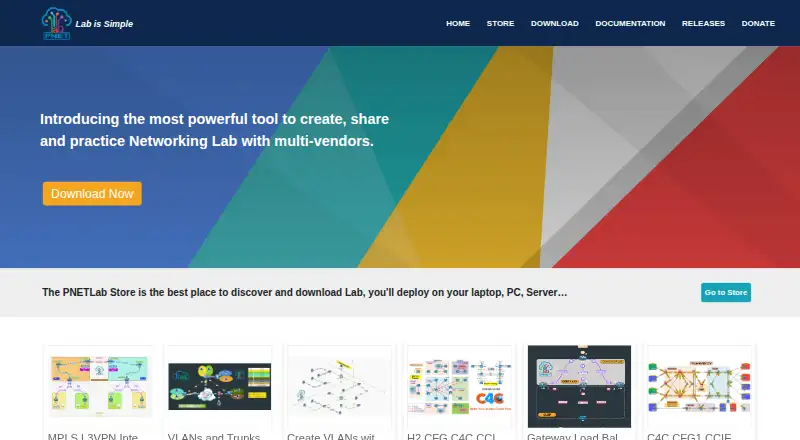
What PNETLab is
PNETLab is a platform for running, downloading, and sharing labs, with a community Store offering free labs in networking, database, and system topics. Its PNETLab Box runs as a virtual machine installed locally and supports online and offline modes. Labs can include unlimited nodes, timers, workbooks, startup configurations, and management tools, alongside Docker integration, Wireshark capture, Telnet, and an integrated NAT Cloud. Online mode requires internet access and registration; it supports downloading all Store labs and sharing or selling labs. Offline mode needs neither internet nor registration, but is limited to 10 accounts and Store labs marked Open. The download guide offers HTML and native console options, with client packages needed for native console use. Listed virtualization platforms include VMware Workstation 12.5 or later, VMware Player 12.5 or later, VMware ESXi 6.0 or later, and Google Cloud Platform. The minimum PC configuration is an Intel i5/i7 with four logical processors, 8 GB RAM, 40 GB disk space, and virtualization enabled. PNETLab no longer provides IOS images, so required images may need to be supplied for nodes to start.
Good
- Free platform with an offline mode.
- Store offers free networking, database, and system labs.
- Labs support unlimited nodes, timers, and workbooks.
- Includes Docker, Wireshark capture, Telnet, and NAT Cloud.
Watch out
- Offline mode is limited to 10 accounts and Open labs.
- Native console use requires client packages.
- PNETLab no longer provides IOS device images.
- Minimum PC requirements include 8 GB RAM and 40 GB disk.
Who it suits
PNETLab suits people building or sharing network, database, or system labs in a local virtual-machine environment. It may also suit users who need an offline mode and can provide required device images.
Verdict
PNETLab offers online and offline lab workflows with a broad set of lab tools. Check virtualization and PC requirements, and account for supplying images before expecting nodes to start.
Plans and prices
From PNETLab's own pricing page, checked 7 Oct 2026.
| Plan | Price | What it gives you |
|---|---|---|
| PNETLab | Free | Free platform · offline version with full features · offline mode limited to 10 accounts |
The facts
Each one read from PNETLab's own pages, with the date it was checked.
What it does
- Console
- The download guide describes HTML and native console options, with client packages required for native console.checked 7 Oct 2026
- Hardware requirements
- The stated minimum PC configuration is an Intel i5/i7 with four logical processors, 8 GB RAM, and 40 GB disk space, with virtualization enabled.checked 7 Oct 2026
- Integrations
- The feature list includes Docker integration, Wireshark capture, Telnet, and an integrated NAT Cloud.checked 7 Oct 2026
- Lab features
- The platform lists unlimited nodes per lab, lab timers, workbooks, startup configurations, and lab management.checked 7 Oct 2026
- Lab Store
- The PNETLab Store is a web platform with free labs in networking, database, and system topics.checked 7 Oct 2026
- Offline mode
- Offline mode does not require internet or registration and supports full PNETLab functions, but is limited to 10 accounts and Store labs marked Open.checked 7 Oct 2026
- Online mode
- Online mode requires internet and registration, supports full functions, and allows downloading all Store labs and sharing or selling labs.checked 7 Oct 2026
- Purpose
- PNETLab is a platform for downloading and sharing labs with a community.checked 7 Oct 2026
- Support
- The site lists [email protected] and a Telegram support group chat as contact options.checked 7 Oct 2026
Where it runs
- Device images
- The download guide says PNETLab no longer provides IOS, so nodes in a lab may not start until the required images are supplied.checked 7 Oct 2026
- Virtualization platforms
- The documentation lists VMware Workstation 12.5 or later, VMware Player 12.5 or later, VMware ESXi 6.0 or later, and Google Cloud Platform.checked 7 Oct 2026
- Virtual machine
- PNETLab Box is a virtual machine installed locally, where labs run; it offers online and offline modes.checked 7 Oct 2026
Alternatives to PNETLab
- 1

Containerlab
Free planOpen sourceWebAPIExtensionLinux7.6Free plan - 2
Avidemux
Free planOpen sourceWebLinuxmacOSWindows7.3Free plan - 3
Marionnet
Free planOpen sourceLinuxmacOSSelf-hostedWindows7.2Free plan - 4

EVE-NG
Free planWebLinuxmacOSSelf-hosted7.0Free plan - 5
Mininet
Free planAPILinuxmacOSSelf-hosted6.6Free plan - 6
NetSim
Free planWeb6.6From $15 a month