
Containerlab
Containerlab is a free, open-source command-line tool for orchestrating container-based networking labs.
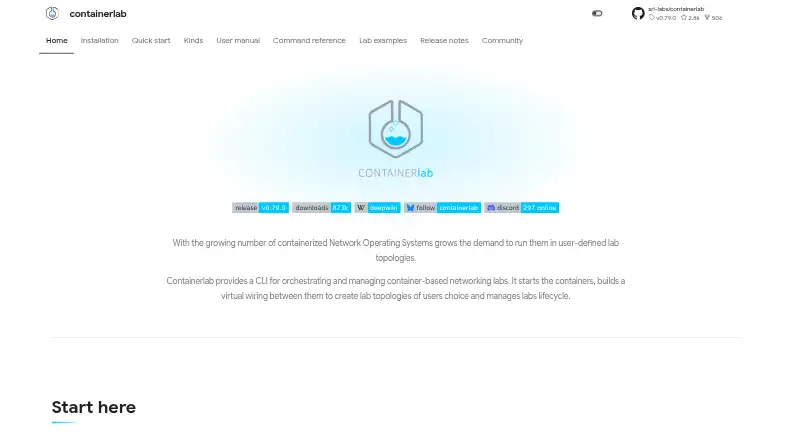
What Containerlab is
Containerlab is a free, open-source command-line tool for orchestrating container-based networking labs. Users define labs declaratively in topology files that specify nodes, links, and settings, then use the CLI to deploy, inspect, save, graph, or destroy them. Supported nodes include containerized and virtual-machine network operating systems from vendors such as Nokia, Cisco, Juniper, and Arista, alongside other vendors and projects. The project lists a broad range of supported platforms, including Nokia SR Linux and SR OS, Cisco XRd and Nexus 9000v, Juniper cRPD and vMX, Arista, SONiC, Cumulus VX, VyOS, FRR, VPP, FreeBSD, OpenBSD, OpenWRT, Linux containers, and generic VMs. Containerlab can launch VM-based routers through vrnetlab or boxen, and Clabernetes can run its style of topologies on Kubernetes. Optional interfaces include a VS Code extension, desktop app, and web app; desktop and web connect to a reachable clab-api-server. Documented prerequisites are a Linux server or VM, Docker, and sudo privileges for some operations. Its single binary and code-based lab definitions can be used to start topologies in CI systems such as GitLab CI and GitHub Actions.
Good
- Topology files define nodes, links, and settings.
- CLI supports deploy, inspect, save, graph, and destroy.
- Supports network operating systems from multiple vendors.
- Can run topologies on Kubernetes through Clabernetes.
- Free and open source.
Watch out
- Requires a Linux server or VM.
- Docker is required.
- Some operations require sudo privileges.
- Sudo-less setup grants group members root-level privileges.
Who it suits
Containerlab suits network engineers and others who need to define and manage network labs as code. It also fits users who want to start topologies in CI or pair labs with telemetry stacks.
Verdict
Containerlab provides a code-defined workflow for deploying and managing networking labs, with support for many network operating systems and optional interfaces. Plan for the Linux, Docker, and privilege requirements before setting it up.
Plans and prices
From Containerlab's own pricing page, checked 2 Oct 2026.
| Plan | Price | What it gives you |
|---|---|---|
| Containerlab | Free | Linux server or VM · Docker required · sudo privileges required for some operations |
| Free and open-source | Free | Self-hosted · Docker/Linux host required · Vendor images may require separate licences · Free |
The facts
Each one read from Containerlab's own pages, with the date it was checked.
What it does
- API
- The clab-api-server performs lab lifecycle, file, terminal, capture, image, and inspection operations on the Linux host.checked 2 Oct 2026
- API documentation
- Running API servers expose Swagger and Redoc documentation and have a published API reference.checked 15 Oct 2026
- API security
- The API server authenticates host Linux users and groups, returns JWT tokens, defaults to HTTPS, and can generate self-signed certificates.checked 15 Oct 2026
- API server
- clab-api-server exposes lab operations over HTTP for automation, browser clients, desktop GUI, and shared lab hosts, embedding Containerlab as a Go library.checked 15 Oct 2026
- CI and testing
- The project describes using its single binary and code based lab definitions to start topologies in CI systems, including GitLab CI and GitHub Actions.checked 2 Oct 2026
- CI use
- The single binary and code-defined labs are intended for GitHub Actions, GitLab CI, and other CI systems.checked 15 Oct 2026
- Documentation depth
- Documentation covers installation, quickstart, topology syntax, kinds, networking, commands, GUI, API server, Clabernetes, examples, releases, and developer contribution workflows.checked 15 Oct 2026
- GUI options
- The graphical interface is available as a VS Code extension, desktop app, and web app; desktop and web connect to a reachable clab-api-server.checked 2 Oct 2026
- Integrations
- Containerlab can launch VM based routers through vrnetlab or boxen integration and can run containerlab style topologies on Kubernetes through Clabernetes.checked 2 Oct 2026
- Kinds abstraction
- Platform-specific kinds hide the startup, mount, entrypoint, and command differences between network operating systems and other node types.checked 15 Oct 2026
- Kubernetes integration
- Clabernetes runs containerlab-style topologies on Kubernetes through a controller, CRDs, and the clabverter conversion tool.checked 15 Oct 2026
- Licence
- The main repository is publicly marked as BSD-3-Clause licensed.checked 15 Oct 2026
- License
- The public GitHub repository identifies the project license as BSD-3-Clause.checked 2 Oct 2026
- Lifecycle commands
- The project provides deploy, destroy, save, inspect, and graph operations for lab management.checked 15 Oct 2026
- Limit: commercial images
- NetPilot reports that commercial Cisco, Juniper, Arista, Palo Alto, and Fortinet images are bring-your-own-image and may require vrnetlab builds and registry troubleshooting.checked 15 Oct 2026
- Limit: configuration scope
- NetPilot states that Containerlab wires topologies and applies supplied startup configuration but does not generate BGP, OSPF, or EVPN device configuration.checked 15 Oct 2026
- Limit: host setup
- NetPilot's independent guide says local use requires Linux, Docker, and usually root, so Containerlab does not run natively on macOS or Windows.checked 15 Oct 2026
- Limit: throughput caveat
- The VPP comparison reports that default disabled TX checksum offload and TSO on veths can make TCP or VPP throughput appear about five times slower until MTU and offloads are normalized.checked 15 Oct 2026
- Networking
- Containerlab creates point-to-point virtual links and a managed Docker management network, with bridge, macvlan, host-link, DNS, Tailscale, and impairment options documented.checked 15 Oct 2026
- Notable news
- Nokia promoted a beginner-friendly Containerlab workshop in Jakarta covering IPv6 underlay, EVPN, VXLAN, and network automation.checked 15 Oct 2026
The company
- Company ownership
- The repository says Containerlab was kick-started by Nokia engineers and supports multi-vendor platforms.checked 15 Oct 2026
- Maker founded
- Nokia describes its innovation history as beginning in 1865.checked 15 Oct 2026
- Maker headquarters
- Nokia lists its head office at Karakaari 7, 02610 Espoo, Finland.checked 15 Oct 2026
Where it runs
- Network OS support
- Supported nodes include containerized and virtual machine based network operating systems from Nokia, Cisco, Juniper, Arista, and other vendors and projects.checked 2 Oct 2026
The full review of Containerlab
Containerlab is a network-lab orchestrator for engineers who want repeatable topologies for configuration work, testing, or telemetry workflows. Its code-defined approach and broad network OS support make it a strong fit for self-hosted labs; the Linux, Docker, and privilege requirements narrow its audience.
Overview
Topology files declare nodes, links, and lab settings, giving teams a consistent way to define and reproduce network environments. The CLI handles deployment, destruction, saving, inspection, and graph operations. This is a practical advantage when labs need to be recreated or incorporated into CI pipelines such as GitLab CI and GitHub Actions, rather than assembled by hand for each run.
Containerlab can also be paired with telemetry stacks to exercise collection, transport, and visualization workflows. It is focused on building and managing labs, so it is not the right choice for someone seeking a general-purpose network management interface without a lab environment to run.
Key features
Broad network OS support: Containerlab supports containerized and VM-based nodes from Nokia, Cisco, Juniper, Arista, and other vendors and projects. The supported range includes Nokia SR Linux, SR OS, and SR-SIM; Cisco XRd, XRv, XRv9k, Nexus 9000v, and others; Juniper cRPD, vMX, vQFX, and related platforms; as well as SONiC, Cumulus VX, VyOS, FRR, VPP, BSD systems, OpenWRT, Linux containers, and generic VMs. That breadth helps teams build labs around varied network stacks, though the actual mix depends on the node platforms they can run.
VM and Kubernetes integrations: vrnetlab and boxen can launch VM-based routers, while Clabernetes can run Containerlab-style topologies on Kubernetes. These integrations extend the ways teams can host labs, but add infrastructure choices beyond the core Linux-and-Docker setup.
Optional interfaces and API: A VS Code extension, desktop app, and web app provide graphical options. The desktop and web clients connect to a reachable clab-api-server, which performs lifecycle, file, terminal, capture, image, and inspection operations on the Linux host. These interfaces can help users who prefer more than a CLI, but the server must be reachable and the host remains central to lab operations.
Privilege model: The installer can configure sudo-less operation with a SUID binary and the clab_admins group. Group members effectively receive root-level privileges, so convenience comes with a consequential access-control decision for administrators.
Pricing
Containerlab is open source under the BSD-3-Clause license and costs nothing. There is no paid tier to unlock core capabilities and no free-trial clock to manage. The trade-off is operational rather than financial: users need a Linux server or VM, Docker, and sudo privileges for some operations.
The single Containerlab plan fits engineers and teams willing to manage their own lab host. It does not suit readers looking for a hosted, turnkey service that avoids Linux and Docker administration.
Platforms
Containerlab's deployment model is self-hosted on Linux, with Docker required. Its graphical options include web and desktop apps, as well as a VS Code extension, but desktop and web access depends on a reachable clab-api-server on the Linux host. The listed platform range also includes API, macOS, and Windows; these options do not remove the documented Linux host requirement.
Who it's for
Containerlab is best for network engineers, infrastructure teams, and educators who need repeatable topologies using real vendor or open-source network OS nodes. It is particularly well suited to configuration and network testing workflows that benefit from declarative definitions, CI execution, or telemetry validation. Teams without Docker and Linux administration capacity, or those unwilling to grant the required privileges, should look elsewhere.
Pros and cons
- Pro: Reproducible topology definitions. Nodes, links, and settings live in declarative files, supporting consistent lab deployment and CI workflows.
- Pro: Wide range of network nodes. Support spans major vendors and open projects, making it useful for labs that cross platform boundaries.
- Pro: Flexible operating options. VM-router integrations, Kubernetes support, and optional graphical interfaces extend beyond a CLI-only workflow.
- Con: Host requirements are substantial. Linux and Docker are prerequisites, and some operations require sudo privileges.
- Con: Sudo-less setup carries elevated risk. The clab_admins group effectively grants root-level privileges through the SUID configuration.
- Con: GUI access still depends on the host. Desktop and web clients require a reachable API server rather than replacing the Linux deployment.
Alternatives
For a different network software need, compare network automation software or compare network simulation software.
- ManageEngine Network Configuration Manager may suit readers seeking a configuration-management product with a free edition capped at two devices and a paid Professional Edition at $238 a year.
- ONAP is another free, open-source platform for teams looking for a Linux, self-hosted software platform rather than Containerlab's lab orchestration workflow.
- Arista NG Firewall is an alternative to consider for firewall software.
- Nautobot offers a free, self-managed Community edition for exploring, initial workflows, and limited production deployments; it is worth considering when that scope is a closer fit.
- Netmiko is a free, open-source Python library for readers building device automation in Python rather than orchestrating network labs.
- OpenDaylight is a free, open-source SDN platform for readers whose priority is an SDN platform instead of a lab orchestrator.
- Cisco pyATS is a free Apache 2.0 option to consider when a testing framework is a closer match than lab deployment and lifecycle management.
- NAPALM is a free Python library for device and driver workflows, with support varying by device and driver.
Verdict
Choose Containerlab if you need self-hosted, repeatable network labs across a broad range of vendor and open-source nodes, especially when code-based definitions can feed testing or CI. Its strongest reason to choose it is that topology and lifecycle management sit together in one workflow. Look elsewhere if Linux, Docker, and the associated privilege responsibilities are more infrastructure than your team wants to own.
Getting started
- Open https://containerlab.dev/ and review the project documentation.
- Prepare a Linux server or VM with Docker and sudo privileges.
- Install Containerlab on the Linux host.
- Define the lab topology in a file with its nodes, links, and settings.
- Use the CLI lifecycle commands to deploy, inspect, save, graph, or destroy the lab.
- For graphical access, use the VS Code extension, desktop app, or web app; desktop and web connect to a reachable clab-api-server.
Limits worth knowing
The free plan requires a Linux server or VM and Docker; sudo privileges are required for some operations. The installer can configure sudo-less operation with a SUID binary and the clab_admins group, whose members are effectively granted root-level privileges.
Questions
How much does Containerlab cost?
The Containerlab plan is free. It is open source under the BSD-3-Clause license.
What does Containerlab do?
It is a CLI for orchestrating container-based networking labs, connecting nodes in user-defined topologies and managing lab lifecycles.
What platforms does it support?
Listed platforms include API, Linux, macOS, self-hosted, web, and Windows. The documented prerequisites include a Linux server or VM and Docker.
Can I use a graphical interface?
Yes. Graphical options include a VS Code extension, desktop app, and web app. The desktop and web apps connect to a reachable clab-api-server.
Does it work with Kubernetes or virtual-machine routers?
It can launch VM-based routers through vrnetlab or boxen integration. Clabernetes can run Containerlab-style topologies on Kubernetes.
What are the security considerations for sudo-less operation?
The installer can configure a SUID binary and clab_admins group for sudo-less operation. Members of that group are effectively granted root-level privileges.
Alternatives to Containerlab
- 1
Avidemux
Free planOpen sourceWebLinuxmacOSWindows7.3Free plan - 2
Marionnet
Free planOpen sourceLinuxmacOSSelf-hostedWindows7.2Free plan - 3

EVE-NG
Free planWebLinuxmacOSSelf-hosted7.0Free plan - 4
Mininet
Free planAPILinuxmacOSSelf-hosted6.6Free plan - 5
NetSim
Free planWeb6.6From $15 a month - 6
NetSim
WebLinuxmacOSWindows6.6From $29 a year