PixLab Mind Map
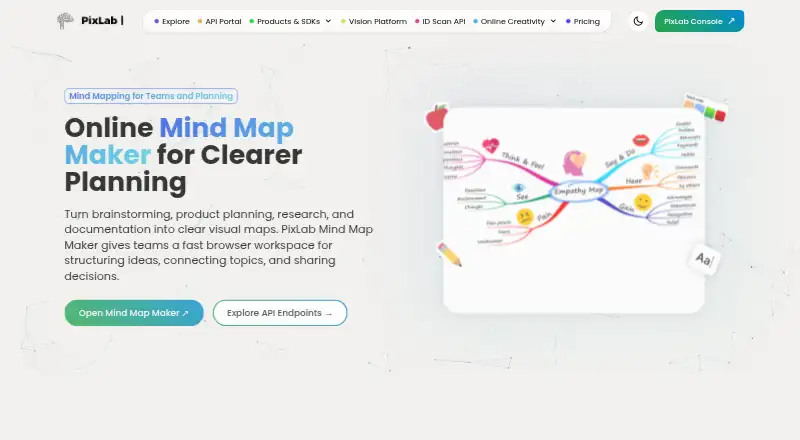
The facts below are what the maker publishes about PixLab Mind Map, checked and dated. Our editors have not written about it yet.
Plans and prices
From PixLab Mind Map's own pricing page, checked 12 Oct 2026.
| Plan | Price | What it gives you |
|---|---|---|
| Free | Free | Core features; no sign-up required |
The facts
Each one read from PixLab Mind Map's own pages, with the date it was checked.
What it does
- Account requirement
- The product page says users can start creating mind maps without signing up.checked 12 Oct 2026
- Audience
- The product is presented for product teams, educators, and creators, with use cases including sprint planning, lesson design, workshops, and storyboarding.checked 12 Oct 2026
- Autosave
- The product page says changes are saved automatically while users work.checked 12 Oct 2026
- Autosave and storage
- The product page says changes save automatically to the cloud; the app page says project data is stored locally in the browser and files are purged after a defined retention period.checked 11 Oct 2026
- Collaboration
- The product page says teams can collaborate on shared maps in real time.checked 12 Oct 2026
- Customization
- Maps can be customized with colors, backgrounds, labels, notes, and node shapes.checked 12 Oct 2026
- Editing
- Users can create branches, connect ideas, and reorganize maps with a drag-and-drop interface.checked 12 Oct 2026
- Export
- The product page lists PNG, PDF, and SVG exports, while its FAQ says the current workflow supports PNG output.checked 11 Oct 2026
- Export formats
- PNG,PDF,SVGchecked 20 Sep 2026
- Exports
- The product page lists PNG, SVG, and PDF exports, while its FAQ specifically mentions PNG output.checked 12 Oct 2026
- Integrations
- The product page describes using Mind Map alongside PixLab Photo Editor and Vision Workspace in a broader visual workflow.checked 12 Oct 2026
- Intended users
- The maker page identifies product teams, educators, and creators as intended users, with use cases including sprint planning, lesson design, workshops, and creative outlining.checked 11 Oct 2026
- No signup
- The product page says users can start creating maps without signing up.checked 11 Oct 2026
- Privacy
- The app page says project data is stored locally in the user's browser and files are purged after a defined retention period.checked 12 Oct 2026
- Purpose
- PixLab Mind Map is a browser-based tool for brainstorming, project planning, research, and documentation.checked 12 Oct 2026
- Real-time collaboration
- Yeschecked 20 Sep 2026
- Security
- The product page says files are encrypted when temporary storage is used and removed automatically after 24 hours.checked 12 Oct 2026
- Templates
- Ready-made layouts are available for brainstorming, planning, study notes, and workshops.checked 12 Oct 2026
The company
- Company
- PixLab’s site identifies Symisc Systems, SUARL as the company; Symisc says its SaaS business started in 2017.checked 11 Oct 2026
Money
- Free plan
- Yeschecked 20 Sep 2026
- Free tier
- The maker’s app page says it offers a free plan with basic features; the product page says its core features are free to use.checked 11 Oct 2026
Where it runs
- Supported platforms
- webchecked 20 Sep 2026
Alternatives to PixLab Mind Map
- 1
Mind Elixir App
Free planOpen sourceAndroidiOSWebAPI8.5From $19 a year - 2

EdrawMind
Free planAndroidiOSWebLinux8.1Free plan - 3
GoMind
Free planAndroidiOSWebAPI8.1From $19.90 a year - 4

Xmind
Free planAndroidiOSWebLinux8.0From $4.92 a month - 5

Mindomo
Free planAndroidiOSWebLinux7.9From €6 a month - 6

Coggle
Free planiOSWebAPIExtension7.8From $5 a month