pip
pip is Python’s package installer, used to add packages from PyPI and other indexes.
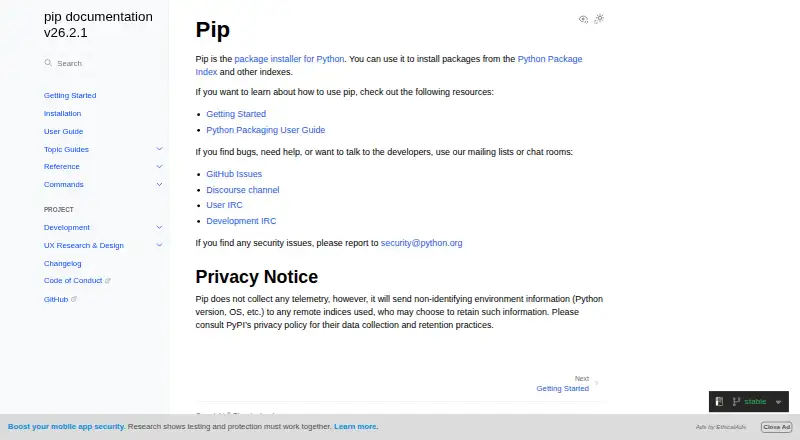
What pip is
pip is Python’s package installer, used to add packages from PyPI and other indexes. It can also install from version-control URLs, local project directories, and local or remote source archives, supporting both source distributions and wheels. Requirements files let you describe a full environment for installation, and the install command can produce a JSON report of the packages it installed. pip resolves dependencies and supports lockfiles, private registry authentication, and offline installation. The current version runs on Windows, Linux, and macOS and supports CPython 3.10 through 3.15 and the latest PyPy3; its maintainers do not support other operating systems or Python versions. It is commonly included in virtual environments and Python downloads from python.org, and can also be installed with ensurepip or get-pip.py. pip is free. It does not collect telemetry, but sends non-identifying environment details to the indexes it contacts. Remote tampering checks are not enabled by default; hash-checking mode and binary-only installs offer additional security options.
Good
- Installs packages from indexes, repositories, directories, and archives.
- Resolves dependencies and supports lockfiles.
- Requirements files can specify an entire environment.
- Supports private registry authentication and offline installation.
- Free, with no paid plans or usage limits stated.
Watch out
- Maintainers do not support other operating systems or Python versions.
- Remote tampering checks are not enabled by default.
- The standalone zip application is experimental and not for production.
Who it suits
pip suits Python users who need to install packages from indexes, source archives, or project repositories. Its requirements-file, lockfile, and offline-installation support may be useful for managing environments.
Verdict
pip covers common Python package installation sources and includes tools for specifying environments and reviewing installation results. Check its supported Python versions and security options against your needs.
Plans and prices
From pip's own pricing page, checked 5 Oct 2026.
| Plan | Price | What it gives you |
|---|---|---|
| pip | Free | No paid plans or usage limits are stated on the opened documentation pages |
The facts
Each one read from pip's own pages, with the date it was checked.
What it does
- Authentication
- pip supports basic HTTP authentication, credentials from a .netrc file, and credentials stored in keyring when configured.checked 5 Oct 2026
- Dependency resolution
- pip resolves dependencies and selects the latest version that satisfies the given constraints.checked 5 Oct 2026
- Experimental format
- The standalone zip application is experimental and the documentation says it should not be used in production environments.checked 5 Oct 2026
- Installation
- pip is usually installed automatically in virtual environments and with Python downloaded from python.org.checked 5 Oct 2026
- Installation options
- pip is commonly installed with Python and can also be installed using ensurepip or get-pip.py.checked 5 Oct 2026
- Installation report
- The install command offers a report option to generate a JSON report of what pip installed.checked 5 Oct 2026
- Lockfile support
- Yeschecked 22 Sep 2026
- Offline installation
- Yeschecked 22 Sep 2026
- Package building
- pip delegates building source distribution packages to a build backend when needed.checked 5 Oct 2026
- Package formats
- sdist,wheelchecked 22 Sep 2026
- Package sources
- pip looks at PyPI by default and can install packages from other Python package repositories.checked 5 Oct 2026
- Privacy
- pip says it does not collect telemetry, but it sends non-identifying environment information such as Python version and OS to remote indexes it uses.checked 5 Oct 2026
- Private registry auth
- Yeschecked 22 Sep 2026
- Purpose
- pip is the package installer for Python and can install packages from PyPI and other indexes.checked 5 Oct 2026
- Python compatibility
- The current version supports CPython 3.10 through 3.15 and the latest PyPy3; other operating systems and Python versions are not supported by pip’s maintainers.checked 5 Oct 2026
- Requirements files
- pip supports requirements files as a way to specify a whole environment to install.checked 5 Oct 2026
- Security
- The documentation says pip does not check for remote tampering by default, but hash-checking mode and binary-only installs can provide a more secure installation method.checked 5 Oct 2026
- Security contact
- The documentation says security issues should be reported to [email protected].checked 5 Oct 2026
- Security reporting
- The documentation directs users to report security issues to [email protected].checked 5 Oct 2026
- Standalone option
- pip is available as an experimental standalone zip application, which the documentation says should not be used in production environments.checked 5 Oct 2026
- Support
- The documentation directs users seeking help to GitHub Issues, the Discourse channel, and User IRC.checked 5 Oct 2026
Money
- Free plan
- Yeschecked 22 Sep 2026
Where it runs
- Platform support
- The current pip version works on Windows, Linux, and macOS.checked 5 Oct 2026
- Supported platforms
- The current pip version is supported on Windows, Linux, and macOS, and maintainers do not support other operating systems.checked 5 Oct 2026
The full review of pip
pip is a free installer for Python packages, best suited to people who want to add dependencies directly to a Python environment from familiar and less common sources. Its flexibility and requirements-file support make it a practical default; its Python-version boundaries and security defaults deserve attention in managed deployments.
Overview
pip installs packages from PyPI and other indexes, as well as version-control URLs, local project directories, and local or remote source archives. That range is useful for everyday project setup and for code that is not published to an index. Dependency resolution and lockfile support help manage project dependencies, while requirements files let you specify an environment for installation.
Many users will find pip already installed: it is usually included in virtual environments and with Python downloaded from python.org. It can also be installed with ensurepip or get-pip.py. The install command can generate a JSON report of what it installed, giving teams a machine-readable installation record.
Key features
Flexible sources and formats
pip supports source distributions and wheels, and can install from Git, Mercurial, Subversion, and Bazaar repositories as well as indexes and archives. When a source distribution needs building, pip hands that work to a build backend rather than building it itself. This makes pip adaptable across different project workflows, but users who need to build packages directly will need a separate tool.
Private indexes and offline installs
Authentication options include basic HTTP authentication, credentials from a .netrc file, and keyring credentials when configured. Offline installation is supported, which can help in environments with limited connectivity. These options cover common access needs, though private-index credentials still need to be configured appropriately.
Installation records and security
The JSON installation report provides a structured account of an install. pip does not check for remote tampering by default, so security-conscious users should consider hash-checking mode or binary-only installs for a more secure installation method. It does not collect telemetry, but sends non-identifying environment information such as Python version and operating system to the remote indexes it uses; organizations should account for that when choosing indexes and policies.
Pricing
pip is free at no cost, with no paid plans or stated usage limits. There is no free trial because there is no paid tier to trial. The free plan is the whole offering, making it a straightforward choice for individual projects and teams that need an installer rather than a paid service plan.
Platforms
The current version works on Linux, macOS, and Windows. It supports CPython 3.10 through 3.15 and the latest PyPy3; other operating systems and Python versions are outside the maintainers’ supported range. The standalone zip application is experimental and should not be used in production, so production users should rely on the usual Python or virtual-environment installation route.
Who it's for
pip suits Python users who want a familiar, free way to install dependencies into their environments, especially when projects combine indexed packages with repositories or local archives. It is less suitable as the sole answer for deployments that require default remote-tampering checks, or for users working with Python versions or operating systems beyond its supported range.
Pros and cons
- Pro: Installs from indexes, multiple version-control systems, project directories, and archives, so users are not limited to packages published on PyPI.
- Pro: Requirements files, dependency resolution, and lockfile support help organize environment installs beyond one-package-at-a-time use.
- Pro: Private-index authentication and offline installation support suit projects with restricted or nonstandard package access.
- Con: Remote tampering is not checked by default, so users handling sensitive installs must opt for stronger installation practices.
- Con: Maintainer support is limited to the stated current Python and operating-system range; older or otherwise unsupported environments fall outside it.
- Con: The standalone zip application is experimental and unsuitable for production use.
Alternatives
For a broader comparison, browse Python Package Managers or Package Managers.
- ActiveState Platform is worth considering when a freemium option with a free plan and free trial better fits your needs; its free organization plan is limited to public projects, and its enterprise offering has custom pricing.
- Choose uv if you want another free Python package tool from Astral Software; it is also available on Linux, macOS, and Windows.
- Hatch is a free alternative for users looking for an MIT-licensed Python project manager.
- pip-tools may suit users who want command-line tools installed per virtual environment and support for Python 3.9 or later.
- Pixi is another free option for Linux, macOS, and Windows users.
- Twine is a free alternative for users on Python 3.10 or later.
- Spack is worth considering if you need a free package manager with self-hosted support.
- Anaconda Notebooks is a web-based alternative with a free plan that includes 5 GB of cloud storage.
Verdict
Choose pip if you want a free, widely used way to install Python dependencies from indexes, repositories, and local sources, with requirements files and installation reports to support project workflows. Look elsewhere if your deployment needs remote-tampering checks by default or if your Python and operating-system combination falls outside pip’s supported range.