Pibooth
Pibooth is a free, pure-Python photobooth application designed for Raspberry Pi.
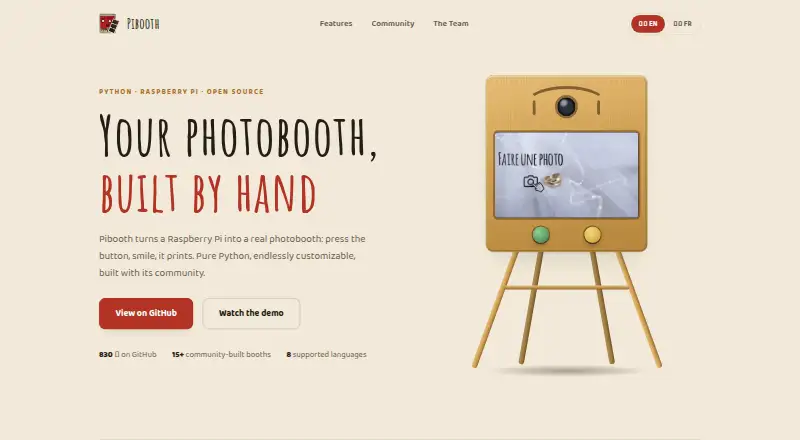
What Pibooth is
Pibooth is a free, pure-Python photobooth application designed for Raspberry Pi. It captures one to four photos and combines them into a finished picture. It works with cameras compatible with gPhoto2, OpenCV, and Raspberry Pi, and can be controlled with GPIO buttons, a keyboard, a mouse, or a touchscreen. Operators can customize pictures using text, fonts, colors, backgrounds, and overlays, and extend behavior with plugins. Pibooth stores both the finished picture and individual captures on the device. For printing, it sends final pictures through a CUPS server and indicates the print queue. Community plugins listed by the project include Google Photos, Dropbox, QR codes, Telegram uploads, and S3 uploads. The documented setup uses a Raspberry Pi 3 Model B or higher and a compatible camera; buttons, lights, and a printer are optional. The software runs on Unix/Linux systems, and documentation reports testing on Ubuntu 16 and Mac OS X 10.14.6. Pibooth is MIT-licensed and provided without warranty. Its documentation describes private use rather than professional or commercial activity.
Good
- Free under the MIT License.
- Captures and combines one to four photos.
- Supports GPIO buttons, keyboard, mouse, and touchscreen.
- Customizes images with text, colors, and overlays.
- Prints through CUPS and displays the queue.
Watch out
- Requires Raspberry Pi 3 Model B or higher setup.
- Requires a compatible camera.
- Provided without warranty.
- Documentation describes private, not professional or commercial, use.
Who it suits
Pibooth suits people setting up a Raspberry Pi photobooth for private use, especially those who want customizable layouts and printing. It requires a compatible camera and hardware setup.
Verdict
Pibooth offers a configurable photobooth workflow with local storage, optional printing, and plugin extensions. It is aimed at private-use setups and requires compatible hardware and setup.
Plans and prices
From Pibooth's own pricing page, checked 8 Oct 2026.
| Plan | Price | What it gives you |
|---|---|---|
| Pibooth | Free | MIT-licensed photobooth software · requires compatible hardware and setup |
The facts
Each one read from Pibooth's own pages, with the date it was checked.
What it does
- Camera support
- It supports cameras compatible with gPhoto2, OpenCV, and Raspberry Pi.checked 8 Oct 2026
- Controls
- It can be controlled with Raspberry Pi GPIO hardware buttons, a keyboard, a mouse, or a touchscreen.checked 8 Oct 2026
- Customization
- Users can customize final pictures with text, fonts, colors, backgrounds, and overlays, and extend behavior with plugins.checked 8 Oct 2026
- Hardware requirement
- The documented hardware setup uses a Raspberry Pi 3 Model B or higher and a compatible camera; buttons, lights, and printer are optional.checked 8 Oct 2026
- Integrations
- The project repository lists community plugins for Google Photos, Dropbox, QR codes, Telegram uploads, and S3 uploads.checked 8 Oct 2026
- Intended use
- The documentation describes Pibooth as developed for private use without professional or commercial activity.checked 8 Oct 2026
- License
- Pibooth is distributed under the MIT License and is provided without warranty.checked 8 Oct 2026
- Operating systems
- The documentation says Pibooth can run on Unix/Linux systems and reports testing on Ubuntu 16 and Mac OS X 10.14.6.checked 8 Oct 2026
- Photo layouts
- It can capture 1 to 4 photos and combine them into a final picture.checked 8 Oct 2026
- Photo storage
- Pibooth stores the final pictures and individual captures on the device.checked 8 Oct 2026
- Printing
- It prints final pictures through a CUPS server and indicates the print queue.checked 8 Oct 2026
- Privacy guidance
- The documentation says operators in Europe should ensure their use follows GDPR rules and inform users that generated images are stored on the device.checked 8 Oct 2026
- Purpose
- Pibooth is a pure-Python photobooth application designed for Raspberry Pi.checked 8 Oct 2026
The full review of Pibooth
Overview
Pibooth is a photobooth application for people who want to build and configure their own camera-based setup, especially around a Raspberry Pi. It suits private events and hobby projects better than professional booth operations. Its appeal is a free, locally run capture-and-print workflow; the hardware and setup work are part of the bargain.
The application captures photos, combines them into a finished image, saves both the finished picture and individual captures on the device, and can print through a CUPS server. Offline capture is useful when a booth should work without a network connection. Pibooth is MIT-licensed and provided without warranty, and its documentation describes private use rather than professional or commercial activity.
Key features
Capture and operation
Each session can take one to four photos and combine them into a final picture. Support for cameras compatible with gPhoto2, OpenCV, and Raspberry Pi gives builders several hardware options, but camera compatibility and setup remain the operator’s responsibility. Controls can come from Raspberry Pi GPIO buttons, a keyboard, a mouse, or a touchscreen, allowing a simple physical booth or a setup operated from a screen.
Image design, printing, and plugins
Text, fonts, colors, backgrounds, and overlays can be used to customize the finished picture. That flexibility is useful for tailoring a booth’s output, although it comes with configuration work rather than a managed design service. Printing runs through a CUPS server, and Pibooth indicates the print queue, which helps operators see where jobs stand. Community plugins add options such as Google Photos, Dropbox, QR codes, Telegram uploads, and S3 uploads; these are extensions rather than a built-in promise that every sharing workflow is ready out of the box.
Pricing
Pibooth costs free. The free plan provides the MIT-licensed photobooth software, including offline photo capture and printing support, with no software charge. There is no free trial because the software is free. The meaningful cost is the compatible hardware and the time needed to configure it: the documented setup uses a Raspberry Pi 3 Model B or higher and a compatible camera, while buttons, lights, and a printer are optional.
Platforms
Pibooth supports Linux and macOS, and can be self-hosted. Its documentation says it runs on Unix/Linux systems and reports testing on Ubuntu 16 and Mac OS X 10.14.6. The documented hardware setup centers on a Raspberry Pi 3 Model B or higher; buttons, lights, and a printer are optional, but a compatible camera is required. This makes it a more natural fit for a maker-style installation than for someone looking for a ready-to-run mobile app.
Who it's for
Pibooth is a good fit for private-use builders who want control over capture, image appearance, local storage, and optional printing, and who are comfortable sourcing and configuring the hardware. It is less suitable for commercial operators: the project is described as intended for private use, and its no-warranty license terms put responsibility for the setup on the user. Operators in Europe should follow GDPR requirements and tell participants that generated images are stored on the device.
Pros and cons
- Pro: No software fee. The free MIT-licensed plan leaves the budget for compatible camera and booth hardware.
- Pro: Flexible local workflow. One-to-four-photo sessions, local storage, offline capture, and CUPS printing cover the core needs of a self-contained booth.
- Pro: Several control and customization paths. GPIO buttons, keyboard, mouse, or touchscreen input and configurable image elements let builders shape the booth around their installation.
- Con: Setup depends on compatible hardware. Users need a suitable computer and camera, and optional physical controls, lights, or printer add more parts to configure.
- Con: Private-use focus. Its stated intended use and no-warranty terms make it a poor choice for businesses seeking a commercially oriented service.
- Con: Sharing relies on extensions. Cloud and messaging options appear through community plugins, so they require selecting and setting up extensions rather than relying solely on the core application.
Alternatives
For a broader comparison, see Photo Booth Software.
- FreeBooth is another free option, with Linux, macOS, web, and Windows support; choose it if cross-platform availability beyond Pibooth’s Linux and macOS focus matters more than Pibooth’s documented Raspberry Pi workflow.
- Photobooth-App is also free and MIT-licensed, and supports API, Linux, macOS, self-hosted, and Windows platforms; it is worth considering if Windows or API support is a priority.
- RevoSpin 360 offers Android, iOS, and web support with a free download and in-app purchases; choose it if those platforms are a better fit than a Linux or Raspberry Pi build.
- Curator Live supports iOS, macOS, web, and Windows, with a free plan and event-based paid options; consider it if those platforms suit your event setup better.
- Photo Booth Studio is an iOS alternative with a free tier whose photos and compositions carry a watermark; choose it if an iOS workflow matters more than watermark-free output.
- ZillaBooth is an iOS option with a free Core plan that includes 2×2 and 1×4 layouts and no watermark; it may suit an iOS booth where those layouts meet the need.
- FotoBox is a free open-source photobooth application for Raspberry Pi, Linux, and macOS; it is a direct alternative for builders who want another free desktop or Raspberry Pi option.
- LumaBooth is a paid alternative with a free trial and support for Android, iOS, macOS, web, and Windows; consider it if a broader platform mix and a trial are preferable to Pibooth’s free, hardware-configured approach.
Verdict
Choose Pibooth if you want a no-cost, configurable booth for private use and are prepared to assemble compatible hardware; its strongest advantage is combining offline capture, local storage, image customization, and optional printing in one workflow. Look elsewhere if you need a commercially oriented product or prefer not to manage the hardware and setup yourself.
Alternatives to Pibooth
- 1
RevoSpin 360
Free planAndroidiOSWeb7.6$49.99 one-time - 2
Touchpix
AndroidiOSWebAPI7.6From $36.66 a month - 3
FreeBooth
Free planOpen sourceWebLinuxmacOSWindows7.5Free plan - 4
FotoBox
Free planOpen sourceLinuxmacOSSelf-hosted7.1Free plan - 5

LumaBooth
AndroidiOSWebmacOS7.0From $7.99 a month - 6

AI Photo Booth Pro
AndroidiOSmacOSWindows6.8From $49 a month