Photobooth-App
Photobooth-App is open-source software for building a photo booth for weddings, birthdays, and other events.
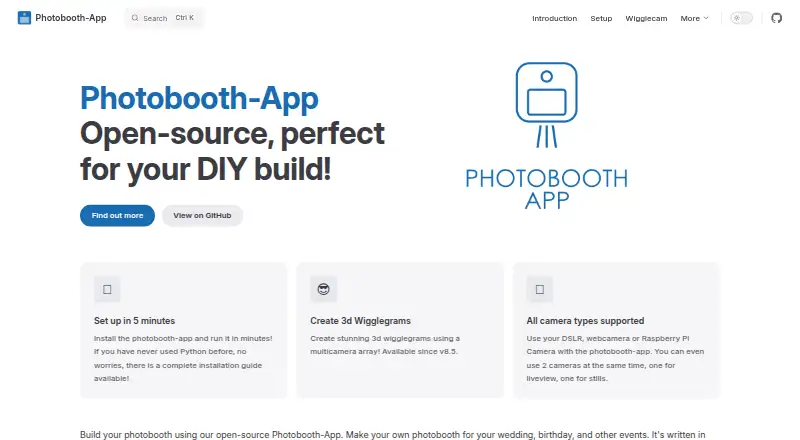
What Photobooth-App is
Photobooth-App is open-source software for building a photo booth for weddings, birthdays, and other events. It can capture single photos, collages, animated GIFs, boomerangs, videos, and 3D wigglegrams. Captured images can be personalized with frames and text, and backgrounds can be removed or replaced using an AI algorithm. The software supports USB webcams, Raspberry Pi camera modules through picamera2, and DSLR cameras through gphoto2 on Linux. Two cameras can operate at once, for example with one handling still photos and another providing live preview or video. Guests can use QR codes to reach media hosted online or served by the app over a local network. Online downloads require the media to be publicly accessible. An rclone-based synchronizer can upload files to supported storage providers, including FTP and Nextcloud. Printing uses configurable commands, while integrations include WLED countdown signaling, Raspberry Pi GPIO triggers, and a REST API for capture and status requests. Setup guidance covers Linux and Windows; listed platforms also include macOS, self-hosted use, and API. A Raspberry Pi 4 or 5 with a 64-bit OS is recommended, though more capable Debian or Windows hardware is also suitable. The wigglegram feature is still in development. The maker’s GitHub page identifies the license as MIT.
Good
- Captures photos, collages, GIFs, boomerangs, videos, and wigglegrams.
- Supports USB webcams, Raspberry Pi camera modules, and Linux DSLR cameras.
- Two cameras can be used at once.
- QR codes can serve media over a local network.
- Includes WLED, GPIO, and REST API integrations.
- Open-source software licensed under MIT.
Watch out
- The wigglegram feature is still in development.
- Windows DSLR integration uses Digicamcontrol, which is no longer maintained.
- Online QR downloads require publicly accessible media.
- Printing provides no job or printer status feedback.
Who it suits
Photobooth-App suits people building a DIY booth for events who want several capture formats, camera choices, and guest access through QR codes. It also fits setups that use Raspberry Pi triggers or external REST API calls.
Verdict
Choose Photobooth-App for a DIY event booth when flexible capture modes, camera options, and QR sharing matter. Look elsewhere if you need stable wigglegrams or print-job status feedback.
Plans and prices
From Photobooth-App's own pricing page, checked 7 Oct 2026.
| Plan | Price | What it gives you |
|---|---|---|
| Photobooth-App | Free | Open-source software · MIT license |
The facts
Each one read from Photobooth-App's own pages, with the date it was checked.
What it does
- API
- The REST API supports the frontend’s interaction with hardware for live video, captures, and sharing media files.checked 7 Oct 2026
- Camera support
- Supported camera types include Raspberry Pi camera modules, DSLRs, and USB webcams, with multiple backends usable simultaneously.checked 7 Oct 2026
- Capture features
- It supports still photos, animated GIFs, collages, boomerangs, and 3D wigglegrams.checked 7 Oct 2026
- Capture modes
- It supports single images, collages, animations, videos, and multicamera 3D wigglegrams.checked 7 Oct 2026
- Cloud synchronization
- The QR-sharing guide says its synchronizer uses rclone to upload files to supported storage providers, including examples for FTP and Nextcloud.checked 7 Oct 2026
- Hardware requirements
- The installation guide recommends a Raspberry Pi 4 or 5 with a 64-bit OS, while noting that more performant Debian or Windows hardware is also suitable.checked 7 Oct 2026
- Image editing
- Captured images can be modified with frames and text, and backgrounds can be removed or replaced using an AI algorithm.checked 7 Oct 2026
- Integrations
- The feature comparison lists WLED countdown and capture signals, GPIO and keyboard triggers, and a REST API.checked 7 Oct 2026
- License
- The maker’s GitHub page says the software is licensed under the MIT license.checked 7 Oct 2026
- Live preview and multiple cameras
- The maker says two cameras can be used at once, dedicating one to stills and another to live preview or video.checked 7 Oct 2026
- Printing
- Sharing and printing use configurable platform-specific commands, and the app does not receive the print job or printer status.checked 7 Oct 2026
- Printing limit
- Printing uses a configured custom command, and the app receives no status feedback about the print job or printer.checked 7 Oct 2026
- Privacy consideration
- The maker notes that sharing images through a private internet service might conflict with GDPR and describes local Wi-Fi sharing as less likely to conflict with GDPR.checked 7 Oct 2026
- Purpose
- Photobooth-App is open-source software for building DIY photo booths for weddings, birthdays, and other events.checked 7 Oct 2026
- QR sharing
- QR codes can link to media hosted online or served by the app on a local network; online downloads require media files to be made publicly accessible.checked 7 Oct 2026
- Security
- The feature comparison lists the admin backend as protected.checked 7 Oct 2026
- Support
- The maker directs users to its documentation, GitHub discussions, and GitHub issue tickets for support.checked 7 Oct 2026
- Triggers and API
- Actions can be triggered by touchscreen buttons, Raspberry Pi GPIO pins, keyboard input, or custom solutions calling REST API endpoints.checked 7 Oct 2026
- Wigglegrams
- A synchronized array of cameras can create animated 3D wigglegrams, and the maker notes this feature is still in development.checked 7 Oct 2026
- Wigglegram status
- The wigglegram feature is described as in development and likely to change before it stabilizes.checked 7 Oct 2026
Where it runs
- Platform requirements
- The setup guide covers Linux and Windows; it recommends Raspberry Pi 4 or 5 with a 64-bit OS and says Raspberry Pi 3 may be slow.checked 7 Oct 2026
- Platforms
- The setup guide describes installation on Linux and Windows; camera setup also lists Mac support for DSLR via gphoto2 and USB webcams via PyAV.checked 7 Oct 2026
- Windows DSLR limitation
- The Windows DSLR integration uses Digicamcontrol, which the maker says is no longer maintained and will receive no new features.checked 7 Oct 2026
The full review of Photobooth-App
Photobooth-App is a free, open-source toolkit for building a photo booth around your own camera and computer. It suits event hosts and makers who are comfortable configuring hardware and sharing; it is less suitable when a booth must report printer status or depend on stable 3D effects.
Overview
The software combines capture, basic image treatments, sharing and printing in a configurable setup for weddings, birthdays and other events. Its MIT license and broad capture choices make it appealing to DIY operators, but the trade-off is that hardware setup and the practical details of sharing and printing remain in the operator’s hands.
A protected admin backend and live event gallery round out the event features. Support is directed through documentation, GitHub discussions and issue tickets, rather than a managed service.
Key features
Capture and camera options
Modes include still images, collages, animated GIFs, boomerangs, videos and multicamera 3D wigglegrams. Captures can be customized with frames and text, and an AI algorithm can remove or replace backgrounds. That range gives organizers room to offer more than a standard photo strip, though the wigglegram feature is still in development and may change before it stabilizes.
Camera support includes USB webcams, Raspberry Pi camera modules through picamera2, and DSLRs through gphoto2 on Linux. Two cameras can run together, for example, one for stills and another for live preview or video. Windows DSLR integration relies on Digicamcontrol, which is no longer maintained and will receive no new features; Windows users relying on DSLR control should account for that limitation.
Triggers, sharing and printing
Guests or operators can trigger actions through touchscreen buttons or keyboard input; Raspberry Pi GPIO pins and custom integrations can also trigger actions through REST API endpoints. The API lets a frontend interact with hardware for live video, captures and media sharing. WLED countdown signaling and GPIO triggers are useful for builders linking the booth to other event hardware.
QR codes can point to media hosted online or served by the app over a local network. Online downloads require the media files to be publicly accessible, so local Wi-Fi sharing may be the better fit for privacy-conscious events: the maker notes that sharing through a private internet service might conflict with GDPR, while local sharing is less likely to do so. For cloud synchronization, the app uses rclone to upload to supported providers, with FTP and Nextcloud among the examples.
Printing is possible through configurable, platform-specific commands, but the app receives no print-job or printer-status feedback. That makes it a weaker fit for events where staff need the software to confirm that each print completed.
Pricing
Photobooth-App costs nothing. The free plan includes the open-source software under the MIT license, with no free trial. It is the natural choice for technically comfortable users who want to build and configure their own booth without a software charge. There are no paid tiers to add, but operators must handle compatible hardware, configuration and the external sharing and printing workflow themselves.
Platforms
Photobooth-App supports Linux, Windows, macOS and Raspberry Pi, and its platform range also includes self-hosted use and an API. The setup guide recommends a Raspberry Pi 4 or 5 running a 64-bit OS; a Raspberry Pi 3 may be slow. More performant Debian or Windows hardware is also suitable. Although macOS is a supported platform, the setup guidance specifically covers Linux and Windows.
Who it's for
This is best for event hosts, makers and small teams willing to assemble and maintain a booth around their preferred camera and computer. It is especially compelling if flexible capture modes, camera choice, QR sharing or hardware-triggered actions matter more than a turnkey service. Choose another tool if you need dependable in-development wigglegrams, Windows DSLR integration expected to keep advancing, or print-status feedback.
Pros and cons
- Pros: A free MIT-licensed package supports stills, collages, animations, video and image treatments, giving DIY operators a wide range of booth formats.
- Pros: Multiple camera types, two-camera operation, REST API and GPIO triggers give builders options for tailoring capture and hardware control.
- Pros: QR sharing can serve media on a local network, which can suit events that want to avoid publicly accessible online downloads.
- Cons: 3D wigglegrams remain in development and may change, so they are not a dependable centerpiece for a fixed event workflow.
- Cons: Windows DSLR support depends on an unmaintained integration that will get no new features.
- Cons: Custom-command printing has no job or printer-status feedback, leaving staff without confirmation from the app.
Alternatives
Compare photo booth software if you want to weigh options across the category.
- FreeBooth is another free option for Linux, macOS, Windows and web.
- RevoSpin 360 is a free-download option on Android, iOS and web, with in-app purchases.
- Pibooth is a free, MIT-licensed option for Linux, macOS and self-hosted use that requires compatible hardware and setup.
- Curator Live is an event-based freemium alternative with a free trial; its Standard plan is $29, paid once, billed at $29 per event, for one capture-device license, with additional device licenses at $19.
- Photo Booth Studio is an iOS freemium alternative; its free plan watermarks photos and compositions.
- ZillaBooth is an iOS freemium alternative with a free Core plan that includes 2×2 and 1×4 layouts without a watermark.
- FotoBox is a free open-source photobooth option for Raspberry Pi, Linux and macOS.
- LumaBooth is a paid alternative with a free trial, across Android, iOS, macOS, web and Windows.
Verdict
Choose Photobooth-App if you want a free, MIT-licensed foundation for a DIY event booth and value flexible capture, camera options and QR sharing. Look elsewhere if your workflow depends on stable wigglegrams, maintained Windows DSLR integration or printer-status feedback.
Getting started
- Visit the Photobooth-App website and consult its setup guide.
- Choose Linux or Windows, or use another listed platform such as macOS or self-hosted.
- For Raspberry Pi, use a Pi 4 or 5 with a 64-bit OS.
- Install a supported camera setup, such as a USB webcam or a listed camera integration.
- Configure sharing, printing commands, or triggers as needed.
Limits worth knowing
The wigglegram feature is in development and may change before it stabilizes. Raspberry Pi 3 may be slow; a Raspberry Pi 4 or 5 with a 64-bit OS is recommended.
Questions
How much does Photobooth-App cost?
The listed plan is free, and the pricing model is free.
Is Photobooth-App open source?
Yes. The maker’s GitHub page says it is licensed under MIT.
Which platforms does it support?
Listed platforms include API, Linux, macOS, self-hosted use, and Windows. Setup guidance covers Linux and Windows.
What cameras can it use?
The installation guide lists USB webcams, Raspberry Pi camera modules through picamera2, and Linux DSLR cameras through gphoto2.
Can guests access photos through QR codes?
Yes. QR codes can link to online-hosted media or media served locally; online downloads require publicly accessible files.
Alternatives to Photobooth-App
- 1
RevoSpin 360
Free planAndroidiOSWeb7.6$49.99 one-time - 2
Touchpix
AndroidiOSWebAPI7.6From $36.66 a month - 3
FreeBooth
Free planOpen sourceWebLinuxmacOSWindows7.5Free plan - 4
FotoBox
Free planOpen sourceLinuxmacOSSelf-hosted7.1Free plan - 5

LumaBooth
AndroidiOSWebmacOS7.0From $7.99 a month - 6

AI Photo Booth Pro
AndroidiOSmacOSWindows6.8From $49 a month