
Photos Backup Anywhere
Photos Backup Anywhere is a macOS app that backs up an entire Apple Photos library to storage you provide, including an external drive or NAS.
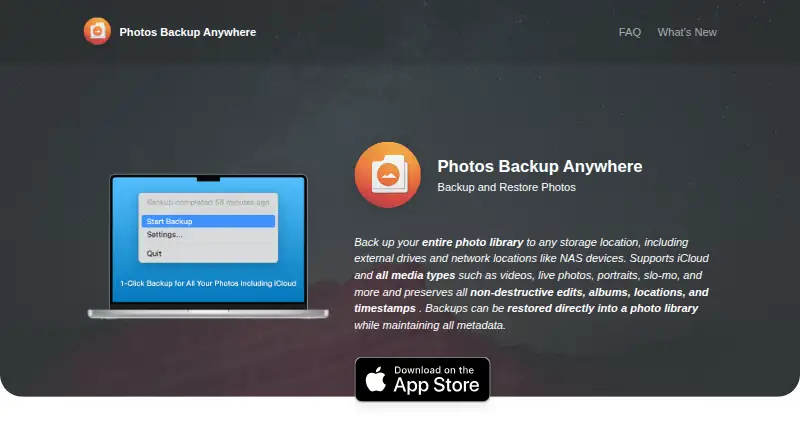
What Photos Backup Anywhere is
Photos Backup Anywhere is a macOS app that backs up an entire Apple Photos library to storage you provide, including an external drive or NAS. It supports iCloud Photos and can download items missing locally when Optimize Mac Storage is enabled. During a running backup, it scans hourly for new or changed items. Supported media include photos, videos, Live Photos, portraits, panoramas, time-lapse, slo-mo, cinematic, burst, and animated items. Files retain original formats and filenames in YYYY/MM/DD folders. Backups preserve non-destructive edits, albums, locations, capture dates and times, and favorites, and can be restored into a Photos library with supported metadata. The app is designed for very large libraries, including collections of 2TB or more; backups are incremental and resumable. A Verify feature compares backups with the library, finds discrepancies, and repairs them. Deleted items can be ignored, moved to a Deleted Items folder, or removed from the backup, with deletion irreversible. Continuing backups must run on the Mac that created the backup. The app costs $9.99, paid once, supports macOS 15.1 or later, and has no free plan.
Good
- Backs up to external drives and NAS
- Supports iCloud Photos downloads
- Incremental, resumable backups for large libraries
- Preserves edits, albums, locations, and favorites
- Verify feature checks and repairs discrepancies
Watch out
- Mac only
- Requires macOS 15.1 or later
- Continuing backups must use the creating Mac
- No free plan
Who it suits
It suits Mac users who want whole-library backups to their own external drive or NAS. It is particularly relevant for large Apple Photos libraries and iCloud Photos users.
Verdict
Photos Backup Anywhere provides full Apple Photos backup to storage you control, with restoration and verification features. Check the macOS requirement and same-Mac continuation limit before purchasing.
Plans and prices
From Photos Backup Anywhere's own pricing page, checked 21 Oct 2026.
| Plan | Price | What it gives you |
|---|---|---|
| Photos Backup Anywhere | $9.99, paid once | Mac only · macOS 15.1 or later · external-drive or NAS destination · iCloud Photos support · one-time purchase |
The facts
Each one read from Photos Backup Anywhere's own pages, with the date it was checked.
Where it runs
- App size and language
- The listing reports a 4 MB size and English language support.checked 21 Oct 2026
- Device limitation
- A backup can be moved to another folder, external drive, or network location, but continuing backups must run on the same Mac that created it.checked 9 Oct 2026
What it does
- Automatic background backup
- After setup, the app automatically backs up new photos and videos in the background.checked 21 Oct 2026
- Automatic backups
- When a backup is running, the app scans the library every hour for new or changed items.checked 9 Oct 2026
- Backup deletion options
- Deleted library items can be ignored, moved to a Deleted Items folder, or deleted from the backup; the delete option is not reversible.checked 9 Oct 2026
- Backup format
- Files retain original formats and filenames and are arranged in YYYY/MM/DD directories.checked 21 Oct 2026
- Deletion handling
- Deleted items can be ignored, moved to a Deleted Items folder, or deleted from the backup; deletion is irreversible when the delete option is used.checked 21 Oct 2026
- Developer and API availability
- The official home, FAQ, privacy, and changelog pages reviewed do not describe a public API, SDK, self-hosting option, or software licence.checked 21 Oct 2026
- Developer model
- The developer describes the product as an indie Mac app and says he is a solo developer.checked 21 Oct 2026
- External and NAS storage
- Backups can be stored on Mac-connected volumes, external drives, or NAS and other network storage.checked 21 Oct 2026
- Family Sharing
- Up to six family members can use the app through Apple Family Sharing.checked 21 Oct 2026
- Format and organization
- Photos and videos are saved in their original formats with original filenames in YYYY/MM/DD directories.checked 9 Oct 2026
- iCloud integration
- iCloud Photos libraries are supported, including libraries using Optimize Mac Storage.checked 21 Oct 2026
- iCloud support
- It supports iCloud Photos and can download items missing locally when Optimize Mac Storage is enabled.checked 9 Oct 2026
- Incremental and resumable
- Large-library backups are incremental and resumable, so a complete run does not have to finish in one session.checked 21 Oct 2026
- Large libraries
- The FAQ says the app is designed for libraries of 2TB or more.checked 21 Oct 2026
- Limit: activity logs
- A reviewer requests detailed logs showing files added, moved, or otherwise processed.checked 21 Oct 2026
- Limit: reported hidden-item issue
- MacRumors users reported that Hidden photos did not appear in their backups despite expectations that hidden content would sync.checked 21 Oct 2026
- Limit: reported incomplete backup
- A MacRumors user reported version 2.2.0 showing Completed after backing up only about half of a library and then testing a beta build.checked 21 Oct 2026
- Limit: scheduling controls
- A reviewer requests configurable backup times and conditions such as Ethernet or a particular Wi-Fi network.checked 21 Oct 2026
- Media coverage
- Supported media includes photos, videos, Live Photos, portraits, panoramas, time-lapse, slo-mo, cinematic, burst, and animated items.checked 21 Oct 2026
- Media types
- Supported media include photos, videos, Live Photos, portraits, panoramas, time-lapse, slo-mo, cinematic, burst, and animated items.checked 9 Oct 2026
- Menu-bar status
- Version 1.2 added a menu-bar icon showing backup status.checked 21 Oct 2026
The company
- Maker identity
- The app and privacy policy identify Benjamin Neil Gerdemann as the developer or service provider.checked 21 Oct 2026
Alternatives to Photos Backup Anywhere
- 1

Ente Photos
Free planOpen sourceAndroidiOSWebLinux8.6From $2.49 a month - 2

IDrive
Free planAndroidiOSWebLinux8.4From $0.25 a month - 3

PhoneCopy
Free planAndroidiOSWebLinux8.2From €1.99 a month - 4

PhotoSync
Free planAndroidiOSWebLinux8.0From $6.49 a year - 5

Rawback
Free planiOSWebAPILinux8.0From $1.99 a month - 6
Tonfotos
Free planAndroidiOSLinuxmacOS8.0$59 one-time