PhotoMill X
PhotoMill X is a paid macOS application for converting, browsing, and editing photos in batches.
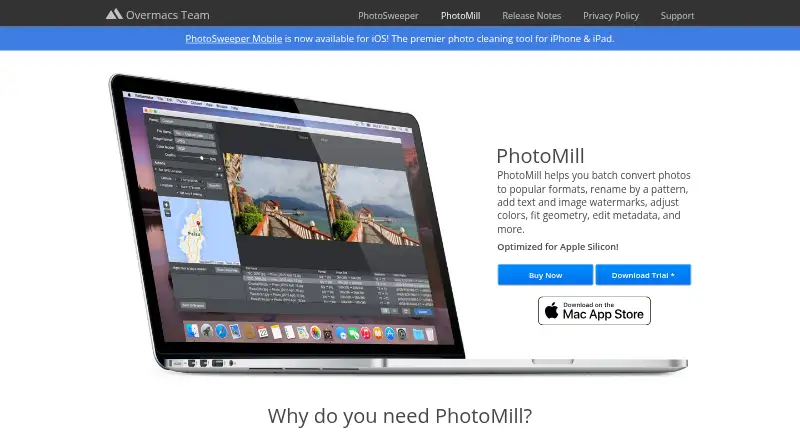
What PhotoMill X is
PhotoMill X is a paid macOS application for converting, browsing, and editing photos in batches. It reads popular image formats and exports AVIF, BMP, GIF, HEIC, JPEG, JPEG 2000, JPEG XL, PDF, PNG, TIFF, and WEBP, with lossless export available for AVIF, HEIC, JPEG XL, and WebP. RAW processing, bulk resizing, cropping, rotation, flipping, borders, trimming, resolution changes, and EXIF-based auto-rotation cover image geometry tasks. Adjustments include gamma, contrast, exposure, sharpness, grayscale, sepia, channel controls, auto contrast, and RGB curves. Metadata tools correct capture dates, remove private tags such as GPS data, and set copyrights, keywords, and IPTC ratings. Batch renaming can use indexes, dates, camera owners, names, and folders. Search supports up to 30 criteria, while Live Preview offers Before & After comparison. ICC profiles, watermarks, RGB/Gray/CMYK models, and 8-, 16-, or 32-bit color are supported. The PhotoMill plan costs $14.99, paid once for macOS 10.15 or later.
Good
- Converts batches to AVIF, HEIC, JPEG XL, and other formats
- Edits metadata and removes private GPS tags
- Batch renaming uses dates, tags, names, and folders
- Search handles up to 30 criteria
- Supports RAW processing and bulk resizing
Watch out
- Paid software with no free plan
- Available only for macOS
- Batch automation is preset-based
Who it suits
It suits Mac users managing large photo collections who need RAW processing, batch conversion, resizing, renaming, metadata editing, and browsing. It is also relevant for users who need watermarking or color-profile controls.
Verdict
PhotoMill X combines conversion, metadata work, browsing, and batch photo operations in one Mac application. Its $14.99, paid once plan fits users who need these tools together and do not require another platform.
Plans and prices
From PhotoMill X's own pricing page, checked 11 Oct 2026.
| Plan | Price | What it gives you |
|---|---|---|
| PhotoMill | $14.99, paid once | Mac only · macOS 10.15 or later |
The facts
Each one read from PhotoMill X's own pages, with the date it was checked.
What it does
- Batch image converter
- PhotoMill converts batches of images into formats including AVIF, BMP, GIF, HEIC, JPEG, JPEG 2000, JPEG XL, PDF, PNG, TIFF, and WebP.checked 11 Oct 2026
- Batch renaming
- Files can be batch-renamed using text and tags such as index, capture date, camera owner, original name, and original folder.checked 11 Oct 2026
- Color
- It supports 8-, 16-, and 32-bit color depth and RGB, Gray, and CMYK color models.checked 11 Oct 2026
- Color profiles
- Users can assign an ICC profile, convert images to a color profile, or proof images with a profile.checked 11 Oct 2026
- Color support
- PhotoMill supports RGB, Gray, and CMYK color models and 8-, 16-, or 32-bit color depth.checked 11 Oct 2026
- Compatibility
- The maker describes PhotoMill as optimized for 64-bit, ARM, and multicore processors on Mac.checked 11 Oct 2026
- Image adjustments
- Its tools include resizing, cropping, borders, rotation, color adjustments, and text or image watermarks.checked 11 Oct 2026
- Image formats
- It reads popular image formats and converts to BMP, GIF, HEIC, JPEG, PNG, TIFF, and WEBP.checked 11 Oct 2026
- Intended users
- The listing describes PhotoMill as a batch photo and metadata editor for Mac, with conversion, renaming, watermarking, and photo browsing tools.checked 11 Oct 2026
- Lossless export
- The product listing says lossless export is available for AVIF, HEIC, JPEG XL, and WebP.checked 11 Oct 2026
- Metadata editing
- It can edit EXIF/IPTC tags, set GPS coordinates and capture dates, remove private information, and add copyright, keywords, or ratings.checked 11 Oct 2026
- Preview
- Live Preview shows the look before conversion and offers a Before & After comparison.checked 11 Oct 2026
- Preview and search
- The maker says users can preview the converted result and compare it with the original in Before & After mode, and search photos using up to 30 criteria.checked 11 Oct 2026
- Privacy
- The maker says the macOS apps do not collect, use, save, or access personal data recorded in the applications, and that app settings are stored on the device.checked 11 Oct 2026
- Purpose
- PhotoMill is an image converter, metadata editor, and photo browser for Mac.checked 11 Oct 2026
- Recent version
- PhotoMill 3.5 adds AVIF export, options to save RAW metadata changes to XMP sidecars or directly to images, and a Remove AI Tags action.checked 11 Oct 2026
- Resizing
- Image geometry actions include scaling, cropping, borders, trimming, rotation, flipping, EXIF-based auto rotation, and resolution changes.checked 11 Oct 2026
- Search
- The built-in search supports up to 30 criteria and can group photos by capture date or image format.checked 11 Oct 2026
- Support
- The maker lists [email protected] for questions and app issues and says it provides issue help 24/7.checked 11 Oct 2026
- Updates
- The maker says PhotoMill receives free updates.checked 11 Oct 2026
- Watermarks
- It can apply image or text watermarks, with metadata tags available for watermark text.checked 11 Oct 2026
Where it runs
- Photo browser
- The browser provides image information, grouping by chosen criteria, and search across multiple criteria.checked 11 Oct 2026
Alternatives to PhotoMill X
- 1
imgproxy
Free planOpen sourceAndroidiOSWebAPI8.6Free plan - 2

Topaz Gigapixel
AndroidiOSWebAPI7.5From $149 a year - 3
Converseen
Free planOpen sourceLinuxmacOSWindows7.3Free plan - 4

Fotosizer
Free planWindows7.3$13.88 one-time - 5

PixelMod
Free planWebmacOSWindows7.2From $7 a month - 6
BatchPhoto
macOSWindows7.1$29.95 one-time