PDFify
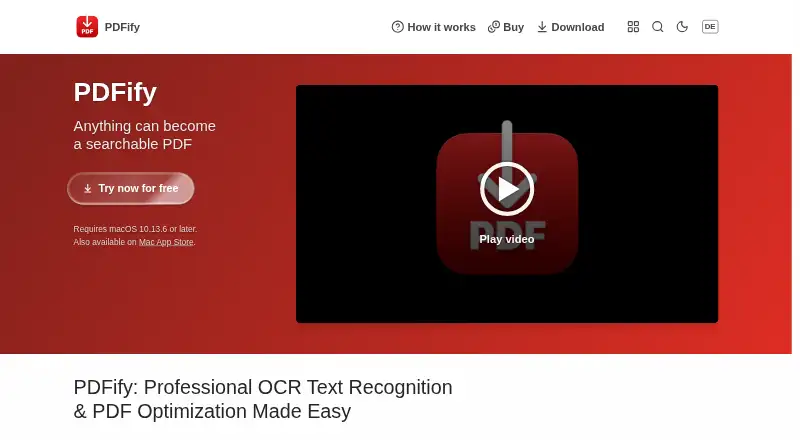
PDFify is a macOS desktop app for combining pages from files, clipboard contents, screenshots, emails, webpages, scans, and iPhone or iPad pages into PDFs.
What PDFify is
PDFify is a macOS desktop app for combining pages from files, clipboard contents, screenshots, emails, webpages, scans, and iPhone or iPad pages into PDFs. It applies OCR through Apple Vision or Tesseract, with Tesseract supporting more than 100 languages according to the help page. PDFs can be saved as PDF/A, prepared for faster web display, and compressed with configurable settings. Finder Quick Actions batch-create searchable PDFs, convert files to PDF/A, or compress PDFs from macOS 11. From macOS 13, App Shortcuts expose OCR, compression, PDF/A conversion, and text export through Shortcuts, Spotlight, and Siri. PDFify says document operations run locally and contents are not sent to a server. Crash data is shared only with explicit consent, except anonymous session tracking in beta or preview versions. The Basic plan is free and places a watermark on finished PDFs. Annual subscription removes the watermark. macOS 10.13.6 or later is required.
Good
- Imports files, scans, webpages, and device pages
- Offers Apple Vision and Tesseract OCR
- Batch processing works through Finder Quick Actions
- Shortcuts, Spotlight, and Siri expose actions
- Local processing keeps document contents off servers
Watch out
- Basic free version adds a watermark
- Requires macOS 10.13.6 or later
- Compression applies only to PDFs
Who it suits
It suits Mac users combining varied document sources, applying OCR, and creating searchable or PDF/A files. It also fits users wanting batch actions, Shortcuts, or local document processing.
Verdict
PDFify provides broad document import, OCR, conversion, compression, and automation tools for macOS. The free Basic version is limited by watermarks, while paid plans remove that restriction.
Plans and prices
From PDFify's own pricing page, checked 22 Sep 2026.
| Plan | Price | What it gives you |
|---|---|---|
| Monthly Subscription | — | — |
| Yearly Subscription | — | — |
| Basic | Free | basic version; finished PDFs have a watermark |
| Annual subscription | — | all app functions; removes the watermark · annually |
| Lifetime license | — | all app functions; removes the watermark |
The facts
Each one read from PDFify's own pages, with the date it was checked.
What it does
- Automation
- As of macOS 13, App Shortcuts expose actions through Shortcuts, Spotlight, and Siri, including OCR, compression, PDF/A conversion, and text export.checked 9 Oct 2026
- Batch processing
- Finder Quick Actions can batch create searchable PDFs, convert files to PDF/A, or squeeze PDFs; batch processing is available as of macOS 11.checked 9 Oct 2026
- Compatibility
- The homepage lists macOS 10.13.6 or later as a requirement.checked 9 Oct 2026
- Document sources
- It can import files, clipboard contents, screenshots, emails, webpages, scans, and pages from an iPhone or iPad.checked 9 Oct 2026
- Integrations
- The help page describes importing scans through Continuity Camera and using document scanners such as ScanSnap.checked 9 Oct 2026
- Limit
- The help page says squeezing applies only to PDFs, while searchable PDF creation and PDF/A conversion can also apply to images.checked 9 Oct 2026
- Local processing
- The help page says document operations happen locally and document contents are not sent to a server.checked 9 Oct 2026
- OCR
- It offers Apple Vision or Tesseract OCR, and the help page says Tesseract supports more than 100 languages.checked 9 Oct 2026
- PDF tools
- It can save PDFs as PDF/A, linearize them for faster web display, and compress them using configurable settings.checked 9 Oct 2026
- Privacy details
- The privacy policy says crash data is sent only with explicit consent, except anonymous session tracking in beta or preview versions.checked 9 Oct 2026
- Purpose
- PDFify combines pages from different sources into one PDF and can apply text recognition.checked 9 Oct 2026
- Searchable PDF
- Yeschecked 22 Sep 2026
- Support
- The maker recommends the in-app support tool, which provides app-version context, and also lists [email protected].checked 9 Oct 2026
- Supported inputs
- bothchecked 22 Sep 2026
Money
- Free plan
- Yeschecked 22 Sep 2026
The company
- Headquarters
- Mülheim an der Ruhr, Germanychecked 28 Sep 2026
- Maker
- The imprint names Dirk Holtwick and gives an address in Mülheim an der Ruhr, Germany.checked 9 Oct 2026
Where it runs
- Primary platform
- desktopchecked 22 Sep 2026
Alternatives to PDFify
- 1

BentoPDF Hyper Compress
Free planOpen sourceWebAPIExtensionLinux8.3From $99 a year - 2
PDF2Go
Free planAndroidiOSWebAPI8.2$6.42 usage-based - 3

Smallpdf
Free planAndroidiOSWebWindows8.1From $10 a month - 4

Xodo Compress PDF
Free planAndroidiOSWebAPI8.1From $7.99 a month - 5

PDF Candy
Free planAndroidiOSWebLinux7.9From $4 a year - 6

Compresto
iOSWebAPIExtension7.5$49 one-time