PatchClean AI
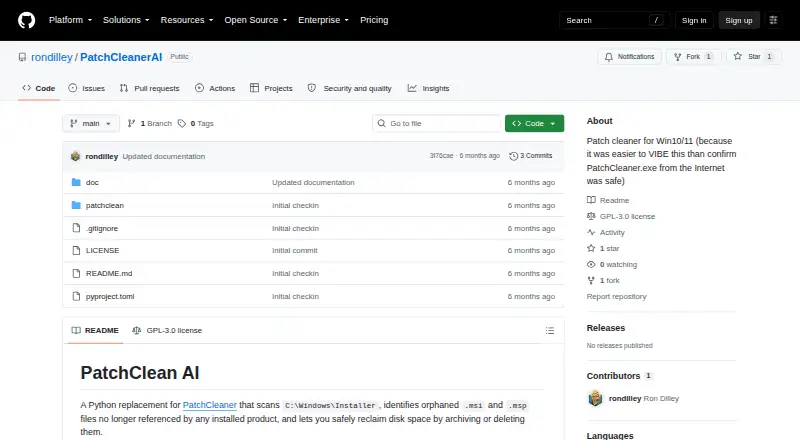
The facts below are what the maker publishes about PatchClean AI, checked and dated. Our editors have not written about it yet.
The facts
Each one read from PatchClean AI's own pages, with the date it was checked.
What it does
- AI analysis
- Optional Claude AI analysis classifies UNKNOWN files using installer metadata and provides a confidence score.checked 11 Oct 2026
- AI requirement
- AI analysis requires an Anthropic API key supplied through claude.key.txt, a .env file, or the ANTHROPIC_API_KEY environment variable.checked 11 Oct 2026
- AI setup
- AI analysis requires an Anthropic API key supplied through claude.key.txt, .env, or the ANTHROPIC_API_KEY environment variable.checked 5 Oct 2026
- Architecture detail
- The project documents scanning C:\Windows\Installer and its $PatchCache$ subdirectory, then cross-referencing files against Windows Installer COM and registry data.checked 11 Oct 2026
- Archive
- Orphaned files can be moved to an archive directory, defaulting to C:\Windows\Installer\_archive, and can be restored by moving them back.checked 11 Oct 2026
- Classification
- The scanner labels files KNOWN, ORPHANED, or UNKNOWN and displays file counts and potential disk savings.checked 11 Oct 2026
- Installation
- The documented installation method is to clone the repository and install the package with pip install -e .checked 5 Oct 2026
- Integrations
- Optional AI classification uses Anthropic Claude; JSON output is described as useful for scripting or piping to other tools.checked 11 Oct 2026
- Intended users
- The README describes the project as a PatchCleaner replacement for Windows users and says it is provided as-is for personal use.checked 5 Oct 2026
- License and caution
- The repository lists a GPL-3.0 license, and its README says to use the project at your own risk and verify classifications before deleting files.checked 11 Oct 2026
- Optional AI
- Optional Claude AI analysis classifies files that remain UNKNOWN using installer metadata and provides a confidence score.checked 5 Oct 2026
- Output
- The CLI provides a Rich table and structured JSON output with file details, classifications, sizes, and errors.checked 11 Oct 2026
- Permanent deletion
- Deleting orphaned files is permanent and requires typing YES to confirm.checked 11 Oct 2026
- Purpose
- PatchClean AI scans the Windows Installer folder, identifies orphaned MSI and MSP files, and can archive or delete them to reclaim disk space.checked 11 Oct 2026
- Requirements
- The project lists Windows 10 or 11, Python 3.10 or later, and administrator privileges for move or delete operations.checked 11 Oct 2026
- Safety controls
- Move and delete operations require administrator privileges; the tool checks paths, rejects symlinks, and supports dry-run previews.checked 11 Oct 2026
- Scripting
- The scan command can output JSON with file details, classifications, sizes, and errors for scripting or piping to other tools.checked 5 Oct 2026
Alternatives to PatchClean AI
- 1
IObit Uninstaller
Free planWindows8.2Free plan - 2

Wise Program Uninstaller
Free planWindows8.1From $14.95 a year - 3
Argente Uninstall Manager
Free planWindows7.9From €9 a year - 4

Geek Uninstaller
Free planWindows7.6Free plan - 5
Revo Uninstaller
Windows7.3 - 6

Uninstall Tool
Windows7.3$24.95 one-time