Particles UI
Particles UI is a cloud service for teams that create, version, review, and publish design tokens across codebases, themes, and AI agents.
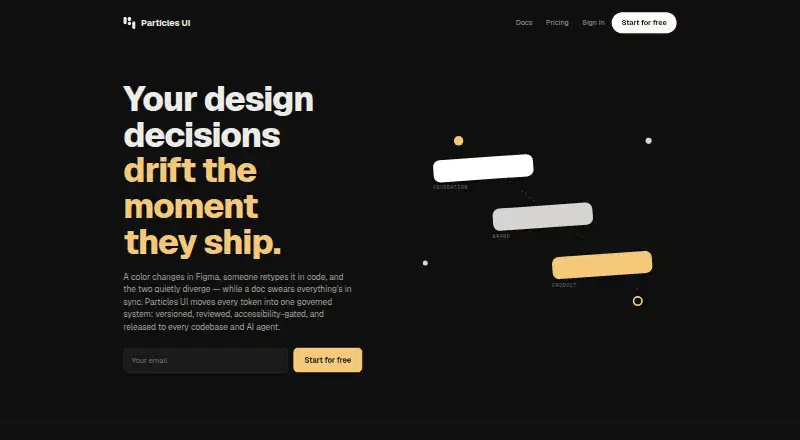
What Particles UI is
Particles UI is a cloud service for teams that create, version, review, and publish design tokens across codebases, themes, and AI agents. Token changes are developed on branches and pass through review before joining the main token set. Its accessibility rule prevents merging or publishing when contrast falls below WCAG AA, and the check can also run in CI. The CLI accepts DTCG, Tokens Studio, CSS, SCSS, TypeScript, and JavaScript token files, and exports formats including Tailwind v4, CSS, SCSS, Style Dictionary, JSON, and Flutter. Listed integrations include Figma, Tailwind, GitHub, MCP, and TypeScript. The MIT-licensed CLI supports local token management and export without an account. The Free plan includes one project, a main branch, three free viewers, unlimited tokens, exports, releases, version pinning, and limited Figma functions. Pro costs $19 a month for one seat; Team costs $29 per editor per month. MCP access requires Team or above. Figma use requires desktop version 116 or later or a Chromium-based browser; Safari is not supported.
Good
- Token changes pass through a review process.
- Contrast checks can block publishing below WCAG AA.
- CLI supports multiple token input and export formats.
- Local CLI use works without an account.
- Free plan includes unlimited tokens.
Watch out
- MCP access requires Team or above.
- Figma plugin does not support Safari.
- Free users can pull but not push Figma tokens.
- Maker says it lacks listed security certifications.
Who it suits
Particles UI suits teams managing shared design tokens across code and design workflows. It may be relevant to teams that need review and accessibility checks, or developers who want local token exports through its CLI.
Verdict
Particles UI centers token governance, with review workflows, accessibility checks, and broad import and export support. Confirm the plan and Figma requirements against the features your team needs.
Plans and prices
From Particles UI's own pricing page, checked 30 Sep 2026.
| Plan | Price | What it gives you |
|---|---|---|
| Free | Free | 1 project · main branch · 3 free viewers · unlimited tokens · all export formats · releases and version pinning · Figma pull, inspect and 1 theme · forever |
| Pro | $19 a month | 5 projects · 5 branches · unlimited themes and Figma variable modes · token graph / DAG explorer · 14-day free trial · $19/ month · 1 seat |
| Team | $29 a month | Token requests, review and 3-way merge · WCAG release gate · webhooks to release-to-PR · MCP and agent recipes · unlimited free viewer seats · $29/ editor / month |
| Business | $79 a month | Multi-level Foundation → Brand → Product · pinned module releases and conflict review · knowledge graph explorer · 4-hour SLA and onboarding · dedicated Slack channel · $79/ editor / month |
The facts
Each one read from Particles UI's own pages, with the date it was checked.
What it does
- Access control
- Studio supports GitHub and Google OAuth 2.0 and email magic links, while organization roles and project-level authorization control API access.checked 30 Sep 2026
- Accessibility
- The product says contrast below WCAG AA cannot merge or publish, and the same check can run in CI.checked 30 Sep 2026
- AI agents
- The MCP server exposes 42 tools for token access, search, impact analysis, WCAG contrast, documentation, releases and governance; MCP access requires Team or above.checked 30 Sep 2026
- Compliance
- The maker says it is not currently certified under SOC 2, PCI DSS, HITRUST, ISO 27001 or SSAE 18.checked 30 Sep 2026
- Figma requirement
- The Figma plugin requires Figma desktop version 116 or later or Figma in a Chromium-based browser; Safari is not supported.checked 30 Sep 2026
- Imports and exports
- The CLI accepts DTCG, Tokens Studio, CSS, SCSS, TypeScript and JavaScript token files and exports formats including Tailwind v4, CSS, SCSS, Style Dictionary, DTCG, JSON, TypeScript, JavaScript and Flutter.checked 30 Sep 2026
- Integrations
- The maker lists Figma, Tailwind, GitHub, MCP and TypeScript among the stack integrations.checked 30 Sep 2026
- Open source
- The maker says its CLI is MIT-licensed and local token management and export work without an account.checked 30 Sep 2026
- Payments and webhooks
- Project webhooks use HMAC-SHA256 signatures, and Stripe handles card data that Particles UI says it does not store as raw card numbers.checked 30 Sep 2026
- Token governance
- Changes are made on branches and reach the main token set through a review process.checked 30 Sep 2026
- Transport and storage
- Client traffic to the API uses HTTPS/TLS, and application data is stored in managed PostgreSQL databases.checked 30 Sep 2026
- What it does
- Particles UI provides design decision infrastructure for teams to create, version, review and publish design tokens across codebases, themes and AI agents.checked 30 Sep 2026
Money
- Figma plan limits
- Free plan users can pull but not push tokens, and creating, editing or deleting tokens in the plugin requires Pro or above.checked 30 Sep 2026
The full review of Particles UI
Overview
Particles UI is a cloud-hosted token management and governance platform for design and engineering teams. Its appeal is strongest for teams that need token changes reviewed before release; the trade-off is that key collaboration and Figma workflows sit behind paid plans.
Key features
Governed changes and accessibility
Token changes move through branches and review before reaching the main set, giving teams a controlled path for updating shared design decisions. Its WCAG AA contrast gate blocks changes from merging or publishing when contrast falls below the threshold, and the check can also run in CI. That makes accessibility enforceable during release, though the release gate is a Team-plan feature.
Broad token exchange
The CLI imports DTCG, Tokens Studio, CSS, SCSS, TypeScript and JavaScript token files. It exports to Tailwind v4, CSS, SCSS, Style Dictionary, DTCG, JSON, TypeScript, JavaScript and Flutter. This breadth makes Particles UI more practical for teams working across several code targets than a workflow tied to one output format. The MIT-licensed CLI also handles local token management and export without an account.
Design and agent connections
Listed integrations include Figma, Tailwind, GitHub, MCP and TypeScript. The Figma plugin requires desktop version 116 or later, or Figma in a Chromium-based browser; Safari is unsupported. Free users can pull tokens but cannot push them, and creating, editing or deleting tokens in the plugin requires Pro or higher.
For AI-agent workflows, the MCP server offers 42 tools covering token access and search, impact analysis, WCAG contrast, documentation, releases and governance. MCP requires Team or above, so it is not part of the lowest paid tier.
Security and access
Studio supports GitHub and Google OAuth 2.0 and email magic links, with organization roles and project-level authorization controlling API access. API traffic uses HTTPS/TLS, data is stored in managed PostgreSQL databases, project webhooks use HMAC-SHA256 signatures, and Stripe handles card data that Particles UI says it does not store as raw card numbers. The maker says it is not currently certified under SOC 2, PCI DSS, HITRUST, ISO 27001 or SSAE 18, a material consideration for organizations with formal certification requirements.
Pricing
Particles UI has a free plan and paid plans starting at $19 a month. The paid tiers are priced per editor where stated, and the distinction between viewers and editors matters for teams estimating the cost of broader adoption.
- Free — free (billed forever): One project, one main branch and three free viewers, with unlimited tokens, all export formats, releases and version pinning. It includes Figma pull, inspect and one theme. This is a useful way to maintain a small token set or evaluate exports, but the single project and branch limit constrain team workflows, and Figma push is unavailable.
- Pro — $19 a month (billed $19/ month; 1 seat): Five projects, five branches, unlimited themes and Figma variable modes, plus a token graph/DAG explorer. A 14-day free trial is included. It suits an individual editor needing more room for projects and themes, but the one-seat plan lacks the listed review, WCAG release gate and MCP capabilities reserved for Team.
- Team — $29 a month (billed $29/ editor / month): Adds token requests, review and three-way merge, a WCAG release gate, webhooks to release-to-PR, MCP and agent recipes, and unlimited free viewer seats. It is the clearest fit for collaborative governance, though editor costs rise with each additional editor.
- Business — $79 a month (billed $79/ editor / month): Adds a Foundation → Brand → Product hierarchy, pinned module releases and conflict review, a knowledge graph explorer, a four-hour SLA and onboarding, and a dedicated Slack channel. This is aimed at organizations managing layered design systems and requiring defined support; its per-editor price is substantially higher than Team.
Platforms
Particles UI supports Linux, macOS, web and Windows. Figma use has its own browser and version requirements, and Safari is not supported for the plugin.
Who it's for
Choose Particles UI if your team needs versioned tokens, review before release, broad code-format exchange and an accessibility gate integrated into governance. Free is adequate for a small, single-project setup; Pro suits a solo editor, while Team is the practical tier for shared review, MCP or WCAG release enforcement. Teams needing a recognized security certification, or only a lightweight export path without cloud governance, should look elsewhere.
Pros and cons
- Pro: Branch-based review gives token changes a controlled route into the main set.
- Pro: Extensive import and export formats support varied codebases, and the local MIT-licensed CLI works without an account.
- Pro: Team combines review, WCAG release checks, webhooks and MCP access, with unlimited free viewer seats.
- Con: Figma push is excluded from Free, and plugin editing requires Pro or above.
- Con: MCP and the WCAG release gate require Team, beyond the $19/month Pro tier.
- Con: The maker reports no current certification under SOC 2, PCI DSS, HITRUST, ISO 27001 or SSAE 18.
Alternatives
Zaklad is a freemium alternative with Android, iOS and web support. Vue Design System is a free option for macOS, self-hosted and web environments. Terrazzo is a free, MIT-licensed open-source option for iOS, macOS and web. Bezel offers a web-based freemium option, with its free plan capped at 75 AI credits, one project, one theme and 1,000 design tokens; it is not yet open for signup. Carbon Design System is a free, open-source web option with no paid tiers stated. Spec Layer is a freemium web alternative whose free plan allows one Figma file and 10 publishing updates per month. Supernova offers a freemium option across API, macOS and web, with its free tier covering up to five seats and one design system. Tokens Studio is a freemium extension and web option; its Variables plan is €17 a month billed annually and includes one editor seat.
Verdict
Particles UI is a strong choice for teams that want design tokens treated as governed, versioned decisions rather than loose files, especially when review, accessibility checks and multiple export targets matter. Its principal reasons to look elsewhere are the Team-or-higher cost for core collaboration and MCP features, and the absence of the security certifications some organizations require.
Getting started
- Open the Particles UI website.
- Use the MIT-licensed CLI for local token management and export without an account, or use Studio sign-in.
- Studio supports GitHub and Google OAuth 2.0 and email magic links.
- Choose the Free plan or select Pro, Team, or Business.
- For the Figma plugin, use Figma desktop version 116 or later or Figma in a Chromium-based browser.
Limits worth knowing
The Free plan includes one project, one main branch, three free viewers, and Figma pull, inspect, and one theme; it does not allow pushing tokens from the Figma plugin. Creating, editing, or deleting tokens in the plugin requires Pro or above. MCP access requires Team or above.
Questions
Is Particles UI free?
Yes. The Free plan is billed forever and includes one project, one main branch, three free viewers, unlimited tokens, all export formats, releases, and version pinning.
What are the paid plan prices?
Pro is $19 a month for one seat. Team is $29 per editor per month, and Business is $79 per editor per month.
Is there a free trial?
The Pro plan includes a 14-day free trial.
Is Particles UI open source?
The maker says its CLI is MIT-licensed. Local token management and export work without an account.
Which platforms does it support?
The listed platforms are Linux, macOS, web, and Windows.
Does it integrate with Figma?
Figma is listed as an integration. The plugin requires Figma desktop version 116 or later or Figma in a Chromium-based browser; Safari is not supported.
Alternatives to Particles UI
- 1

Zaklad
Free planAndroidiOSWebAPI7.9From €9.50 a month - 2

Bezel
Free planWebAPI7.3From $7 a month - 3

Supernova
Free planWebAPImacOS6.8From $35 a month - 4
Bit
Free planAndroidiOSWebAPI6.7Free plan - 5

zeroheight
Free planWeb6.7From $49 a month - 6

Carbon Design System
Free planWeb6.6Free plan