
Parsec
Parsec is a remote access app for connecting to a computer from another device for work, gaming, or sharing access with friends.
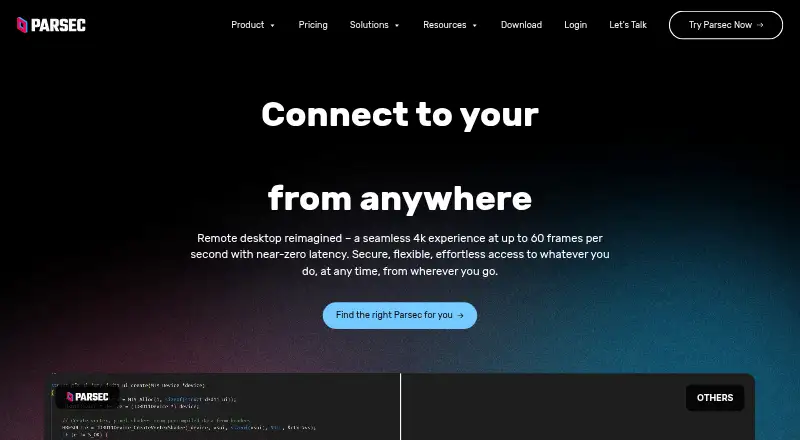
What Parsec is
Parsec is a remote access app for connecting to a computer from another device for work, gaming, or sharing access with friends. It supports Windows, macOS, Ubuntu Linux, Android, and a Chromium web client. Its gaming design targets 60FPS UHD play with low latency, and controls include keyboard mapping, gamepads, and advanced settings. A shared link can let another person observe or control a computer. Parsec says native-app peer-to-peer traffic is encrypted end-to-end with a shared 128-bit AES key; web-client sessions use DTLS. Accounts support multi-factor authentication, and Teams can require SAML 2.0 single sign-on. Personal Use and Individuals are licensed for personal, non-commercial use; commercial use requires Teams or Enterprise. Individuals (Warp) costs $8.33 per user per month, billed annually. Teams costs $30 per user per month, billed annually, and Enterprise costs $45 per user per month, billed annually only. A free plan is also available.
Good
- Supports Windows, macOS, Ubuntu Linux, and Android.
- A shared link can grant observation or control.
- Supports keyboard mapping and gamepads.
- Accounts support multi-factor authentication.
Watch out
- Personal Use and Individuals are non-commercial only.
- Commercial use requires Teams or Enterprise.
- Guest Access costs $25 per invitation.
- No volume discounts are offered.
Who it suits
Parsec may suit people who want remote access for personal work or gaming, including those who need another person to observe or control their computer. Commercial users need Teams or Enterprise.
Verdict
Parsec combines remote computer access with gaming-oriented controls and link-based collaboration. Check the plan’s licensing terms before using it commercially.
Plans and prices
From Parsec's own pricing page, checked 15 Oct 2026.
| Plan | Price | What it gives you |
|---|---|---|
| Individuals (Warp) | $8.33 a month | multi-monitor displays · 4:4:4 color · virtual monitors · privacy mode · Wacom pressure and tilt · per user/month, paid annually (shown discounted from $9.99) |
| Teams | $30 a month | secure team-computer access · SAML SSO · granular permissions · app/settings controls · team computer management · seven-day audit logs · per user/month, paid annually (shown discounted from $35) |
| Enterprise | $45 a month | high-performance relay · usage logs and analytics · Teams API · custom RBAC roles · full audit logs · per user/month, paid annually only |
| Personal Use | Free | personal, non-commercial use only |
| Personal Use (free) | Free | gaming use · one-screen free tier described by G2 reviewer · personal, non-commercial use only |
| Guest Access credit | $25, paid once | temporary guest access for up to five days · credits do not expire · unused invites return to account · per invitation credit |
The facts
Each one read from Parsec's own pages, with the date it was checked.
What it does
- Access mode
- bothchecked 20 Sep 2026
- Acquisition
- Unity announced on August 10, 2021 that it would acquire Parsec for approximately $320 million in cash.checked 15 Oct 2026
- Authentication
- Accounts support multi-factor authentication, and Teams can enforce SAML 2.0 single sign-on.checked 1 Oct 2026
- Changelog
- The official changelog recorded October 2026 fixes for macOS H.264 quality, macOS-host decoding and new relative-mouse and sleep-event handling.checked 15 Oct 2026
- Codecs and hardware
- The technical documentation states support for H.265, low-latency capture, zero-copy GPU encoding and hardware decoding where available.checked 15 Oct 2026
- Collaboration
- Users can share a link so another person can observe or control their computer.checked 1 Oct 2026
- Commercial licensing
- Personal Use and Individuals are licensed for personal, non-commercial use; commercial use requires Teams or Enterprise.checked 1 Oct 2026
- Compliance
- Parsec states that it is SOC 2 Type 2 certified.checked 1 Oct 2026
- Controls
- Parsec supports keyboard mapping, gamepads, and advanced settings.checked 1 Oct 2026
- Co-play
- Users can share a link and connect a controller so friends can play together remotely.checked 15 Oct 2026
- Discord integration
- The gaming feature page says Parsec includes chat, controller management and Discord integration.checked 15 Oct 2026
- Documentation depth
- The help center includes compatibility, connectivity, feature-matrix, connection-sequence, deployment and configuration references.checked 15 Oct 2026
- Encryption
- Native application peer-to-peer traffic is encrypted end-to-end with a shared 128-bit AES key, while web-client sessions use DTLS.checked 1 Oct 2026
- Enterprise API
- Enterprise customers receive access to a REST-based Teams API for automating deployment and administration.checked 15 Oct 2026
- Enterprise controls
- Enterprise includes SCIM provisioning, full connection audit logs, API access, and a high-performance relay server.checked 1 Oct 2026
- Funding
- TechCrunch reported Parsec raised a $25 million Series B in December 2020, bringing total funding to $33 million.checked 15 Oct 2026
- Gaming
- The app is designed for 60FPS UHD gaming with low latency.checked 1 Oct 2026
- Gaming streaming
- The gaming product targets 60 FPS and UHD streaming from a computer to other screens.checked 15 Oct 2026
- Guest access
- Guest Access invitations provide temporary access for up to five days and cost $25 per invitation.checked 1 Oct 2026
- Hosting support
- Hosting is currently available only on Windows and macOS computers.checked 15 Oct 2026
Where it runs
- Air-gapped use
- Parsec states it cannot operate in a fully air-gapped environment because authentication and API communication require internet access.checked 15 Oct 2026
The company
- Company facts
- LinkedIn lists Parsec as founded in 2016, headquartered in New York, with 11–50 employees, and now part of Unity Technologies.checked 15 Oct 2026
- Company legal name
- The Google Play listing identifies the developer as Parsec Cloud, Inc.checked 15 Oct 2026
Money
- Free plan
- Yeschecked 20 Sep 2026
The full review of Parsec
Overview
Parsec is remote-access software for connecting to another computer for work, play, or shared activities. It suits people who want responsive game streaming or link-based collaboration, as well as teams that need administrative controls. Its standout advantage is a mix of gaming-focused input options and managed access; commercial users must choose a business plan.
Parsec is included in Game Remote Play Software and Remote desktop software.
Key features
- Remote access and sharing: Connect to a computer for work or games, or share a link so someone else can observe or control it. That makes quick collaboration possible without limiting the product to solo streaming.
- Gaming controls: Parsec is designed for low-latency gaming at 60FPS UHD, with keyboard mapping, gamepad support, and advanced settings. Those controls make it a stronger fit for game streaming than a basic remote desktop, though the gaming focus may be unnecessary for readers who only need business access.
- Discord integration: Parsec provides Discord integration, complementing its use for shared play and social sessions.
- Security and administration: Native-app peer-to-peer traffic is end-to-end encrypted with a shared 128-bit AES key; web-client sessions use DTLS. Accounts support multi-factor authentication, and Teams can enforce SAML 2.0 single sign-on. Enterprise adds SCIM provisioning, full connection audit logs, API access, and a high-performance relay server.
- Temporary guest access: Guest Access invitations provide access for up to five days at $25 per invitation. This can suit occasional collaboration, but the per-invitation price is worth weighing against the duration of access.
- Support and compliance: Parsec states that it is SOC 2 Type 2 certified. Teams and Enterprise include a 24-hour first-response SLA for product support tickets, a meaningful distinction for organizations that need a defined support response.
Pricing
Parsec is freemium, with a free plan, a 14-day trial, and paid plans starting at $8.33/user/mo (annual). The Personal Use plan has no listed price and covers desktop streaming and sharing for personal, non-commercial use. It is the natural starting point for personal access, but its license does not permit commercial use.
Individuals (Warp) costs $8.33 a month, billed per user/month and paid annually. It adds multi-monitor displays, 4:4:4 color mode, virtual monitors, privacy mode, and Wacom pressure and tilt. It fits individuals who need those display or pen features, but remains licensed for personal, non-commercial use.
Teams costs $30 a month, billed per user/month and paid annually. It includes SAML SSO, granular permissions, team computer management, and seven-day audit logs. Commercial users who need managed access can choose it; Teams also includes the 24-hour first-response support SLA.
Enterprise costs $45 a month, billed per user/month and paid annually only. It adds a high-performance relay, usage logs and analytics, Teams API, role-based access, and full audit logs. It is the better fit when those controls are needed, while its annual-only billing is less flexible than a plan without that restriction. Commercial use requires Teams or Enterprise, and Parsec does not offer volume discounts, regardless of license count.
Platforms
Parsec supports Windows 10+, macOS 10.15+, Ubuntu 22.04 LTS Desktop, Android, and the Google Chrome web client. Its mobile apps and web access give users options beyond desktop-to-desktop connections, while the supported operating systems are specific rather than universal.
Who it's for
Choose Parsec for remote gaming that benefits from low-latency design and flexible input, for sharing computer access through links, or for teams that need authentication and audit controls. It is not the right licensed choice for commercial use on Personal Use or Individuals; those users need Teams or Enterprise. Readers who want only a free gaming client may prefer an alternative with no paid tier.
Pros and cons
- Pro: Gaming-oriented performance and support for keyboards and gamepads suit remote play as well as general access.
- Pro: Link sharing and temporary guest invitations support collaboration without requiring every session to be a managed team deployment.
- Pro: Teams and Enterprise offer meaningful organizational controls, from SAML SSO to full audit logs and SCIM provisioning.
- Con: Commercial use requires Teams or Enterprise, so the free and Individuals options are not substitutes for a business license.
- Con: Guest Access costs $25 per invitation for up to five days, which can make repeated short-term access costly.
- Con: No volume discounts are offered, and Enterprise requires annual billing.
Alternatives
For a free alternative focused on game streaming, Moonlight Game Streaming has no subscriptions or paid feature tiers and supports Android, iOS, Linux, macOS, and Windows. Choose it if avoiding subscription costs matters more than Parsec’s plan-based collaboration and business controls.
Steam is a free option across Android, iOS, Linux, macOS, and Windows, though game and content prices vary and some subscriptions may be free. Pick it if your priority is Steam’s games and content rather than Parsec’s remote-access and team features.
Chiaki-ng is a free, open-source PlayStation Remote Play client for Android, Linux, macOS, and Windows. It is the more focused choice when PlayStation Remote Play is the need.
Greenlight is open-source under the MIT license, with no paid plans, and supports Linux, macOS, web, and Windows. Choose it if a free open-source option on those platforms is the priority.
Sunshine is free, self-hosted software that runs on your own hardware, for Linux, macOS, and Windows. It suits readers who want to host the service themselves.
Pulsar is a free option for Windows, macOS, Linux, and Android.
Moonlight Web is a free option supporting web, self-hosted, and several desktop and mobile platforms.
PXPlay offers a trial and a one-time PC purchase at 12.99 EUR, with a single-user license for Windows, Linux, and Mac and multiple personal machines on the same plan. Consider it if a one-time purchase better suits your PC use than Parsec’s per-user annual billing.
Verdict
Parsec is a strong choice for people who want responsive remote gaming alongside computer sharing, and for organizations that need managed access and audit controls. Its gaming-oriented controls and range of team features justify considering it beyond play alone. Look elsewhere if you need commercial access without a per-user paid plan, want volume discounts, or prefer a fully free service.
Getting started
- Visit https://parsec.app.
- Choose a supported platform: Windows, macOS, Ubuntu Linux, Android, or Chromium web.
- Use the free plan or choose a paid plan; the 14-day trial is available.
- Use Personal Use or Individuals only for personal, non-commercial use; choose Teams or Enterprise for commercial use.
Limits worth knowing
The Personal Use plan is for personal, non-commercial use. Individuals (Warp) is also licensed for personal, non-commercial use; commercial use requires Teams or Enterprise.
Questions
Is there a free plan?
Yes. Parsec offers a free plan.
How much do the paid plans cost?
Individuals (Warp) is $8.33 per user per month, billed annually. Teams is $30 per user per month, billed annually, and Enterprise is $45 per user per month, billed annually only.
Which platforms does Parsec support?
It supports Windows, macOS, Ubuntu Linux, Android, and a Chromium web client.
Can Parsec be used commercially?
Personal Use and Individuals are licensed for personal, non-commercial use. Commercial use requires Teams or Enterprise.
What integrations are stated?
Parsec states that it provides Discord integrations.
What security features are listed?
Native application peer-to-peer traffic is encrypted end-to-end with a shared 128-bit AES key, and web-client sessions use DTLS. Accounts support multi-factor authentication; Teams can enforce SAML 2.0 single sign-on.
Alternatives to Parsec
- 1
PXPlay
Free planAndroidiOSLinuxmacOS8.0Free plan - 2

Moonlight Game Streaming
Free planOpen sourceAndroidiOSLinuxmacOS7.8Free plan - 3

Steam
Free planAndroidiOSWebAPI7.7Free plan - 4

Moonlight Web
Free planAndroidiOSWebLinux7.0Free plan - 5
PeaSyo
Free planAndroidiOSLinuxmacOS6.7Free plan - 6
Artemis Qt
Free planLinuxmacOSWindows6.5Free plan