PXPlay
PXPlay lets users stream a supported PlayStation 4 or PlayStation 5 console to another device for remote play, and can also serve as a virtual controller.
What PXPlay is
PXPlay lets users stream a supported PlayStation 4 or PlayStation 5 console to another device for remote play, and can also serve as a virtual controller. It offers customizable on-screen gamepad layouts, button mapping, multiple console profiles, and a gamepad-only mode. Client platforms include Android, iOS, Apple TV, Windows, Linux, and macOS; the listed maximum resolution is 4k. The maker describes upscaling features for PC and Android. Remote access can use an experimental automatic mode or manual router port forwarding. Automatic access requires a console PSN connection, current firmware, and registration with a login; registration must happen on the same network as the console. The manual recommends 5 GHz Wi-Fi for the client, a wired console connection, and at least 15 Mbps upload and download speeds. Automatic access can fail on some networks, including those with console NAT type 3. The PC license is a one-time purchase of 12.99 EUR for one user and works on Windows, Linux, and Mac; a demo is available. Separate license keys are required for each platform, except Windows and Linux can share a key.
Good
- Supports PlayStation 4 and PlayStation 5
- Offers customizable on-screen gamepad layouts
- PC license covers Windows, Linux, and Mac
- Demo available before PC license purchase
Watch out
- Automatic remote access is experimental
- Automatic access may fail on NAT type 3 networks
- Separate license keys are required by platform
- PC license costs 12.99 EUR one time
Who it suits
PXPlay suits people who want to remotely play a supported PlayStation console on a listed client device or use that device as a virtual controller. Its network setup details matter for users considering remote access.
Verdict
PXPlay offers remote play across several client platforms, plus configurable controls and a demo for its PC license. Check the network requirements and platform-specific licensing before choosing it.
Plans and prices
From PXPlay's own pricing page, checked 15 Oct 2026.
| Plan | Price | What it gives you |
|---|---|---|
| PXPlay iOS/Apple TV | Free | iPhone, iPad and Apple TV · free download with in-app purchases |
| PXPlay Android | $6.99, paid once | Android and Android TV devices · Google Play purchase |
| PXPlay (PSPlay) PC | €12.99, paid once | Windows 10/11, Linux and macOS · one personal user · Windows/Linux share key · one-time purchase |
| PXPlay (PSPlay) Android APK license | — | Android and Android TV · standalone APK activation · license key purchase; price not stated on the opened page |
| PXPlay (PSPlay) Android Google Play | — | Android · Android TV · price varies by region; not stated in USD on the opened page |
| PXPlay (PSPlay) iOS / Apple TV | — | iPhone · iPad · Apple TV · in-app purchase; price not stated in USD on the opened page |
The facts
Each one read from PXPlay's own pages, with the date it was checked.
What it does
- Account data
- During account sign-in, PXPlay opens the official login website; the maker says it stores the Account-ID and Online-ID locally on the device.checked 30 Sep 2026
- Automatic connection limit
- Automatic internet connection may fail on some networks, including consoles behind NAT type 3, and requires console PSN connectivity, current firmware and account login.checked 15 Oct 2026
- Compatibility limit
- Automatic remote connection may fail on some networks, including when the console has NAT type 3.checked 30 Sep 2026
- Controller support
- It supports third-party USB or Bluetooth controllers, button mapping, touchpad gesture emulation and virtual-controller mode.checked 15 Oct 2026
- Developer integration
- A third-party integration section provides information for launchers or frontends that want to stream a PlayStation console through PXPlay.checked 15 Oct 2026
- Documentation
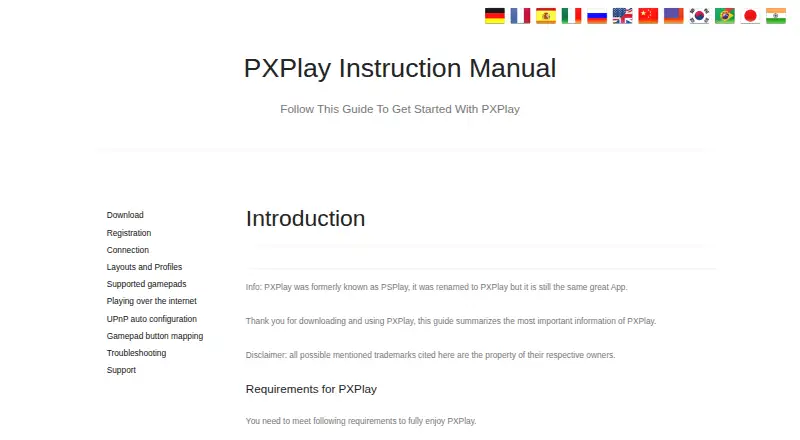
- The official manual includes setup, networking, controller mapping, troubleshooting and platform-specific workarounds.checked 15 Oct 2026
- Features
- The maker lists customizable on-screen gamepad layouts, button mapping, multiple console profiles, and gamepad-only mode.checked 30 Sep 2026
- Former name
- The product was formerly called PSPlay and was renamed PXPlay.checked 15 Oct 2026
- Google Play data safety
- Google Play lists the developer declaration as no data collected and no data shared with third parties.checked 15 Oct 2026
- Hardware requirements
- The maker recommends a dual-core CPU, at least 2 GB RAM and a 1024×768-or-higher display.checked 15 Oct 2026
- Integrations
- The app supports third-party gamepads, with controller compatibility depending on platform; Android supports compatible Bluetooth or USB controllers.checked 30 Sep 2026
- Internet play
- Remote play away from home can use experimental automatic connection or manual router port forwarding.checked 15 Oct 2026
- Licence
- PXPlay is proprietary software licensed for personal use; a valid key is required for the full PC port and standalone Android APK.checked 15 Oct 2026
- License limits
- A separate license key is required for each platform, except Windows and Linux can share a key; keys may be used on multiple personal devices within a platform, subject to activation limits.checked 30 Sep 2026
- Limit: connection and lag
- Reviewers report persistent lag or stuttering on some Wi‑Fi, Apple TV and mobile-data setups even with wired networking.checked 15 Oct 2026
- Limit: controller features
- Independent review analysis reports complaints that DualSense haptics or rumble do not work as advertised on some devices.checked 15 Oct 2026
- Limit: display behavior
- Independent review analysis reports external-display changes that can show a controller screen on the TV while the stream remains on the tablet.checked 15 Oct 2026
- Limit: login and setup
- Independent review analysis reports passkey or account-login failures, console discovery dead ends and setup confusion.checked 15 Oct 2026
- Manual networking
- Manual internet setup requires forwarding PlayStation remote-play UDP/TCP ports, including port 9295 and console-specific ports.checked 15 Oct 2026
- Named developer
- Apple’s App Store listing names Florian Grill as the developer.checked 15 Oct 2026
- Network requirements
- The maker recommends wired console networking, 5 GHz Wi‑Fi for the client and at least 15 Mbps upload and download speeds.checked 15 Oct 2026
The company
- Company headquarters
- The Google Play developer listing gives Haidenweg 14, 3631 Ottenschlag, Austria.checked 15 Oct 2026
- Company identity
- Google Play identifies the developer as GF Frame Technologies GmbH, trading as GF Frame Technologies (Streaming Dev).checked 15 Oct 2026
- Headquarters
- Ottenschlag, Austriachecked 28 Sep 2026
Alternatives to PXPlay
- 1

Parsec
Free planAndroidWebAPILinux8.2From $8.33 a month - 2

Moonlight Game Streaming
Free planOpen sourceAndroidiOSLinuxmacOS7.8Free plan - 3

Steam
Free planAndroidiOSWebAPI7.7Free plan - 4

Moonlight Web
Free planAndroidiOSWebLinux7.0Free plan - 5
PeaSyo
Free planAndroidiOSLinuxmacOS6.7Free plan - 6
Artemis Qt
Free planLinuxmacOSWindows6.5Free plan