PageLines
PageLines is a hosted AI assistant platform built around personal bots for recurring work.
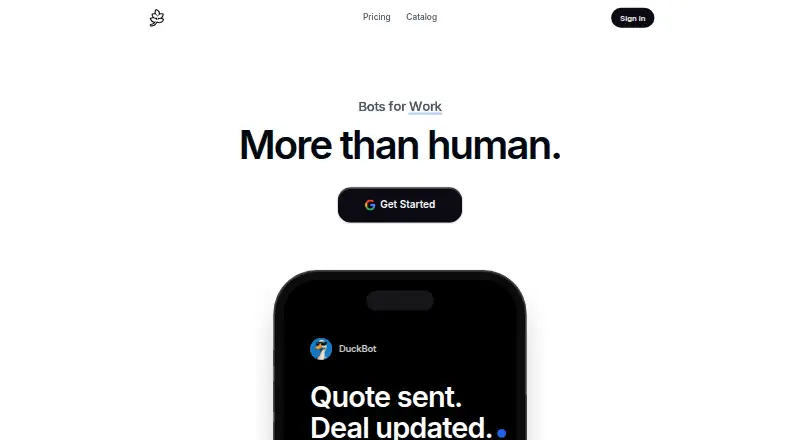
What PageLines is
PageLines is a hosted AI assistant platform built around personal bots for recurring work. Each agent runs on its own cloud computer with a browser and memory; users can watch its activity or take over. Users can create a skill once, share it across clients, and schedule it. Before sending, spending, or changing anything, the assistant asks for approval and shows its work on each run. Listed tasks include CRM updates, sales follow-ups, prospect research, campaign reports, call briefs, proposal drafts, inbox triage, and meeting scheduling. PageLines lists 125 integrations, including Gmail, Google Calendar, Slack, Notion, HubSpot, Salesforce, Microsoft 365, and GitHub; bots also work with Slack, Telegram, iPhone, and voice. The free option includes one bot and 5,000 credits once, but has no browser and pauses when idle. Paid workspace billing is per computer that is awake. PageLines says Google Workspace data is used in real time for requests, not permanently stored or used to train AI models, and connected tokens are encrypted on its servers.
Good
- Agents run on separate cloud computers with browser and memory.
- Skills can be shared across clients and scheduled.
- Assistant requests approval before sending, spending, or changing.
- Integrations page lists 125 tools.
Watch out
- Free option has no browser and pauses when idle.
- Free option includes 5,000 credits once.
- Paid tier trial requires adding a card.
- Paid workspace tier bills per awake computer.
Who it suits
PageLines may suit people who want personal bots for recurring work such as inbox triage, CRM updates, and meeting scheduling. The free option may fit someone willing to work without a browser and with a bot that pauses when idle.
Verdict
PageLines combines recurring-work assistants, scheduled skills, and a large listed set of integrations. The free option has clear operating limits, while paid use is billed per computer and starts with a card-required trial.
Plans and prices
From PageLines's own pricing page, checked 11 Oct 2026.
| Plan | Price | What it gives you |
|---|---|---|
| Free | Free | 5,000 credits once · standard models · no browser · pauses when idle · No card; one bot |
| Essential | $49 a month | Standard included usage · core assistant and standard tools · voice mode · own desktop and browser · Per computer, monthly |
| Professional | $99 a month | 2× included usage · residential IP · faster and more frequent routines · stronger models and faster servers · Per computer, monthly |
| Business | $199 a month | 4× included usage · workspace analytics · team management and oversight · developer workspace and backups · collaboration tools · Per computer, monthly |
The facts
Each one read from PageLines's own pages, with the date it was checked.
Where it runs
- Approval
- The assistant asks before sending, spending, or changing anything and shows its work on each run.checked 11 Oct 2026
What it does
- Google data
- The privacy policy says Google Workspace data is used to fulfill requests in real time, is not permanently stored or used to train AI models, and connected tokens are encrypted on PageLines servers.checked 11 Oct 2026
- Integrations
- The integrations page lists 125 tools, including Gmail, Google Calendar, Slack, Notion, HubSpot, Salesforce, Microsoft 365, and GitHub.checked 11 Oct 2026
- Messaging and voice
- The homepage says bots work with Slack, Telegram, iPhone, and voice.checked 11 Oct 2026
- Models
- PageLines says its agent is built on the open-source Hermes agent and open-weight models.checked 11 Oct 2026
- Own computer
- Each agent runs on its own cloud computer with a browser and memory that users can watch or take over.checked 11 Oct 2026
- Pricing limits
- The free option includes one bot and 5,000 credits once, while the paid workspace tier is billed for each computer that is awake.checked 11 Oct 2026
- Privacy
- The privacy policy says PageLines does not sell personal data and lists GDPR, CCPA, and LGPD among the privacy laws it follows.checked 11 Oct 2026
- Product
- PageLines describes itself as a hosted AI assistant platform with personal bots that learn users’ jobs and handle recurring work.checked 11 Oct 2026
- Scheduled skills
- Users can write a skill once, share it across clients, and run it on a schedule.checked 11 Oct 2026
- Security
- The privacy policy lists encryption in transit and at rest, access controls, regular security assessments, secure infrastructure, and employee data-protection training.checked 11 Oct 2026
- Support
- PageLines says users can contact support by email, Telegram, or Discord, and that a person reads and replies to email inquiries.checked 11 Oct 2026
- Workflows
- Listed jobs include CRM updates, sales follow-ups, prospect research, campaign reports, call briefs, proposal drafts, inbox triage, and meeting scheduling.checked 11 Oct 2026
Money
- Trial
- Any paid tier starts with 10 days free after a card is added.checked 11 Oct 2026
The full review of PageLines
PageLines is a hosted AI-assistant service built around personal bots that learn recurring jobs and carry them out from dedicated cloud computers. It is aimed at professionals and teams automating email, calendar, CRM, research, and other repeatable operations while retaining oversight of consequential actions. The service is strongest when persistent, scheduled workflows matter more than occasional chatbot queries.
Overview
Each agent has its own cloud computer, browser, and memory. You can watch a run or take control, giving recurring work a persistent operating environment rather than a one-off conversation. PageLines also supports action, calendar, task, and email automation, plus mobile apps across its supported services.
The approval model is deliberately cautious: the assistant asks before sending, spending, or changing anything, and displays its work on every run. That is reassuring for communications and business records, but users seeking completely unattended execution will encounter interruptions by design.
Key features
Skills can be written once, shared across clients, and scheduled. That structure suits repeatable processes such as CRM updates, sales follow-ups, prospect research, campaign reports, call briefs, proposal drafts, inbox triage, and meeting scheduling.
PageLines lists 125 integrations, including Gmail, Google Calendar, Slack, Notion, HubSpot, Salesforce, Microsoft 365, and GitHub. Bots can also be reached through Slack, Telegram, iPhone, and voice. The agent is built on the open-source Hermes agent and open-weight models, rather than a proprietary model claim.
Its privacy policy says personal data is not sold and cites GDPR, CCPA, and LGPD compliance. It describes encryption in transit and at rest, access controls, regular security assessments, secure infrastructure, and employee data-protection training. Google Workspace data is used in real time to fulfill requests, is not permanently stored or used to train AI models, and connected tokens are encrypted on PageLines servers. Support is offered by email, Telegram, and Discord, with a person replying to email inquiries.
Pricing
The Free plan costs nothing, requires no card, and includes one bot, 5,000 credits once, and standard models. It has no browser, pauses when idle, and therefore demonstrates the service more than it supports a serious recurring workflow.
Essential costs $49 a month, billed per computer monthly. It includes standard usage, the core assistant and standard tools, voice mode, and an own desktop and browser. This is the practical entry point for an individual who needs a persistent browser-based assistant.
Professional costs $99 a month per computer and doubles included usage. It adds a residential IP, faster and more frequent routines, stronger models, and faster servers, making it better for heavier automation or users who value execution speed.
Business costs $199 a month per computer and provides four times the included usage. Workspace analytics, team management and oversight, a developer workspace with backups, and collaboration tools target coordinated operations rather than solo use.
Every paid tier starts with 10 days free after a card is added. Because billing applies to each computer that is awake, multiple persistent agents can raise the monthly cost quickly; the free allowance is a one-time credit grant rather than a recurring quota.
Platforms
PageLines supports iOS, macOS, and the web. Mobile access and messaging through Slack, Telegram, iPhone, and voice complement the cloud computer, while the browser-based workspace is central to paid operation.
Who it's for
Choose PageLines if you need scheduled assistants that retain context, connect to business systems, and pause for approval before consequential actions. Essential fits an individual with regular browser work; Professional suits heavier routines and stronger model requirements; Business is aimed at teams needing oversight, analytics, backups, and collaboration controls.
It is a weaker fit for casual users who only need occasional answers, for anyone requiring browser automation at no cost, or for organizations that cannot justify per-computer billing.
Pros and cons
- Pros: Dedicated cloud computers with browser and memory support persistent recurring work.
- Pros: Reusable, shareable, scheduled skills cover concrete operational workflows.
- Pros: Approval prompts and run visibility add control over sending, spending, and changes.
- Pros: 125 integrations and multiple messaging and voice channels broaden practical reach.
- Cons: The free plan has no browser, pauses when idle, and grants 5,000 credits only once.
- Cons: Paid pricing is per awake computer, so parallel or always-on use can become expensive.
- Cons: Approval requests reduce the possibility of fully unattended automation.
Alternatives
For a broad directory of automation tools, see AI Workflow Automation Software. Readers comparing assistant-first products can browse AI Personal Assistants.
Vellum is the better choice when you want Android, Windows, extensions, or self-hosting, with a free starting plan and pay-as-you-go credits. Pick Camunda for API, Linux, or self-managed development and testing. Pipefy suits process management with defined process, user, card, storage, and workflow allowances. Activepieces is a lower-cost option for self-hosted or web flows, offering a free tier with 1,000 credits per month.
Bardeen is focused on extension and web automation with credit-based Basic and Premium plans. Hiveflow fits users seeking broad model-provider access and up to 25 workflows on its annual Professional plan. Latenode offers API and web workflows with a free monthly CPU allowance. Processo is a web-based alternative with a one-user, one-process free plan.
Verdict
PageLines is a strong choice for professionals who want scheduled, context-aware assistants operating from persistent cloud computers, with broad integrations and approval before high-impact actions. Choose Essential for a solo recurring-work setup, Professional for heavier or faster routines, and Business for managed team use. Look elsewhere if you need a generous recurring free tier, self-hosting, or costs that do not scale with each awake computer.
Alternatives to PageLines
- 1
Flowable
Free planOpen sourceAndroidiOSWebAPI8.7From $99 a month - 2
Vellum
Free planOpen sourceAndroidiOSWebAPI8.7From $30 a month - 3

Hiveflow
Free planAndroidiOSWebAPI7.9From $397 a year - 4

Camunda
Free planWebAPILinuxmacOS7.6Free plan - 5
Flozic
Free planWebAPI7.5From $8 a month - 6

Relevance AI
Free planWeb7.4From $19 a month