
OtoTheory
OtoTheory is a chord progression builder and music theory companion for guitar, bass, and keyboard players, songwriters, composers, self-learners, and DAW us…
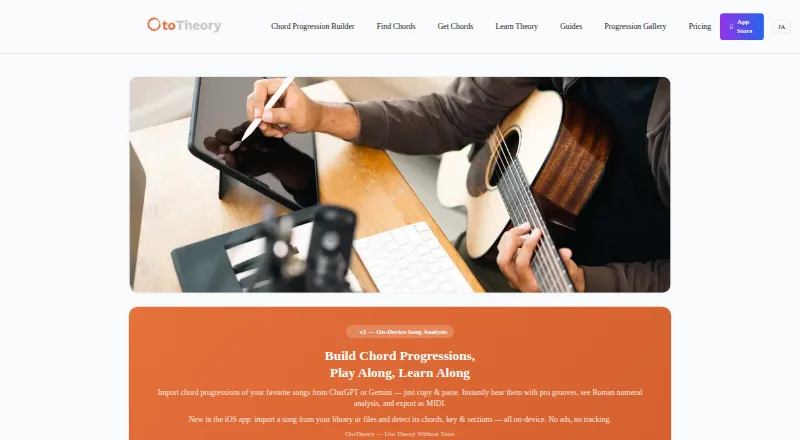
What OtoTheory is
OtoTheory is a chord progression builder and music theory companion for guitar, bass, and keyboard players, songwriters, composers, self-learners, and DAW users. Its iOS app can identify chords, key, and song sections from imported audio or an on-device guitar or piano recording. Users can paste progressions from ChatGPT, Claude, or Gemini for Roman numeral analysis and playback with grooves. The app lists 19 groove patterns and more than 50 progression presets, while OtoTheory AI suggests chords through musical feel, theory, and emotion. Pro exports MIDI in Groove, Groove + Theory, or Chords Only modes, with BPM, section markers, and chord names; the maker says those exports can be used with Logic Pro, Cubase, Ableton, and other DAWs. The web version has a smaller feature set, and Pro is limited to iOS. The free iOS plan allows three local sketch saves but does not include MIDI or audio export.
Good
- Detects chords, key, and sections from recordings.
- Includes 19 groove patterns and 50+ presets.
- Accepts progressions pasted from several AI assistants.
- Pro exports MIDI with BPM and section markers.
- Offers a free iOS plan.
Watch out
- Free plan limits users to three local saves.
- Free plan does not allow MIDI or audio export.
- Pro is iOS-only.
- Web version has limited grooves and presets.
Who it suits
OtoTheory suits players learning or building chord progressions, as well as songwriters, composers, and DAW users. The web version may suit users who only need a subset of its features; Pro features are for iOS users.
Verdict
OtoTheory combines progression building, song analysis, grooves, and MIDI export for musicians working with chords. The free tier is limited, while Pro adds exports and other features on iOS.
Plans and prices
From OtoTheory's own pricing page, checked 29 Sep 2026.
| Plan | Price | What it gives you |
|---|---|---|
| Free | Free | iOS app · 3 local sketch saves · MIDI/audio export unavailable |
| Lifetime | $99.99, paid once | iOS only · all Pro features forever · unlimited MIDI/audio export, saves, and iCloud sync · One-time purchase |
| Pro | — | iOS only · 7-day free trial · unlimited MIDI/audio export · unlimited saves and iCloud sync · Pro-exclusive grooves · Monthly or annually; annual plan is $49.99/year |
The facts
Each one read from OtoTheory's own pages, with the date it was checked.
What it does
- AI chord import
- Users can paste chord progressions from ChatGPT, Claude, or Gemini for Roman numeral analysis and playback with grooves.checked 29 Sep 2026
- AI suggestions
- OtoTheory AI suggests chords using three layers of musical understanding described as feel, theory, and emotion.checked 29 Sep 2026
- Data handling
- Sketches are stored locally on the device or in the user’s iCloud account for Pro, while web sketches are stored in browser localStorage.checked 29 Sep 2026
- DAW compatibility
- The maker says MIDI exports can be used with Logic Pro, Cubase, Ableton, and other DAWs.checked 29 Sep 2026
- Grooves and presets
- OtoTheory lists 19 groove patterns and more than 50 chord progression presets.checked 29 Sep 2026
- Integrations
- The iOS app offers optional iCloud sync for Pro, and exported MIDI can be transferred to a Mac with AirDrop.checked 29 Sep 2026
- Intended users
- The maker describes OtoTheory as intended for beginners, songwriters and composers, self-learners, and guitar, bass, and keyboard players.checked 29 Sep 2026
- MIDI export
- Pro exports progressions in Groove, Groove + Theory, or Chords Only modes, with BPM, section markers, and chord names.checked 29 Sep 2026
- Privacy and security
- The privacy policy says communications use HTTPS, iOS cloud sync uses Apple CloudKit’s encrypted infrastructure, and OtoTheory does not sell personal data.checked 29 Sep 2026
- Product
- OtoTheory is a chord progression builder and music theory companion for guitar, bass, keyboard players, and DAW users.checked 29 Sep 2026
- Song analysis
- The iOS app detects chords, key, and song sections from imported audio or a guitar or piano recording on-device.checked 29 Sep 2026
- Support
- The support page lists [email protected] and says it typically responds within two business days, excluding weekends and holidays.checked 29 Sep 2026
- Web limits
- The web version offers a subset of iOS features, with limited grooves and presets; Pro is iOS-only.checked 29 Sep 2026
The company
- Headquarters
- Tokyo, Japanchecked 23 Sep 2026
The full review of OtoTheory
Overview
OtoTheory is a chord-progression builder and music-theory companion for guitarists, bassists, keyboard players, and DAW users. It suits songwriters and self-learners who want to explore progressions, analyze songs, and move ideas toward a DAW. Its combination of analysis, theory tools, grooves, and MIDI export is broad; the catch is that the free tier is tightly capped and Pro is confined to iOS.
Key features
OtoTheory brings several parts of songwriting into one workflow. Its progression generator, reverse chord lookup, voicing explorer, chord playback, and chord-chart export support both building and examining progressions. More than 50 presets and 19 groove patterns give users starting points to adapt, rather than requiring every idea to begin from a blank page.
On iOS, song analysis detects chords, key, and sections from imported audio or a guitar or piano recording. That can help a player connect a song’s sound to its structure, while the recording options make analysis relevant even without an imported track. Users can also paste progressions from ChatGPT, Claude, or Gemini for Roman numeral analysis and groove playback. OtoTheory AI offers chord suggestions based on feel, theory, and emotion; these tools make the app more useful for developing an idea than for simply looking up a chord.
Pro MIDI export offers Groove, Groove + Theory, and Chords Only modes, with BPM, section markers, and chord names. The maker says exported MIDI works with Logic Pro, Cubase, Ableton, and other DAWs. This is a practical bridge from sketching to arranging, but it sits behind an iOS-only paid plan. Optional iCloud sync is also for Pro; MIDI can be transferred to a Mac with AirDrop.
Pricing
Free costs nothing and includes the iOS app with three locally saved sketches. It excludes MIDI and audio export, so it works for trying the core workflow but is restrictive for anyone who wants to keep a larger library or take finished progressions into other tools.
Pro is iOS-only, offers a 7-day free trial, and includes unlimited MIDI and audio exports, unlimited saves, iCloud sync, and Pro-exclusive grooves. The pricing note gives a paid-from figure of $5.99/mo. Lifetime costs $99.99, paid once and adds all Pro features forever, including unlimited exports, saves, and iCloud sync. It is a one-time purchase for iOS, making it the clear alternative for users who expect to use the app long enough to prefer paying once.
Platforms
OtoTheory is available on iOS and the web, but the web version has a subset of iOS features, with limited grooves and presets. Pro is iOS-only, so web users should not expect the complete paid workflow. Sketches are stored locally on the device or in the user’s iCloud account for Pro; web sketches use browser localStorage. The privacy policy says communications use HTTPS, iOS cloud sync uses Apple CloudKit’s encrypted infrastructure, and OtoTheory does not sell personal data.
Who it's for
OtoTheory is best suited to beginners, songwriters, composers, and self-learners who play guitar, bass, or keyboard and want theory tools alongside a progression sketchpad. DAW users who want MIDI exports have a strong reason to consider Pro, provided they are comfortable working from iOS. It is a weaker fit for someone who needs a full-featured web workflow or wants exports without a paid iOS plan.
Pros and cons
- Pro: Song analysis, AI chord import, progression tools, grooves, and presets cover more of the idea-development process than a basic chord lookup.
- Pro: Multiple MIDI export modes include tempo, section markers, and chord names, supporting a more structured handoff to a DAW.
- Con: Free saves stop at three sketches, and export is unavailable, limiting the free plan for ongoing projects.
- Con: Pro and its unlimited exports, saves, and sync are iOS-only, while web users get fewer grooves and presets.
Alternatives
For a free, browser-based studio, ChordProgressions.org is the simpler choice; its studio playback and editing require JavaScript. ChordU offers Android, iOS, and web access, with a free tier and a $5 a month Premium plan that adds uploads, MusicOnly mode, and downloads. For a free Android or iOS chord-analyzer app, Chord Analyser is another option. chords·lol is a free web alternative. Chordify is another freemium option for Android, iOS, and web. ChordSequence offers all features free on Android and web, with WAV and MIDI export. Chordio is available for iOS and macOS. SongEngine is a macOS and Windows alternative with a free core plug-in and 60+ presets.
Browse more options in Chord Finder Software.
Verdict
Choose OtoTheory if you want a single place to build progressions, study song harmony, try grooves, and export MIDI from iOS. Its depth is the main reason to choose it; the three-sketch free cap and iOS-only Pro plan are the main reasons to look elsewhere, especially if you need a capable web workflow or free exports.
Alternatives to OtoTheory
- 1
ChordU
Free planAndroidiOSWeb7.9From $50 a year - 2
Chord Analyser
Free planAndroidiOS7.6$3.49 one-time - 3

Chordio
Free planiOSmacOS7.5$14.99 one-time - 4
Chordify
AndroidiOSWebAPI7.3From $2 a month - 5

Chord ai
Free planAndroidiOS7.1From $69 a year - 6
Reverse Chord Finder Pro
iOSmacOS7.1From $0.99 a month