Chord Analyser
Chord Analyser identifies chords from notes entered on a piano keyboard or fretboard and shows playable positions for the selected chord.
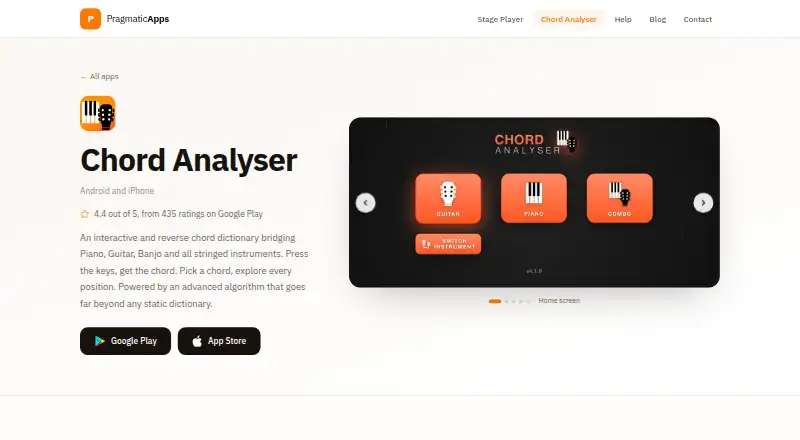
What Chord Analyser is
Chord Analyser identifies chords from notes entered on a piano keyboard or fretboard and shows playable positions for the selected chord. Its library recognizes over 3,500 chords, and the chart editor supports measures, subdivisions, repeats, time and key signatures, playback, automatic voicing, and PDF export. The free version costs nothing, has no time limit or ads, and includes one chord chart. More charts require the full version, a one-time payment whose price depends on the app store. The full version adds eight instruments, open tunings, MIDI input, unlimited charts, and chart transposition. Microphone recognition is an Android-only beta that identifies one chord at a time and may struggle on older phones. The maker says real-time audio transcription is processed on-device without an internet connection. The app is available for Android and iOS, and is intended for learners, composers, performers, and musicians playing across instruments.
Good
- Recognizes over 3,500 chords
- Free version has no time limit or ads
- Chart editor exports PDFs
- Audio transcription is processed on-device
Watch out
- Free version includes only one chord chart
- Microphone recognition is an Android-only beta
- Microphone recognition may struggle on older phones
Who it suits
It suits musicians who want to identify chords and find playable positions, or build charts for practice and performance. Learners, composers, and performers working across instruments are among its intended users.
Verdict
Chord Analyser pairs chord lookup with chart creation and export, and supports a range of instruments. Check whether the free single-chart limit is enough; the full version unlocks additional charts and features for a store-priced one-time payment.
Plans and prices
From Chord Analyser's own pricing page, checked 2 Oct 2026.
| Plan | Price | What it gives you |
|---|---|---|
| Free | Free | No time limit · no ads · one chord chart · PDF export |
| Free version | Free | Core chord finder · piano · guitar · tenor banjo · one chord chart · PDF export · no ads |
| Promo version | $3.49, paid once | Full version features at promotional price · one-time in-app purchase |
| Full version | $6.99, paid once | Additional instruments · open tunings · left-handed fretboard · bookmarks · Combo view · Android microphone recognition · MIDI · unlimited charts · transposition · one-time in-app purchase |
The facts
Each one read from Chord Analyser's own pages, with the date it was checked.
What it does
- Advertising and tracking
- The maker states that the app has no advertising, trackers or data harvesting.checked 15 Oct 2026
- Algorithmic voicings
- Chord positions are calculated on the fly rather than retrieved from a fixed position list, including for custom tunings.checked 15 Oct 2026
- API and SDK
- The reviewed product, help and store pages describe the end-user mobile app but do not document a public API, SDK or developer integration surface.checked 15 Oct 2026
- Audio privacy
- The maker says audio processing for real-time audio transcription is performed on-device and does not require an internet connection.checked 2 Oct 2026
- Audio recognition
- Microphone chord recognition is Android-only, beta, analyzes one held chord at a time, and asks users to sustain it for at least four seconds.checked 15 Oct 2026
- Chart library
- The paid version allows unlimited charts with rename, duplicate, reorder, import, export and transposition functions.checked 15 Oct 2026
- Chord charts
- The chart editor supports subdivisions, bar lines, repeats, time and key signatures, playback, auto voicing and PDF export.checked 15 Oct 2026
- Chord coverage
- The product page says the app recognizes more than 3,500 chords, including major, minor, diminished, augmented, seventh, ninth and suspended families.checked 15 Oct 2026
- Chord dictionary
- The dictionary lets users choose a root and chord quality, then browse positions calculated for the selected instrument and tuning.checked 15 Oct 2026
- Chord library
- The app recognizes over 3,500 chords and provides a chord dictionary with algorithmically computed positions.checked 2 Oct 2026
- Combo view
- The premium Combo page displays a piano keyboard and fretboard together, keeping both views synchronized.checked 15 Oct 2026
- Data safety
- Google Play lists no data shared with third parties and no data collected for the app.checked 15 Oct 2026
- Documentation
- Official help pages provide step-by-step guides for setup, chord naming, instruments and tunings, microphone and MIDI, charts, and free-versus-full limits.checked 15 Oct 2026
- Interactive fretboard
- Users can tap frets and open strings, hear each entered note, and receive chord readings with note degrees and staff notation.checked 15 Oct 2026
- Interactive piano
- Users can press any combination of piano keys to receive chord names and notation.checked 15 Oct 2026
- Left-handed mode
- A display option mirrors the fretboard for left-handed players while preserving the same chords and tuning.checked 15 Oct 2026
- Limit: instrument coverage
- A Google Play reviewer requested support for eight-string instruments and reported that an open high-E string could be inaudible during chord preview.checked 15 Oct 2026
- Limit: missing search
- Google Play reviewers requested a chord search bar because the large number of chord types makes browsing difficult.checked 15 Oct 2026
- Limit: older audio issues
- An App Store reviewer reported that some piano-library sounds and play buttons did not work after an update and asked for fixes.checked 15 Oct 2026
Where it runs
- Android distribution
- Google Play lists at least 100,000 downloads and an Everyone content rating.checked 15 Oct 2026
Money
- Free version limit
- The free version includes one chord chart; additional charts require the full version.checked 2 Oct 2026
The company
- Headquarters
- Marseille, Francechecked 28 Sep 2026
- Maker
- Google Play identifies the developer as Nicolas Foudral and lists an address in Marseille, France.checked 2 Oct 2026
- Maker identity
- The Apple listing identifies Nicolas FOUDRAL as the seller, while Google Play lists the developer as Pragmatic apps.checked 15 Oct 2026
The full review of Chord Analyser
Overview
Chord Analyser is a mobile chord-reference and chart-writing app for Android and iOS. It is best suited to musicians who want to identify chords, compare playable positions and draft charts in one place. Its chord library and chart tools give it a useful range, though the free version's single-chart cap limits ongoing use.
Key features
Enter notes on the piano keyboard or fretboard to identify matching chords, or use the dictionary of more than 3,500 chords. Reverse lookup is useful when you know a set of notes but not its name. The app computes playable positions algorithmically, and its voicing explorer helps compare options across instruments; this is more practical than a reference that only supplies chord names.
The chart editor supports measures, subdivisions, repeats, time and key signatures, playback, automatic voicing and PDF export. That makes Chord Analyser a plausible choice for turning chord ideas into a shareable chart, not just looking up shapes. The free chart allowance is only one, however, so writers working on several pieces will need the full version.
Microphone recognition is an Android-only beta that identifies one chord at a time and may struggle on older phones. It is a tentative extra rather than a reliable deciding feature, and it is not an option for iOS users. The maker says real-time transcription is processed on-device without an internet connection. Google Play lists no data collected or shared with third parties for the app.
The supported instrument range includes piano, guitar, tenor banjo, 5-string banjo, ukulele, 7-string guitar, violin, viola, mandolin, 5-string mandolin and balalaïka. The full version adds eight instruments: 5-string banjo, ukulele, 7-string guitar, violin, viola, mandolin, 5-string mandolin and balalaïka. It also adds open tunings, MIDI input on instrument pages and in the chart editor, unlimited charts and chart transposition.
Pricing
The Free plan costs nothing, has no time limit or ads, and includes one chord chart and PDF export. It is a sensible starting point for chord lookup or occasional charting, but anyone keeping multiple charts will quickly hit its central limit. There is no free trial.
The Full version is a one-time payment, with the price set by the store. It removes the chart cap and adds the eight instruments, open tunings, MIDI input and chart transposition. It fits musicians who need those tools or maintain more than one chart; the free plan remains the better fit for reference use that does not require a chart library.
Platforms
Chord Analyser is available on Android and iOS. The microphone-recognition beta is Android-only, while MIDI input requires the full version. Support is provided by the maker, Nicolas Foudral, whose apps are described as a one-person project; the support contact is [email protected].
Who it's for
The maker positions the app for learners, composers, performers and musicians who play across instruments. Its combination of reverse chord lookup, playable positions and chart export particularly suits someone moving between learning a chord and writing it into a piece. It is less compelling for users seeking a progression generator, which it does not include, or dependable microphone recognition as a core feature.
Pros and cons
Pros
- Broad chord reference: More than 3,500 chords, reverse lookup and computed positions support both identifying a chord and finding ways to play it.
- Useful chart workflow: Playback, automatic voicing and PDF export give the editor more utility than a plain chord list.
- Free entry point without a time limit: The free plan has no ads and includes PDF export, making it viable for occasional use.
- On-device transcription: The maker says real-time audio processing does not need an internet connection.
Cons
- One chart on the free plan: This restricts anyone trying to build a collection without upgrading.
- Full-version price varies by store: It is a one-time payment, but the cost is not fixed here.
- Audio recognition is limited: It is an Android beta, handles one chord at a time and may struggle on older phones.
- No progression generator: Users wanting the app to generate progressions will need another tool.
Alternatives
Chord Finder Software is the broader category directory for comparing chord-finding options. Choose ChordU instead if you want a web option alongside Android and iOS, or its Premium uploads, MusicOnly mode and downloads for $5 a month. Chordio is an iOS and macOS alternative with built-in sounds, an on-screen keyboard and real-time MIDI chord detection in its free download.
ChordSequence is worth considering if unrestricted free use and WAV or MIDI export matter more than Chord Analyser's cross-instrument reference and chart tools: its features are free with no usage limit or paywall. OtoTheory may suit iOS users who want a free trial and a lifetime option, though its free plan limits local sketches to three and omits MIDI and audio export. SongEngine is a macOS and Windows option if a core plug-in with 60+ presets is the priority.
ChordProgressions.org offers a free in-browser studio, with JavaScript required for playback and editing. chords·lol is a free web reference with no account or signup. Chordify is another Android, iOS and web option, with a Basic plan priced at $2 a year.
Verdict
Choose Chord Analyser if you want a mobile chord dictionary that leads into playable positions and chart creation, especially across several instruments. Its strongest advantage is that lookup, voicing and PDF-ready chart work sit together. Look elsewhere if you need unlimited free charting, a progression generator or dependable audio recognition; the full version is the practical upgrade for chart makers, but its store-priced one-time cost is not fixed.
Getting started
- Open the Chord Analyser website for the app.
- Choose Android or iOS.
- Use the free plan at no cost, with no time limit.
- Purchase the full version through your store for its additional features.
Limits worth knowing
The free plan includes one chord chart. Unlimited charts, MIDI input, open tunings, eight additional instruments, and chart transposition are part of the full version.
Questions
Is Chord Analyser free?
Yes. The free plan costs nothing, with no time limit or ads.
What does the free plan include?
It includes one chord chart and PDF export. Additional charts require the full version.
Which platforms are supported?
Chord Analyser is available for Android and iOS.
What does the full version add?
It adds eight instruments, open tunings, MIDI input, unlimited chord charts, and chart transposition. It is a one-time payment, with the price set by your store.
Does it recognize chords through a microphone?
An Android-only beta identifies one chord at a time and may struggle on older phones.
Who makes Chord Analyser?
Google Play identifies the developer as Nicolas Foudral and lists an address in Marseille, France.