OpenSubs
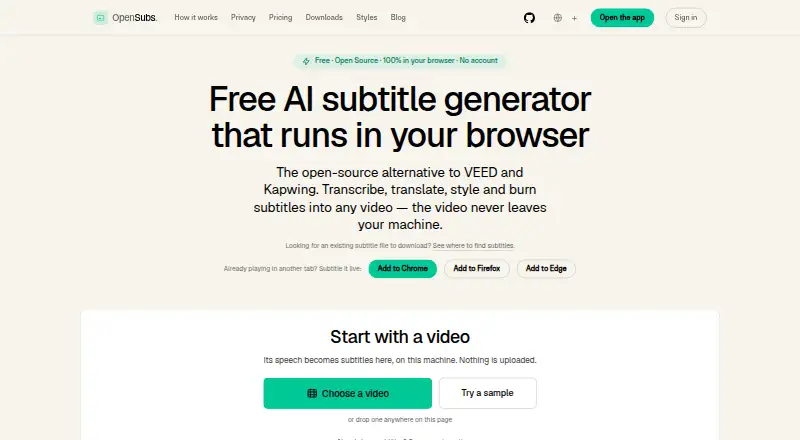
The facts below are what the maker publishes about OpenSubs, checked and dated. Our editors have not written about it yet.
Plans and prices
From OpenSubs's own pricing page, checked 11 Oct 2026.
| Plan | Price | What it gives you |
|---|---|---|
| Free | Free | Speech recognition in browser · On-device translation · 12 styles · Word-by-word highlighting · Trimming and resolution control · MP4 burn · SRT, VTT and ASS export · No file-size limit or watermark · forever |
| Credits | $5, paid once | Cloud translation on OpenSubs’ backend · Credits never expire · Failed jobs cost nothing · for 1,000 credits |
The facts
Each one read from OpenSubs's own pages, with the date it was checked.
What it does
- API key handling
- User-provided API keys are held in page memory and are not stored or sent to OpenSubs, according to the site.checked 11 Oct 2026
- Brand caption presets
- Nochecked 22 Sep 2026
- Burn-in captions
- Yeschecked 22 Sep 2026
- Caption languages
- 20checked 22 Sep 2026
- Caption styling
- Yeschecked 22 Sep 2026
- Desktop and CLI
- Free desktop builds are offered for macOS, Windows and Linux; the command-line tool is built from source, and both require ffmpeg with the ASS filter for burning.checked 11 Oct 2026
- Editing limit
- Cue text can be edited, but cue timings cannot be changed and cues cannot be added, deleted or merged.checked 11 Oct 2026
- Integrations
- The site names Claude, OpenAI and DeepL as providers usable with a user’s own API key; keys are sent directly from the browser to the selected provider.checked 11 Oct 2026
- Offline use
- After initial downloads, the site says it works largely offline except for cloud translation.checked 11 Oct 2026
- Privacy
- The site says it has no video upload endpoint; subtitle text or trimmed audio can leave the device only when the user selects a cloud option.checked 11 Oct 2026
- Purpose
- OpenSubs transcribes, translates, styles and burns subtitles into video, with video processing running in the browser.checked 11 Oct 2026
- Release status
- The site identifies current builds as release candidates and says desktop builds are unsigned.checked 11 Oct 2026
- Styling and export
- OpenSubs offers 12 subtitle styles, word-by-word highlighting, MP4 burn-in and SRT, VTT and ASS export.checked 11 Oct 2026
- Subtitle export
- other formatschecked 22 Sep 2026
- Support
- The site lists [email protected] for contact and problem reports.checked 11 Oct 2026
- Transcription
- It runs Whisper locally using WebGPU when available or WebAssembly otherwise, with Tiny, Base and Small models.checked 11 Oct 2026
- Translation
- It supports translation into 20 languages, using Chrome’s built-in on-device translation, user-provided provider keys or paid cloud credits.checked 11 Oct 2026
- Video formats
- The browser app accepts MP4, MOV, WebM and MKV videos.checked 11 Oct 2026
Where it runs
- Browser extension
- A free extension generates subtitles over video playing in a tab in Chrome, Edge and Firefox.checked 11 Oct 2026
Money
- Free plan
- Yeschecked 22 Sep 2026
Alternatives to OpenSubs
- 1

Captions
Free planAndroidiOSWebAPI9.1From $4.99 a month - 2

Whisper
Free planOpen sourceAPILinuxmacOSSelf-hosted8.9$0.01 usage-based - 3

SRTGen
Free planWebAPI8.3From $4 a month - 4
Fluen AI Subtitle Generator
Free planWebAPIExtensionmacOS8.2Free plan - 5
ZapCap
Free planAndroidiOSWebAPI8.1From $8 a month - 6
ngram
Free planWebAPIExtension8.1From $29 a month