OpenSpeaks Subtitler
OpenSpeaks Subtitler is a free web tool for creating and editing subtitles for audio and video, particularly for oral history and language documentation.
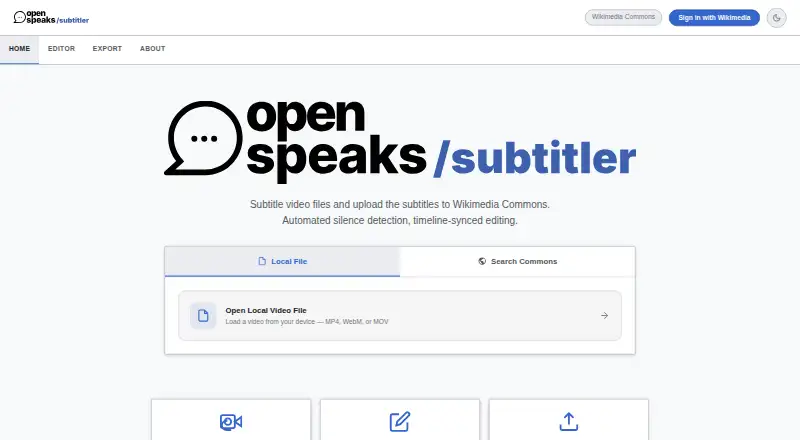
What OpenSpeaks Subtitler is
OpenSpeaks Subtitler is a free web tool for creating and editing subtitles for audio and video, particularly for oral history and language documentation. Silence detection can split speech into draft subtitle segments, with controls for the silence threshold, minimum silence length, and end buffer. The editing workspace includes a waveform timeline, editable subtitle cards, live text over video, and segment looping; changes save to local project state in real time. Completed subtitles can be exported as UTF-8 encoded SRT or VTT files. The tool can load media and existing subtitles from Wikimedia Commons and upload finished subtitles there as TimedText. A side-by-side panel provides machine-translation assistance. Wikimedia login uses OAuth 2.0, and the tool says it stores no separate password. Silence detection runs client-side using FFmpeg.wasm in a web worker. The software is listed under the MIT license, with a Free plan at no cost and no paid plan or usage limits stated. Its maker identifies archivists, language documenters, and Wikimedians, especially those working with low-resourced languages, as intended users.
Good
- Silence detection creates draft subtitle segments
- Exports UTF-8 SRT and VTT
- Loads and uploads Wikimedia Commons subtitles
- Includes side-by-side translation assistance
Watch out
- Chromium-based browsers recommended for full feature support
- AI speech-to-text is listed as a future feature
Who it suits
It suits archivists, language documenters, and Wikimedians working with oral history or language documentation, including low-resourced languages. Users should follow the recommendation for modern browsers; Chromium-based browsers are recommended for full feature support.
Verdict
OpenSpeaks Subtitler offers subtitle drafting, editing, translation assistance, and Wikimedia Commons support at no charge. Its instructions recommend modern browsers and specifically recommend Chromium-based browsers for full feature support.
Plans and prices
From OpenSpeaks Subtitler's own pricing page, checked 8 Oct 2026.
| Plan | Price | What it gives you |
|---|---|---|
| Free | Free | Free and open source; no paid plan or usage limits stated |
The facts
Each one read from OpenSpeaks Subtitler's own pages, with the date it was checked.
What it does
- Authentication
- Wikimedia login uses OAuth 2.0, and the tool page says it stores no separate password.checked 8 Oct 2026
- Draft generation
- Silence detection can split spoken audio into draft subtitle segments, with adjustable silence threshold, minimum silence length, and end buffer.checked 8 Oct 2026
- Editing
- The editor includes a waveform timeline, editable subtitle cards, live on-video text, segment looping, and real-time saving to local project state.checked 8 Oct 2026
- File formats
- Users can export subtitles as UTF-8 encoded SRT or VTT files.checked 8 Oct 2026
- Intended users
- The maker describes archivists, language documenters, and Wikimedians as intended users, especially those working with low-resourced languages.checked 8 Oct 2026
- License
- The tool is listed under the MIT license.checked 8 Oct 2026
- Local processing
- The tool page identifies FFmpeg.wasm running in a web worker for client-side silence detection.checked 8 Oct 2026
- Purpose
- OpenSpeaks Subtitler creates and edits subtitles for audio and video, particularly for oral history and language documentation.checked 8 Oct 2026
- SRT export
- Yeschecked 23 Sep 2026
- Subtitle translation
- Yeschecked 23 Sep 2026
- Support
- Users can share feedback on the discussion page or file bugs and feature requests in the public GitLab repository.checked 8 Oct 2026
- Translation
- The maker says the tool supports a side-by-side translation panel with machine-translation assistance.checked 8 Oct 2026
- VTT export
- Yeschecked 23 Sep 2026
- Wikimedia Commons
- Users can load media and existing subtitles from Wikimedia Commons and upload finished subtitles there as TimedText.checked 8 Oct 2026
Where it runs
- Browser support
- The usage instructions recommend modern browsers and say Chromium-based browsers are recommended for full feature support.checked 8 Oct 2026
Money
- Free plan
- Yeschecked 23 Sep 2026
- Planned feature
- The tool page lists AI-powered speech-to-text integration as a future feature.checked 8 Oct 2026
Alternatives to OpenSpeaks Subtitler
- 1
OOONA
Free planAndroidiOSWebAPI7.6Free plan - 2

SRTGen
Free planWebAPI7.5From $4 a month - 3

Editsub
Free planWebLinuxmacOSWindows7.4From $4 a month - 4
Jubler
Free planOpen sourceAPILinuxmacOSWindows7.4Free plan - 5
Avidemux
Free planOpen sourceWebLinuxmacOSWindows7.3Free plan - 6
Subvideo.ai
Free planWeb7.1From $9.99 a month